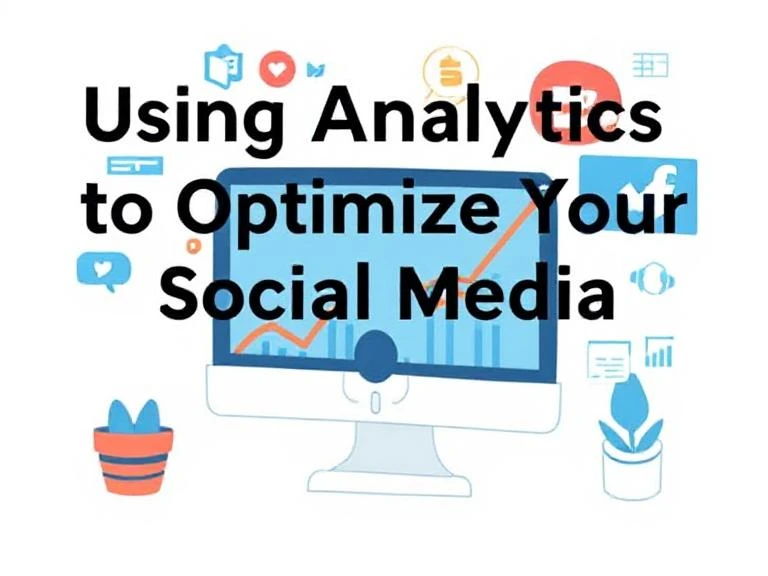

In the fast-paced world of social media marketing, understanding the effectiveness of your campaigns is essential for achieving success. Analytics offer invaluable insights that can help you assess your performance, identify opportunities for improvement, and ultimately, drive better results. By utilizing data from platforms like Facebook, Instagram, Twitter, and LinkedIn, you can optimize your social media campaigns and ensure that your content reaches the right audience.
In this article, we will explore how to use analytics to improve your social media strategies, with a particular focus on key metrics and tools that can guide you in making data-driven decisions.
Why Social Media Analytics Matter
Social media analytics provide a detailed look at how your content is performing, how your audience is engaging, and where there are areas for improvement. These insights help you:
- Measure campaign success: Analytics show how well your campaigns are achieving your goals, whether it's increasing brand awareness, driving website traffic, or boosting sales.
- Understand your audience: By tracking engagement metrics, you can learn more about your audience's preferences, behaviors, and interests, which can help you tailor future content.
- Optimize content strategy: With detailed insights, you can fine-tune your messaging, posting frequency, and content formats to align with what resonates most with your audience.
- Maximize ROI: By tracking your social media spending and the results generated, analytics allow you to allocate your budget more efficiently to achieve better ROI.
Key Social Media Metrics to Track
To effectively optimize your social media campaigns, it’s essential to monitor the right metrics. Here are some of the key performance indicators (KPIs) you should track:
1. Engagement Rate
Engagement is a core metric that helps determine how well your audience is interacting with your content. Likes, shares, comments, and clicks all contribute to engagement. A high engagement rate indicates that your content resonates with your audience, while low engagement might suggest that you need to refine your messaging.
2. Reach and Impressions
Reach refers to the number of unique users who have seen your content, while impressions track the total number of times your content has been displayed. These metrics are essential for understanding the visibility of your posts. If your reach and impressions are low, it may indicate that your content isn't being shown to enough people.
3. Click-Through Rate (CTR)
CTR measures the percentage of people who click on a link in your post, such as a website or product page. A high CTR signifies that your audience finds your content compelling enough to take action. If your CTR is low, consider adjusting your call-to-action (CTA) or content to be more enticing.
4. Conversion Rate
While engagement metrics are important, ultimately, social media efforts should lead to conversions, whether that’s a purchase, lead generation, or email sign-up. The conversion rate tracks the percentage of users who take the desired action after clicking on your post.
5. Follower Growth
Monitoring your follower growth is an excellent way to gauge the long-term impact of your campaigns. A steady increase in followers typically indicates that your content is attracting and retaining interest, which can translate into greater brand loyalty.
Tools for Tracking Social Media Analytics
There are a number of tools available to help track your social media performance. These tools aggregate data from multiple platforms and provide easy-to-understand dashboards for measuring the success of your campaigns. Some of the top tools include:
- Google Analytics: While often used for website analytics, Google Analytics can also provide insights into social media traffic and conversions.
- Hootsuite: This platform helps schedule posts, track engagement, and monitor brand mentions across various social media platforms.
- Sprout Social: A comprehensive social media management tool, Sprout Social provides detailed reports on audience engagement and growth, making it easier to track your campaigns’ success.
- Facebook Insights and Instagram Analytics: Built-in tools on Facebook and Instagram allow you to see detailed performance metrics, from engagement to audience demographics.
How to Use Analytics to Optimize Your Campaigns
Now that you know the key metrics to track and the tools available to measure them, let’s discuss how to use analytics to optimize your campaigns:
1. A/B Testing Your Posts
A/B testing, or split testing, involves creating two different versions of the same post to test which one performs better. This can include variations in text, images, or CTAs. By analyzing the results, you can identify the best-performing elements and apply them to future campaigns.
2. Refining Your Content Strategy
Based on the data you gather, you can tweak your content strategy. For example, if you find that video posts generate more engagement than static images, you can prioritize video content in future campaigns. Similarly, if certain topics or hashtags generate more interest, incorporate them more frequently into your posts.
3. Adjusting Posting Times
Social media platforms have peak times when user activity is at its highest. Using analytics, you can determine when your audience is most active and schedule posts during those optimal times for maximum visibility and engagement.
4. Targeting the Right Audience
Analytics provide valuable insights into the demographics and interests of your audience. Use this data to fine-tune your targeting on social media platforms. If you notice that your content is resonating more with a particular age group or location, consider tailoring your posts to appeal to this group more directly.
5. Improving Customer Interaction
Customer feedback is essential to understanding the effectiveness of your content. If you’re receiving positive feedback or reviews, make sure to acknowledge and amplify it. Responding to comments and engaging with your audience shows that you care about their input and helps build stronger relationships.
One effective way to boost customer feedback is to buy cheap google reviews. Positive Google reviews can enhance your brand’s reputation and increase trust in your business, leading to greater engagement and conversions on social media.
Conclusion
Analytics are a powerful tool for optimizing your social media campaigns. By tracking key metrics, using the right tools, and continuously refining your strategy, you can ensure that your campaigns are effective and drive tangible results. Data-driven decision-making allows you to connect with your audience more effectively, boost your brand’s visibility, and improve your ROI.
If you want to further enhance your online reputation and increase trust with potential customers, consider buying cheap google reviews. A strong online reputation can complement your social media efforts, helping you to build credibility and increase conversions.




















Sign in to leave a comment.