
What Is a Smart Lock? A 2025 Buyer’s Guide to the Best Smart Locks for Your Home
What Are Smart Locks?
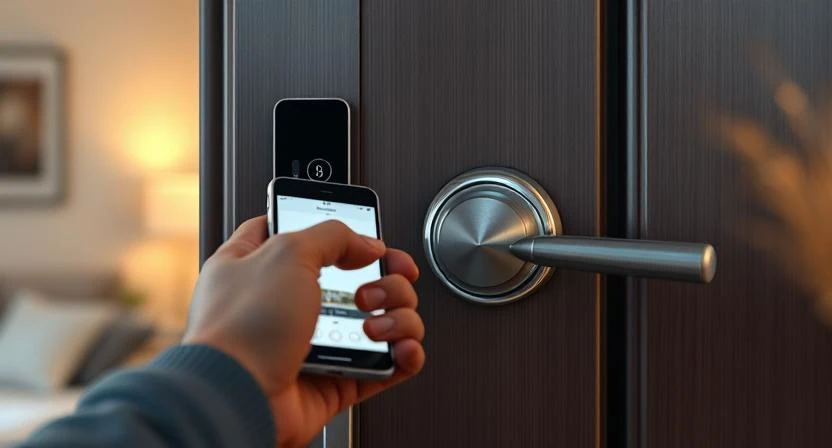
A smart lock is basically a modern version of your traditional door lock — but with added intelligence. Instead of relying on a metal key, it connects through Wi-Fi, Bluetooth, or a digital keypad, letting you lock or unlock your door using a smartphone, voice command, or fingerprint.
In simple words, it’s the lock that doesn’t need a key — it just needs you.
Unlike a regular electronic lock (which usually works through a simple keypad or card system), a smart lock goes further. It communicates with your phone or home network, allowing remote control, monitoring, and instant access sharing. You can check if your door is locked, give temporary codes to guests, or even unlock it when you’re not home.
This kind of convenience and control has made smart locks one of the biggest trends in home security tech — and even locksmiths are adapting fast. Modern locksmiths don’t just cut keys anymore; they also help homeowners install, configure, and maintain smart lock systems, ensuring safety meets technology without compromise.
History of Smart Locks — When Were They Invented?
Smart locks may feel like a new-age innovation, but their roots go back decades. The first electronic lock systems appeared in the 1970s, when hotels began replacing metal keys with keycard-based locks for better security and tracking. That’s where the concept of “keyless entry” first started.
Fast forward to the early 2000s, technology giants like Yale and Schlage introduced the first generation of smart locks that could be controlled using PIN codes and remote key fobs. These were simple but revolutionary — users could now access their doors without physical keys.
Then came the real smart era — with the rise of Bluetooth, Wi-Fi, and smartphones. Brands like August, Kwikset Kevo, and Yale Assure turned door locks into connected devices, letting homeowners manage access directly from mobile apps.
Over time, smart locks evolved beyond remote access. The introduction of voice assistants (like Alexa, Google Home, and Apple HomeKit) and biometric features brought smart locks to where they are today — sleek, secure, and smart enough to blend into modern home automation systems.
What began as a simple hotel convenience is now a must-have home technology in 2025 — combining design, digital control, and everyday peace of mind.
How Do Smart Locks Work?
At their core, smart locks work on a simple idea — secure access through digital communication. Instead of using a physical key, they rely on encrypted signals between your phone and the lock to verify that you have permission to open the door.
Here’s how the process works step by step:
1. Connectivity
Smart locks connect via Bluetooth, Wi-Fi, or Z-Wave.
- Bluetooth works best for short range — ideal for locking/unlocking when you’re near the door.
- Wi-Fi gives remote access — you can control or check your lock status from anywhere in the world.
- Z-Wave or Thread (newer systems) offer smoother smart home integration with better battery life.
Authentication Methods
Instead of metal keys, smart locks use digital authentication:
- PIN codes
- Fingerprint or face recognition
- Smartphone app (with encryption)
- Key cards or NFC tags
3. Smart Home Integration
Modern smart locks are built to sync with Alexa, Google Home, and Apple HomeKit.
You can unlock your door with a voice command, set routines (like “lock doors when I leave”), or get instant alerts when someone enters your home.
4. Power & Backup
Most smart locks run on AA batteries or rechargeable lithium cells.
When the battery gets low, the lock sends alerts through its app — and most models have mechanical key backups or emergency power ports (USB-C or 9V).
In short, smart locks combine mechanical strength with digital intelligence — giving users complete control, even when they’re miles away.
Pros and Cons of Smart Locks
Smart locks bring a mix of comfort and caution — they’re modern, sleek, and full of convenience, but like any tech, they’re not flawless. Here’s what you should know before switching from a traditional lock.
✅ Pros
1. Keyless Convenience
No more worrying about lost or forgotten keys. You can unlock your door with your phone, a code, or even your fingerprint.
2. Remote Access
Heading out of town and forgot to lock the door? No problem. With Wi-Fi-enabled smart locks, you can lock or unlock your door from anywhere through an app.
3. Access Control & Monitoring
You can share digital keys with family, guests, or Airbnb tenants — and even set time-based access. Many models track who enters and when, giving you complete visibility.
4. Integration with Smart Home Systems
Smart locks pair smoothly with Alexa, Google Home, and Apple HomeKit — letting you manage security hands-free or through automated routines.
5. Enhanced Security Features
Some models send tamper alerts, auto-lock when you leave, and even offer two-factor authentication — making your door smarter and safer.
⚠️ Cons
1. Battery Dependency
Smart locks rely on batteries, and while most last months, they still need periodic replacement or charging.
2. Hacking or Connectivity Risks
Anything connected to Wi-Fi has some cyber risk. A secure password and firmware updates are a must to avoid vulnerabilities.
3. Higher Upfront Cost
Smart locks can cost $150–$350 on average — a higher investment than traditional locks, though the features justify it for most users.
4. Setup and Compatibility
Installation is usually simple but can get tricky on older doors or deadbolt types — which is where a professional locksmith’s help becomes valuable.
Smart locks offer comfort, control, and security — but they’re not entirely maintenance-free. The key (pun intended) is to choose a reliable brand and install it properly.
Best Smart Locks (2025 Updated List)
Choosing the right smart lock can get confusing — there are tons of brands, features, and price ranges out there. So, to make it easier, here’s a quick look at some of the top-rated smart locks of 2025 that balance design, performance, and price.
1. August Wi-Fi Smart Lock — Around $230
The August Wi-Fi Smart Lock remains one of the best overall options in 2025. It’s compact, easy to install, and fits over your existing deadbolt — no need to replace your entire lock.
💡 Best for: Seamless smartphone control & quick installation.
2. Yale Assure Lock 2 — Around $180
A trusted name in security, Yale’s Assure Lock 2 offers multiple unlocking methods — keypad, app, and Apple HomeKey. It’s sleek, secure, and reliable for everyday use.
💡 Best for: Homeowners who want a premium feel without breaking the bank.
3. Schlage Encode Plus — Around $250
This model works flawlessly with Alexa and Apple HomeKit, offering fast responses and top-notch encryption. It also comes with a built-in Wi-Fi hub, so no extra bridge needed.
💡 Best for: Apple ecosystem users and high-security needs.
4. Level Lock+ — Around $330
If you prefer a minimalist design, the Level Lock+ hides all its tech inside the door — it looks like a normal lock but works like magic.
💡 Best for: Design-focused homes and users who want discreet smart tech.
5. Eufy Smart Lock C210 — Around $150
Budget-friendly but powerful, this lock includes fingerprint access, app control, and an auto-lock feature. Great choice for apartments or first-time smart lock users.
💡 Best for: Affordable smart entry with solid performance.
💬 Pro Tip:
Before buying, check door compatibility, connectivity type (Wi-Fi or Bluetooth), and whether it supports your smart home ecosystem (Alexa, Google, or Apple).
And if you’re not confident about setup, a professional locksmith can help install it safely — ensuring everything from alignment to digital pairing works perfectly.
Smart Locks for Different Needs
For Homes & Apartments
If convenience is your top priority, choose a Wi-Fi or Bluetooth smart lock that connects easily to your phone.
You’ll get remote access, voice control, and auto-locking features — ideal for families or anyone who frequently forgets keys.
🔑 Top Picks:
- August Wi-Fi Smart Lock — easy retrofit option for existing deadbolts
- Yale Assure Lock 2 — perfect balance of style and security
💡 Best Feature: Control who enters — and when — right from your phone.
For Businesses & Offices
Security and control matter most in workplaces. A smart lock with multi-user access logs and admin-level permissions keeps things professional and safe.
Pair it with a smart security hub for extra monitoring.
🔑 Top Picks:
- Schlage Encode Plus — enterprise-level encryption & easy access tracking
- Ultraloq U-Bolt Pro Wi-Fi — multiple entry modes (code, fingerprint, app)
💡 Best Feature: Manage employee access and view activity history remotely.
For Airbnb & Rentals
Hosts love smart locks — they eliminate key handoffs and let you assign temporary codes to guests.
Many models even sync directly with Airbnb apps to auto-generate access codes for each booking.
🔑 Top Picks:
- Eufy Smart Lock C210 — reliable, affordable, and easy to reset
- August Smart Lock Pro — integrates smoothly with Airbnb automation tools
💡 Best Feature: Generate and expire guest codes automatically after checkout.
In short, the right smart lock depends on how you live and manage your space.
Whether it’s home security or guest management, smart locks give you control like never before — without sacrificing convenience.
Locksmith’s Role in Smart Locks
Smart locks may seem like plug-and-play devices, but professional locksmiths still play a huge part in making sure everything works safely and smoothly.
Even the most advanced smart lock needs precise installation, calibration, and maintenance — that’s where expert help comes in.
1. Installation & Setup
A locksmith ensures your door alignment, latch position, and frame fit are perfect before installing a smart lock.
They also handle electronic configuration, pairing your lock with apps like Alexa, Google Home, or Apple HomeKit, and making sure it functions seamlessly.
2. Upgrading Traditional Locks
Most homes still have mechanical deadbolts — locksmiths can retrofit those into smart systems without needing to replace the entire door hardware.
They know exactly which models fit older lock types and how to wire or mount them properly.
3. Troubleshooting & Maintenance
Connectivity issues, battery problems, or access glitches?
A locksmith can diagnose and fix them quickly, whether it’s a firmware update or sensor realignment.
Regular maintenance also ensures your smart lock stays reliable — especially if you use it multiple times a day.
4. Security Consultation
Beyond just installation, locksmiths help you choose the right smart lock for your home or business, based on your usage, door type, and security level.
They can even integrate smart locks with alarm systems or CCTV for complete protection.
If you’re planning to install or upgrade your smart lock, it’s always smart to get professional help from an experienced locksmith.
If you’re reading this from the USA, especially Texas, I have a suggestion for you.
This isn’t a promotion or paid mention — it’s just based on my personal experience. Whenever I’ve needed help, I’ve called Quickey Locksmith. They’ve always shown up on time, handled everything professionally, and kept their prices fair. That’s why I trust them and recommend their services.
Of course, there are other locksmiths in Texas too — like Pop-A-Lock, Texas Premier Locksmith, and Extra Locksmith — but personally, I’ve been completely satisfied with Quickey Locksmith, so that’s my honest recommendation.
In the end, the choice is yours — just make sure you go with a professional you can rely on.
Final Thoughts
Smart locks aren’t just a modern convenience — they represent how home security is evolving. As technology keeps improving, these locks are becoming more reliable, more secure, and easier to use.
Whether you want quick keyless entry, better access control, or a fully connected home system, a smart lock can make everyday life simpler and safer. Still, it’s important to choose a trusted brand and have it installed properly to get the most out of it.
If you ever decide to switch from traditional locks to a smart security setup, do your research, compare options, and consult a professional locksmith for installation. It’s a small step that can make a big difference in how you protect your home and peace of mind.


























Sign in to leave a comment.