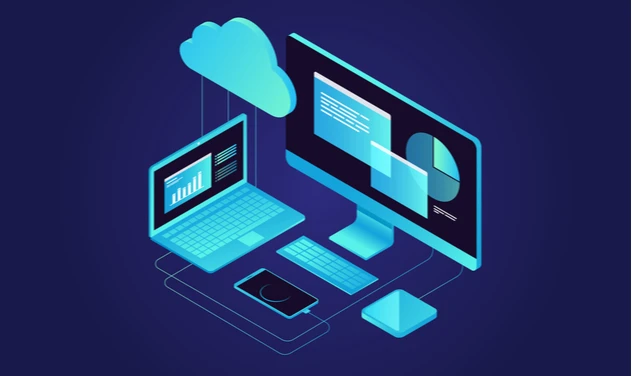

Desktop Virtualisation is playing a leading role in introducing virtual workplaces to the future of enterprise management. This technology lets users access their work desktops remotely or locally by simulating a workstation load. A virtual version of a desktop is created and then decoupled from the physical device, letting the users access the desktop and its applications from any device of their choice.
Why opt for Desktop Virtualisation?
The practice of virtual workspaces is on the rise, even for non-IT enterprises. This demand has accelerated with the advent of pandemic-related lockdowns all over the world. The need to provide an environment where workers can work from their homes has never been higher.
The demand for Virtualisation is also driven by stringent IT budgets and an ever-increasing need for data security. Desktop Virtualisation not only increases productivity due to its ease of access, but the correct deployment strategy makes the whole affair cost-efficient with high returns on investment. Another added benefit that drives the demand for desktop Virtualisation is the resource optimization for IT services. Regular IT tasks such as onboarding new clients or vendors, upgrading applications, applying patches, running safety protocols, and general maintenance checks become a hassle-free operation because of centralized control, eliminating the need to service individual PCs.
Desktop Virtualisation can be achieved using several deployment models. The two most popular models are Virtual Desktop Infrastructure (VDI) and Session Virtualisation. Both are methods employed to virtualize operating systems, and there are considerable differences in their administration.
Virtual Desktop Infrastructure (VDI) provides virtual machines (VM) with their own operating system, applications, and user data for individual users on a server that is shared with the end-users. There can be multiple virtual machines running on a server at any moment, but only one client can access a particular virtual machine at a given time.
There are two ways to implement VDI. One is the persistent or personal model, where end users can customize their virtual machine as per their requirements. This model has a unique image for each user, which maps their preferences and saves them when the connection is severed. This model is best used for highly specialized workers such as designers or engineers. The alternative is to opt for a non-persistent or pooled VDI architecture which saves a single master image of the OS, and any changes made during the usage are not saved. This model is best for enterprises with a large number of task workers without the need for personalization.
Session Virtualisation or “Terminal Services” allows clients to use one single OS on a shared basis. The back-end server runs the desktop OS image and its applications that multiple clients can access via predetermined login credentials. The processes within the client-server relationship are limited to displaying graphics (or screenshots) from the server and transmitting mouse movements and keyboard strokes. This deployment requires considerably fewer resources than VDI and offers a lesser degree of control over applications, personalization, data security, and management.
This service is also referred to as Remote Desktop Session Host (RDSH) and has been around for a relatively long time. The earliest offerings of session Virtualisation solution platforms were Citrix and Windows Remote Desktop.
VDI vs. Session Virtualisation
The choice between Virtual Desktop Infrastructure and Session Virtualisation (or RDSH) confuses many first-time clients. The difference between the two may not seem very drastic from a cursory glance. Still, if the deployment strategy does not fit into the client\'s exact requirements, it may negate the core benefits of Virtualisation.
Cost is generally a primary concern when implementing any new technology. Leading market researchers estimate that the price of session Virtualisation is very low when compared to the price of VDI. The capital expenditure involved in implementing VDI is higher because the resources required to store, send, maintain and secure several virtual machines are much more when compared to the shared operating system setup of session Virtualisation. The higher cost of VDI is also due to higher licensing costs for several operating systems, which is reduced in the case of session Virtualisation as only a single operating system is in use. If budget plays the deciding factor in choosing between these two options, session Virtualisation becomes the more attractive option.
While the costs involved with setting up VDI may be higher, this infrastructure provides a much higher control over the OS and applications to the users. Because virtual machines can be customized according to the specific requirements of each user, they are the best option for users conducting specialized work, such as software engineers, graphic designers, or business analysts. When the requirement focuses on high-level computing and personalization, persistent model VDI is the best option. It delivers fully capable virtual machines, and since each end-user has its own OS, there is no conflict regarding memory, storage, and application incompatibility.
Session Virtualisation is best suited for organizations with a large number of employees as the server-to-client ratio is higher with hosted desktops. Also, with usage requirements that have a low computing and personalization setup, such as data entry and call centers, the session Virtualisation model is much more cost-efficient.
Conclusion
To conclude, it is essential to understand that no one model is better than the other. The answer to the dilemma of which method of desktop Virtualisation to go for depends solely on budgetary considerations and your business requirements. Each solution provides dependable data security. For an optimum desktop Virtualisation experience, a tailor-made combination of VDI and session Virtualisation can also be implemented.
























Sign in to leave a comment.