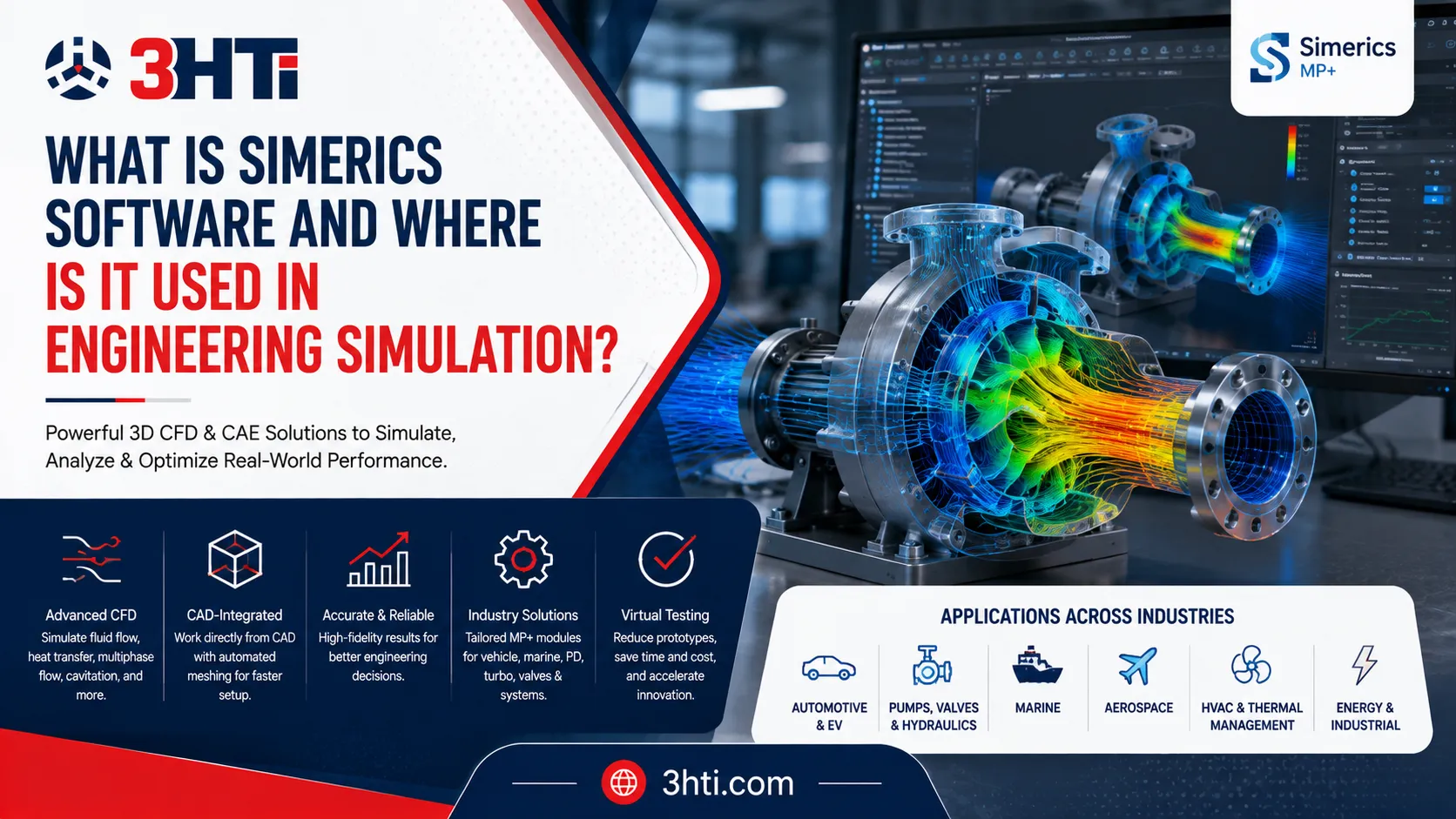

Simerics software is a suite of 3D computational fluid dynamics (CFD) and computer-aided engineering (CAE) tools used to virtually simulate fluid flow, heat transfer, multiphase behavior, cavitation, particles, and fluid-structure interactions. For engineering teams evaluating whether to buy Simerics-MP software, the key consideration is how well its physics, automated meshing, CAD workflow, and industry-specific capabilities match the product being designed.
Simerics-MP is the multipurpose foundation, while Simerics-MP+ adds streamlined workflows and specialized applications for vehicles, marine systems, positive-displacement machines, turbomachinery, valves, and integrated fluid systems.
Key Takeaways
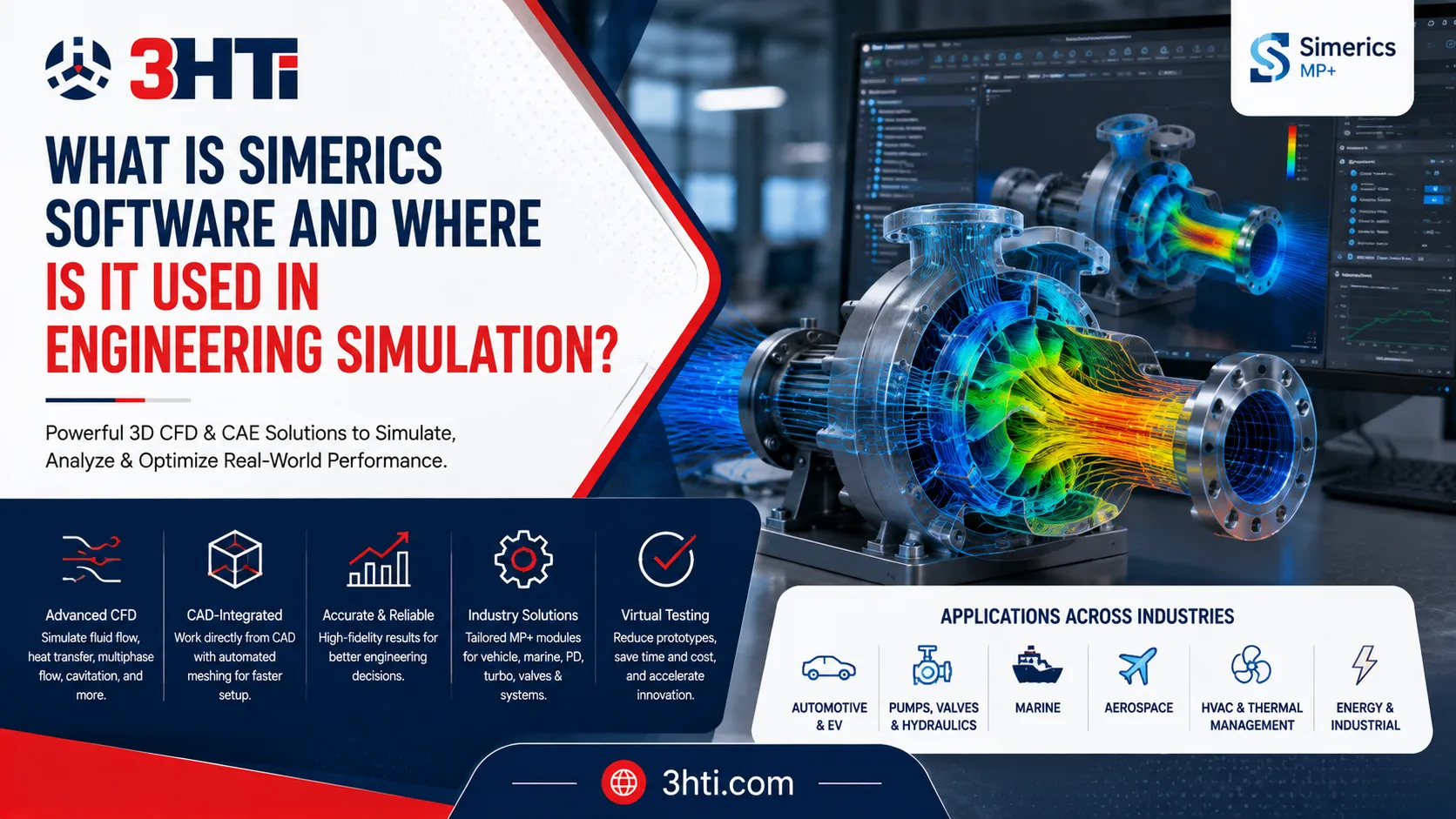
- Simerics-MP is a multipurpose 3D CFD platform for single-phase and multiphase fluid-flow and thermal simulations.
- Its physics include turbulence, cavitation/aeration, heat and mass transfer, particles, and fluid-structure interaction.
- Simerics-MP+ extends the core platform with specialized workflows for vehicle, marine, turbomachinery, positive-displacement, valve, and complex fluid-system applications.
- The software is designed to work directly from CAD geometry, with automated meshing capabilities that can reduce model-preparation effort.
- It is relevant to automotive, aerospace, marine, hydraulics, energy, HVAC, pumps, compressors, valves, thermal management, and other fluid-intensive engineering applications.
What Is Simerics-MP Software?
Simerics-MP is a multipurpose 3D CFD software platform for virtual testing and engineering analysis. Its core capabilities cover fluid flow, turbulence, multiphase flow, cavitation and aeration, heat transfer, particle tracking, and fluid-structure interaction.
The platform is designed around engineering problems where fluid behavior influences product performance. Examples include pump pressure characteristics, cooling-system behavior, fluid mixing, cavitation, thermal management, and flow through complex components.
Its multiphase capabilities use a Volume of Fluid (VOF) approach for applications involving multiple fluid phases, while the flow solver supports compressible and incompressible flow, laminar and turbulent regimes, and both steady and transient analysis.
That makes Simerics different from a CAD application. CAD defines the product geometry; CFD evaluates how fluids, heat, and related physical phenomena behave around or through that geometry.
What Is the Difference Between Simerics-MP and Simerics-MP+?
Simerics-MP provides the general-purpose CFD foundation. Simerics-MP+ builds on that foundation with specialized capabilities and workflows for particular engineering applications. Simerics describes MP+ as including streamlined setup, automated mesh/remesh for key components, and customized data reduction.
The MP+ portfolio includes:
- MP+ for Vehicle — vehicle aerodynamics, underhood thermal management, HVAC, water fording, fuel-tank sloshing, and related applications.
- MP+ for Marine — hull performance, wave resistance, maneuvering, seakeeping, propulsion, and free-surface flow.
- MP+ for PD — positive-displacement pumps, compressors, motors, and associated systems.
- MP+ for Turbo — axial, mixed-flow, and centrifugal turbomachinery.
- MP+ for Valves — valve dynamics, flow, cavitation, and associated systems.
- MP+ for Systems — complex integrated fluid systems combining components and physical models.
The right choice therefore depends on whether an engineering team needs general CFD capabilities or a workflow optimized around a specific product class.
Where Is Simerics Software Used?
Automotive and Electric Vehicles
Automotive engineering is one of the major application areas. Simerics-MP+ for Vehicle supports vehicle aerodynamics, underhood thermal management, HVAC, water handling, fuel-tank behavior, and windshield de-icing.
Simerics-MP+ can also model thermal behavior in oil-cooled electric motors. Such analyses can combine multiphase flow with conjugate heat transfer to study oil distribution and temperatures across motor components.
Pumps, Valves and Hydraulic Systems
Fluid machinery is another strong application area.
Engineers can use Simerics to investigate:
- Pressure and flow performance
- Cavitation
- Pressure ripple
- Torque and power
- Fluid distribution
- Valve dynamics
- Leakage and clearances
- Transient operating conditions
Simerics-MP+ for PD is specifically designed for positive-displacement pumps, compressors, and motors, while the valve and turbo modules address other specialized fluid-machinery applications.
Aerospace and Marine Engineering
Simerics identifies aerospace and aeronautics among its application areas, including aerodynamic analysis from subsonic to supersonic conditions.
Marine applications include hull resistance, propulsion, maneuvering, seakeeping, porpoising, and free-surface multiphase behavior.
For engineering organizations, this means CFD can be applied earlier in product development to investigate performance before relying entirely on physical prototypes or hardware testing.
How Does Simerics Work With CAD Geometry?
One practical advantage of Simerics is its emphasis on moving from CAD geometry toward simulation without making geometry preparation an unnecessarily long process.
Simerics-MP includes a built-in general-purpose mesher that can generate a body-fitted binary-tree mesh directly from CAD surfaces. 3HTi's description also highlights automatic mesh generation and the ability to work with complex or "dirty" CAD geometry without conventional CAD cleanup.
This does not mean CAD quality is irrelevant. Engineering teams still need appropriate geometry, meaningful physical assumptions, boundary conditions, material properties, and mesh refinement strategies.
This is where 3D CAD modeling services and simulation expertise can complement one another. A model may need to be simplified, redesigned, or parameterized to produce a simulation that answers the actual engineering question rather than simply reproducing every detail of the production model.
How Do CAD and Simulation Services Work Together?
A strong simulation workflow connects:
CAD model → Geometry preparation → Mesh → Physics → Boundary conditions → Solver → Results → Design iteration
For organizations using Creo, Simerics can fit into a broader CAD and simulation environment. 3HTi also offers Creo Flow Analysis, which is powered by Simerics technology and brings CFD capabilities closer to the Creo design workflow.
When the engineering challenge requires more specialized analysis, 3HTi provides simulation services covering CFD, FEA, generative design, topology optimization, tolerance analysis, and other engineering-analysis requirements.
The combination can be particularly useful when an internal engineering team has the CAD expertise but lacks the CFD capacity to build, run, validate, and interpret complex simulations.
What Should You Evaluate Before You Buy Simerics-MP Software?
Before deciding to buy Simerics-MP software, evaluate the complete engineering requirement rather than comparing CFD features in isolation.
1. Define the physics
Determine whether your projects require:
- Single-phase or multiphase flow
- Turbulence
- Heat transfer
- Cavitation
- Compressible flow
- Particle tracking
- Fluid-structure interaction
- Radiation or conjugate heat transfer
2. Match the application
A pump manufacturer, automotive OEM, aerospace supplier, and marine engineering organization may need different Simerics-MP+ modules.
3. Examine CAD-to-simulation workflow
Ask how efficiently your existing CAD models can become simulation-ready models and how much manual preparation is required.
4. Consider transient requirements
If product behavior changes significantly over time such as pump rotation, valve movement, vehicle water fording, or thermal transients evaluate the solver's ability to handle the required transient physics.
5. Evaluate engineering support
CFD software is only one part of the process. Training, model development, validation, workflow development, and interpretation can materially affect project success.
Is Simerics Worth Considering for Engineering Teams?
Simerics is particularly relevant when fluid and thermal behavior are central to product performance and the engineering organization wants simulation to become part of the design process rather than a final-stage validation exercise.
The platform's combination of multiphysics capabilities, automated meshing, specialized vertical applications, and CAD-oriented workflows makes it applicable across a broad range of engineering problems.
For organizations evaluating the platform, Simerics-MP+ from 3HTi provides access to the specialized Simerics-MP+ portfolio, while 3HTi's simulation services can support teams that need additional CFD or CAE expertise.
Conclusion
Simerics software is an engineering CFD and CAE platform designed to simulate complex fluid, thermal, and multiphysics behavior in products and systems. Simerics-MP provides the multipurpose foundation, while Simerics-MP+ adds specialized workflows for vehicles, marine systems, pumps, valves, turbomachinery, and integrated fluid systems.
For manufacturers, the strongest business case comes when simulation can reduce uncertainty earlier in product development, help engineers investigate design alternatives, and complement physical testing.
The decision to buy should therefore be based on physics requirements, application fit, CAD workflow, simulation expertise, validation needs, and long-term engineering objectives—not simply on the number of features listed in a CFD software brochure.
FAQs
What is Simerics-MP used for?
Simerics-MP is used for 3D CFD analysis involving fluid flow, turbulence, multiphase flow, cavitation, heat transfer, particles, and fluid-structure interaction. Applications include pumps, valves, thermal systems, fluid machinery, automotive components, and other fluid-intensive engineering problems.
What is Simerics-MP+?
Simerics-MP+ is an enhanced version of the Simerics-MP platform with specialized workflows for vertical applications. Its portfolio includes vehicle, marine, positive-displacement, turbomachinery, valve, and complex integrated fluid-system simulation.
Can Simerics work with CAD models?
Yes. Simerics-MP includes CAD-oriented model preparation and automated meshing capabilities. Its mesher can generate meshes directly from CAD surfaces, reducing some traditional geometry-preparation effort.
Is Simerics used for automotive simulation?
Yes. Simerics-MP+ for Vehicle supports vehicle aerodynamics, underhood thermal management, HVAC, water fording, fuel-tank sloshing and filling, and windshield de-icing applications.
Can Simerics simulate cavitation?
Yes. Simerics-MP includes cavitation and aeration capabilities that account for liquid vapor, non-condensable gas, and liquid compressibility. These capabilities can be applied to pumps, valves, and other fluid systems where cavitation affects performance.
Do companies need CFD specialists to use Simerics?
Not necessarily for every project, but complex CFD work often benefits from experienced analysts who understand physics, boundary conditions, meshing, convergence, validation, and result interpretation. Organizations without sufficient internal capacity can supplement their teams with specialized simulation services.




























Sign in to leave a comment.