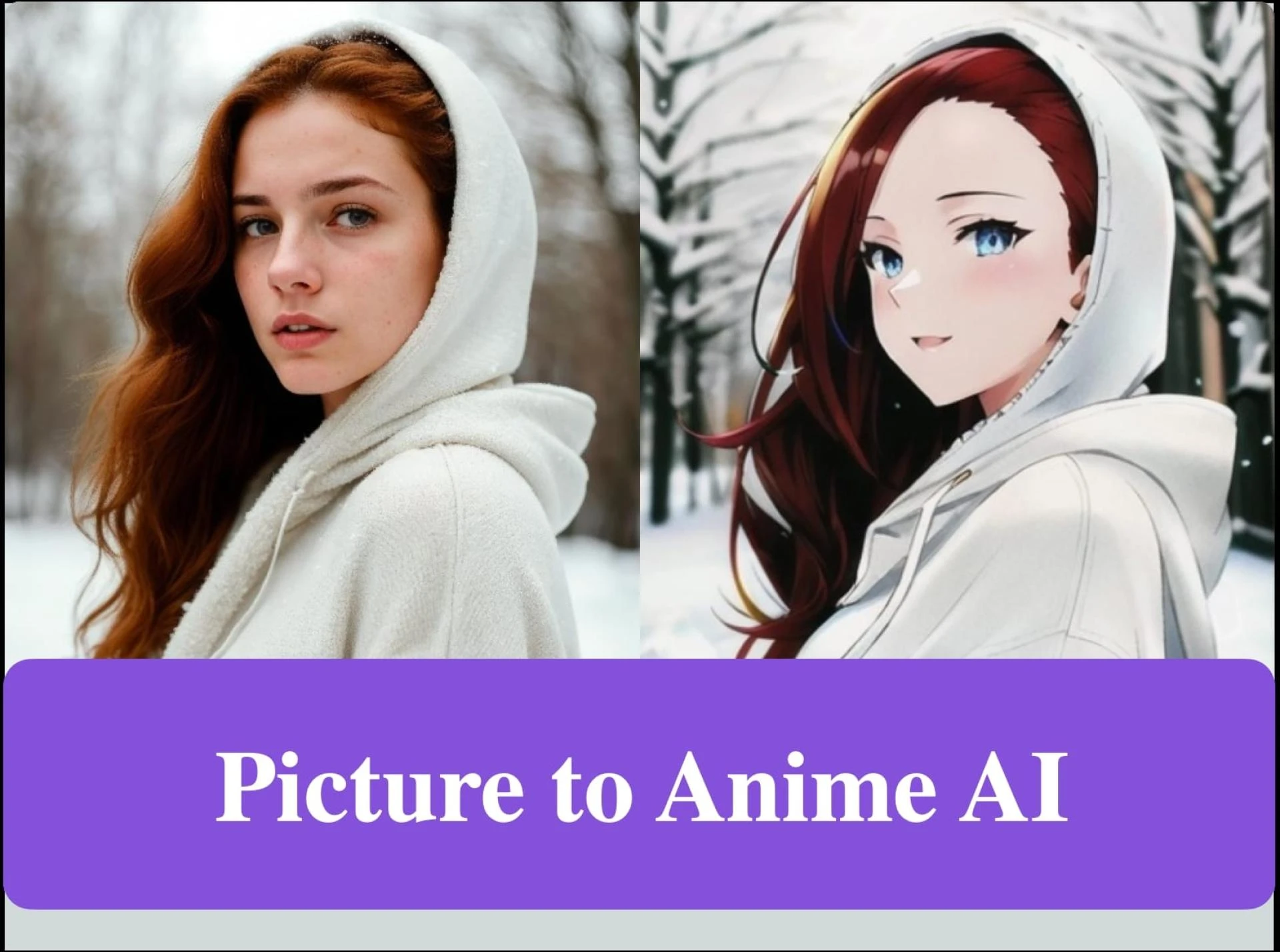

Ever wonder how to convert photo to anime with ease? If you are into anime and would love to convert your photos into an anime picture that's out of this world, you're in the right place! For many, using complicated tools and processes is really painful; fortunately, that does not have to be the case.
Whether you just want to create an avant-garde avatar for social media or try something fun and creative, in this article, we will take a look at how to convert your photos into anime art in a few simple steps.
So, let's begin.
Part 1. Why Convert Photos to Anime?
The anime art form has gone super viral with the online means. From vibrant illustrations to expressive characters, it's everywhere in digital media, and for that reason, people like it since it can bring a unique and fun style, especially in personal photos.
One huge trend is the use of anime-like avatars through some social media like Instagram, TikTok, and gaming platforms. Other users on such sites get their pictures transformed into their anime characters, which makes them unique from all others and gets creative while showing themselves. Such anime avatars give your profile a funky touch, unlike any other picture that looks boring.
Making your photo an anime is also one great personalization in building up your presence online. You connect well with other people who like anime, and it gives that personal touch to your profile. Therefore, for new self-expression methods, the Anime-style transformation fits well for the individual in online communications.
Part 2. Key Use Cases of Photos to Anime Tool
The photo to anime converter has lots of uses, although it can be a little fun too. Here are some ways you could actually use this:
Creating Anime Avatars
People change their photos into anime avatars for different social media sites, online video games, or professional websites. It is the icing on the cake-a display of persona and identity. Be it a gamer or an anime lover; this tool will help you create a really cool, unique avatar.
Personalized Gifts and Memes
You can use this tool to change pictures of your friends or family into anime characters. You can use these for fun gifts, such as posters or T-shirts, or to make funny memes. This is a really creative and personal way to share with others.
Improve Your Web Presence
One great way to add some zest to your online profiles is anime avatars. Be it an Instagram, TikTok, or a gaming platform, having an anime version of yourself is a great way to get noticed and connect with people who love anime.
Creative Projects and Illustrations
Whether you are an artist or a content creator, the convert photo to anime tool will help you make unique illustrations for your projects. It adds a creative touch to videos, blogs, or marketing materials.
Wanting to do this or that, this photo-to-anime tool makes creativity so easy and fun!
Part 3. Step-by-Step Guide to Convert Photo to Anime with insMind
Converting your photo to anime is quick and easy with the insMind tool. Follow these simple steps to get started:
Step 1: Access the Photo-to-Anime Tool Page
For the first step, please go to insMind Photo to Anime tool. Once on the page, you will instantly note how friendly this interface is because it guides a user through with much ease in their work.
Step 2: Upload Your Photo
Next, click the "Upload a Photo" button. You will be prompted to choose a photo you want to transform into an anime picture; make sure that the photo taken is clear and well-lit. Once chosen, it automatically attaches to the tool.
Step 3: Convert Your Photo to Anime
Once the photo is uploaded, select the Anime avatar and hit Generate button. Immediately after hitting the button, it automatically starts to convert it into an anime image.
This usually takes only a few seconds. The AI uses complicated algorithms to create an anime version of your photo, turning your features into a colorful and artistic anime representation.
Step 4: Download
After the conversion happens, you will be able to preview your photo in anime style. If you are satisfied with what you see, then click the "Download" button and save the image to your device. Now you can use your anime photo as an avatar, or fun profile picture, or share it with friends!
That's it! You can change any photo into a cool anime character in just these few steps.
Part 4. FAQS
Do I need advanced skills to use photo to anime converter?
No, great skills in anything are not required. Photo to anime converter is meant to be extremely user-friendly: you upload your image, select what you want to change, and that's about it. Perfect for both beginners and experts.
Is photo to anime converter free?
Some of the tools provide free and paid options in this photo to anime converter tool while having the ability to utilize some basic features free of charge. Therefore, using larger or better-quality features can require a subscription-based plan, depending on the requirements of the tools. Please consult their tool page for more details regarding pricing and what features are included.
How long does it take to convert an object in my image?
The time taken to convert an object depends on the intricacy of the image and the change one makes. Usually, in a few seconds, it replaces them without incident. For some finer changes, though, it takes probably a minute or two. This tool is meant to work fast and efficiently.
Conclusion
The insMind photo to anime converter tool makes editing of your photo to an anime figure quite easy and time-consuming. Whether it be a cool avatar, for a comic profile picture, or just for something funny, this anime art from your photo is there for you. Instructions are quite easy to follow, and in the end, you will get your picture in anime format.
Ready to give it a try? Head over to insMind and change your photos today. It's fun, it's easy, and it's a great way to show off how creative you are!




















Sign in to leave a comment.