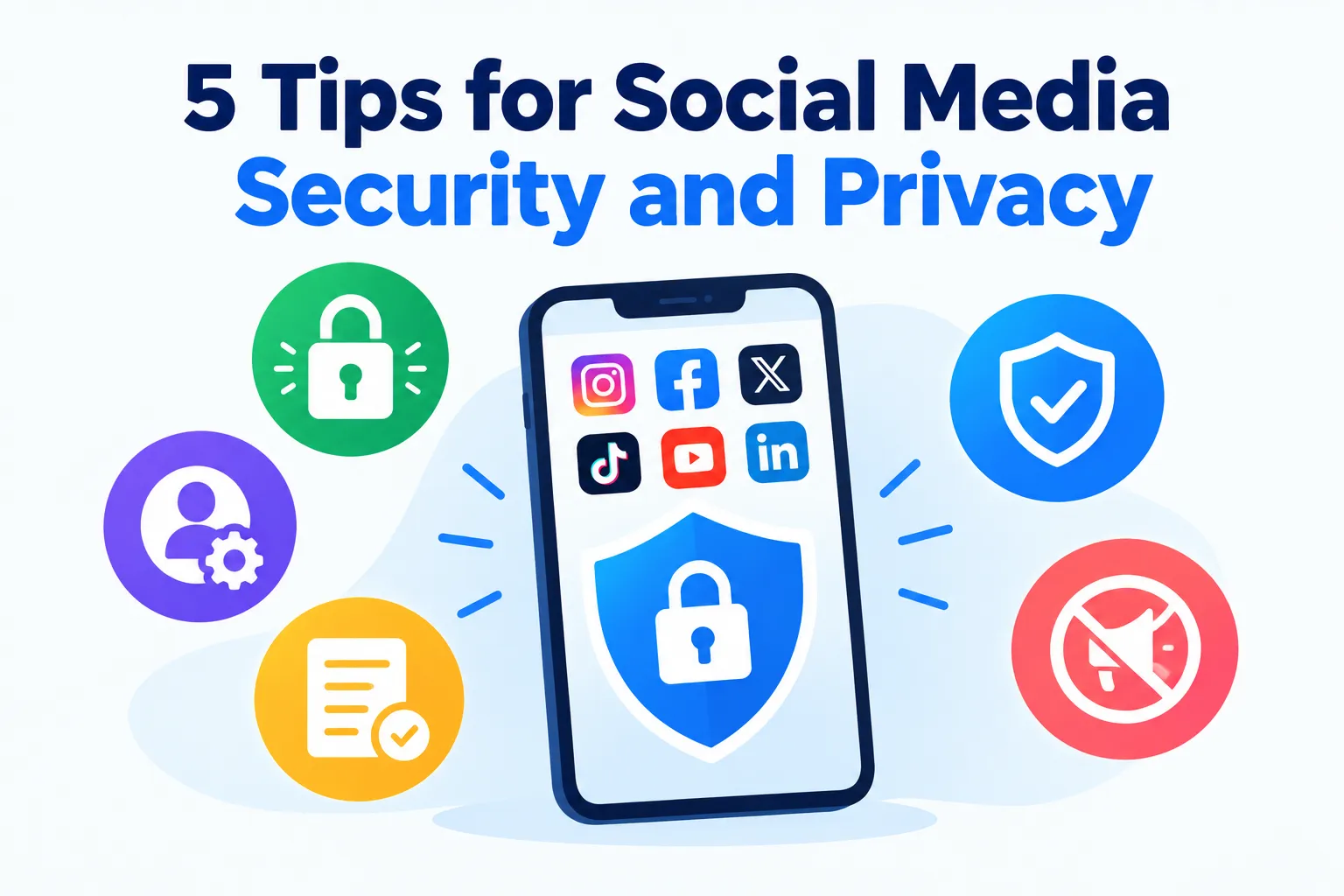

Social media has quietly become the place where identity, friendships, work, and money overlap. The same account that holds your holiday photos may also be the login for other apps, the inbox for a small business, and the place where relatives check that you are alive and well. That makes it worth protecting.

Most of the trouble people run into is not the result of sophisticated hacking. It comes from reused passwords, generous default settings, a rushed click on a message that seemed to come from a friend, or a photo that revealed more than intended. The good news is that these problems respond well to a handful of steady habits.
This guide walks through five practical tips, each explained in enough detail to act on. It also covers what to do if something goes wrong, because prevention is never perfect. Where a specific tool is relevant, such as a link checker or a VPN, it appears as an example of the category, not as a magic fix.
Why Social Media Is Its Own Kind of Security Problem
Most online risks involve a technical weakness. Social media adds a human one: trust. People accept friend requests, open direct messages, and follow links because the source looks familiar. Criminals know this and build their attacks around it.
There are several common patterns. Account takeover means someone gains control of your profile, usually with a stolen or guessed password. Impersonation means someone copies your name and photos to trick your contacts, and phishing means a fake message or page collects your login details.
Scraping and profiling are quieter. Data brokers, advertisers, and bad actors gather public information and stitch it into a detailed picture of who you are, where you live, and what you care about. Nothing needs to be "hacked" for that to happen, because you supplied the material yourself.
Permanence is another factor. A post you delete may still exist in screenshots, archives, or someone else's download, so the safest assumption is that anything public can outlive your intentions. That is a reason to think before posting, not to stop posting.
Finally, social accounts are connected to everything else. Many people use them to sign in to other services, and their linked email address is often the master key for password resets. A compromised social account can therefore become a doorway into much more.
The five tips below address those weak points in turn: access, exposure, incoming traffic, devices and networks, and the people around you.
Tip 1: Make Your Accounts Hard to Take Over
Protecting access comes first, because everything else falls apart if a stranger can log in as you. Three habits do most of the work: unique passwords, strong second steps, and a well-protected recovery path.
Use a different password for every account
Reusing a password is the most common way one small breach becomes several large ones. When a minor website leaks its user list, attackers try the same email and password combinations on major platforms, a technique called credential stuffing. If your social login matches a leaked one, they walk straight in.
The practical answer is a password manager. It generates long, random passwords and remembers them for you, so you only need to memorize one strong master passphrase. Length matters more than cleverness, and a random string of many characters beats a short "complex" one.
If a password manager feels like too much at first, start with your email account and your most important social profiles. Give each a unique password, then work outward. Progress beats perfection here.
Turn on two-factor authentication, and choose the right kind
Two-factor authentication, often shortened to 2FA, adds a second proof beyond your password. Even if a criminal knows your password, they still cannot log in without the second step. Most major platforms offer it in their security settings.
Not all second steps are equal. A code sent by text message is better than nothing, but it can be intercepted through SIM-swap fraud, in which a criminal persuades a mobile carrier to move your number to their SIM. An authenticator app generates codes on your device and avoids that weakness.
Physical security keys and passkeys are stronger still, because they are tied to the real website and resist phishing. If a platform offers them, they are worth the small setup effort. Whichever method you choose, save the backup codes somewhere safe, such as inside your password manager, so a lost phone does not lock you out.
Protect the email account behind everything
Your email address is usually the recovery route for every social account. If someone controls your inbox, they can request password resets and intercept the confirmation messages. That makes your email the most valuable account you own.
Give it the strongest password and the strongest second step you have. Check its recovery phone number and backup address, and remove any you no longer control. Old recovery details are a favorite target for takeovers.
Find out whether your details have already leaked
Many people have appeared in a data breach without knowing it. An AVO Email Breach Scan is one example of a tool that checks known breach records for your address and alerts you to matches. Its store listing notes that results depend on the records available and the timing of checks.
That caveat matters. A clean result means nothing was found in the data the service can see, not that you have never been exposed. A match, on the other hand, is a clear prompt to change the affected password everywhere it was used.
Review where you are signed in
Most platforms list the devices and sessions currently logged in to your account. Check that list every few months, and log out of anything unfamiliar or long forgotten. This also reveals old phones, borrowed computers, and browsers you signed into once and never left.
Turn on login alerts as well. A notice that someone signed in from a new device gives you a chance to react within minutes instead of weeks. Combined with strong passwords and a second step, that alert closes most of the easy paths into your account.
Tip 2: Tighten Your Privacy Settings and Think Before You Post
Even a perfectly secured account can leak. Privacy settings decide who sees what you share, and your posting habits decide what there is to see. This tip is about controlling that exposure.
Set the audience deliberately
Default settings tend to favor sharing, because platforms benefit from engagement. Open the privacy menu and look at who can see your posts, your friend or follower list, and your profile details. Decide on purpose instead of accepting whatever was chosen for you.
Consider restricting who can send you messages, who can tag you, and whether tagged posts appear on your profile without your approval. Many platforms let you review tags before they go live. That one setting prevents a surprising amount of unwanted exposure.
Also check whether people can find you by phone number or email address. Contact-based search is convenient, but it lets strangers with your number match it to your profile. Limiting it to friends or nobody is a sensible default for most people.
Be careful with location
Location is one of the most sensitive details you can share. Posting in real time that you are at the airport tells the world your home is empty. A pattern of posts from the same gym, school, or café reveals a routine that someone could use to find you.
A simple habit helps: share places after you have left them, not while you are there. Turn off automatic location tags on posts, and check whether your camera app embeds location data in photos. Many platforms strip this metadata on upload, but messaging apps, forums, and file-sharing links may not.
Backgrounds give things away as well. A house number, a street sign, a work badge, or a visible screen can identify more than the subject of the photo. Look at the edges of an image before you post it.
Avoid handing over the answers to security questions
Some services still use questions such as your mother's maiden name, your first pet, or the school you attended. Those answers are exactly what people post in quizzes, birthday messages, and "getting to know me" chains. A patient attacker can collect them from your profile.
Treat those details as semi-private. If you must answer security questions, use a made-up answer stored in your password manager. Also think twice about posting your full birth date, since it helps with identity fraud and is often required for account recovery.
Photos of documents deserve a warning of their own. Boarding passes, tickets, ID cards, and new credit cards contain codes and numbers that can be used after the moment has passed. If you want to celebrate a trip or a new passport, crop out or cover the sensitive details.
Audit the apps and quizzes that connect to your account
Over the years, many people have granted dozens of third-party apps access to their social profiles. Personality quizzes, games, photo editors, and "sign in with" buttons all ask for permissions, and they remain connected until you remove them. Each one is a place where your data could leak or be misused.
Visit the connected apps or security section of each platform and remove anything you no longer use. For the ones you keep, check what they can access, such as your friends list or posts. If an app asks for more than it plausibly needs, remove it.
Review your history and your ad settings
Old posts can cause trouble long after you have forgotten them. Scroll back through your timeline, or use the platform's tools to filter by year, and archive or delete anything you would not want a future employer, partner, or scammer to read. Consider limiting the audience of older posts in one step if the platform offers that option.
Ad personalization deserves a look too. Platforms use your activity, and sometimes activity from other websites, to target ads. You can usually reduce this in the ad preferences, which limits how much of your behavior is used for profiling, though it will not stop data collection entirely.
Tip 3: Treat Every Link, Message, and QR Code as Unverified
The most common route into a social account is not a technical exploit. It is a message that persuades you to hand over access voluntarily. Building a habit of verification defeats most of these attempts.
Know the scams that circulate
A handful of scripts repeat constantly. There is the message that says "Is this you in this video?" with a link, the fake support notice claiming your account will be closed, and the copyright-violation warning demanding you appeal through a form. There is also the giveaway that asks you to log in to claim a prize.
Friend-impersonation is especially convincing. A hacked account messages the person's contacts, asking for a quick loan, a verification code, or a click on a link. Because it appears to come from someone you know, the guard drops.
Investment and romance scams work more slowly. A friendly stranger builds a relationship over days or weeks, then introduces a "can't-lose" opportunity or an emergency. The best defense is to treat money requests from online-only contacts as a red flag, however warm the relationship feels.
Slow down and verify another way
Scammers rely on urgency, so the counter is to pause. Ask whether the message is expected, whether the tone matches the sender, and whether it asks for something unusual such as a code, a password, or a payment. Unexpected urgency is the most reliable warning sign.
If a friend seems to be asking for help, contact them through a different channel, such as a phone call. If a platform seems to be warning you about your account, do not use the link in the message. Open the official app or type the address yourself, and check your notifications there.
Never share a login code or password reset link with anyone, including someone who claims to be from the platform. Real support teams do not ask for them.
Check links before you open them
Look at the address, not just the words in the message. Lookalike domains swap letters, add extra words, or use unusual endings, and shortened links hide the destination altogether. On a phone, pressing and holding a link often reveals the full address before you open it.
A link checker adds a second opinion. AVO Link Checker lets you test an address against known threats before you visit it, which suits messages that create urgency. New phishing sites can go live and vanish within hours, so a clean result is not a guarantee, and your own suspicion still counts.
Be wary of QR codes
QR codes now appear on event posters, promotional posts, and giveaway announcements, and nobody can read a destination from the pattern. Criminals have pasted fake codes over real ones and posted malicious ones alongside convincing offers.
An AVO QR Scanner reads a code and shows its contents before you open it, so you can spot an odd or unexpected address. It is a convenience that creates a useful pause, and it does not certify that a destination is safe. If a code from a social post leads to a login page, close it and go to the official site instead.
Let background filtering catch what you miss
Everyone clicks the wrong thing eventually. Filtering at the network level can stop a known bad domain from loading even when you slip. AVO Web Shield does this by connecting through a VPN and applying DNS filtering profiles for unsafe domains, tracking, advertising, or family browsing, according to its store listings.
The listings also note that coverage varies by profile and does not block every unwanted site. Think of it as a safety net under your own judgment. It reduces accidental exposure to known threats, but a brand-new scam on a clean domain can still get through.
Report what you find
When you spot a scam account or phishing message, use the platform's report tool. It takes seconds, and it helps the platform remove the account and warn others. Block the sender afterward, and warn any friends who might be targeted next.
Tip 4: Secure the Phone and the Network You Scroll On
Your social accounts are only as safe as the devices and connections they run on. Most people check social media on a phone, often on whatever Wi-Fi is nearby. That combination deserves a little attention.
Keep the phone itself in good shape
A phone that is left unlocked, out of date, or full of unknown apps undermines every other precaution. Use a screen lock with a strong passcode, add biometric unlock if your phone supports it, and install system updates promptly. Updates fix known flaws that criminals actively exploit.
It is easy to lose track of these basics. AVO Smart Scan is an example of a tool that reviews selected settings, such as the operating system version, device lock, and biometric availability, and lists suggested actions. It reviews only selected settings, so it is a checklist rather than a full audit, but it turns a vague worry into a short to-do list.
Install apps only from official stores
Fake versions of social apps and "companion" tools circulate widely. Promises such as "see who viewed your profile" or "get free followers" are classic bait, and the apps behind them often collect logins or display aggressive ads. Genuine platforms do not offer those features through third parties.
Stick to official app stores, and check the developer name, reviews, and permissions before installing. If an app asks for your social password directly, that is a warning sign. Legitimate integrations use the platform's own login screen.
Be strict about permissions
Every app asks for access to things like contacts, camera, microphone, and location. A social app may reasonably need the camera and microphone, but that does not mean it needs your location all the time. Set permissions to the minimum that lets each feature work.
Review them occasionally, because updates and old habits accumulate. On most phones, you can see a list of which apps have used your location or microphone recently, and that record often surprises people. Revoke anything that seems unnecessary.
Take public Wi-Fi seriously
Cafés, airports, and hotels offer free networks that anyone can join, including people with bad intentions. On an unprotected network, attackers can sometimes observe or tamper with traffic, or lure you onto a fake hotspot with a familiar name. Most social apps use encryption, which helps, but the network still deserves care.
A network check can flag risks before you connect. AVO Wifi Security is designed to verify whether a network looks safe and to flag unsecured connections, per its store description. It cannot prove that a hotspot is trustworthy, but it can tell you when to be careful.
When a network looks doubtful, the simplest fix is to switch to mobile data. It costs a little of your allowance and removes the shared-network risk entirely.
Use a VPN when you cannot avoid a shared network
A VPN, short for virtual private network, encrypts the connection between your device and a server, so people on the local network see much less of what you do. AVO VPN is one bundled example, and its Google Play listing states that personal data and browsing history are not logged. Any such claim is worth checking against the full privacy policy and any independent audit.
Know what a VPN does not do. It does not stop phishing, it does not protect a password you type into a fake page, and it does not hide your activity from the social platform itself once you log in. It protects the road, not the destination.
Log out of shared devices
Signing in on a friend's laptop, a hotel computer, or a family tablet leaves sessions behind. Always log out completely, and avoid ticking "remember me" on any device you do not own. On shared computers, use a private browsing window so nothing is saved after you close it.
Tip 5: Look After the People Around You, Especially Kids
Your security is not only yours. Children, teenagers, and older relatives are often the weakest links in a family's online life, and what they post can also expose you. A little planning here pays off widely.
Have the conversation before the settings
Children join social platforms earlier than most people expect, often before they meet a platform's minimum age. Rather than treating that as a battle, start with conversation. Ask what apps they use, who they talk to, and what they would do if something felt strange.
Teach a few simple rules that transfer to any platform. Do not share passwords, do not meet online-only contacts without a trusted adult, and tell someone if a message feels uncomfortable. Make it clear that they will not be punished for reporting something, because fear of losing their device keeps many children silent.
Use the tools the platforms give you
Most major platforms now provide family or teen settings that limit who can contact young users, restrict sensitive content, and manage time spent. Enable these for younger users, and review privacy settings together so a child's profile is private by default. Involve them in the choices, since settings they understand are settings they are less likely to bypass.
Browsing filters add a further layer on shared family devices. AVO Parental Controls fits into the DNS filtering approach mentioned earlier, offering a family browsing profile that blocks some unsafe or unsuitable sites. Its store listing is clear that filtering does not block every unwanted site or type of content, and it does not read messages or track behavior, so it works best beside conversation and platform settings.
Revisit the rules as children grow. A strict setup that suits an eight-year-old can feel intrusive to a fifteen-year-old, and overly tight controls invite workarounds. Loosen restrictions gradually as trust and judgment develop.
Think about what you post about children
Parents share photos and stories with the best intentions, but a child's online footprint begins before they can consent. School uniforms, birthday locations, and full names make it easier for strangers to identify and locate a child. A public photo from a sports day can reveal a school, a routine, and a face.
Consider posting to smaller, private groups instead of public feeds, and avoid sharing a child's full name, school, or precise location. Ask older children before posting their photos, and respect their answer. Doing so models the same respect for privacy you hope they will show others.
Relatives can undermine these efforts without meaning to. Talk with grandparents and friends about what is fine to share and what is not, so family albums do not become public records.
Help older relatives too
Older family members are frequent targets of impersonation and investment scams, because scammers assume they may be less familiar with the tricks. Sit down with them and set up two-factor authentication, review privacy settings, and explain the common scripts. Agreeing on a family "code word" for emergencies can help defeat the urgent, fake plea for money.
Make it clear that asking for a second opinion is always welcome. A relative who feels comfortable saying "I got this strange message, can you look?" is far safer than one who feels embarrassed to ask.
If an Account Is Compromised: A Calm Recovery Plan
Even careful people get caught sometimes, and speed matters more than blame. Signs include unexpected login alerts, posts you did not write, messages sent from your profile, or a sudden change to your email or password. If you spot any of these, act immediately.
Start by trying to log in and change your password. If you are locked out, use the platform's official account recovery process and follow its instructions for reporting a hacked account. Do this from a device you trust, preferably on a network you control.
Next, secure the email account linked to the profile, since a takeover often starts there. Change its password, check for unfamiliar forwarding rules, and confirm the recovery details are yours. Then log out of all other sessions and check the connected apps list, removing anything you do not recognize.
Once you regain control, tell your contacts. A short public post or message warning people not to trust recent requests from your account prevents further victims. If you shared a password anywhere else, change those too, and turn on two-factor authentication if you had not already.
Finally, if money or identity documents were involved, contact your bank or the relevant authorities promptly. Keep screenshots and any messages as evidence. Recovery is stressful, but a methodical approach usually gets you back in control.
Conclusion
Social media security comes down to five practical habits: make your accounts hard to take over, control what you share, verify before you click, secure the devices and networks you use, and look after the people around you. None of them requires technical expertise, and together they close off the paths that most attackers actually use.
Tools can help at the edges. A bundled toolkit such as AVO Security offers link checks, filtering, and network warnings, but they support your judgment and do not replace it. Start with a strong password and a second step on your email and main profiles today, and add one new habit each week from there.















Sign in to leave a comment.