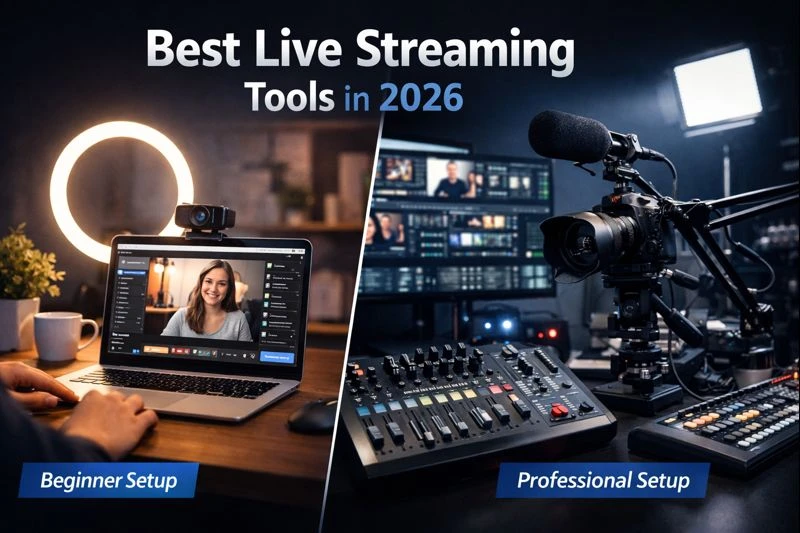

The best live streaming tools in 2026 are the ones that match a user’s experience level: simple, stable platforms for beginners and feature-rich, customizable software for professionals. There is no single tool that works best for everyone, and choosing the wrong category often leads to frustration or unnecessary complexity.
Live streaming has moved from a niche activity to a core content format for creators, educators, businesses, and professionals. By 2026, live video is no longer optional; it is one of the most effective ways to build trust, engage audiences in real time, and deliver value that pre-recorded content alone cannot.
The challenge is that many people still choose live streaming software based on popularity instead of usability. Beginners often start with tools that are too complex, while professionals outgrow beginner platforms too quickly.
This guide breaks down the best live streaming tools for beginners and professionals in 2026, explains how they differ, and helps you choose the right option based on your goals, not marketing claims.
Key takeaway:
The best live streaming tool in 2026 is not the most popular one, but the one that fits your skill level and streaming needs.
How Live Streaming Tools Differ for Beginners vs Professionals
Not all live streaming tools are built for the same type of user. Understanding the difference between beginner-focused and professional-grade streaming software is the most important step before comparing tools.
Live Streaming Tools for Beginners
Beginner tools are designed to remove technical barriers. They focus on helping users go live with minimal setup and little to no technical knowledge.
These tools typically offer:
- Simple, guided setup processes
- Built-in layouts, themes, and overlays
- Automatic audio and video configuration
- Browser-based or lightweight desktop operation
- Lower system and hardware requirements
For beginners, the priority is ease of use and stability, not advanced customization. The goal is to start streaming confidently without worrying about encoding settings, scene management, or system performance tuning.
Beginner tools work best for:
- New content creators
- Coaches and educators starting live sessions
- Interview-based streams
- Casual or part-time streamers
Live Streaming Tools for Professionals
Professional live streaming tools are built for control, scalability, and production quality. They assume the user is comfortable managing more complex setups.
These tools usually provide:
- Advanced scene and source management
- Manual control over audio, video, and encoding
- Support for multiple cameras and inputs
- High-quality recording and output options
- Greater flexibility for branding and production workflows
Professional tools demand more learning and stronger hardware, but they offer significantly more creative freedom.
They are best suited for:
- Experienced streamers
- Production teams or businesses
- High-quality webinars and events
- Gaming, studio-style, or multi-camera streams
Why This Difference Matters in 2026
In 2026, many streaming problems come from tool mismatch, not poor content.
Using a professional tool too early can overwhelm beginners, while using a beginner tool too long can limit professionals. Choosing software based on experience level reduces frustration and makes long-term growth easier.
Section takeaway:
Beginners should prioritize simplicity and reliability, while professionals should prioritize control and scalability.
Best Live Streaming Tools for Beginners in 2026
The best live streaming tools for beginners in 2026 are platforms that prioritize ease of setup, stability, and guided workflows, allowing new users to go live without dealing with complex technical settings. Beginner-friendly tools focus on simplicity first, while still offering room to grow.
Below are the most reliable and widely used options that beginners consistently succeed with.
1. StreamYard
StreamYard is one of the easiest live streaming tools for beginners in 2026. It runs entirely in the browser, which means there is no software to install and very little setup required.
Why beginners choose StreamYard:
- Simple, browser-based interface
- Easy guest invitations with a single link
- Automatic layout and audio handling
- Works well for interviews, podcasts, and coaching sessions
- Stable performance even on average computers
StreamYard is especially popular with coaches, educators, and creators who want to focus on conversation rather than production.
Limitation: Customization options are limited compared to professional desktop software, and branding removal requires a paid plan.
2. Streamlabs
Streamlabs is a beginner-friendly desktop streaming tool built for users who want a more polished look without deep technical setup. It is based on OBS but simplifies the experience significantly.
Why beginners choose Streamlabs:
- Built-in themes, overlays, and alerts
- Guided setup for audio and video
- Integrated chat and donation tools
- Strong support for YouTube and Twitch
- Faster learning curve than advanced tools
Streamlabs works well for beginner gamers and creators who want their streams to look professional from day one.
Limitation: It uses more system resources than lighter tools, which can be challenging on lower-end computers.
3. OBS Studio
OBS Studio is a free, open-source streaming tool that many beginners eventually grow into. While it is more technical than other beginner tools, it remains one of the most powerful free options available.
Why beginners still choose OBS Studio:
- Completely free with no feature restrictions
- Works on Windows, macOS, and Linux
- Supports unlimited scenes and sources
- Large community and plugin ecosystem
- Long-term scalability
OBS is best for beginners who are willing to invest time learning the basics and want maximum control without paying for software.
Limitation: The interface can feel overwhelming at first, and setup requires more manual configuration.
4. Restream
Restream is ideal for beginners who want to stream to multiple platforms at the same time without complex setup. It offers both browser-based and software-supported streaming options.
Why beginners choose Restream:
- Stream to multiple platforms simultaneously
- Simple browser-based studio
- Unified chat from different platforms
- Easy integration with YouTube, Facebook, and LinkedIn
- Minimal setup for multistreaming
Restream is especially useful for creators and businesses looking to expand reach without managing multiple tools.
Limitation: Advanced customization and branding control are limited on free and lower-tier plans.
Beginner Tool Summary
Beginner live streaming tools in 2026 succeed because they reduce friction. They allow users to:
- Go live quickly
- Avoid technical overwhelm
- Focus on content and communication
- Build confidence before upgrading
Beginners should choose live streaming tools that make starting easy and reliable, even if that means sacrificing advanced customization.
In 2026, beginner-friendly live streaming tools succeed because they remove technical friction and reduce setup complexity. These platforms allow new users to focus on communication, consistency, and confidence rather than configuration, making them ideal for creators and coaches who are starting out or prioritizing ease of use over deep customization.
Best Live Streaming Tools for Professionals in 2026
The best live streaming tools for professionals in 2026 are platforms that offer advanced control, production flexibility, and long-term scalability. These tools are designed for users who need precise control over audio, video, layouts, and multi-source setups, even if that comes with a steeper learning curve.
Professional live streaming software prioritizes quality and customization over simplicity, making it suitable for experienced creators, businesses, and production teams.
1. Wirecast
Wirecast is a professional-grade live streaming tool built for high-quality broadcasts and complex production workflows. It is widely used for corporate events, sports streaming, and studio-level productions.
Why professionals choose Wirecast:
- Advanced scene and source management
- Support for multiple cameras and inputs
- High-quality encoding and output options
- Professional audio and video controls
- Reliable performance for long-duration streams
Wirecast is ideal for professionals who need broadcast-level control and are comfortable managing technical setups.
Limitation: The interface can feel complex for new users, and pricing is higher compared to beginner-focused tools.
2. Ecamm Live
Ecamm Live is a powerful live streaming tool designed specifically for macOS users. It combines professional-level features with a more user-friendly interface than many traditional broadcast tools.
Why professionals choose Ecamm Live:
- Native macOS performance and stability
- Advanced camera switching and overlays
- Integrated screen sharing and media playback
- High-quality local recording options
- Strong support for coaching, webinars, and live shows
Ecamm Live is especially popular among professional coaches and educators who want high-quality production without excessive complexity.
Limitation: It is only available for macOS and requires a paid subscription.
3. Vimeo Live
Vimeo Live is built for professionals who need secure, reliable live streaming combined with premium video hosting. It is commonly used by businesses, creative teams, and organizations running branded live events.
Why professionals choose Vimeo Live:
- High-quality, ad-free streaming
- Strong privacy and access controls
- Integration with on-demand video hosting
- Reliable infrastructure for large audiences
- Professional analytics and playback options
Vimeo Live works well for organizations that value reliability, branding control, and audience privacy.
Limitation: Pricing is higher than most creator-focused tools, making it less suitable for casual streamers.
4. OBS Studio
OBS Studio appears again in the professional category because of its flexibility and power when configured correctly. Many professional streamers rely on OBS for full control over their production environment.
Why professionals choose OBS Studio:
- Complete control over scenes and sources
- Extensive plugin and integration ecosystem
- No software cost
- Works across multiple operating systems
- Suitable for complex and custom workflows
OBS is best for professionals who want maximum control and are comfortable handling technical configuration.
Limitation: Requires significant setup and ongoing management compared to managed platforms.
Professional Tool Summary
Professional live streaming tools in 2026 are designed for users who:
- Require high production quality
- Manage complex streaming setups
- Run business-critical or large-scale streams
- Need precise control over every aspect of their broadcast
Professional live streaming tools prioritize control, flexibility, and quality even if that means a steeper learning curve.\
Professional live streaming tools in 2026 prioritize production control, flexibility, and scalability. While they require more experience and stronger hardware, these platforms are better suited for advanced workflows, multi-camera setups, and business-critical streams where reliability and customization matter more than simplicity.
Quick Comparison: Beginner vs Professional Live Streaming Tools (2026)
The fastest way to understand which live streaming tool fits your needs is to compare ease of use, control level, and scalability side by side. The table below summarizes how beginner and professional tools differ in real-world use.
| Factor | Beginner Tools | Professional Tools |
| Setup Complexity | Very low | Medium to high |
| Learning Curve | Short | Steep |
| Customization | Limited | Extensive |
| Hardware Demand | Low to moderate | Moderate to high |
| Best Use Case | New creators, coaches, interviews | Events, studios, advanced streams |
| Production Control | Basic | Advanced |
| Scalability | Moderate | High |
| Long-Term Flexibility | Limited | Strong |
How to read this table correctly:
- Beginner tools reduce friction and help you start quickly
- Professional tools trade simplicity for precision and control
Neither category is “better” overall. The right choice depends entirely on where you are now and where you plan to grow.
The best live streaming tools in 2026 are defined by user fit, not by feature count.
Beginner tools emphasize speed and simplicity, while professional tools trade ease of use for deeper control over audio, video, and production workflows.
How to Choose the Right Live Streaming Tool for Your Needs
Choosing the right live streaming software becomes much easier when you stop comparing tools and start comparing use cases. Use the decision logic below to narrow your choice confidently.
Choose a Beginner Tool If:
- You are new to live streaming
- You want to go live with minimal setup
- You host interviews, coaching sessions, or discussions
- You do not want to manage technical settings
- You prefer browser-based or guided workflows
Beginner tools help you build confidence and consistency before worrying about production complexity.
Choose a Professional Tool If:
- You already stream regularly
- You need precise control over scenes and audio
- You use multiple cameras or advanced layouts
- You stream events, webinars, or studio-style content
- You want long-term scalability and customization
Professional tools are better suited for creators and organizations that treat live streaming as a core part of their workflow.
If You’re Somewhere in Between
Many creators fall into a middle category.
In this case:
- Start with a simpler tool that meets your current needs
- Learn core streaming workflows first
- Upgrade only when your content demands more control
Switching tools too early often creates more problems than it solves.
The right live streaming tool should support your workflow today while allowing gradual growth tomorrow.
Common Mistakes When Choosing Live Streaming Tools in 2026
Many problems with live streaming are not caused by poor content or weak engagement; they come from choosing the wrong tool for the job. In 2026, these are the most common mistakes beginners and professionals still make.
Choosing a Tool That Is Too Advanced Too Early
One of the biggest mistakes beginners make is starting with professional-grade software before understanding basic streaming workflows.
This often leads to:
- Overwhelming interfaces
- Complex setup processes
- Poor stream stability due to misconfiguration
- Early burnout
Advanced tools are powerful, but they assume prior experience.
Overpaying for Features You Don’t Use
Many users subscribe to expensive plans because they assume more features mean better results.
In reality:
- Beginners rarely use advanced customization
- Professionals often only need specific features
- Paying early does not improve content quality
A simpler tool used consistently outperforms an advanced tool used occasionally.
Ignoring Hardware and System Requirements
Live streaming software performance depends heavily on:
- CPU and RAM capacity
- Internet upload speed
- Operating system compatibility
Choosing a tool without considering system limitations often results in lag, dropped frames, or crashes issues that viewers notice immediately.
Switching Tools Too Often
Tool-hopping is another common issue.
Frequent switching:
- Resets your workflow
- Wastes setup time
- Prevents mastery of any single platform
It is better to grow gradually within one tool than to restart repeatedly.
Most live streaming problems in 2026 come from tool mismatch, not from lack of talent or effort.
Conclusion: Choosing the Best Live Streaming Tool in 2026
The best live streaming tools in 2026 are not defined by popularity or feature count. They are defined by how well they align with a user’s experience level, goals, and workflow.
Beginners benefit most from tools that emphasize:
- Ease of use
- Stability
- Fast setup
Professionals benefit from tools that offer:
- Greater control
- Scalability
- High production quality
Before committing to any platform, it helps to review in-depth comparisons of live streaming software to see how different tools perform across real-world use cases and experience levels.
For creators who plan to turn live streaming into a sustainable income stream, understanding how live video fits into broader content and monetization strategies is equally important. Resources that explain how creators monetize live and recorded video together can provide valuable long-term perspective.
Final Takeaway
In 2026, the right live streaming tool is not the most powerful one it is the one that helps you stream consistently, confidently, and without unnecessary friction.


























Sign in to leave a comment.