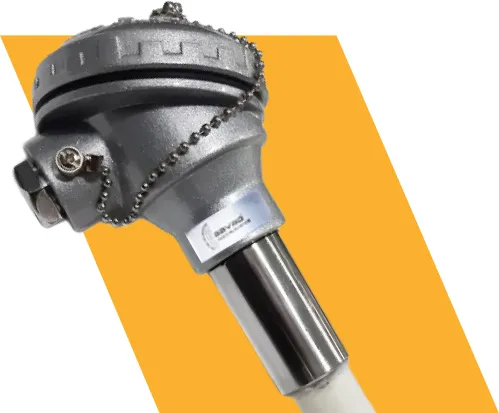

So you've got yourself a non touch temperature sensor, and you're wondering how to actually get the most out of it? Fair enough, these little gadgets look simple on the outside, but there's definitely a right way and a wrong way to use them. Let's break it down without the jargon overload.
Why Everyone's Switching to Contactless Sensors
Honestly, it makes sense. Nobody wants to physically touch every surface or object to check its temperature anymore, especially in food processing plants, hospitals, or busy factory floors. A non touch temperature sensor lets you get a reading in seconds, from a safe distance, without any contamination risk. That's a huge win for hygiene-sensitive industries.
Picking the Right Spot for Installation
Here's the thing most people get wrong: placement matters way more than they think. You want your infrared or contactless thermal sensor mounted at a consistent distance from the target surface and away from direct sunlight, steam, or dust clouds. Any of that can throw off your readings. Also, try to avoid installing near vibrating equipment; even small movements can mess with calibration over time.
Calibration Isn't Optional
Many buy their contactless thermal detector, plug it in, and just assume it's good to go forever. Nope. Like any measuring instrument, these need periodic calibration checks. Depending on your usage, daily monitoring versus occasional spot checks, you might need calibration every few months. Skipping this step is basically asking for inaccurate data down the line.
Keep the Lens Clean
This one sounds obvious, but it's overlooked constantly. Dust, grease, or moisture on the sensor lens can seriously mess with accuracy. A quick wipe with a soft, lint-free cloth every so often keeps your non touch temperature sensor performing the way it should. Don't use harsh chemicals though; that can damage the optical components.
Mind the Emissivity Settings
If you're working with a radiation-based temperature sensor, emissivity settings are your best friend (or worst enemy if ignored). Different materials reflect and emit heat differently, so if you're switching between measuring metal, plastic, or liquid surfaces, double-check that your emissivity value matches the material. Otherwise, your readings could be way off.
Environmental Factors Matter More Than You'd Think
Humidity, ambient temperature swings, and even strong airflow near the sensor can all affect readings. If you're using your contactless sensor outdoors or in an area with fluctuating conditions, consider a protective housing. It's a small investment that saves a ton of measurement headaches later.
Wrapping It Up
Look, none of this is rocket science. Get the placement right, don't skip your calibration checks, wipe the lens once in a while, and pay attention to emissivity when the material changes. Do that, and your non touch temperature sensor will keep giving you numbers you can actually trust — no guesswork, no second-guessing.
And hey, if you're still shopping around for a unit that won't let you down, Tempsens Mexico is a name worth putting on your shortlist. They make gear built for exactly this kind of day-to-day industrial use, so you're not stuck troubleshooting a flaky sensor every other week.
















Sign in to leave a comment.