

Choosing surveillance equipment is only one part of developing an effective property security system. The quality of installation can influence camera coverage, recording reliability, remote access, system maintenance, and future expansion. Property owners therefore need to consider the installation service as carefully as the equipment itself. A reliable cctv security camera installer can assess the property, recommend appropriate equipment, plan camera locations, configure recording systems, and test the finished installation. A structured approach helps ensure that the surveillance system is built around genuine security requirements rather than simply adding cameras without a clear purpose.
Assessing Installation Experience
Looking at Relevant Experience
Experience with similar properties can be useful when choosing an installer. Residential buildings, retail premises, warehouses, offices, and industrial sites can present very different challenges. An installer familiar with the property's type may understand common issues involving lighting, access points, network connections, and camera positioning. Property owners can ask about previous projects and the types of systems handled. Manufacturers such as Hikvision, Dahua, Hanwha, Uniview, Axis, and Bosch offer different equipment ranges, so experience with relevant technologies may also be worth considering when reviewing installation capabilities.
Understanding the Installation Process
A reliable installer should be able to explain the stages involved in the proposed work. These stages may include property assessment, system design, equipment selection, cable planning, camera mounting, recording configuration, testing, and handover. A clear process can help property owners understand what will happen before installation begins. It also makes it easier to identify whether important tasks have been considered. Installers who provide a structured explanation can help establish realistic expectations around the work, equipment, access requirements, and the final capabilities of the surveillance system.
Evaluating the Site Assessment
Checking Camera Requirements
A site assessment should identify locations where surveillance can provide useful information. Entrances, exits, parking areas, driveways, storage spaces, reception areas, and external boundaries may all require consideration. The installer should explain why cameras are recommended for particular locations and whether any areas present visibility challenges. This helps ensure that the final system is based on the property's actual layout. A detailed assessment can also reveal opportunities to improve coverage without unnecessarily increasing the number of cameras. Strategic planning is often more valuable than simply adding equipment.
Considering Lighting Conditions
Lighting has a direct effect on camera performance. Strong sunlight, deep shadows, reflective surfaces, and poor nighttime illumination can affect image quality. The installer should consider these conditions when selecting equipment and camera positions. Features such as infrared capability and wide dynamic range may help in challenging environments, depending on the selected model. External cameras may also need careful positioning to reduce glare from vehicles and nearby lights. Discussing lighting conditions during the site assessment can help prevent problems that might otherwise become apparent only after the installation has been completed.
Reviewing Equipment Recommendations
Matching Equipment to the Property
A reliable installer should explain why particular cameras and recording equipment have been recommended. Resolution, lens type, viewing distance, weather resistance, infrared capability, storage requirements, and network compatibility can all influence the decision. The same equipment may not be suitable for every location on a property. Indoor entrances, large outdoor areas, and narrow corridors may require different approaches. Understanding the reasoning behind equipment selection allows property owners to assess whether the proposed system is designed for practical use rather than simply focusing on specifications or brand names.
Considering System Compatibility
Cameras, recorders, network equipment, applications, and storage devices need to work together effectively. Compatibility should therefore be considered before equipment is purchased. Some properties may already have network infrastructure or surveillance equipment that needs to remain in operation. The installer should explain whether new components can integrate with existing equipment and whether replacement would be more practical. Proper compatibility planning can reduce technical problems and simplify future maintenance. It can also help prevent unnecessary expenditure on equipment that cannot provide the required functions when connected to the existing system.
Understanding Installation Quality
Asking About Cable Management
Cable installation can affect both appearance and reliability. The installer should explain how cables will be routed, protected, and secured throughout the property. External routes may require suitable protection from weather and physical damage, while internal cables may need discreet routing through appropriate spaces. Organised cabling makes future troubleshooting easier and can reduce maintenance difficulties. Property owners may therefore benefit from discussing cable routes before installation begins. Clear planning can also help avoid unexpected changes to walls, ceilings, or other building areas during the installation process.
Checking Camera Mounting
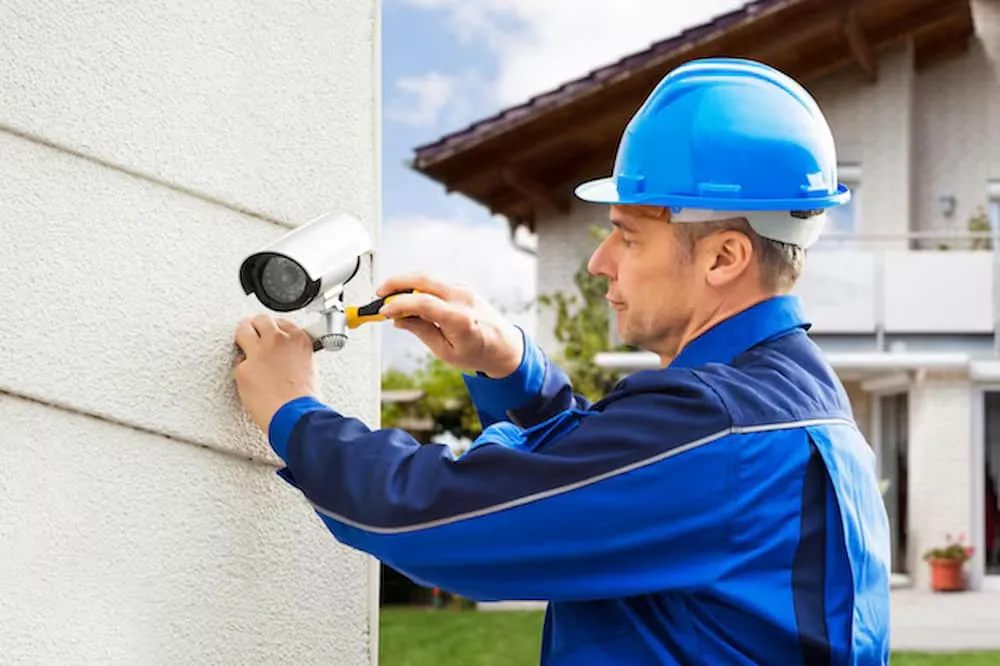
Cameras need to remain stable and maintain their intended viewing angle after installation. Mounting methods should therefore match the surface and equipment being used. The installer should consider whether the camera is being attached to brick, concrete, wood, metal, or another surface. External equipment may also require suitable weather resistant arrangements. Secure mounting can help reduce movement caused by vibration, accidental contact, or environmental conditions. Discussing mounting methods provides useful insight into installation quality and can help ensure that cameras remain properly positioned over the longer term.
Considering Recording and Storage
Understanding Retention Requirements
Property owners should understand how much recorded footage the proposed system can retain. Storage requirements depend on the number of cameras, resolution, recording schedule, frame rate, and other system settings. Continuous recording generally requires more storage than motion based recording. The installer should explain how the selected recorder or storage arrangement meets the expected retention period. This information helps property owners understand what happens when storage becomes full. Proper planning reduces the possibility of important footage being overwritten earlier than expected because the system was not designed around realistic recording requirements.
Reviewing Playback Functions
Recorded footage needs to be easy enough to search when an incident occurs. The installer should demonstrate how users can locate footage by date, time, camera, or event where supported. Playback quality and export functions can also be relevant when footage needs to be shared with authorised parties. A reliable system should provide practical access to recordings without unnecessary complexity. Property owners can benefit from seeing these functions before finalising the installation because the value of surveillance depends not only on recording footage but also on being able to retrieve useful information efficiently.
Examining Remote Monitoring
Checking Mobile Access
Modern surveillance systems often support viewing through smartphones, tablets, or computers. Property owners should ask whether remote access is available and which applications or platforms are required. The installer should explain how cameras can be viewed remotely and whether recorded footage can also be accessed. Businesses with multiple premises may find remote viewing particularly useful for checking different locations. Understanding these capabilities before installation ensures that the selected equipment supports the expected monitoring arrangements. It also helps users become familiar with the system before they need to rely on remote access.
Reviewing Security Controls
Remote access should be protected with suitable authentication and account management. The installer should explain how user accounts are created, how permissions are controlled, and what steps are recommended when personnel change. Software updates and password management can also contribute to the security of connected surveillance equipment. Property owners should understand who can access live views, recordings, exports, and system settings. Appropriate controls can help reduce unnecessary access while supporting convenient monitoring. This is particularly relevant for businesses where several staff members may interact with the surveillance system.
Asking About Support and Maintenance
Understanding Aftercare
Installation is not necessarily the end of the service relationship. Cameras may need cleaning, storage systems may require checks, and software can need updates. Property owners should ask what maintenance is recommended and whether ongoing support is available. A clear aftercare arrangement can make it easier to address faults when they occur. The installer should also explain what is covered by any warranty or service arrangement. Understanding these details before installation helps avoid uncertainty and provides a clearer picture of the long term responsibilities associated with the surveillance system.
Planning Future Expansion
A property may require additional cameras later because of building changes, business growth, new access points, or revised security requirements. The installer should explain whether the proposed system can support future expansion. Network capacity, recorder channels, storage, power requirements, and equipment compatibility can affect expansion. Planning for possible additions does not require unnecessary equipment at the beginning. Instead, a scalable design can make future upgrades more straightforward. This approach can help property owners avoid replacing an otherwise useful system simply because the original installation could not accommodate additional surveillance devices.
Making the Final Selection
Comparing Complete Proposals
When reviewing installers, property owners can compare complete proposals rather than focusing solely on equipment prices. A useful proposal should explain the cameras, recording system, installation approach, storage, remote access, testing, and support arrangements. Comparing these details can reveal differences in what each service actually provides. The cheapest proposal may not include the same level of planning or aftercare as another option, while a higher priced proposal may include features that are unnecessary for the property. A detailed comparison allows the decision to focus on practical requirements and expected system performance.
Conclusion
Choosing a reliable installer involves considering experience, site assessment, equipment suitability, camera positioning, cabling, recording, remote access, maintenance, support, and future expansion. A professional approach can help create a surveillance system that is practical, dependable, and easier to manage over time. Property owners can benefit from asking detailed questions and reviewing the complete installation proposal before work begins. Careful planning also helps ensure that security equipment matches the building rather than being selected without considering its environment. For professional surveillance planning and installation support, CCTV can help properties develop systems suited to their individual security requirements.

























Sign in to leave a comment.