
Running a retail business means handling transactions all day, every day. The system used for sales affects everything from customer experience to inventory management to end-of-day reconciliation. Getting the right equipment and software in place makes operations smoother and far more profitable over time.
What a Sales System Actually Does
A point of sale system handles the transaction when a customer buys something. It calculates the total, processes payment, and records the sale. But modern systems go well beyond what old-fashioned cash registers could do. They connect different parts of a business together, giving shop owners a clear view of how things are running at any moment.
Think of it like the central nervous system of a retail shop. Every sale, every refund, every stock adjustment flows through it. When the system works well, the whole business runs smoother. When it does not, small problems snowball fast.
A pos point of sale system tracks inventory automatically. Each sale adjusts stock levels in real time. Reports show what is selling and what is sitting on shelves. Reorder alerts prevent running out of popular items, which means fewer missed sales and happier customers walking out the door.
Customer management features help build long-term relationships. Purchase history shows what individual customers buy most often. Loyalty programs reward repeat business and keep people coming back. Contact information enables targeted marketing outreach rather than generic blasts that nobody reads.
Types of Hardware Available
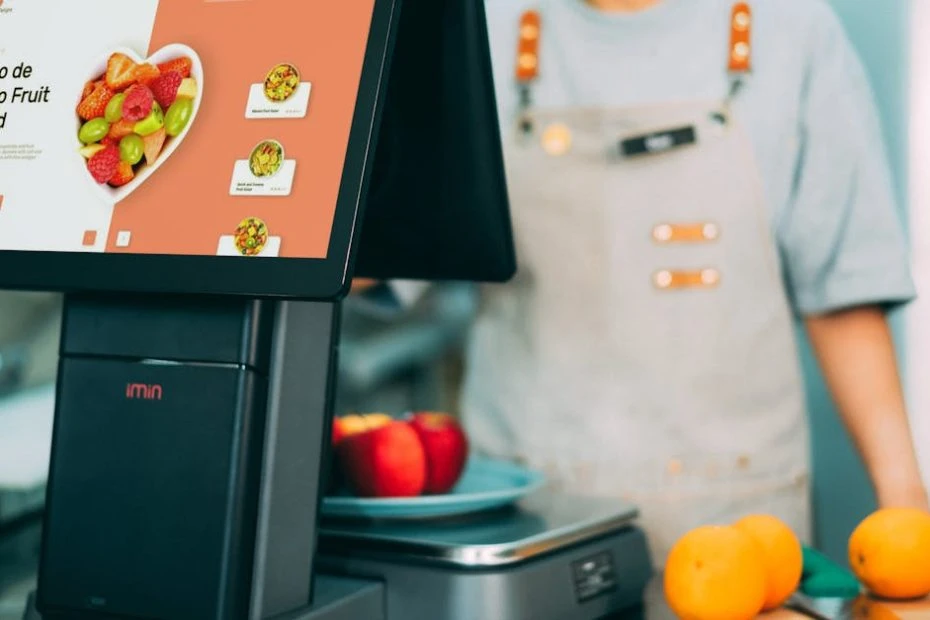
The physical equipment varies depending on business needs. A complete pos system typically includes a terminal or tablet, cash drawer, receipt printer, and barcode scanner. Some setups are compact enough for a small counter, while others need dedicated space.
A pos machine might be a traditional terminal with a built-in screen and keyboard. Or it could be a tablet mounted on a stand with a sleek, modern look. Mobile devices let staff complete transactions anywhere in the store, which is handy during busy periods when queues start building up at the main counter.
Cash drawers secure money between trips to the bank. Electronic locks open only when the system triggers them during a transaction. This provides accountability for every single opening, making it much harder for discrepancies to go unnoticed.
Receipt printers produce customer copies and sometimes kitchen or packing slips for order fulfillment. Thermal printers work quietly and need no ink replacement, just paper rolls. They are reliable and low-maintenance, which is exactly what a busy shop needs.
Barcode scanners speed up transactions and reduce errors significantly. Scanning a product code is faster and more accurate than typing prices manually. Integration with inventory means the system knows exactly what was sold, down to the specific colour or size variant.
Payment Processing Options
Modern customers expect payment flexibility. Cash still matters in many markets, but card payments handle a growing share of retail transactions. Contactless payments continue gaining traction as customers tap phones, watches, and cards.
The sales system must integrate smoothly with payment processing. Some systems include built-in card readers that work right away. Others connect to separate payment terminals from third-party providers. Either way, the connection between the two should be reliable and fast, because nobody wants to stand waiting while a payment hangs.
Transaction fees vary between payment providers and card types. Understanding these costs helps with pricing decisions and protects profit margins. Some businesses absorb the fees entirely. Others pass costs along for certain payment methods, though this needs to be handled carefully to avoid frustrating customers.
Software Features Worth Looking At
Inventory tracking prevents stockouts and overstock situations. The software should handle product variations like sizes, colours, and materials without getting clunky. Batch tracking matters for items with expiry dates, like food or cosmetics.
Sales reporting shows business performance in numbers that actually mean something. Daily, weekly, and monthly summaries track trends over time. Comparing current figures to previous periods reveals whether things are heading in the right direction or sliding backwards.
Staff management features track who does what during each shift. Individual logins attribute transactions to specific team members. Time tracking may integrate with payroll systems, cutting down on admin work at month-end.
Multi-location support matters for businesses with more than one store. Centralised inventory visibility helps with transfers between locations, so stock sitting idle at one branch can be moved to where it is actually needed. Consolidated reporting shows the full business performance across all sites.
Cloud Systems Versus Local Installations
Cloud-based systems store data on remote servers accessed through the internet. Updates happen automatically without anyone lifting a finger. Access from anywhere allows owners to check sales numbers from home or while travelling. But internet outages can disrupt operations, which is a real risk in areas with unreliable connectivity.
Local systems run on dedicated hardware at the business location. They work without internet, which gives them a reliability edge in some situations. Data stays under direct control. But updates require manual installation, and backups need regular attention to avoid losing everything if hardware fails.
Many modern systems offer hybrid approaches. They work offline when needed and sync data when connectivity returns. This gives businesses the best of both worlds: resilience during outages without giving up the convenience of cloud access.
Getting Set Up and Switching Over
Switching systems takes planning and patience. Historical data needs migrating or archiving so that past records remain accessible. Staff needs training on new procedures before the old system gets switched off. A transition period where both systems overlap allows time to spot and fix problems without losing sales.
Product database setup takes real effort for businesses with large inventories. Barcodes must be mapped to products. Prices, descriptions, and categories all need entering. Some suppliers provide data files that speed up the process, but there is still usually a fair amount of manual checking involved.
Integration with accounting software saves hours of duplicate data entry every week. Sales information flowing automatically to bookkeeping systems reduces errors and lightens the workload. Checking compatibility between the sales system and existing accounting tools before committing avoids frustration down the road.
Costs and Getting Good Value
Hardware costs vary from minimal for tablet-based solutions to significant for full terminal setups with multiple peripherals. Quality equipment lasts longer and causes fewer problems during daily operations. The cheapest option often turns out not to be the best value when repair costs and downtime add up.
Software licensing might be a one-time purchase, a monthly subscription, or transaction-based pricing. Subscription models spread costs and usually include updates and support. One-time purchases cost more upfront but may save money over several years. Each model has trade-offs depending on the size and growth plans of the business.
Support and maintenance add ongoing costs that are easy to overlook during the buying process. Problems at busy times need quick resolution, and waiting days for a response is not acceptable when customers are lining up. Training for new staff members also requires resources. Budgeting for these extras beyond the initial purchase price keeps things realistic.
Making a Smart Decision
Start by listing what the business actually needs right now. Fast transaction processing? Detailed inventory tracking? Customer loyalty features? Integration with existing tools? Those priorities should guide the equipment selection rather than flashy features that sound good but never get used.
See demonstrations before committing to anything. How easy is daily operation for someone who is not a tech expert? What happens when things go wrong? How responsive is the support team when questions come up on a busy Saturday afternoon?
Talk to other retailers using the systems under review. Real-world experience reveals things that product demos and sales pitches do not. Ask about reliability, support quality, and any costs that were not obvious upfront.
The right sales system pays for itself through efficiency gains, better inventory management, and an improved customer experience. Taking the time to choose well sets up long-term success rather than creating a problem that needs solving again in two years.


































Sign in to leave a comment.