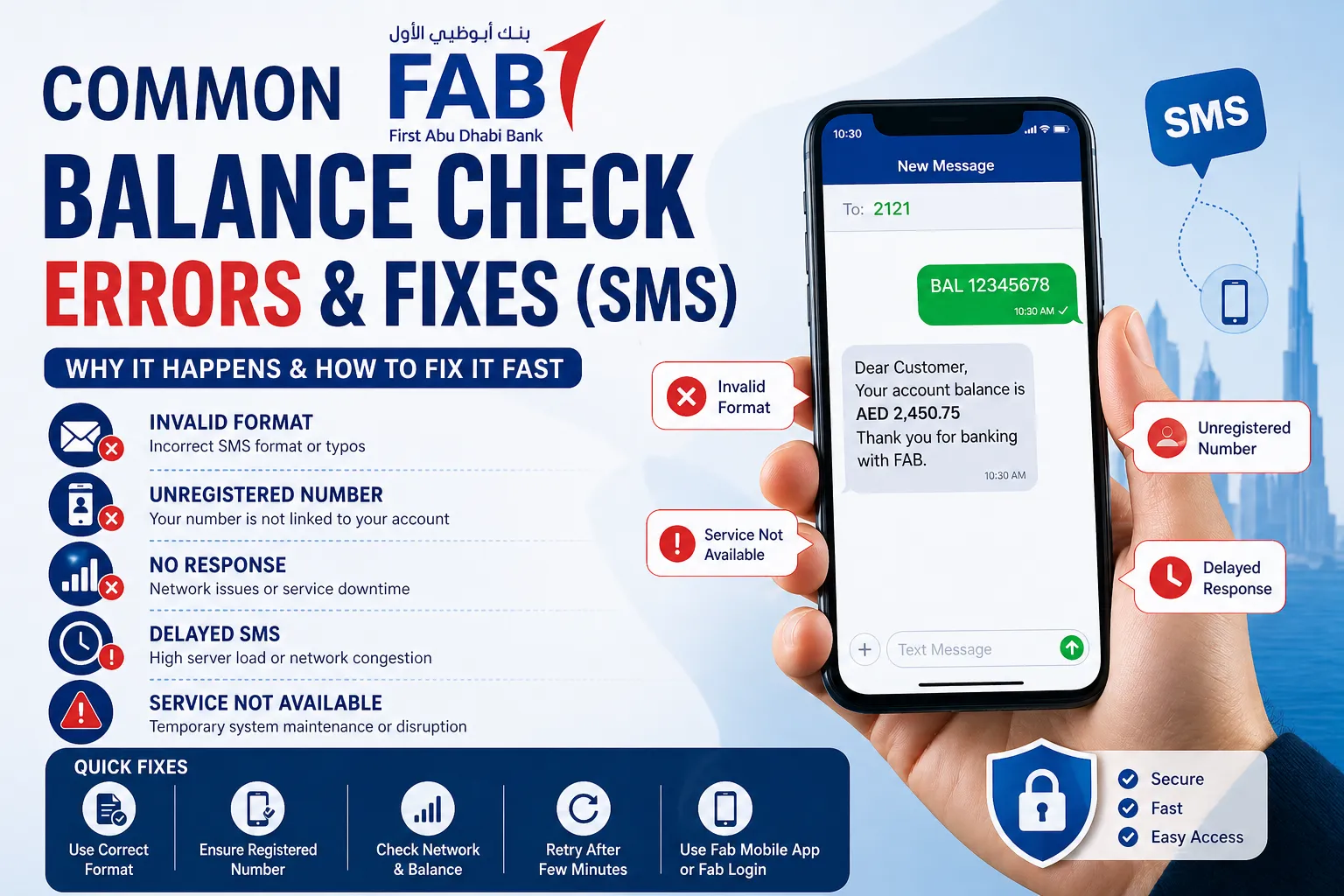

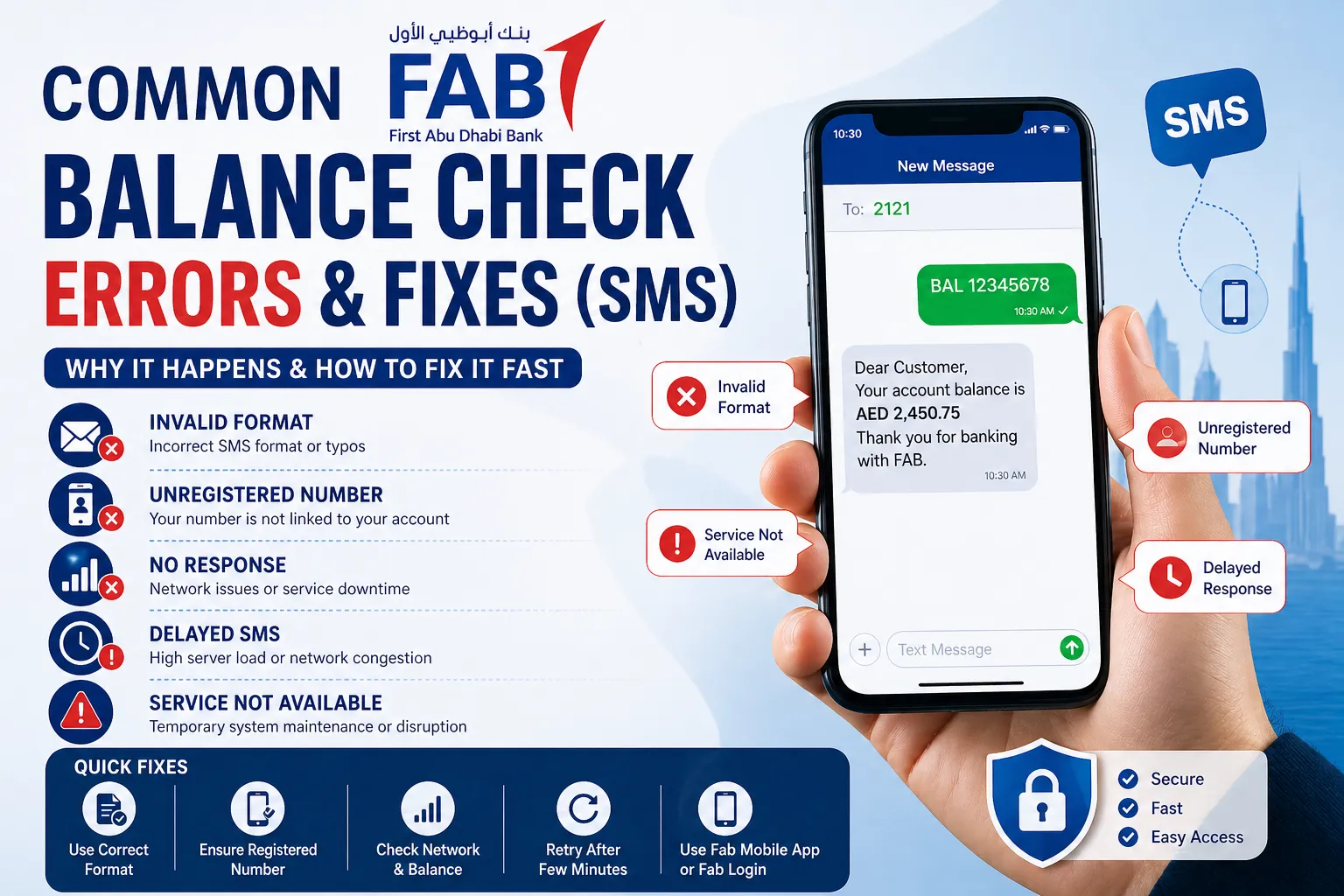
I still remember the first time I tried checking my FAB account balance via SMS, it seemed like the fastest option when I didn’t have internet access. But instead of getting my balance, I got an error message. Frustrating, right?
If you’ve faced similar issues, you’re not alone. In my experience, FAB balance check via SMS is convenient, but not always flawless. Small mistakes, network issues, or account settings can cause errors that stop you from getting your balance instantly.
In this guide, I’ll walk you through common FAB balance check SMS errors, why they happen, and, most importantly, how to fix them quickly.
What is FAB Balance Check via SMS?
Before diving into errors, let me quickly explain how it works.
The Fab Balance Check via SMS allows you to:
- Check your account balance instantly
- Avoid logging into apps or websites
- Access banking without internet
All you need is:
- Your registered mobile number
- The correct SMS format
However, even a small issue can interrupt this process.
Common FAB Balance Check SMS Errors
Over time, I’ve encountered (and helped others fix) several recurring problems. Here are the most common ones:
1. “Invalid Format” Error
This is one of the most frequent issues.
Why it happens:
- Incorrect SMS format
- Missing keywords or spacing errors
My experience:
I once typed the command slightly wrong, and the system simply didn’t recognize it.
Fix:
- Double-check the exact SMS format provided by FAB
- Avoid extra spaces or typos
- Save the correct format in your phone for future use
2. “Unregistered Mobile Number” Error
If your number isn’t linked to your account, the system won’t respond.
Why it happens:
- You’re using a different SIM
- Your number isn’t registered with the bank
Fix:
- Visit a branch or update your number via Fab Login
- Ensure your SIM matches the registered number
3. No Response from Bank
Sometimes, you send the SMS, but nothing comes back.
Why it happens:
- Network issues
- SMS service downtime
- Insufficient balance for SMS
Fix:
- Check your mobile signal
- Ensure you have enough prepaid balance
- Wait a few minutes and retry
4. Delayed SMS Response
This can be confusing, you get the balance, but much later.
Why it happens:
- Network congestion
- High server load
Fix:
- Retry during non-peak hours
- Switch to mobile data alternatives like the Fab Mobile App
5. “Service Not Available” Message
This usually indicates a backend issue.
Why it happens:
- Temporary bank system maintenance
- SMS banking service disruption
Fix:
- Wait and try again later
- Use alternative methods like app or online banking
6. Security or Access Restrictions
Sometimes, SMS banking may be blocked for security reasons.
Why it happens:
- Suspicious activity detected
- Account restrictions
Fix:
- Contact FAB customer support
- Verify your identity and unlock services
Step-by-Step Fix for FAB SMS Balance Check Issues
If you’re stuck, here’s the exact process I follow:
Step 1: Confirm Your Registered Number
Make sure you're using the same number linked to your account.
Step 2: Verify SMS Format
- Check FAB’s official format
- Avoid typos or extra spaces
Step 3: Check Network & SMS Balance
- Ensure strong signal
- Confirm you can send SMS
Step 4: Restart Your Phone
This simple step has worked for me more times than I expected.
Step 5: Try Again After a Few Minutes
Sometimes, it’s just a temporary glitch.
Step 6: Use Alternative Methods
If SMS fails repeatedly, switch to:
- Online banking via Fab Login
- Mobile access via Fab Mobile App
Better Alternatives to SMS Balance Check
While SMS is useful, I’ve found better and more reliable methods.
1. Fab Mobile App
In my opinion, this is the best option.
Why I prefer it:
- Instant balance updates
- Transaction history
- Secure login with biometrics
2. Online Banking (Fab Login)
This works well if you’re on a laptop or tablet.
Benefits:
- Detailed account insights
- Access to multiple services
- More control than SMS
3. ATM Balance Inquiry
Old-school but reliable.
Use it when:
- SMS and internet both fail
- You need printed confirmation
Practical Tips to Avoid SMS Errors
Here are a few habits I follow to avoid issues:
- Save the correct SMS format in your notes
- Always use your registered mobile number
- Keep your SIM active and recharged
- Enable alerts for service updates
- Regularly update your contact details
Real-Life Scenario: What Worked for Me
One time, I urgently needed my balance while traveling. I sent the SMS, but got no response.
Here’s what I did:
- Checked my network (it was weak)
- Moved to a better signal area
- Resent the SMS
It worked instantly.
This taught me that most SMS issues are not technical, they’re environmental or user-related.
When to Contact FAB Support
If nothing works, don’t waste time troubleshooting endlessly.
Contact support if:
- Errors persist for hours
- Your number is already registered
- You receive security warnings
FAB support can:
- Reset your SMS banking
- Verify account status
- Guide you step-by-step
Key Takeaways
Here’s what I’ve learned from using FAB SMS banking:
- Most errors are simple and fixable
- Correct format and registered number are critical
- Network issues are often overlooked
- Apps and online banking are more reliable
Conclusion
Checking your FAB balance via SMS is quick, but only when everything is set up correctly. From my experience, the key is understanding why errors happen and knowing how to fix them fast.
If SMS keeps failing, don’t hesitate to switch to better alternatives like the Fab Mobile App or Fab Login. They’re faster, more reliable, and offer much more control over your finances.
At the end of the day, banking should be simple, not stressful. Once you understand these fixes, you’ll never feel stuck again.
FAQs
1. Why is my FAB balance SMS not working?
It’s usually due to incorrect format, unregistered number, or network issues.
2. Can I check my FAB balance without internet?
Yes, SMS banking allows balance checks without internet.
3. What is the fastest way to check FAB balance?
The Fab Mobile App is the fastest and most reliable option.
4. Is SMS banking safe for FAB?
Yes, but always use your registered number and avoid sharing sensitive details.

























Sign in to leave a comment.