Connected Technology That Makes Everyday Life More Convenient

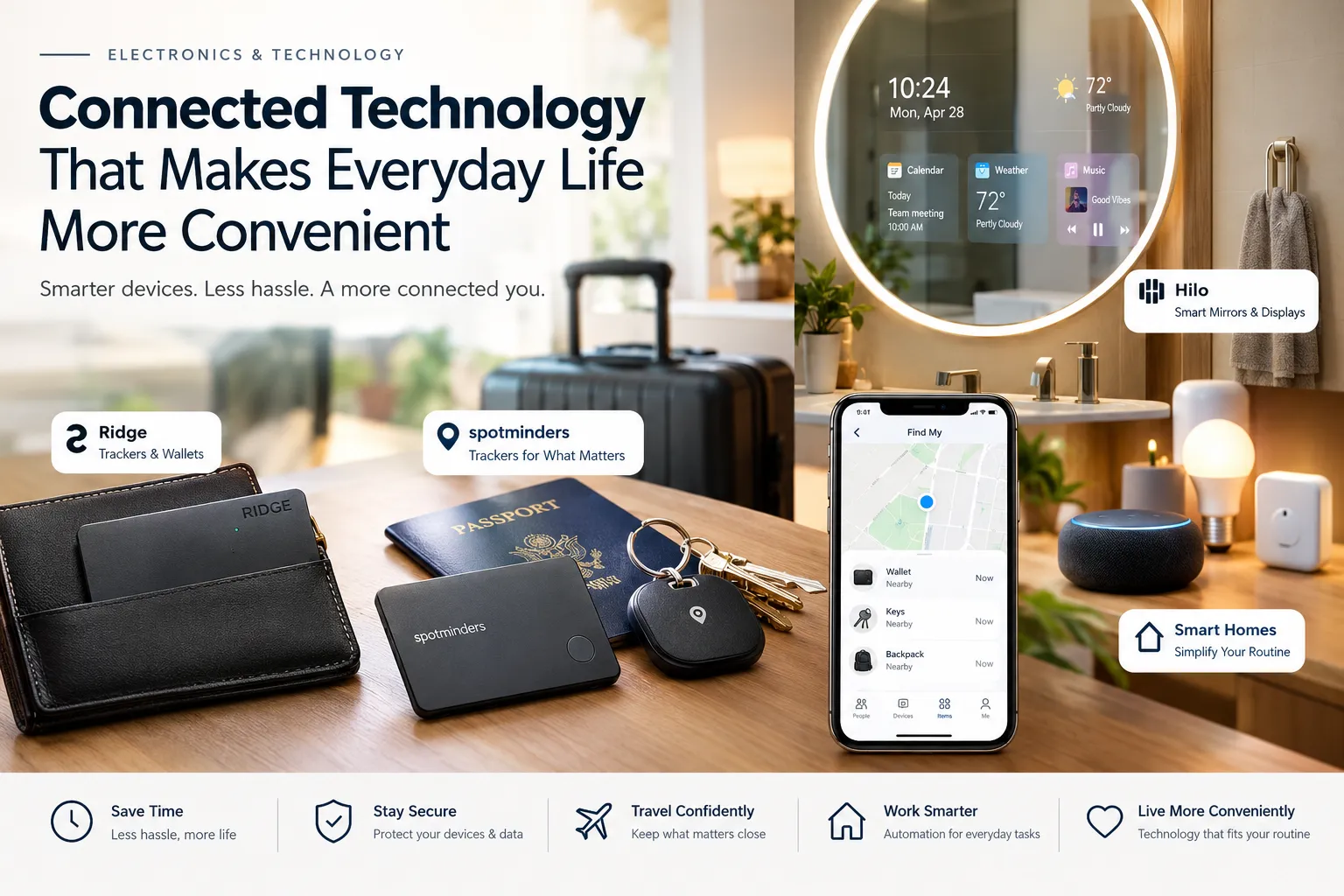
Discover how connected technology, from item trackers to smart mirrors, simplifies daily routines, saves time, and improves convenience while protecting your privacy.
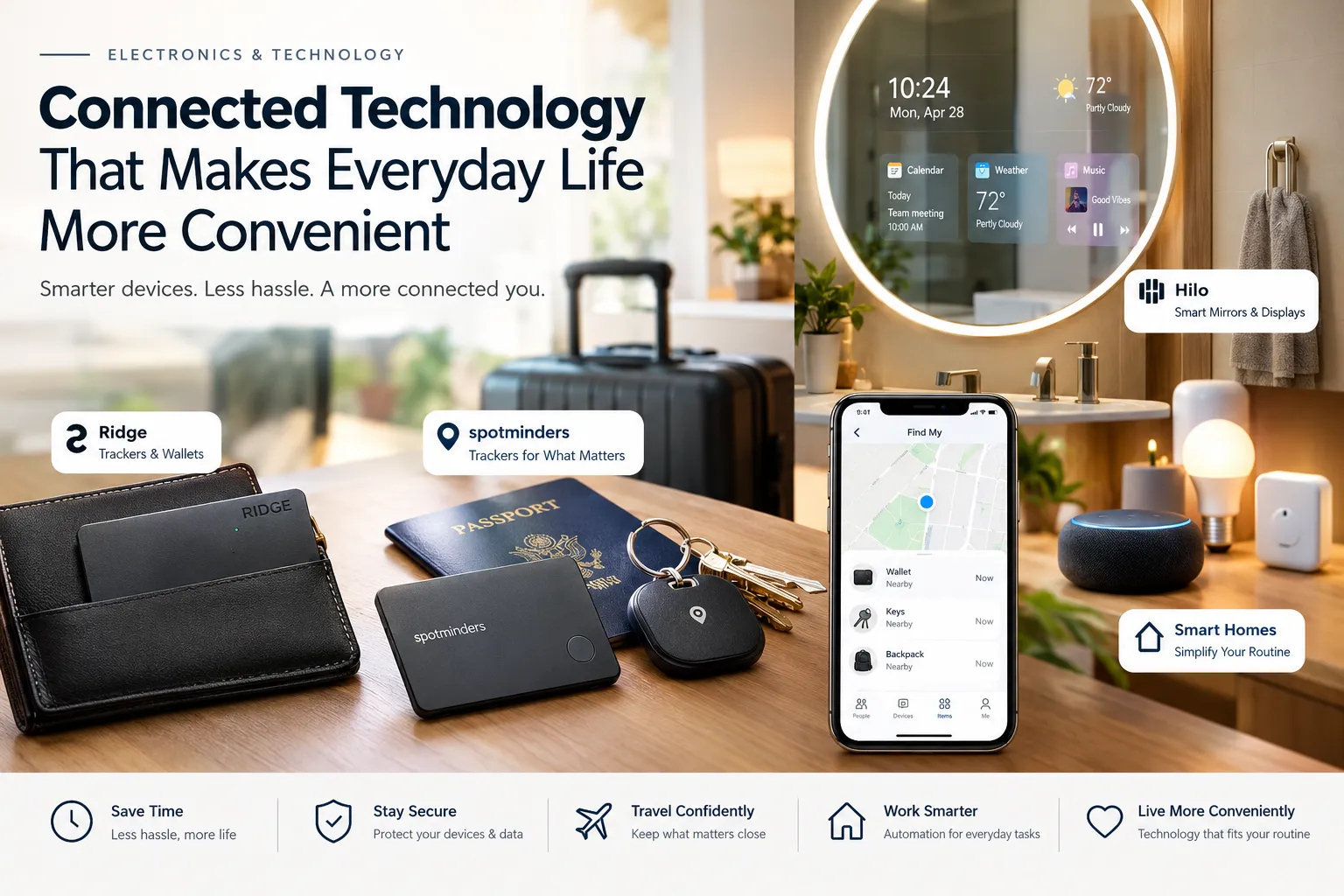
Most of us don't need a house full of gadgets. We need fewer small frustrations: the wallet that disappears before work, the lights we forgot to switch off, the recipe we can't follow with wet hands. Connected technology is worth buying when it removes one of those frictions. It isn't worth buying just because it has Wi-Fi.
This guide explains what connected technology is, where it saves time, and how to pick devices that suit your routine. It also covers the privacy habits that keep these devices from becoming a liability.
What Counts as Connected Technology?
Quick answer: Connected technology means everyday objects that link to a phone, home network, or online service, usually through Bluetooth or Wi-Fi. This lets them report information, respond to commands, or work with other devices. People often call it the Internet of Things, or IoT.
The category is wide. A wallet tracker, a smart speaker, a thermostat, and a touchscreen mirror all qualify. What they share is a connection that adds one capability the plain object lacks. That might be location, remote control, automation, or access to apps.
The best connected devices do one job well. Be cautious with products that promise to do everything.
Where Connected Technology Actually Saves Time
Think in terms of friction, not features. Three areas tend to repay the effort.
Finding Things You Misplace
Lost items cost time and cause stress, and the most common ones are small: wallets, keys, bags, passports, and glasses. Location-enabled trackers are among the simplest connected devices because they need almost no setup and no changes to your routine.
Simplifying Routines at Home
Voice-controlled lights, plugs, and thermostats suit repeated, predictable tasks. Good candidates are anything you do at the same time every day, or anything you regularly forget. Start with one room rather than the whole house, so you can tell whether the automation helps before you spend more.
Making Travel Less Stressful
Travel multiplies the cost of losing things. A passport, a checked bag, or a wallet abroad is much harder to replace than at home. Trackers help here because they're small and always with the item. Check airline rules first, since some airlines restrict certain trackers in checked luggage.
Item Trackers: The Easiest Place to Start
If you only try one connected device, make it a tracker. The idea is easy to grasp, the price is modest compared with most smart-home gear, and the benefit shows up the first time something goes missing.
How Find My-Style Tracking Works
Many trackers use Bluetooth rather than GPS. The tracker sends a short-range signal. When any nearby phone or tablet on the same network detects it, that device anonymously relays the location to the owner. Apple's Find My network works this way, and Ridge's support pages describe the Tracker Card as relying on it.
Two practical consequences follow:
- It's not live GPS. Location updates depend on other devices passing nearby, so results are strongest in busy places and weaker in remote ones.
- Ecosystem matters. Trackers built for Apple's network need an Apple device to set up. Check the current compatibility on the product page before buying, because some brands are adding Android support.
Tracker Card or Wallet With a Tracker?
There are two sensible routes, and which one suits you depends on what you already carry.
A standalone tracker card slips into the wallet, bag, or passport cover you already have.
SpotMinders is a US tracker brand built around this idea. Its Tracking Card is 1.8 mm thin, which the brand says matches a credit card, and works with Apple Find My. The company lists it as rechargeable, with up to 8 months per charge, water-resistant to an IP67 rating, and sold with no subscription. It also sells a luggage tag, a smart tag, and a passport holder, so you can cover several items from one brand. This suits people who don't want to change wallets, and travelers who want trackers across several bags.
Two caveats from the brand's own information:
- The card is currently optimized for Apple devices only.
- Some airlines restrict active trackers in checked bags, and the brand suggests checking your airline's latest policy.
A wallet built around tracking suits people who are about to replace their wallet anyway. Ridge is a slim-wallet maker that has expanded into rings, travel gear, and tech accessories. Its Tracker Card is designed to sit in a Ridge Wallet or any other wallet, and the company says it works with Apple Find My, with recent listings also mentioning Google Find Hub. Because specifications have changed across versions, check the current Tracker Card details and the wallet range before you decide. This route suits people who already like Ridge's minimalist wallet style or want the wallet and tracker from one brand.
Choosing between the two is mostly a question of habit. If you're attached to your current wallet, a card avoids the switch. If you're shopping for a new wallet anyway, buying the tracker alongside it keeps things simple.
Smart Mirrors and Displays: Useful or Gimmick?
A smart mirror is a mirror with a touchscreen display behind the glass. It can show apps, video, weather, or calendars while still working as a normal mirror. It's an optional, higher-cost category, and it won't suit everyone.
Hilo is a Montreal-based company that makes smart mirrors in two forms. According to retailer listings of its specifications, the Hilo Light is a round 13.5-inch model, and the Hilo XL is a larger 21.5-inch rectangular one. Both are described as having a touchscreen, speakers, a microphone, motion sensing, and Wi-Fi, Bluetooth, and USB connectivity, with the ability to work alongside other smart-home devices. Confirm the current specifications and warranty on the official product pages before buying.
A smart mirror makes the most sense when:
- You get ready in the same spot every day and want a calendar, news, or tutorials there.
- You follow recipes or workout videos and want hands-free control.
- You have wall space and a nearby outlet, since these devices are mounted and powered.
It makes less sense if you'd rarely use the screen. A tablet on a stand is cheaper and more flexible. The honest test is whether you'd use it every day, not whether it looks impressive.
How to Choose Connected Devices Without Regret
Use the same five questions for every device.
| Question | Why it matters |
| What specific problem does it solve? | Prevents buying gadgets you won't use |
| Does it work with your phone and ecosystem? | Apple-only and Android-only products limit you |
| How is it powered? | Rechargeable batteries, wired power, and replaceable cells each carry different upkeep |
| Are there ongoing fees? | Some devices need subscriptions for core features |
| How long will it be supported? | Devices that stop receiving updates become security risks |
If you're also looking for practical add-ons for the devices you already own, our guide to tech accessories that make everyday devices easier to use covers useful options such as power banks, protective cases, magnetic card holders, and trackers, along with what to check before buying.
Add two practical checks. Read the return policy, because a guarantee only helps if the terms are clear. And look at the brand's support pages. Detailed, honest troubleshooting information is a good sign.
Privacy and Security Basics
Every connected device is another entry point to your network and another source of data. The Cybersecurity and Infrastructure Security Agency (CISA) and other security bodies consistently recommend the same basics:
- Change default passwords on routers and devices, because default credentials are widely known.
- Install updates when they appear, or turn on automatic updates.
- Use a guest network for smart devices where your router supports it.
- Turn on two-factor authentication for the apps that control your devices.
- Review what each device collects and disable features you don't use.
Trackers raise one more point. Apple and Google have both built alerts to warn people about unknown trackers traveling with them. Use your tracker only on your own belongings.
Common Mistakes to Avoid
- Buying for the feature list. Start from a problem, not a spec sheet.
- Ignoring compatibility. A tracker that doesn't work with your phone is just a card.
- Skipping the battery details. Rechargeable, replaceable, and wired devices all need different care.
- Forgetting travel rules. Check airline policies before putting trackers in checked luggage.
- Leaving defaults in place. Unchanged passwords are one of the easiest ways in.
- Automating everything at once. Add one device, live with it for a few weeks, then decide on the next.
A Simple Starter Checklist
- List the three things you lose or forget most often.
- Pick the one device category that would fix the most frustrating one.
- Confirm it works with your phone and any other devices.
- Check ongoing costs, battery life, and return terms.
- Set it up, change default settings, and enable updates.
- Test it deliberately. Hide the item and try to find it.
- Review after a month before adding anything else.
Frequently Asked Questions
What is connected technology in simple terms?
It's everyday objects that connect to your phone or the internet so they can share information or be controlled remotely. Examples include trackers, smart lights, and smart mirrors.
Do Bluetooth item trackers use GPS?
Usually not. Most rely on short-range Bluetooth and nearby phones to relay their location, so accuracy depends on how many compatible devices are around.
Do wallet tracker cards need a subscription?
It depends on the brand. SpotMinders states there are no monthly fees. Always check the current product page before buying.
Are smart home devices safe?
They can be, if you change default passwords, install updates, use a guest network, and buy from brands that support their products. Skipping those steps is where most of the risk comes from.
Can I put a tracker in checked luggage?
Often yes, but airline rules vary. SpotMinders says its trackers use a low-capacity lithium battery and advises checking your airline's current policy first.
Is a smart mirror worth it?
Only if you'd use the screen daily in a fixed spot such as a bathroom or hallway. If not, a tablet on a stand does most of the same work for less.
Will an Apple Find My tracker work with Android phones?
Often not. SpotMinder states its card is currently Apple-only. Ridge's newest listing mentions Google Find Hub, but older pages say Apple only, so confirm the current version.
Conclusion
Connected technology earns its place when it quietly removes a daily annoyance. Pick one problem, choose one device, secure it properly, and judge it after a few weeks of real use. If you start with something small, such as a tracker for the items you lose most, you'll learn quickly what helps and what you can skip.
Read also: Oversized vs. Relaxed-Fit Clothing: What Works Best for Your Style?







Sign in to leave a comment.