Introduction
Turning paper into PDF is now a daily task for students, professionals, and businesses. PDFs keep your files neat, easy to share, and safe. You can create them quickly on a phone or computer. If you want extra tools, explore Urwa Tools Free AI Tools for simple, free conversions and other smart utilities.
Why Scan Documents to PDF?
- Works everywhere – PDFs look the same on any device.
- Smaller file size – Easier to store and send than image files.
Searchable – Use OCR (text recognition) to find words inside your PDF.
Mobile Scanning Methods
1. Native iOS: Notes or Files App
On iPhone, open Notes or Files, tap the camera, choose Scan Documents, and let the app crop your pages. Save straight to PDF.
2. Google Drive on Android
In Google Drive, press the + button, choose Scan, snap your document, and save it as a PDF.
3. Adobe Scan
Free app with OCR. It cleans up your image and makes it searchable.
4. Microsoft Lens
Great for Office users. It scans into Word, PowerPoint, or PDF.
5. CamScanner
Popular scanning app with OCR, annotations, and cloud storage. Be aware of past privacy reports Wikipedia.
Desktop & Hardware Options
6. Flatbed Scanners
High-quality scans. Most come with software to save directly as PDF.
7. Multifunction Printers
Print, copy, and scan to PDF in one machine.
8. Portable Scanners
Small devices like the ScanSnap iX1300 scan both sides and save searchable PDFs.
9. Online Scan & Convert Tools
Already have an image? Try sites which are best, fast and free.
10. Libraries & Print Shops
A simple option if you don’t own a scanner.
How to Convert PNG to PDF
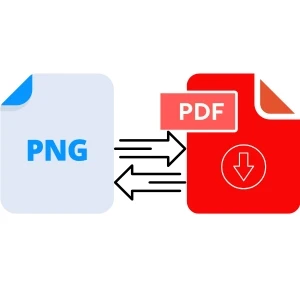
If your files are images, you can convert PNG images to PDF online in seconds. Use the Urwa Tools PNG to PDF converter for a secure and easy experience.
Pro Tips for Better Scans
- Use bright light to avoid shadows.
- Enable OCR for searchable PDFs.
- Back up your files to the cloud and local storage.
Conclusion
You can scan to PDF in minutes, whether you use a phone, scanner, or online tool for more helpful apps, and if you need to convert PNG to PDF for Free.






















Sign in to leave a comment.