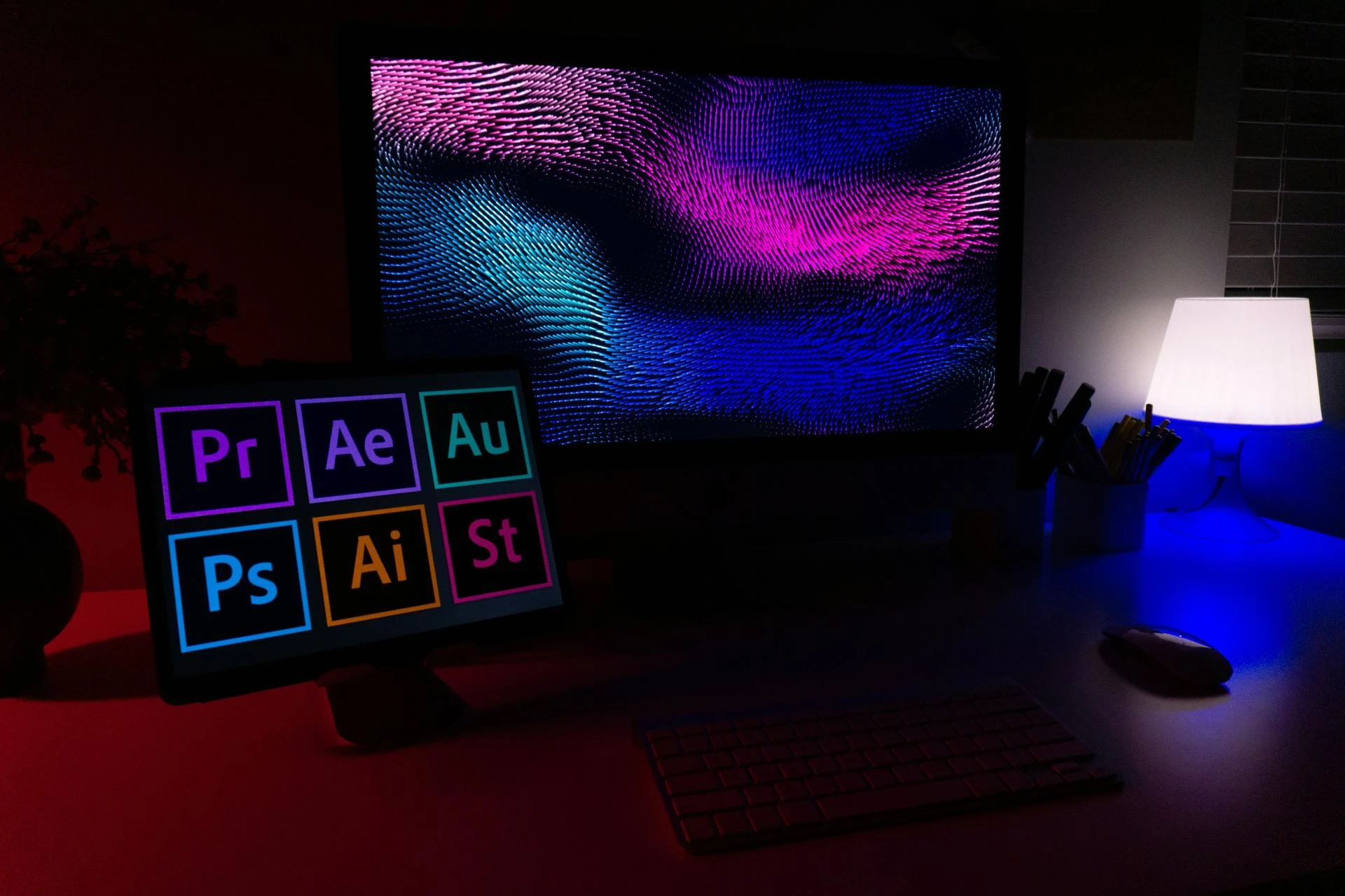
How to Choose the Right Tools to Fuel Your Creative Journey
The statement "graphic design is my passion" represents a powerful driving force—a love for visual communication, typography, and creative problem-solving. But to transform that passion into a professional skillset, you need the right tools. Navigating the vast landscape of graphic design programs and software can be daunting for both newcomers and seasoned designers looking to upgrade their toolkit. This guide will help you understand the different types of graphic design programs available and how to select the ones that best align with your creative goals and professional aspirations.
The Foundation: What Does "Graphic Design Is My Passion" Really Mean?
Before investing in software, it's important to channel your passion into a defined direction. Graphic design is a broad field, and different specializations require different tools.
- Branding & Identity Design: Creating logos, color palettes, and style guides.
- Marketing & Advertising Design: Designing social media graphics, digital ads, brochures, and banners.
- Publication Design: Layout for magazines, books, and reports.
- Packaging Design: Creating the visual design for product packaging.
- UI/UX Design: Designing user interfaces for websites and mobile apps.
Understanding your niche will directly inform your choice of graphic design programs.
The Industry Standard: Adobe Creative Cloud Suite
For decades, Adobe has been the undisputed leader in professional design software. A subscription to Adobe Creative Cloud provides access to a powerful, integrated ecosystem of graphic design programs.
Core Adobe Programs for Designers:
- Adobe Illustrator: The industry-standard vector graphics editor.
- Best For: Logo design, icons, illustrations, typography, and any design that needs to be scaled infinitely without losing quality (e.g., for large-format printing).
- Key Feature: Works with vectors (paths defined by mathematical points) rather than pixels.
- Adobe Photoshop: The powerhouse for raster image editing and manipulation.
- Best For: Photo editing, compositing, digital painting, and web graphics. Ideal for working with pixel-based images.
- Consideration: Not ideal for logo design, as raster images become pixelated when enlarged.
- Adobe InDesign: The essential tool for page layout and publishing.
- Best For: Multi-page documents like magazines, brochures, eBooks, and reports. It excels at handling large amounts of text and images in a structured layout.
- Adobe XD / Figma (Note: Figma is not Adobe, but a key competitor):
- Best For: UI/UX design, wireframing, and creating interactive prototypes for websites and apps. Figma is renowned for its robust collaborative features.
The Rise of Affinity: A Powerful One-Time Purchase Alternative
For those who find Adobe's subscription model prohibitive, the Affinity Suite by Serif has emerged as a highly professional, cost-effective alternative.
- Affinity Designer: A direct competitor to Adobe Illustrator. Praised for its speed, precision, and a one-time purchase price.
- Affinity Photo: A professional-grade rival to Photoshop.
- Affinity Publisher: A capable alternative to InDesign for page layout.
The Affinity advantage: No ongoing subscription fees. The potential drawback: Less integration between apps compared to Adobe's ecosystem, and it is less entrenched in large professional studios.
Free and Open-Source Graphic Design Programs
For beginners or those on an extremely tight budget, capable free options exist.
- GIMP (GNU Image Manipulation Program): A free, open-source alternative to Photoshop. It has a steeper learning curve but is incredibly powerful.
- Inkscape: A free, open-source vector graphics editor similar to Illustrator. Excellent for learning vector concepts.
- Canva: A web-based, template-driven design tool.
- Best For: Non-designers and small businesses needing to create quick social media graphics, simple presentations, and basic marketing materials with ease.
- Limitation: While excellent for simplicity, it offers limited creative freedom and is not suitable for professional, custom brand design work.
How to Choose the Right Graphic Design Programs for You
Selecting your tools depends on several key factors:
- Your Career Goals: Aspiring professionals should prioritize learning industry-standard tools (Adobe). Hobbyists can start with free or more affordable options.
- Your Budget:
- Subscription Model (Adobe): Ongoing cost, but always includes the latest updates and features.
- One-Time Purchase (Affinity): Higher upfront cost, but you own the version forever. Updates to new versions may require a new purchase.
- Free (GIMP, Inkscape): $0 cost, but may lack advanced features and polished user support.
- Your Hardware: Ensure the software is compatible with your computer's operating system and has enough processing power to run smoothly.
- The Learning Curve: Consider the availability of learning resources. Adobe software has a vast number of tutorials, courses, and community forums, which can be a significant advantage for beginners.
Beyond Software: Honing Your Passion
Remember, the program is just a tool. The value lies in the designer's skill, creativity, and understanding of fundamental principles.
- Learn the Fundamentals: Study color theory, typography, composition, and layout. No software can replace a strong foundational knowledge.
- Build a Portfolio: Use your chosen graphic design programs to create personal projects or speculative work ("spec work") for fake brands. This is crucial for demonstrating your skills to potential clients or employers.
- Stay Inspired and Curious: Follow design blogs, analyze work you admire, and never stop learning new techniques. The field of design is always evolving.
Conclusion: Your Passion, Powered by the Right Tools
The journey from "graphic design is my passion" to becoming a skilled practitioner is an exciting one. The right graphic design programs act as the engine that brings your creative visions to life. By carefully evaluating your goals, budget, and needs, you can select the software that empowers you to learn, create, and ultimately, build a fulfilling career or hobby in this dynamic field.
Your passion is the fuel—the right programs are the vehicle that will take you where you want to go.



















Sign in to leave a comment.