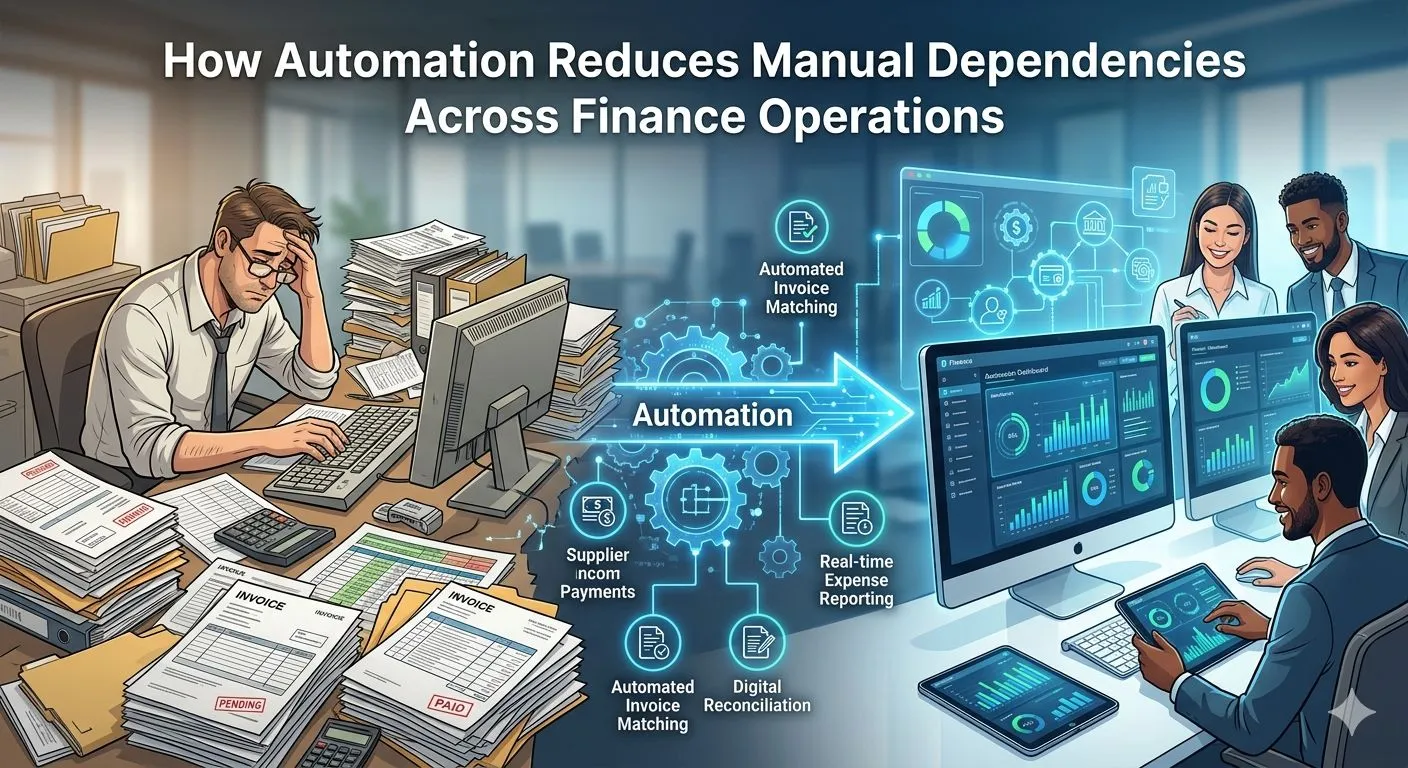

Finance teams lose time when invoices, reconciliations, reports, approvals, and cash records depend on manual entry. The issue grows when the same data moves across spreadsheets, emails, ERP screens, and review queues without clear ownership. Errors rise, approvals slow down, and audit evidence becomes harder to trace.
Automation reduces these manual dependencies by capturing data earlier, applying validation rules, routing exceptions, and keeping finance outputs linked to source records. This blog explains where manual work appears across finance operations, how automation reduces it, and what finance teams should check before moving to controlled workflows.
What Are Manual Dependencies in Finance Operations?
Manual dependencies are finance tasks that depend on people to enter, check, move, approve, or report data by hand. They often appear in invoice processing, reconciliation, reporting, month-end close, and approval workflows. This is where the role of financial process automation becomes important because it helps finance teams reduce repeated work, apply validation checks, route exceptions, and keep records traceable.
Manual Dependencies Definition
Manual dependencies refer to repeated human steps in finance workflows, such as copying data, checking records, matching transactions, and sending approvals manually.
Common Manual Dependencies Across Finance Teams
Common dependencies include invoice entry, bank matching, journal preparation, report updates, approval follow-ups, and reconciliation evidence collection.
Why Manual Work Still Exists in Finance Operations
Manual work remains because finance systems are often disconnected, documents arrive in varied formats, and teams still rely on spreadsheets for review.
These dependencies create wider issues when finance volumes increase.
Why Manual Dependencies Create Problems for Finance Teams
Manual dependencies create delays, errors, and control gaps across finance operations.
Slower Transaction Processing
Manual steps slow invoice processing, cash application, reconciliations, and report preparation.
Higher Risk of Data Entry Errors
Repeated entry increases the risk of wrong amounts, missed fields, duplicate records, and incorrect account codes.
Delayed Approvals and Reviews
Approvals slow down when files move through email or offline spreadsheets.
Limited Visibility Across Finance Workflows
Leaders may not see where invoices, reconciliations, reports, or exceptions are stuck.
Weak Audit Trails and Control Evidence
Manual workflows often lack clear proof of who reviewed, changed, or approved a record.
Automation helps reduce these gaps by making finance work more traceable.
How Automation Reduces Manual Dependencies in Finance Operations
Automation reduces manual dependencies by replacing repeated steps with controlled workflows and system-based checks.
Replacing Repeated Data Entry With System-Based Capture
Automation captures values from invoices, statements, receipts, and records without repeated manual typing.
Moving Routine Checks Into Rule-Based Workflows
Standard checks for amounts, account codes, duplicates, and approvals can run through defined rules.
Routing Exceptions to the Right Reviewers
Exceptions move to assigned owners instead of sitting in inboxes or spreadsheets.
Connecting Finance Data Across Systems
Finance data can move between ERP, accounting, reporting, and approval systems with fewer handoffs.
Creating Traceable Records for Review and Audit
Source records, changes, comments, and approvals can be stored for review.
Manual dependencies appear in several finance functions.
Finance Operations Where Manual Dependencies Are Most Common
Manual dependencies are common in transaction processing, reconciliation, reporting, close, and cash workflows.
Accounts Payable
AP teams often enter invoice data, match records, and follow up on approvals manually.
Accounts Receivable
AR teams may manually match payments, update collection status, and resolve disputes.
Account Reconciliation
Reconciliation teams often compare bank, ledger, and subledger records through spreadsheets.
Month-End Close
Close teams track tasks, journals, reconciliations, and approvals across multiple files.
Financial Reporting
Reporting teams collect data, update templates, check variances, and prepare management packs.
Expense Management
Expense teams review receipts, policy rules, approvals, and reimbursement status.
Cash Flow and Treasury Operations
Treasury teams track bank balances, payments, collections, and liquidity movement.
AP is often the first area where automation reduces repeated work.
How Automation Reduces Manual Work in Accounts Payable
Automation reduces AP manual work by capturing invoices, checking matches, and routing approvals.
Invoice Data Capture
Invoice number, vendor name, amount, tax, PO number, and due date can be captured automatically.
PO and Invoice Matching
Invoice data can be matched with purchase orders and receipts before approval.
Duplicate Payment Checks
Duplicate invoice numbers, amounts, vendors, and payment references can be flagged.
Approval Routing
Invoices can move to the right approver based on value, vendor, department, or policy.
ERP Posting and Payment Status Updates
Approved invoices can move into ERP systems with status updates for finance teams.
AR also benefits when customer and payment records move with fewer manual steps.
How Automation Reduces Manual Work in Accounts Receivable
Automation reduces AR manual work by improving payment matching, collections, and dispute tracking.
Customer Invoice Processing
Customer invoices can be generated and tracked with fewer manual updates.
Cash Application
Payments can be matched with open invoices using customer, amount, date, and reference details.
Payment Matching
Automation can match receipts with invoices and flag unmatched payments.
Collections Follow-Up
Collection reminders can be sent based on payment ageing and customer status.
Dispute Tracking and Resolution
Disputes can be assigned, tracked, and closed with clear ownership.
Reconciliation work becomes more controlled when matching and exceptions are handled earlier.
How Automation Reduces Manual Work in Account Reconciliation
Automation reduces reconciliation work by capturing data, matching records, and preparing evidence.
Bank and Ledger Data Capture
Bank, ledger, and subledger data can be collected from connected systems.
Transaction Matching
Transactions can be matched using amount, date, reference, account, and description.
Exception Identification
Unmatched items, timing differences, duplicates, and missing entries can be flagged.
Ageing Review for Open Items
Open items can be tracked by age, owner, and status.
Reconciliation Sign-Off Evidence
Review notes, source records, and approvals can be stored for sign-off.
Month-end close depends on the quality of these upstream workflows.
How Automation Reduces Manual Dependencies in Month-End Close
Automation reduces close dependencies by tracking tasks, journals, reconciliations, and reviews.
Close Task Assignment
Close tasks can be assigned to owners with due dates and status visibility.
Journal Entry Review
Journal entries can be routed for review with source support.
Account Reconciliation Tracking
Reconciliation status can be monitored across accounts and entities.
Variance Review Support
Variance items can be flagged for finance review.
Close Status Reporting
Close progress can be reported without manual status chasing.
Reporting also becomes easier when source data is already checked.
How Automation Reduces Manual Work in Financial Reporting
Automation reduces reporting work by collecting validated data and preparing traceable outputs.
Data Collection From ERP and Accounting Systems
Reporting data can be collected from ERP and accounting systems with fewer manual extracts.
Report Preparation From Validated Records
Reports can be prepared from checked records instead of scattered spreadsheets.
Variance Detection
Unusual movements in revenue, cost, cash, or margin can be flagged.
Source Links for Report Values
Report values can link back to transactions, journals, and supporting records.
Audit-Ready Reporting Outputs
Reports can include source evidence, review notes, and approval history.
Expense management has a similar need for validation and approval control.
How Automation Reduces Manual Work in Expense Management
Automation reduces expense work by capturing receipts, checking policies, and routing claims.
Receipt and Claim Capture
Receipts and expense claims can be captured in standard fields.
Policy Rule Validation
Claims can be checked against spending limits, category rules, and required documents.
Approval Routing
Claims can move to the right approver based on employee, amount, or policy.
Duplicate Expense Detection
Duplicate receipts or claims can be flagged before reimbursement.
Reimbursement Status Tracking
Employees and finance teams can track claim status without manual follow-up.
Cash and treasury teams also gain better visibility from connected records.
How Automation Supports Cash Flow and Treasury Operations
Automation supports treasury by giving teams cleaner cash, payment, and collection inputs.
Cash Position Visibility
Bank balances and cash positions can be viewed with less manual consolidation.
Bank Statement Data Capture
Statement data can be captured and prepared for reconciliation.
Payment and Collection Tracking
Payments and collections can be tracked by status, date, and owner.
Liquidity Movement Review
Cash movement can be reviewed across accounts, entities, and time periods.
Cash Forecasting Inputs
Validated AP, AR, and bank data can support cash forecasts.
When these dependencies reduce, finance work changes at a larger level.
What Changes When Finance Teams Reduce Manual Dependencies?
Finance teams gain speed, cleaner data, and better ownership when manual dependencies reduce.
Faster Process Turnaround
Invoices, reconciliations, reports, and approvals move faster.
Fewer Repeated Checks
Teams spend less time checking the same fields across systems.
Cleaner Finance Data
Validated data reduces errors before posting and reporting.
Better Exception Ownership
Each exception can have an owner, status, and resolution path.
Stronger Control Over Approvals and Adjustments
Approvals and adjustments become easier to track and review.
Data quality is one of the biggest gains from automation.
How Automation Improves Finance Data Quality
Automation improves data quality by standardizing fields and validating records earlier.
Standardized Data Fields
Standard fields reduce variation across invoices, payments, journals, and reports.
Validation Before Posting
Records can be checked before they enter ERP or accounting systems.
Duplicate Record Detection
Duplicate invoices, vendors, customers, payments, and claims can be flagged.
Consistent Account Coding
Standard account coding reduces reporting and reconciliation errors.
Source-Level Traceability
Every record can stay connected to its source file or transaction.
Better data quality also supports finance control.
How Automation Improves Finance Control and Compliance
Automation improves control by creating clearer approvals, logs, and policy checks.
Approval Logs
Approval history shows who reviewed and approved each record.
Segregation of Duties
Different users can prepare, review, and approve based on role.
Change History
Changes to values, fields, or status can be recorded.
Policy-Based Review Rules
Policy rules can flag items that need review before posting or payment.
Audit Evidence Collection
Source records, logs, and approvals can be prepared for audit review.
As manual work reduces, finance roles shift toward review and analysis.
How Automation Changes the Role of Finance Teams
Automation changes finance work by reducing processing effort and increasing review capacity.
Less Time on Manual Processing
Teams spend less time copying, matching, and chasing status updates.
More Time for Analysis and Review
Finance teams can focus on variances, exceptions, trends, and risk.
Faster Exception Resolution
Exceptions can be assigned and resolved with clearer ownership.
Better Collaboration Across Finance Functions
AP, AR, reconciliation, close, reporting, and treasury teams can work from cleaner data.
Stronger Focus on Business Support
Finance teams can spend more time advising on costs, cash, risk, and performance.
Human review should still remain in high-risk areas.
Where Human Review Should Still Remain
Automation should reduce repeated work, not remove judgement from finance decisions.
High-Risk Transactions
High-value, unusual, or sensitive transactions should still receive human review.
Policy Exceptions
Policy exceptions need finance approval and documented reasoning.
Unusual Reconciliation Differences
Complex differences should be reviewed before sign-off.
Final Financial Reporting Review
Final reports should be reviewed by finance leaders before release.
Strategic Finance Decisions
Funding, investment, pricing, and risk decisions should stay with finance leaders.
Teams should also avoid common automation mistakes.
Common Mistakes When Reducing Manual Dependencies
Finance teams can create new issues if automation is added without fixing root causes.
Automating Broken Processes Without Fixing Root Causes
Broken workflows should be corrected before automation is applied.
Ignoring Data Quality Problems
Poor data quality can weaken automated checks and reports.
Removing Human Review From High-Risk Steps
High-risk work still needs judgement and approval.
Poor Integration With ERP and Finance Systems
Weak system connections can create more manual rework.
Missing Source Traceability
Automation loses value when outputs cannot be traced back to source records.
Preparation is needed before automation is used at scale.
What Finance Teams Should Check Before Using Automation
Finance teams should check volume, data quality, controls, systems, and audit needs before using automation.
Process Volume and Repetition
High-volume, repeated processes are strong candidates for automation.
Data Quality and Field Consistency
Data should be complete, structured, and consistent.
Approval and Review Rules
Approval limits, exception rules, and review paths should be clear.
ERP and Accounting System Connections
Automation should connect with ERP, accounting, banking, and reporting systems.
Audit and Compliance Requirements
Audit logs, access rules, and evidence needs should be defined early.
Metrics then show whether manual dependency is actually reducing.
Metrics That Show Manual Dependencies Are Reducing
Finance teams can track manual dependency reduction through speed, quality, effort, and control metrics.
Manual Touchpoints per Transaction
This shows how many human steps are needed per invoice, payment, reconciliation, or report.
Processing Time per Record
This measures how long each record takes to complete.
Exception Rate
Exception rate shows how many records still need manual review.
Manual Correction Time
Correction time shows how much effort is spent fixing avoidable errors.
Close Cycle Duration
A shorter close cycle shows less manual dependency across reconciliations and reports.
Report Preparation Time
This measures how quickly reports are prepared after data is available.
Audit Finding Count
Fewer audit findings can show stronger controls and evidence.
A controlled workflow brings these pieces together.
How to Build a Controlled Finance Automation Workflow
A controlled automation workflow connects data capture, validation, review, posting, reporting, and audit evidence.
Start With High-Volume Manual Processes
Start with finance processes that create the most repeated work, such as AP, reconciliation, and reporting.
Standardize Finance Data Inputs
Use common fields, account codes, naming rules, and document requirements.
Define Validation and Exception Rules
Set rules for missing fields, duplicates, mismatches, and policy issues.
Connect Automation With ERP and Reporting Systems
Automation should pass validated data into ERP, accounting, and reporting systems. In stable, repeated workflows, RPA in finance can handle system updates, file movement, and routine status changes.
Keep Human Review for Risk-Based Decisions
Human reviewers should remain responsible for high-risk items and final approvals.
Link Final Outputs Back to Source Records
Final outputs should connect to source files, transactions, approvals, and review notes.
End Note: Finance Operations Work Better With Fewer Manual Dependencies
Manual dependencies slow finance operations, increase errors, delay reviews, and weaken audit evidence. Automation reduces these gaps by capturing data, validating records, routing exceptions, linking systems, and keeping outputs traceable.
For credit teams that depend on borrower statements, financial spreading software can support source-linked extraction, standardized spreading, ratio-ready outputs, and analyst review. Across finance operations, fewer manual dependencies help teams work with cleaner data, faster reviews, and stronger control.























Sign in to leave a comment.