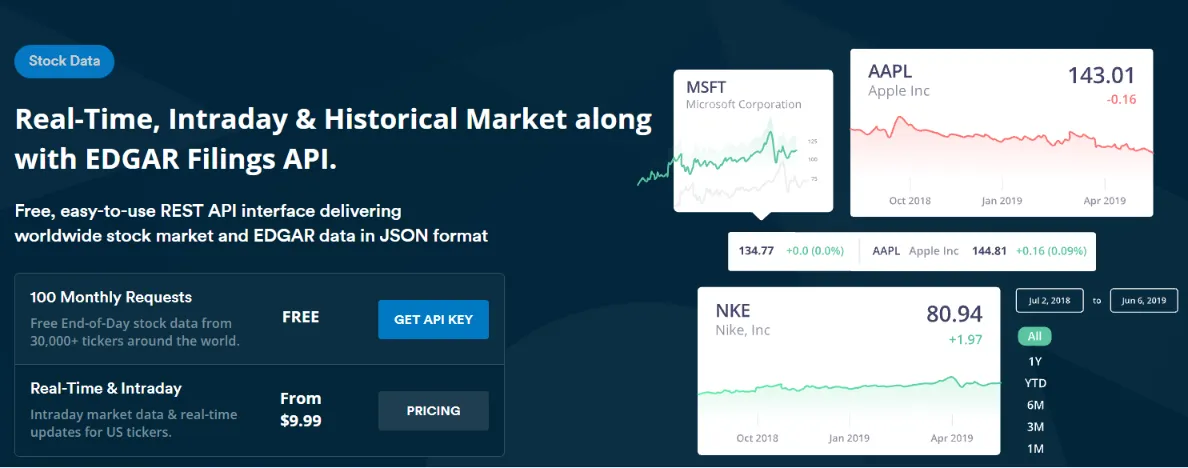

A developer building a financial dashboard in Python can quickly discover that the hardest part is not calculating a moving average or plotting a chart. The bigger challenge is obtaining consistent market data in a format the application can actually use.
Manually downloading spreadsheets may work for a one time experiment. It becomes much less practical when a project needs historical prices, multiple tickers, regular updates, or automated analysis.
A Stock API for Python can help connect a Python application to structured market data through standard web requests. But choosing an API should involve more than checking whether it has a Python example. Developers need to consider data coverage, update frequency, historical availability, request limits, and how the returned data will be validated.
Why is Python useful for stock market analysis?
Python has become widely used in data analysis because it provides a large ecosystem for working with numerical and financial datasets.
Libraries such as pandas make it easier to organize time series data, while NumPy supports numerical operations. Visualization libraries can then turn the results into charts and dashboards.
For example, once stock prices are available in a DataFrame, calculating a daily return can be relatively simple:
import pandas as pd prices = pd.Series([100, 102, 101, 105]) returns = prices.pct_change() print(returns)
The code is straightforward because the difficult step happened earlier: obtaining reliable price data.
That is where an API can become useful. Instead of manually downloading and cleaning files, a Python application can request market information programmatically and pass the resulting data into the analysis workflow.
Which methods can developers use to obtain stock data?
Manual downloads are the simplest approach.
An analyst can download a CSV file, open it in a spreadsheet, and begin exploring the numbers. This is useful for small experiments because it requires almost no development effort.
The problem is repeatability.
If the analysis needs to be run every day, manually downloading the same file creates unnecessary work. It can also introduce inconsistencies if different versions of a dataset are used.
Another option is a local market data database. This gives developers full control over storage and makes repeated queries fast.
However, a database does not eliminate the need for a data source. Developers still need a process for collecting, validating, and updating the underlying records.
An API provides a third option. The application can request the required information when needed or through a scheduled process.
The tradeoff is that the application becomes dependent on the API provider's availability, request limits, authentication system, and data coverage.
How can Python retrieve stock market data?
A Python application can make a standard HTTP request and process the JSON response.
A simplified example looks like this:
import os import requests api_key = os.environ["MARKETSTACK_API_KEY"] url = "https://api.marketstack.com/v1/eod" params = { "access_key": api_key, "symbols": "AAPL", "date_from": "2024-01-01", "date_to": "2024-01-31" } response = requests.get(url, params=params, timeout=10) response.raise_for_status() data = response.json() print(data)
The returned records can then be transformed into a pandas DataFrame:
import pandas as pd df = pd.DataFrame(data["data"]) print(df[["date", "symbol", "close"]])
From there, developers can calculate returns, moving averages, volatility measures, or other indicators.
The important architectural point is to keep the API request separate from the analysis code. If the data source changes later, the analytical layer does not need to be rewritten.
What should developers check before choosing a stock API?
The first consideration is market coverage.
An API may provide extensive information for major US exchanges but have different coverage for international markets. Developers should check whether the exchanges and securities needed by their project are supported.
Historical depth is another important factor.
A machine learning experiment may require several years of data. A simple portfolio tracker might only need recent prices.
Update frequency should also match the application's purpose.
A long term investment dashboard may only require end of day data. A monitoring application focused on market movements may require intraday information.
Developers should also look at the structure of the response.
Consistent JSON fields make integration easier. Clear documentation is equally important because it reduces the amount of trial and error required during development.
Request limits can influence architecture as well. If an application has many users, making a new API call for every page request may be inefficient.
Caching or scheduled data ingestion can reduce unnecessary requests.
How can developers build a reliable Python workflow?
A production workflow should not assume that every API response is complete.
The application should validate the response before passing it to the analysis layer.
For example:
required_fields = ["symbol", "date", "close"] for field in required_fields: if field not in data["data"][0]: raise ValueError(f"Missing required field: {field}")
The application should also handle temporary failures.
A request might time out. An API key could expire. A ticker could be unavailable. A request could exceed the account's limit.
A simple retry strategy can help with temporary network failures:
import time import requests for attempt in range(3): try: response = requests.get(url, params=params, timeout=10) response.raise_for_status() break except requests.RequestException: if attempt == 2: raise time.sleep(2)
For larger systems, developers may want a background ingestion process rather than requesting historical data every time an analyst opens a dashboard.
This creates a useful separation between data collection and data consumption.
What are the benefits and limitations of a REST API?
A RESTful stock api can be convenient because developers can use familiar HTTP methods and structured responses without installing a specialized database system.
The approach is language independent. Although Python may be the analysis language, the same endpoint can potentially be accessed from JavaScript, Java, PHP, Go, or another language capable of making HTTP requests.
REST APIs also work well with cloud applications and scheduled workflows.
However, an API introduces external dependency.
If the service becomes temporarily unavailable, the application may not be able to retrieve fresh information. This is why production systems should consider caching and fallback strategies.
Another consideration is latency. A remote API request takes longer than reading an already stored value from a local database.
For applications with strict performance requirements, a hybrid model can make sense. The application retrieves market data periodically, stores it locally, and serves most user requests from the internal database.
Marketstack provides market data through REST API endpoints and supports data such as end of day prices, intraday information, historical records, tickers, and exchanges. Its API based structure can be integrated into Python applications using ordinary HTTP requests.
When should a Python application use an API?
An API makes sense when developers need automated access to market information but do not want to manually maintain the entire data collection process.
For example, a research application could retrieve historical prices each evening and store them for analysis.
A portfolio tracker could refresh selected securities on a schedule.
A financial education platform could use historical data to demonstrate how different investment strategies behaved under different market conditions.
For larger projects, developers should still evaluate licensing, data accuracy, request capacity, update schedules, and the intended use of the information.
The API should be treated as one component of the application's architecture rather than the entire financial analysis system.
FAQs
Can Python be used to access stock market APIs?
Yes. Python can access stock APIs using libraries such as requests or httpx. Returned JSON data can then be processed with tools such as pandas and NumPy.
Is a stock API suitable for financial analysis?
It can be useful for retrieving the market data required for analysis, but the quality of the resulting analysis depends on the underlying dataset, corporate action handling, trading calendar, methodology, and calculations performed by the application.
Should stock API data be stored locally?
For repeated analysis, storing data locally can improve performance and reduce unnecessary API requests. A local database also allows developers to preserve historical records and continue working with previously retrieved data if the API is temporarily unavailable.
Conclusion
Python provides a flexible environment for financial analysis, but its analytical capabilities depend heavily on the quality and structure of the market data supplied to it.
Manual downloads are useful for quick experiments, while local databases provide greater control at the cost of additional maintenance. An API can sit between these approaches by providing structured market information that applications can retrieve automatically.
For developers, the most practical solution is often a combination of API retrieval, local storage, validation, caching, and Python based analysis. That architecture keeps the data pipeline manageable while leaving the analytical code focused on the questions the application is actually designed to answer.

























Sign in to leave a comment.