

Sales, marketing, and customer support often work with the same customers, but they do not always work with the same information. Marketing may know which campaigns a customer interacted with, sales may know which products they discussed, and customer support may have access to previous service requests.
When these teams work with disconnected systems, important information can remain scattered across different platforms. CRM integration helps bring these systems together so teams can access relevant customer information, reduce duplicate work, and create a more connected customer journey.
Instead of treating sales, marketing, and support as separate functions, an integrated CRM creates a shared flow of customer data between them.
What Is CRM Integration?
CRM integration is the process of connecting a CRM platform with other business applications so that information can move between systems.
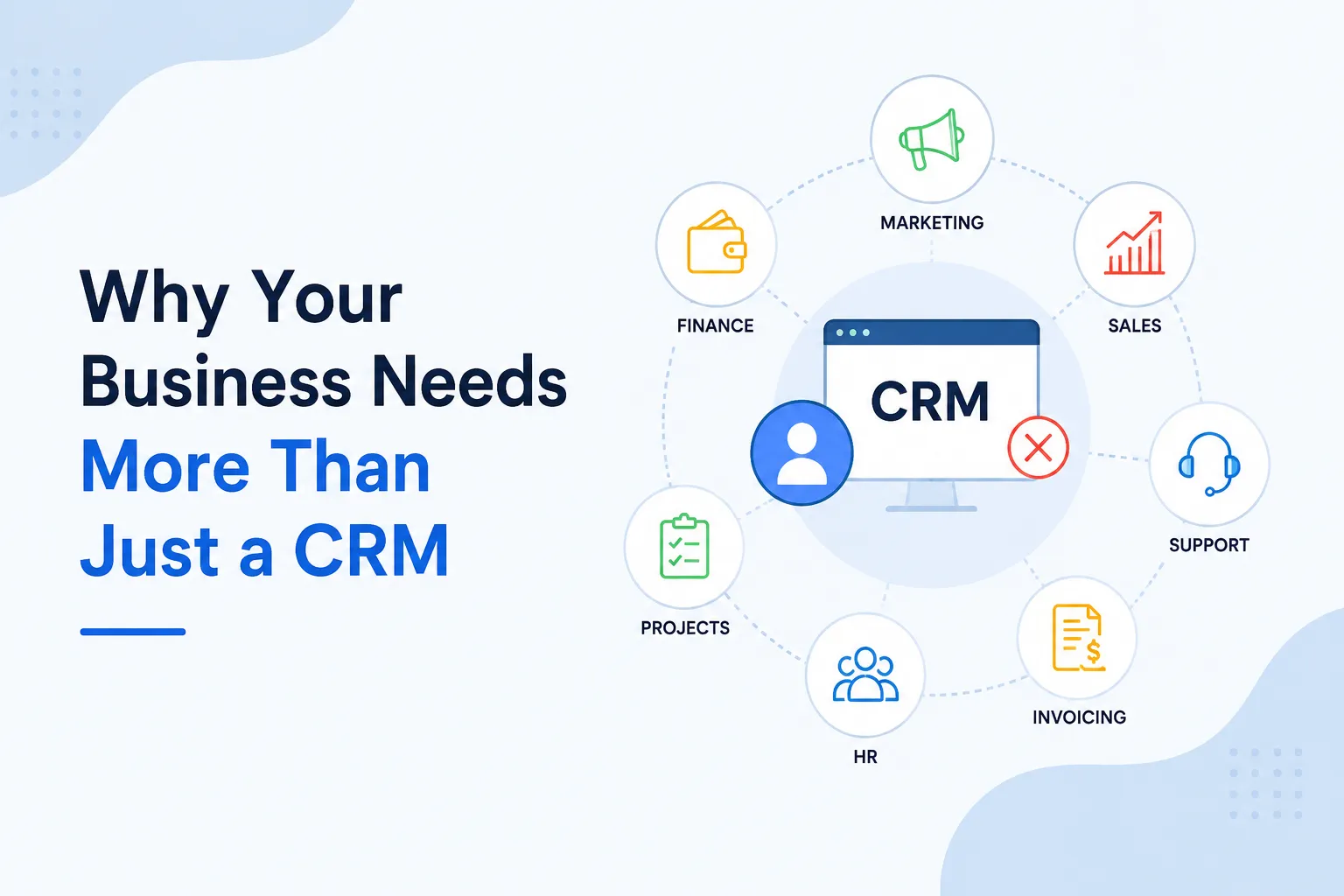
A CRM can be connected with tools used for:
- Marketing automation
- Email marketing
- Customer support
- Accounting
- E-commerce
- Communication
- Project management
- Analytics
- Forms and lead generation
The exact integration depends on the business's technology stack and processes.
The goal is not simply to connect more applications. The goal is to make customer information available to the right team at the right stage of the customer journey.
Why Do Sales, Marketing, and Support Need Connected Data?
Each department interacts with customers differently.
Marketing attracts and engages prospects. Sales converts qualified prospects into customers. Customer support helps customers after the sale.
Without integration, each team may maintain its own version of customer information.
This can lead to problems such as:
- Duplicate data entry
- Incomplete customer profiles
- Repeated questions
- Missed follow-ups
- Delayed responses
- Poor visibility across departments
- Inconsistent customer experiences
For example, a customer may have already explained an issue to the support team, but a sales representative may not know about it when contacting that customer about a renewal.
An integrated CRM can reduce these information gaps.
How CRM Integration Connects Marketing With Sales
Marketing and sales need to work closely because marketing generates and nurtures prospects while sales handles qualified opportunities.
CRM integration allows information from marketing activities to become available to sales teams.
For example, when a prospect:
- Submits a website form
- Receives marketing emails
- Engages with content
- Requests more information
that activity can be connected to the prospect's CRM record.
Sales representatives can then have greater context when beginning a conversation.
Example: Zoho CRM and Zoho Campaigns
A business using Zoho CRM can connect it with Zoho Campaigns to bring marketing and CRM activities closer together.
For example, a prospect stored in Zoho CRM may receive an email campaign through Zoho Campaigns. Their campaign engagement can provide additional context for the sales team.
Instead of a salesperson seeing only a name, email address, and phone number, the CRM can provide a broader view of the prospect's interactions.
This can help sales teams prioritize follow-ups and make their communication more relevant.
How CRM Integration Connects Sales With Customer Support
The relationship between sales and customer support does not end when a deal closes.
Once someone becomes a customer, support teams need access to relevant customer information. At the same time, sales teams may benefit from knowing about support activity when managing renewals, expansions, or ongoing relationships.
CRM integration can connect these two functions.
For example, sales information can be associated with customer support records, allowing support representatives to understand:
- Which products the customer purchased
- Who manages the account
- Relevant customer information
- Previous interactions
- Account-related details
Sales teams can also gain visibility into important service activity when appropriate.
Example: Zoho CRM and Zoho Desk
A business using Zoho CRM and Zoho Desk can connect sales and customer support information.
Imagine a customer has an active deal or renewal discussion while also having an unresolved support ticket. When relevant customer information is connected, the sales representative can have better context before contacting the customer.
Similarly, the support team can access relevant CRM information without asking the customer to repeatedly provide basic details.
This creates a more connected experience between sales and support.
How CRM Integration Connects Marketing With Customer Support
Marketing is not only responsible for attracting new customers. Customer information collected through marketing campaigns can also help support teams understand customer interests and engagement.
Integration can allow information from marketing systems to become part of a broader customer profile.
For example, a customer may regularly engage with content related to a particular product or service. If that information is available within the connected CRM ecosystem, other teams can use it as additional context when interacting with the customer.
This becomes particularly useful when businesses want to create more personalized customer experiences.
Creating a Single View of the Customer
One of the biggest advantages of CRM integration is creating a more complete view of customer information.
Instead of keeping information in separate systems, businesses can connect relevant data across the customer lifecycle.
A simplified journey could look like this:
Marketing → Lead → Sales → Customer → Support → Renewal
Information collected at one stage can provide context for the next stage.
For example:
Marketing: Customer downloads product information
↓
Sales: Sales representative follows up
↓
Sales: Deal is created in CRM
↓
Support: Customer submits a support request
↓
Sales: Renewal team sees relevant account activity
The customer does not have to start from the beginning every time they interact with a different department.
CRM Integration Reduces Manual Data Entry
Manual data entry is one of the common problems caused by disconnected systems.
Without integration, employees may need to copy customer information from one application to another.
For example, a sales representative might enter a customer's details into the CRM while another employee enters the same information into a support system.
This creates additional work and increases the possibility of errors.
With integration, information can be synchronized between connected systems according to defined rules.
This allows employees to spend less time moving information between applications.
CRM Integration Improves Lead Management
Lead management becomes more effective when information from different sources is connected.
Leads can come from:
- Website forms
- Landing pages
- Email campaigns
- Social media
- Webinars
- Events
- Advertising campaigns
- Referral sources
When these sources are integrated with a CRM, businesses can centralize lead information and track its progress.
For example, a lead generated from a website form can automatically enter Zoho CRM. A workflow can then assign it to the appropriate sales representative and create a follow-up task.
This reduces the chance of leads being missed or left without timely follow-up.
CRM Integration Supports Better Customer Service
Customer support becomes easier when representatives can access relevant information without switching between multiple systems.
An integrated CRM environment can provide support teams with information such as:
- Customer details
- Account information
- Previous interactions
- Products or services
- Sales history
- Open opportunities
- Support requests
This can help representatives understand the customer's situation before responding.
The result can be faster and more contextual support.
CRM Integration Helps Improve Reporting
When sales, marketing, and support data are connected, businesses can create more meaningful reports.
Instead of analyzing each department independently, management can examine relationships between different stages of the customer lifecycle.
For example, businesses can analyze:
- Which marketing sources generate customers
- How leads move through the sales pipeline
- Customer acquisition trends
- Support activity by account
- Customer retention patterns
- Sales and support relationships
- Campaign performance
This provides a broader perspective than looking at individual departmental reports.
Zoho CRM Integration: A Practical Example
Consider a company that sells subscription-based software.
The company uses Zoho CRM to manage leads and sales opportunities, Zoho Campaigns for email marketing, Zoho Desk for customer support, and Zoho Analytics for reporting.
The customer journey could work like this:
Step 1: A Prospect Enters the CRM
A prospect fills out a website form. Their information is automatically added to Zoho CRM.
Step 2: Marketing Nurtures the Prospect
The prospect is added to an appropriate marketing campaign through Zoho Campaigns.
Their engagement can provide additional information about their interests.
Step 3: Sales Follows Up
Once the prospect meets the company's qualification criteria, a sales representative follows up and manages the opportunity in Zoho CRM.
Step 4: The Prospect Becomes a Customer
After the deal is closed, relevant customer information remains connected to the CRM.
Step 5: Customer Support Takes Over
If the customer needs assistance, they can submit a ticket through Zoho Desk. Support representatives can access relevant customer information while handling the request.
Step 6: Management Analyzes the Customer Journey
Data from different business functions can be analyzed through Zoho Analytics to understand performance and identify trends.
This is a simple example, but it demonstrates how integration can connect multiple stages of the customer lifecycle instead of leaving each department to work independently.
What Should Businesses Consider Before Integrating a CRM?
CRM integration should be planned carefully. Connecting every available application is not necessarily the right approach.
Businesses should first consider:
Which Systems Need to Be Connected?
Identify the applications that genuinely exchange customer or business information.
What Data Needs to Move?
Determine which fields and records need to be synchronized between systems.
How Often Should Data Be Synchronized?
Some information may need real-time synchronization, while other data may only need periodic updates.
Who Should Have Access?
Define which teams should be able to view or modify information.
What Happens When Data Changes?
Businesses should establish rules for handling updates, duplicates, conflicts, and missing information.
How Will Integration Be Maintained?
Integrations should be monitored and reviewed as business processes and applications change.
Common CRM Integration Challenges
Although integration can provide significant benefits, businesses can encounter challenges during implementation.
Poor Data Quality
If existing data contains duplicates or inaccurate information, integration can spread those problems across connected systems.
Complex Workflows
Organizations with complicated business processes may need careful integration planning and customization.
Security Concerns
Customer information should be transferred and accessed according to appropriate security and permission requirements.
Integration Failures
An integration that stops working can prevent information from reaching the right team. Monitoring and maintenance are therefore important.
Unnecessary Integrations
Not every application needs to be connected. Too many integrations can make the technology environment harder to manage.
How CRM Integration Creates a Better Customer Experience
Customers generally do not think about which department they are communicating with. They expect the business to understand their history and provide consistent assistance.
CRM integration helps organizations move toward this type of connected experience.
When marketing, sales, and support have access to relevant information, customers are less likely to:
- Repeat the same information
- Receive unrelated communication
- Experience unnecessary delays
- Be transferred between teams without context
The result is a more continuous customer journey.
Final Thoughts
CRM integration connects the different systems and teams involved in the customer lifecycle. By bringing sales, marketing, and customer support closer together, businesses can reduce data silos, automate manual processes, improve visibility, and create more consistent customer experiences.
Platforms such as Zoho CRM can be connected with applications such as Zoho Campaigns, Zoho Desk, and Zoho Analytics to create a broader business ecosystem. The value comes not simply from having these integrations, but from designing them around actual business processes.
A successful CRM integration strategy should therefore begin with a simple question: What information does each team need to do its job better, and how can that information move between systems without unnecessary manual work?

























Sign in to leave a comment.