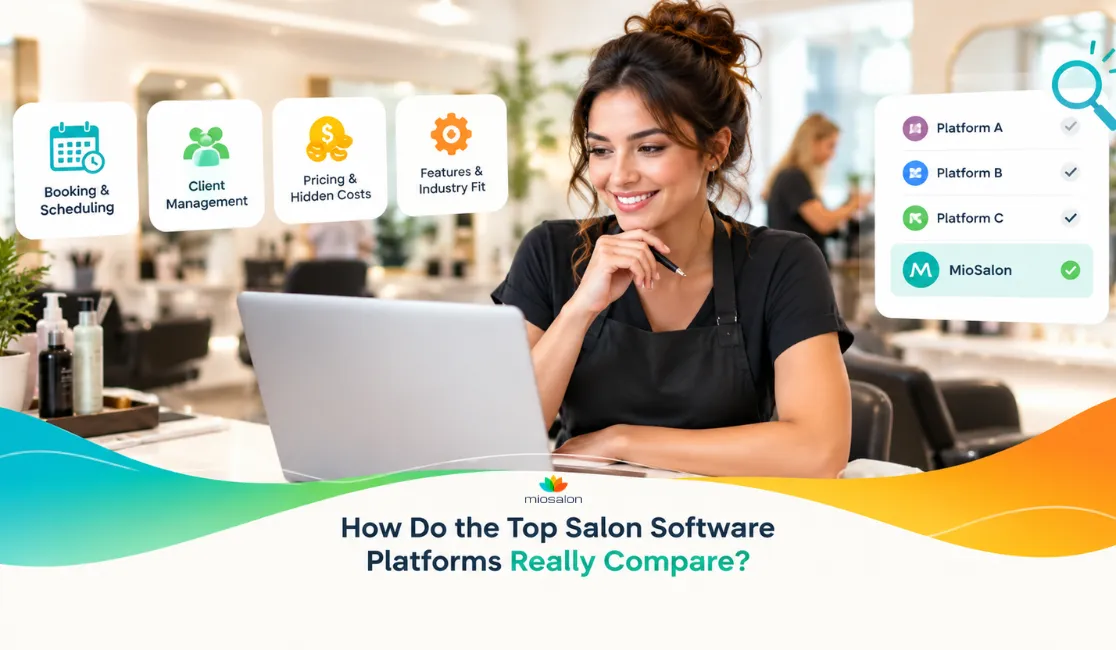


Quick Answer: Most salon software comparison lists rank platforms by name recognition or feature checkboxes, not by real cost transparency, industry-specific fit, or what happens when you expand to a second location. This guide cuts through that and looks at what actually separates one platform from another, based on research across 50+ tools.
Introduction
Every few months, a new "top 10 salon software" list goes up. They're clean, easy to read, and almost completely useless for making an actual decision.
Most of them rank platforms on name recognition or checkbox features - not on what the software costs once you add the features you actually need, not on whether it was built for your specific type of business, and certainly not on what happens when you try to scale across two or three locations.
This post takes a different angle. Based on research across 50+ salon and spa software platforms, it looks at the comparison points that rarely make it into rankings: hidden fee structures, industry-specific workflow fit, the gap between "scheduling" on paper and scheduling that works under pressure, and which platforms can genuinely support a growing business - not just a single-location setup.
In This Guide
- Why Most Salon Software Comparisons Miss What Really Matters
- Hidden Charges to Watch For in Salon and Spa Software
- Booking, Scheduling, and Client Management: Where Platforms Really Differ
- Staff, Payroll, and Marketing Tools: The Overlooked Comparison Points
- Does the Software Fit Your Specific Industry?
- Multi-Location and Franchise Readiness: A Global Comparison Point
- How to Choose the Right Salon and Spa Software (Step-by-Step)
- Where MioSalon Fits: Industry Coverage and Feature Depth
Why Most Salon Software Comparisons Miss What Really Matters
Pull up any "best salon software" list, and you'll see the same format. Column A: platform name. Columns B through F: checkboxes for appointment booking, POS, marketing, reports, and maybe loyalty programs.
Every platform gets a checkmark. Every platform looks equal.
But a checkbox for "marketing" could mean anything from a built-in WhatsApp campaign tool to a basic email field that requires a separate Mailchimp subscription. "Appointment scheduling" on one platform might support resource allocation and double-booking prevention; on another, it's barely a calendar with a form attached.
The research that actually helps owners isn't which platforms have a feature listed — it's which ones do it well, for your specific business type, at a cost you can project 12 months out.
That's what this post looks at.
Hidden Charges to Watch For in Salon and Spa Software
Pricing pages rarely show the full picture. Before you sign anything, run through this checklist:
Setup and onboarding fees. Some platforms charge a significant one-time onboarding fee on top of the monthly subscription. Ask directly: is onboarding included, and at what level of support?
Per-notification charges. Automated appointment reminders are table stakes now — but some platforms bill per SMS or per message sent. It adds up. Owners with high booking volumes frequently discover this charge is larger than their base subscription by month three.
Payment processing markups. Integrated payments often come with a processing rate above what a standalone card processor would charge. Compare both rates before switching your checkout to the platform's built-in system.
Add-on modules. Platforms that look affordable at entry level often put key features — staff scheduling, inventory, marketing — behind higher tiers or separate paid modules. Map out which tier includes every feature you'll actually use before comparing prices side by side.
Contract lock-ins. Annual commitments are common. If you're testing a new platform, ask specifically about month-to-month availability and what happens to your data if you cancel.
The pattern across 50+ platforms is consistent: the advertised starting price is for a stripped-down version. Owners who calculate total cost of ownership — including add-ons, per-use charges, and processing — often find the real monthly number is substantially higher than the headline figure.
Booking, Scheduling, and Client Management: Where Platforms Really Differ
Appointment scheduling is the core of every salon software — but the execution gap between platforms is wider than most comparisons show.
Resource allocation. Can the system automatically assign a treatment room, equipment, or specific staff member based on service type? Some platforms do this natively; others require manual assignment every time.
Double-booking prevention. Basic platforms flag when a staff member is booked twice. More capable ones account for resource conflicts — the same treatment bed can't be used for two clients at once, regardless of which staff member is assigned.
Client profiles. A real client profile isn't just name, email, and booking history. It should capture product preferences, allergy notes, treatment history, and communication preferences in one place. Some platforms call this a "360° profile" and genuinely deliver it; others store only transactional data.
Self-service booking portals. The ability for clients to book online, view available staff, and download their appointment history directly reduces front-desk volume. Whether this lives on a branded mini-website or a generic link matters for the client experience.
If a platform's scheduling module can't answer "which staff member AND which treatment room is free at 2 PM on Thursday," it will create operational friction the moment your business gets busy.
Staff, Payroll, and Marketing Tools: The Overlooked Comparison Points
Most comparison posts cover scheduling and POS. Staff management and marketing tools are where the real differentiators hide.
Incentive and commission management. Flat-rate commission tracking is easy. Structured incentive tiers — where a stylist's commission rate changes based on service category, product upsells, or monthly performance thresholds — require a proper incentive management module. Many platforms don't have this; owners end up running parallel spreadsheets.
Staff scheduling vs. performance tracking. Scheduling tells you who's working when. Performance tracking tells you who's generating revenue, which services they're converting, and where you're losing money. These are different features. Check which one your shortlisted platform actually includes.
Marketing channels built vs. connected. WhatsApp marketing is one of the highest-engagement channels for salons in most markets outside North America. Platforms that treat it as a native channel — not a third-party integration you configure yourself — remove significant setup friction. Same applies to automated feedback collection after appointments: if it requires a separate connection to work, it isn't really built in.
Reputation management. Some platforms can flag low ratings internally before a client posts publicly on Google. Others simply pull in existing reviews after the fact. The difference matters if you're actively managing your online reputation across multiple locations.
Does the Software Fit Your Specific Industry?
This is the question most comparison posts skip entirely.
A booking platform built for generic service businesses can technically handle a salon appointment. But it won't understand that a nail studio needs rapid, high-turnover booking with short gaps between clients. Or that a med spa needs digital consent management and longer treatment cycles. Or that a bridal salon needs multi-service package tracking across weeks or months.
Generic software adapted for salons and software built specifically for salons are not the same thing.
The industries that consistently get poorly served by generic tools:
- Nail salons — need fast booking, short turnaround, and simple but high-volume checkout
- Med spas and aesthetic clinics — need consent management, treatment cycle tracking, and compliance-grade record keeping
- Barbershops — walk-in queue management and male grooming-specific service menus
- Massage therapy centres — package tracking, prepaid session management, and intake form customization
- Bridal salons — long booking lead times, multi-service packages, and appointment sequences across weeks
If a platform's solution page lists one generic "salon" category and nothing else, its workflows almost certainly don't account for these differences.
Multi-Location and Franchise Readiness: A Global Comparison Point
Owners with two or more locations will tell you: this is where most platforms fall apart.
The common failure points are:
Centralized reporting. Can you see revenue, staff performance, and inventory across all locations in a single dashboard - or do you export data from each branch separately and stitch it together in a spreadsheet?
Staff transfer and scheduling. Can a staff member be assigned to different locations on different days without creating duplicate profiles or billing conflicts?
Client data portability. If a client books at Location A but visits Location B, does their profile — preferences, purchase history, outstanding packages — follow them?
Pricing and service menu control. Can you run location-specific pricing, or does the system enforce one global menu regardless of market or location?
Platforms that genuinely support multi-location operations - not just label it as a feature but actually architect for it - are fewer than the market suggests. Ask for a live demo of the multi-location dashboard before committing to anything.
How to Choose the Right Salon and Spa Software (Step-by-Step)
No framework replaces your own research, but this sequence helps cut through the noise:
1. Define your industry type first. Not just "salon" — your specific category. Hair salon, barbershop, nail studio, med spa, massage centre, or another vertical. This determines which features are essential versus optional.
2. Map your real cost, not the headline price. List every feature you'll use. Find out which tier each one lives in. Add notification costs, payment processing rates, and setup fees. That's your actual monthly number.
3. Test support responsiveness before you buy. Send a pre-sales question on a Tuesday afternoon. How quickly and how completely does the support team respond? That's a reliable signal for what happens after you're paying.
4. Confirm multi-location architecture if relevant. Ask for a live demo of the multi-location view. See the actual dashboard. Ask how client profiles work across branches. Don't take a yes-on-paper at face value.
5. Run a parallel trial. Most platforms offer a free trial. Run your real workflows - not just a demo booking - to find friction before you migrate all your client data.
Where MioSalon Fits: Industry Coverage and Feature Depth
One platform that handles the above points in a documented, verifiable way is MioSalon.
MioSalon is purpose-built for hair salons, nail salons, beauty salons, bridal salons, tanning salons, barbershops, massage spas, med spas, aesthetic clinics, skin clinics, and general spas - 11 distinct verticals, each with its own dedicated solution. This isn't one generic booking tool relabeled for different industries; it's built to account for the workflow differences between them.
The nail studio vs. med spa example is a clear illustration. A nail studio needs fast, high-turnover booking with simple checkout. A med spa needs digital consent management and longer treatment cycles. MioSalon supports both natively - Consent Management is a built-in feature, not a separate add-on, and the booking system handles both short and extended treatment cycles without configuration workarounds.
Feature depth worth examining:
- Digital Consent Management — built-in for med spas, aesthetic clinics, and skin clinics; not a third-party form tool
- Incentive Management — structured staff incentive tracking with tiered commission logic, not flat-rate percentages
- WhatsApp Campaign — a native marketing channel, not a connector to an external platform
- Automated Feedback system — flags negative feedback before it posts publicly on Google, allowing the business to respond first
- Client 360° profile — full history, product preferences, and purchase records in a single view
As salon and spa businesses expand across locations and markets, platforms that cover multiple industry types — and include built-in consent, incentive, and reputation tools — will have an operational advantage over those still routing owners to third-party add-ons for basic functions like WhatsApp marketing or review monitoring.
Readers evaluating platforms can check the full feature-by-feature breakdown on MioSalon's comparison page. It's worth running through against whatever else is on your shortlist.
Key Takeaways
- Salon software comparison lists rank feature checkboxes — not whether those features work for your specific industry or what you'll actually pay once add-ons are factored in.
- Setup fees, per-notification charges, payment processing markups, and contract lock-ins are the four most common costs owners discover only after signing up.
- A genuine Client 360° profile is meaningfully different from storing a name and booking history — check what a "client profile" actually contains on each platform you trial.
- Staff incentive management and staff scheduling are separate features; many platforms only offer the latter.
- Software built for generic booking businesses frequently lacks the workflow specificity that nail studios, med spas, barbershops, and bridal salons require.
- Multi-location readiness has to be tested in a live demo — centralized reporting, cross-location client profiles, and staff scheduling across branches are the three areas most platforms struggle with.
- Calculating total cost of ownership — not just the headline monthly price — is the single most useful thing you can do before committing to any platform.
Frequently Asked Questions (FAQs)
1. What is the difference between salon software and spa software?
The core appointment and billing functions are similar, but the workflows differ in meaningful ways. Spa software typically needs to handle treatment room allocation, longer session durations, product usage tracking per treatment, and often consent or intake documentation. Salon software tends to prioritize fast booking turnaround, staff commission tracking, and retail product sales at checkout. Platforms that genuinely serve both industries handle both sets of workflows natively rather than forcing one model onto both business types.
2. How much does salon and spa software actually cost per month?
Published starting prices range from free — usually with limited functionality and higher payment processing fees — to $200+ per month for full-featured plans. The real cost depends heavily on which tier includes the features you need, whether notifications are charged per message, what payment processing rate applies to in-app transactions, and whether multi-location support requires a plan upgrade. Calculate total cost of ownership before making a final decision, not just the headline price.
3. What features should I prioritise when comparing salon software platforms?
Start with your business type. For any salon or spa, the non-negotiables are appointment scheduling with double-booking prevention, client profile management, and integrated point of sale. Beyond those, the features that separate strong platforms from average ones are staff incentive management (not just flat commission), built-in marketing channels, automated feedback collection, and — for med spas and aesthetic clinics specifically — digital consent management. Multi-location support should be tested in a live product demo if you have or plan to have more than one branch.
4. Does salon software work for multi-location businesses?
Some platforms do this well; most do it poorly. The standard to hold any platform to: a single dashboard showing revenue, staff performance, and inventory across all locations; client profiles that follow clients between branches; and the ability to manage location-specific service menus centrally. Ask to see all three in a live demo before committing.
5. Is there salon software built specifically for med spas and aesthetic clinics?
Most general salon platforms don't account for the specific requirements of med spas and aesthetic clinics — primarily consent management, treatment cycle documentation, and compliance-grade intake records. Some platforms have built these features natively; others offer them as bolt-ons you configure separately. If you're running a med spa or aesthetic clinic, Consent Management should be native to any platform you seriously consider.
Conclusion
Choosing salon and spa software on brand recognition alone is a reliable way to overpay for features you don't need and miss the ones you do.
The platforms that hold up under scrutiny price transparently, build for your specific industry type rather than treating "salon" as a single generic category, and can demonstrate multi-location capability in a live environment rather than a slide deck.
Request a free demo, The right choice looks different for a nail studio, a med spa, and a barbershop. That's not a complication; it's exactly why doing a careful, criteria-driven comparison matters more than going with whatever name ranks first.





















Sign in to leave a comment.