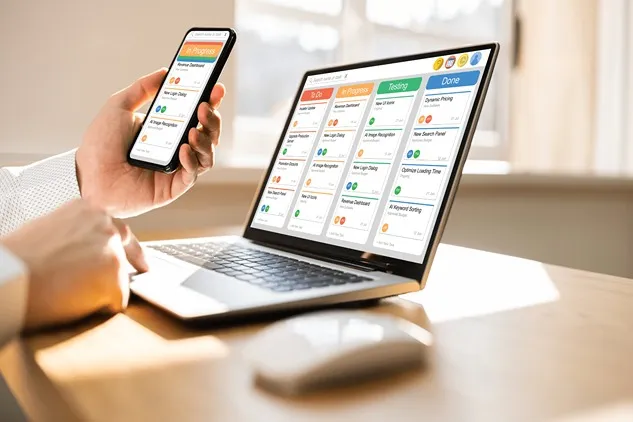

For Australian retailers, keeping online sales, in-store sales, and delivery operations in sync is no small task. Customers now expect accurate stock levels, fast fulfilment, and clear delivery updates whether they buy through a website, a physical store, or a marketplace. When these systems operate separately, businesses often end up with stock errors, duplicated orders, slow dispatch times, and frustrated customers. That is where integrations make a practical difference.
In simple terms, integrations allow different systems to share data automatically. An online store can send orders to a point-of-sale system, the POS can update stock across all sales channels, and shipping platforms can receive order details without manual re-entry. For businesses trying to streamline daily operations, this connected approach can be supported by order management software, which helps keep order information moving accurately between channels and delivery processes.
Understanding how these systems connect is important for any retailer wanting to reduce admin, improve customer service, and make better decisions based on real-time information. The goal is not just convenience. It is about creating a reliable flow of information from checkout to dispatch to delivery.
Key points
- Integrations connect eCommerce, POS, and shipping systems so data flows automatically between them.
- They help reduce stock mismatches, manual entry, and fulfilment delays.
- Real-time inventory updates improve accuracy across online and physical sales channels.
- Shipping integrations speed up dispatch, label creation, and tracking notifications.
- Connected systems support a better customer experience and more efficient operations.
What integrations actually do
An integration is a connection between two or more business systems that allows them to exchange data without constant human intervention. In retail, that usually means linking an eCommerce platform, a POS system, and a shipping or courier platform. Once connected, each system can send and receive important information such as product details, stock levels, customer orders, and shipment status.
For example, when someone buys a product online, the order can be pushed directly into the POS or order management system. If that item is sold in-store at the same time, the stock count updates automatically across all channels. The shipping system then receives the order details, generates a label, and sends tracking information back to the customer. This removes several manual steps and lowers the chance of error.
Why eCommerce and POS need to work together
Many businesses still treat online and in-store sales as separate parts of the business. In reality, customers often move between both. They may browse online, buy in store, return items through another channel, or choose click and collect. If the eCommerce platform and POS do not communicate properly, the business can end up overselling items or showing inaccurate product availability.
Better inventory accuracy
Inventory accuracy is one of the biggest benefits of integration. When a product is sold through the website, the stock count changes in the POS and vice versa. This is especially useful for businesses with limited stock, multiple locations, or fast-moving products. It helps staff give customers reliable information and reduces the need to cancel orders because stock was never actually available.
Improved customer experience
Customers notice when systems are connected. They can see correct stock levels, receive faster order confirmation, and enjoy smoother returns or exchanges. In Australia, where shoppers often expect flexible fulfilment options such as click and collect, store transfer, or home delivery, integrated systems make those services much easier to manage.
Smarter reporting
When sales data from online and physical stores sits in one connected system, reporting becomes more useful. Retailers can compare channel performance, identify peak trading periods, and understand which products sell best in different locations. That insight supports better buying decisions and more accurate forecasting.
How shipping fits into the picture
Shipping is often the final step in the customer journey, but it has a major influence on satisfaction. If orders are sent to shipping systems manually, mistakes can creep in. Addresses can be entered incorrectly, items can be missed, and dispatch can be delayed. Integrating shipping with eCommerce and POS systems helps avoid those issues.
Faster label creation and dispatch
Once an order is placed, the shipping platform can automatically receive the customer’s name, address, item details, and service type. Staff do not need to copy and paste information between systems. Labels can be created faster, parcels can be packed more efficiently, and orders move out the door with less delay.
Tracking and communication
Shipping integrations also support better communication. When a parcel is booked, the tracking number can be sent back to the eCommerce platform or customer record. That means customers can receive updates without staff manually sending emails or messages. It keeps them informed and reduces the number of “Where is my order?” enquiries.
Delivery accuracy
Accurate shipping data matters for every business, but especially for those sending fragile, bulky, or time-sensitive goods. An integrated setup reduces the risk of shipping the wrong item to the wrong address. It can also support different delivery rules for different products, such as requiring authority to leave, special handling, or local delivery scheduling.
The operational benefits of connected systems
When eCommerce, POS, and shipping systems work as one, the business gains more than just convenience. It gains control. Staff spend less time on repetitive tasks, managers get clearer visibility, and customers receive a more consistent service. The benefits become especially noticeable as order volume grows.
Less manual data entry
Manual work creates delays and increases the chance of human error. Every time a staff member has to retype an order, update a spreadsheet, or chase missing delivery details, time is lost. Integrations remove much of that repetitive admin.
Quicker fulfilment
Orders can move from checkout to dispatch with very little delay. That speed matters in a market where customers often compare delivery time as much as price. Faster fulfilment can also improve warehouse efficiency and reduce bottlenecks at busy times such as sales events or holiday periods.
Better stock allocation
Some businesses sell from a central warehouse, while others fulfil from several stores. Integrations help allocate orders to the right location based on stock availability, delivery zone, or pickup option. This makes it easier to use stock efficiently and avoid unnecessary transfers.
Common integration challenges
Although integrations offer clear benefits, they need to be set up carefully. Poor planning can create new problems rather than solve old ones. Businesses should understand the most common challenges before connecting systems.
Data consistency
If product codes, naming conventions, or stock rules are not consistent across systems, the integration may not work properly. A product listed under one code in eCommerce but another in POS can lead to mismatched records. Clean and consistent data is essential.
Choosing what to automate
Not every process should be fully automated. Some businesses need manual approval for certain orders, especially when dealing with high-value items, backorders, or unusual delivery requirements. Good integration design balances automation with practical oversight.
System compatibility
Some platforms connect easily, while others require custom setup or third-party middleware. Businesses should check whether their existing tools can exchange the right data fields, update in real time, and support the workflows they actually need.
How businesses can approach integration well
A sensible integration strategy starts with the customer journey. It helps to map what happens from the moment an order is placed through to packing, shipping, and after-sales support. Once the workflow is clear, businesses can decide which systems need to talk to each other and what information must move between them.
It is also worth reviewing current pain points. If stock errors are common, inventory sync should be a priority. If dispatch takes too long, shipping automation may offer the biggest gain. If staff spend hours updating orders by hand, the order processing flow needs attention first.
Training matters too. Even the best connected systems will not help if staff do not understand how the workflow works. Clear processes, role-based access, and simple exception handling make the integration more dependable in day-to-day operations.
Practical examples in an Australian retail setting
Consider a retailer selling homewares through a website and two physical stores. A customer orders a lamp online for delivery. The eCommerce platform sends the order to the POS or central order system, stock is reduced immediately, and the shipping platform prints a label. At the same time, staff in the store can see that the stock is no longer available for sale. The customer receives tracking updates automatically.
Now consider a clothing retailer offering click and collect. A shopper buys online and collects from a nearby store later that day. The integrated system reserves the item, alerts the store team, and marks it as fulfilled once collected. If the customer decides to exchange the item, the POS reflects the transaction correctly and inventory stays accurate across channels.
In both examples, the value of integration is not just speed. It is the reduction of friction between systems that would otherwise need constant manual checking.
Conclusion
Integrations connect eCommerce, POS, and shipping by making information flow automatically across the entire retail operation. This creates a more accurate, efficient, and customer-friendly business model. Rather than treating online sales, in-store transactions, and delivery as separate tasks, connected systems bring them together into one coordinated process.
For Australian businesses, this matters because customers now expect choice, speed, and reliability across every channel. When systems are linked well, staff can work with confidence, stock can be managed more accurately, and orders can move through the business with fewer delays. The result is a smoother operation from checkout to delivery, backed by better data and less manual effort.
FAQ
What is the main purpose of integrating eCommerce, POS, and shipping systems?
The main purpose is to let data move automatically between sales and fulfilment systems. This reduces manual work, improves stock accuracy, and speeds up order processing.
Does integration only help large retailers?
No. Small and medium businesses can benefit as well. In fact, smaller teams often gain the most because integration saves time and reduces errors that would otherwise take staff away from customers.
Can integrations improve stock control?
Yes. One of the biggest advantages is real-time stock syncing. When an item sells online or in store, the inventory count updates across connected systems, which lowers the risk of overselling.
How do shipping integrations help customers?
They make dispatch faster, improve tracking visibility, and reduce delivery mistakes. Customers are more likely to receive accurate updates and on-time parcels.
Is it necessary to automate every step?
No. Some steps may still need review, especially for special orders, exceptions, or high-value items. The best setup automates routine tasks while leaving room for human oversight where needed.
What should a business check before setting up integrations?
It should check system compatibility, data quality, stock rules, and workflow requirements























Sign in to leave a comment.