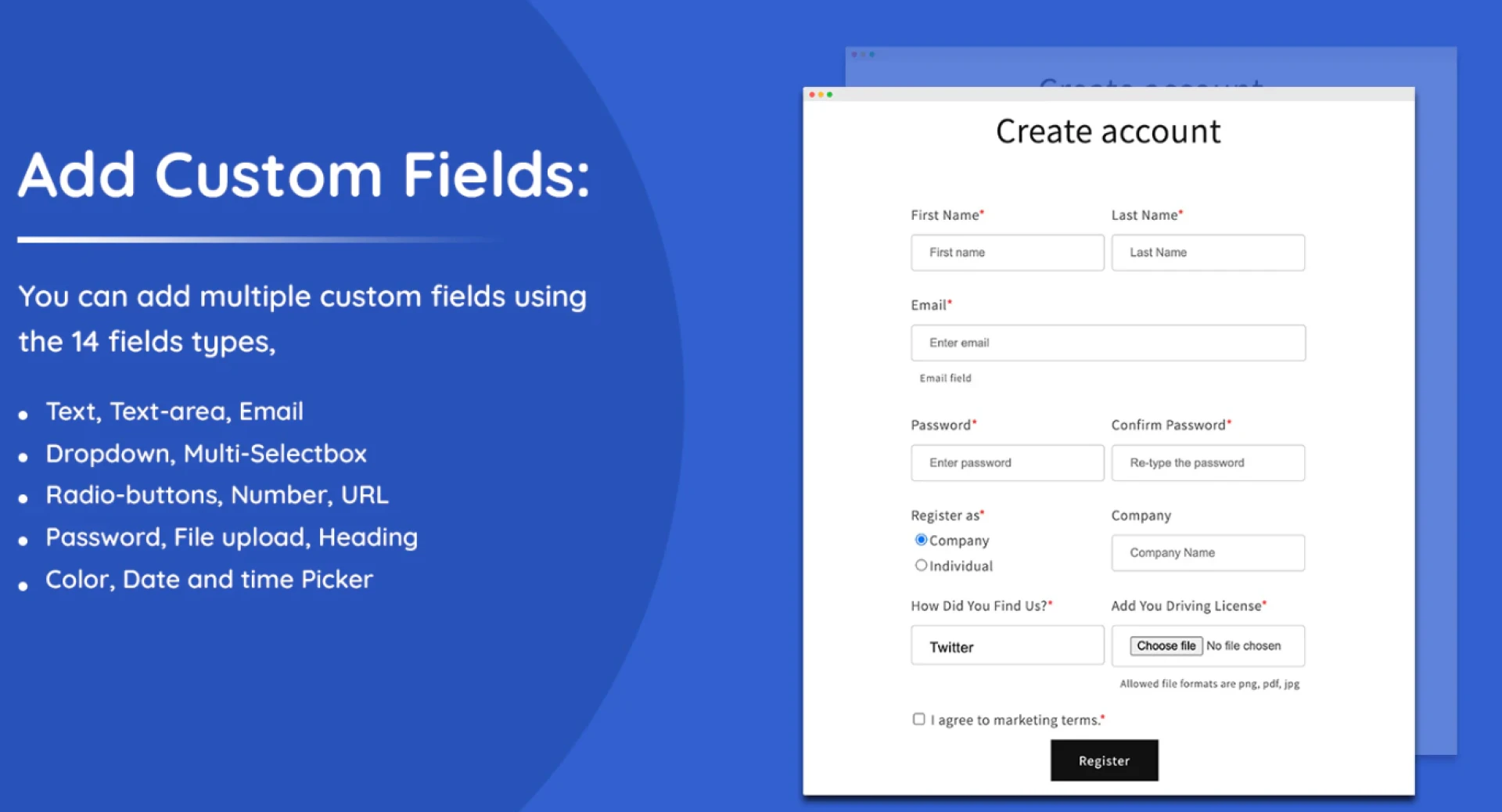

Collecting the right customer information is essential for improving marketing strategies and delivering personalized shopping experiences. Shopify’s default customer registration form only collects basic details like name and email address. While this information is useful, it may not provide enough insight into your customers’ preferences and needs. By adding Shopify custom form fields, store owners can gather additional information that helps create a more personalized and effective customer journey.
Custom fields allow businesses to ask specific questions that are relevant to their products or services. Whether you want to learn about customer interests, product preferences, or other useful details, adding custom fields to your Shopify registration form can help you better understand your audience.
Why Add Custom Fields to Shopify Registration Forms
Every online store serves a unique audience, and the standard registration form may not always capture the data you need. With Shopify custom form fields, you can collect valuable information such as location, preferred product categories, or customer interests.
For example, a clothing store might include fields for size preferences or favorite styles, while a beauty store may ask about skin type or product concerns. Collecting this type of information during the registration process allows businesses to offer more relevant product recommendations and targeted promotions.
By understanding your customers better, you can improve both marketing performance and customer satisfaction.
Methods to Add Shopify Custom Form Fields
There are two common ways to add Shopify custom form fields to your customer registration form: using apps or editing the theme code.
1. Using Shopify Apps
One of the easiest ways to add custom fields is through Shopify apps designed for form customization. These apps allow store owners to create and manage fields without requiring technical knowledge.
With form builder apps, you can easily add elements such as:
- Dropdown menus
- Checkboxes
- Radio buttons
- Date pickers
- Text input fields
These tools also often include advanced features such as conditional logic, which allows fields to appear based on previous answers. This helps keep forms organized and user-friendly.
2. Editing Shopify Theme Code
Another method for adding Shopify custom form fields is by modifying your store’s theme code. Developers can edit the customer registration template, typically found in the customers/register.liquid file, to include additional input fields.
This approach provides greater flexibility and allows you to fully customize the form according to your business needs. However, it requires knowledge of Shopify Liquid, HTML, and basic development practices to ensure the data is captured and stored correctly.
Best Practices for Custom Registration Fields
While custom fields provide many benefits, it’s important to use them carefully. Adding too many questions to your registration form can make the signup process feel complicated and discourage customers from completing it.
Instead, focus on collecting only the most relevant information. Choose fields that will directly support your marketing strategies, customer segmentation, or product recommendations.
It is also a good idea to make certain fields optional. This allows customers to register quickly while still giving them the option to share additional information if they choose. Transparency about how customer data will be used can also help build trust.
Conclusion
Adding customer fields Shopify, to your customer registration form is a powerful way to collect better data and improve customer relationships. By gathering meaningful insights during the signup process, businesses can personalize marketing campaigns, recommend relevant products, and create a more engaging shopping experience. With the right balance of useful questions and a simple form design, custom fields can help your Shopify store grow more effectively.





























Sign in to leave a comment.