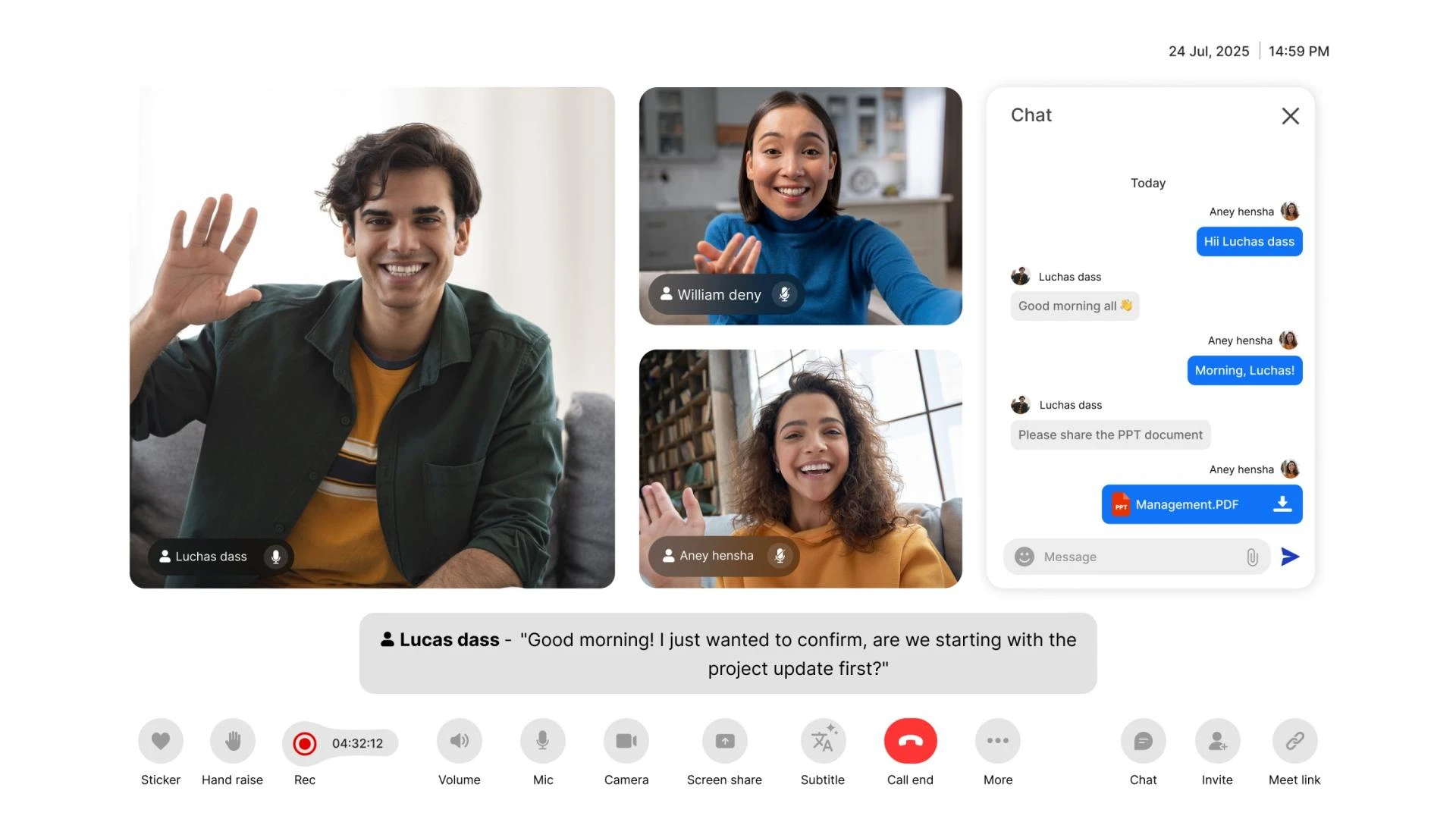

We all know how important video conferencing has become in our daily lives, personal and professional workplaces. That being said, the video conferencing SDK is also more important. It lets you embed real-time video calling capabilities directly into your application and control its features through developer-friendly tools and libraries.
What exactly is it? It's a pre-built package for easy video call integration across web and apps. While embedding it with your app, you should make sure to have adaptive streaming, reliable connectivity, and secure media processing. One such video conferencing SDK provider is MirrorFly that offers quick setup, clear documentation, and unified support across Android, iOS, and web.
The article reveals the key advantages and value of live video conferencing SDK, how can one set up the SDK by identifying requirements, setting security policy and the development environment. It also provides a guide to integrate the MirrorFly video conferencing SDK into the web/app
What Is MirrorFly Video Conferencing SDK?
MirrorFly Video Conferencing SDK gives full control over its UI and security to embed a customizable video calling into web and mobile apps. It manages peer connections, WebRTC signaling, encryption, and stream routing automatically, without the need to build RTC infrastructure from scratch.
Features such as screen sharing, virtual whiteboards, recording tools, and built-in chat altogether make it a complete collaboration toolkit. Let's businesses tailor the video calling experience for specific use cases, such as, remote healthcare sessions, interactive online classes, global team meetings, or personalised customer support.
Other providers' SDKs rely heavily on preset UI templates for video calling. MirrorFly offers SDK so developers can customize the video conferencing screen, layout, and entire workflow. Enterprises get a self-hosting option for complete data control and on-premise deployment.
MirrorFly video conferencing SDK uses a WebRTC-powered media engine and adaptive bitrate algorithms. So the audio and video streaming happen smoothly even when the connection fluctuates.
It uses device’s hardware to encode video faster and transmit securely using SRTP encryption. The distributed SFU/MCU architecture smartly routes video streams so group video calls stay stable and scalable even for modern apps.
What Are The Key Features & Benefits Of Live Video Conferencing SDK?
Core Features Of Video Conferencing SDK:
If you want to enable secure virtual meetings? Selecting the right video conferencing API makes all the difference. Here are the key features to consider:
Audio & Video Processing
High-quality audio and video transmission enables conferencing calls with low latency, making meetings in telehealth, internal team, and virtual classrooms more reliable and engaging.
AI-Powered Features
Advanced features include real-time background blur, speech-to-text automatically generates accurate transcriptions, face spotlighting, adaptive bitrate streaming, closed captioning, and more.
Real-time Communication
WebRTC technology handles media for quick, safe, and direct media streaming between peers without the intervention of a third party across browsers and mobile platforms.
End-to-End Encryption
Ensures the security of audio, video calling, and the product complies with the security standards and regulations such as HIPAA and GDPR. Ultimately, only users can access it.
SFU/MCU Architecture
With this handling video calls with multiple users become simultaneous. SFUs forward required video layers to each user, reducing bandwidth load. MCUs combine all streams into a single feed for consistent quality.
Noise Suppression & Cancellation
The advanced audio effects features help to detect and eliminate background noise in such a way that only the main sound is clearly audible to all the users connected in the video call.
Screen Sharing
This feature allows participants to share a particular window for real-time across multiple devices with others, either for doing collaborative work or for delivering a presentation.
With a bit of research and planning, you can identify the video conferencing API that best suits the project’s requirements.
Video Conferencing SDK Key Benefits:
To bring video calling into your app or website, add new opportunity to communicate and engage with the audience. With so many video conferencing APIs on the market, selecting the best fit can be challenging. Here’s a clear guide you should consider:
Faster deployment
How quickly can one launch video calling? Choosing a solution with ready-made modules helps developers integrate real-time communication without building from scratch.
Cost-efficient scaling
Will your platform stay affordable as usage grows? Opt for a provider that charges based on active users. This prevents unnecessary cost and ensures steady performance during high-traffic sessions.
Better user experience
Low-latency HD video and adaptive bitrate streaming are used to keep calls stable regardless of network conditions. Optimized multi-party conferencing pipelines help to cut down on lag and keep audio and video quality at the best level.
Improved Productivity
Teams can engage in discussions and provide feedback regardless of their geographic location. It allows remote employees and clients, as well as project partners, to participate in the meeting. Altogether, the total flow of work is quickly increased.
In-App Engagement
Real-time video conferencing is facilitated right in your app, without the need for any external platforms. Users are still in your product ecosystem, so they have less tendency to switch
contexts and get distracted.
Prioritize to focus on the features that matter most to your specific video conferencing usage. Choosing a reliable API with robust security ensures safe and high-quality virtual meetings for all users.
Preparing Your Environment To Set Up MirrorFly’s Video Conferencing SDK
Before integrating MirrorFly’s Video Conferencing SDK, it’s so important to prepare your development environment with the right tools, configurations, and platform choices. Let’s look at them in the section.
Step 1: Define Requirements & Platform
Figure out if you require 1:1 calls, group meetings, or telehealth sessions, and also specify the platforms for which you want to support. Choose how you want to deploy MirrorFly’s video conferencing across the web, iOS, and Android.
Step 2: Set Up SDK, Access & Security
Proceed with MirrorFly, as it easily aligns with company goals and offers factors of reliability, security, adaptability, and price. Configure authentication, privacy, data rules, device permissions, etc.
Step 3: Generate Credentials & Prepare Doc
Start creating your project in the MirrorFly console and obtain the SDK keys needed for authentication. Ensure the team has the right tools, test devices, and network setup for integration.
How to Embed a Live Video Conferencing SDK in 8 Simple Steps
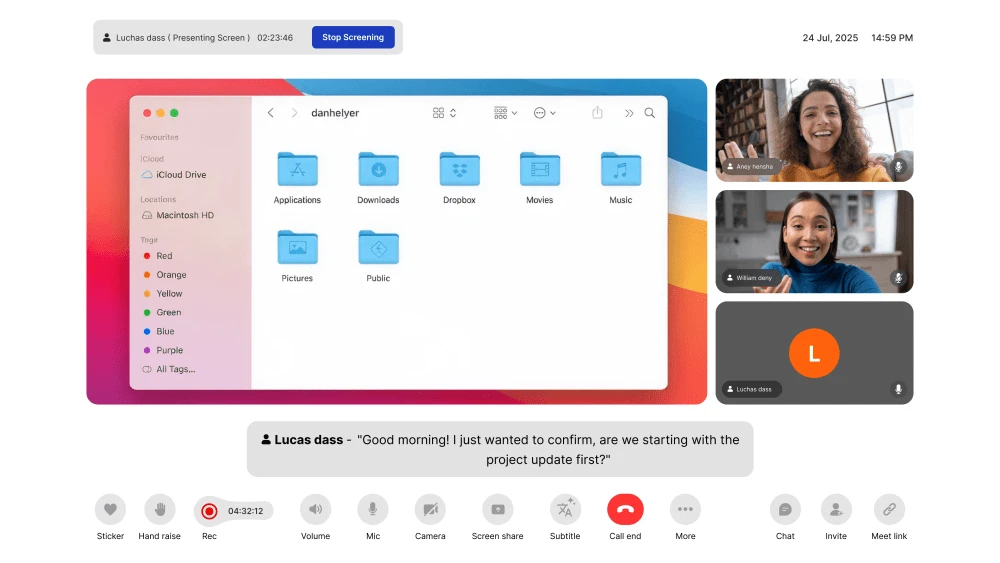
Here, we have explained the primary steps through which your team can provide a Mobile app with on-demand video conferencing features capable of working in real-time.
Step 1: Integrate Call SDK
Add MirrorFly’s repository link to your new or existing Android project. Then, include the MirrorFly Call SDK package to enable calling features. Give access to the required compatibility settings for smooth integration.
Step 2: Initialize the Call SDK
Use your MirrorFly license key to activate calling. Initialize the SDK inside your main application class to connect with MirrorFly services. Add the Application class to the AndroidManifest so the SDK loads when the app starts.
Step 3: User Registration
Register each user with a unique ID. MirrorFly assigns a JID (unique user address) for calls and chat. Now the app auto-connects to MirrorFly’s chat server after registration. Add a connection listener to monitor connected, disconnected, or reconnecting status.
Step 4: Call Screen Setup
Configure your call screen for notifications, caller info, and UI behavior. When the call screen opens or closes, bind or unbind the call service. Make sure the permissions for the camera, microphone, phone state, and notifications are turned on.
Step 5: Make 1-on-1 & Group Call
Start a one-to-one video call using the user’s JID. The SDK launches the call UI automatically. If the call fails, your app receives an error response. Provide multiple JIDs and a group ID to start a group video call.
Step 6: Receive & Answer Incoming Call
On Android 10 or higher, the SDK shows a native call-style notification. On older versions, the app directly opens the call screen configured in setup. When the user accepts, the SDK connects the call and updates the app with a success or error status.
Step 7: Decline Incoming Call
If the user declines the incoming call, the SDK rejects it and notifies the caller. You can customize the decline action to trigger additional workflows, such as sending an automated message.
Step 8: Disconnect Ongoing Call
Users can end the call anytime through the call UI. The SDK disconnects the session and updates all participants. If you want, you can easily integrate a video calling feature on your website as well, but the steps are a bit different.
Pro Tips For A Smooth & Successful Video Conferencing SDK Integration
Use a modular architecture: Keep MirrorFly’s video components isolated so future updates are easier.
Test permissions early: Validate camera, mic, and notification access across devices and browsers.
Test the network conditions: Check MirrorFly’s adaptive bitrate and reconnection behavior in low-bandwidth & fluctuating networks.
Specify fallback functions: Prepare scenarios for reconnection, device switching, and call recovery.
Monitor performance metrics: Also, use logs and session quality, along with user behavior, for continuous improvement.
Perform cross-platform QA: Verify that features work identically on web, iOS, and Android.
Optimize UI responsiveness: Adapt layouts for varying screens and dynamic video tiles.
Document internal workflows: Create a short internal guide covering MirrorFly setup, token flow, and config steps.
Editor’s Recommendation
With a stable SDK and a structured development workflow, embedding live video conferencing becomes simple. By following an integration workflow from deploying your application from programming, you can enable secure, stable, and scalable communication.
Therefore, for teams seeking a fully customizable solution, MirrorFly offers a reliable video conferencing SDK built for modern applications.


























Sign in to leave a comment.