
Summary: Searching for a solution to manage multiple Office 365 Tenants? Then you have come to the right place. In this article we make you understand very smoothly how to manage it. So we start the article with the meaning of Tenant or what is Tenant.
What is the Meaning of Tenant?
A Microsoft Tenant is an essential part of Microsoft 365. We can say that Tenant is an isolated and central container for items such as users, domains, subscriptions etc in the organization. The services which Tenant provides are based on different subscriptions and the licenses. Moreover, they are assigned to your user accounts and it also provides security for an organization’ digital operations. In one Tenant you can make up to 5000 domains and it is operated by Office 365 Admin.
What are the Drawbacks of Multiple Microsoft 365 Tenants?
Many organizations need multiple Tenants because of their business requirements and we have to know the drawbacks of it. So, here are some drawbacks of Microsoft 365 Tenant.
If you have multiple Tenants your license cost will increase, because each Tenant requires its own licenses and subscriptions.Multiple tenants creates an additional problem of managing multiple passwords which leads to confusion and a negative user experience.If your data is spread across multiple Tenants it will be tough to achieve a consolidated workflow.It will also affect your security and it may be harder to detect the security threats which harm your multiple Tenants. The main problem faced by the admin has to manage multiple Tenants separately, which generates errors and it will take unnecessary time also.How to Manage Multiple Microsoft 365 Tenants?
Managing multiple Office 365 tenants is not an easy task, specifically for the organizations which have business units and they need their own Office 365 environments. So we are here to discuss the strategies for managing multiple Office 365 Tenants very easily and very simply with the help of SysTools Office 365 Merge tool.
The above tool is designed to make the migration process easier for organizations. This is very helpful in the situations in which organizations will consolidate multiple Microsoft 365 Tenants.
Here are some steps of above tool that how can it will help in the migration process:
Steps of Above Tool Which can Help you:
First, you have to download and install the above mentioned tool.Then, launch the tool and you have to login in with the Office 365 account.Then, you have to select the mailbox and choose the destination mailboxAfter doing this process, configure the migration setting.Start the migration process.Then go to your destination mailbox and see if your data is shown in your mailbox.At the last, complete your migration process.The Key Features of the Above Tool:
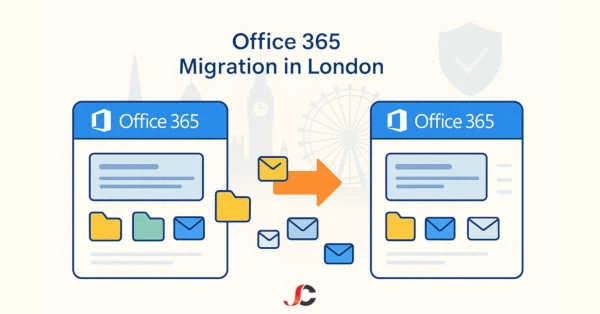
This tool has many features like this tool to migrate user accounts, including emails, calendars, contacts, etc from your target tenant to the selected tenant.This tool is also helpful in migrating SharePoint sites, OneDrive data, and other Microsoft 365 resources.The very important feature of this tool is that it will ensure data security during the migration process.The tool provides you the feature of mapping the users, groups from the source tenant to the target tenant. And this very impressive feature of this tool ensures that data is correctly moved to its selected location.This tool also provides a data preview feature so it will help to review and verify the data before the process of migration. Furthermore, it helps to ensure the accuracy of the data which you select.The tool offers the feature of monitoring and reporting to track the progress of migration. So this will help to identify any errors.Using this tool you can also perform Office 365 to Office 365 migration.Benefits of the Single Office 365 Tenant
The other name of single Office 365 tenant is single-tenant environment and it offers many advantages for organizations. And here are some of the advantages of this:
It is easy to manage a single Office 365 tenant then multiple. It reduces the consumption of time and you can focus on other tasks alsoIf a user uses a single-tenant environment it is easier to work on it and the user will have an effortless experience across all Office 365 services and applications.If you use the same tenant it allows you to collaborate and share your data across services like SharePoint, OneDrive and teams.It makes the process of backup and recovery very easy when your data is in the single -tenant environment.Conclusion
Many organizations face a problem when they have to manage multiple Office 365 Tenants. So, in this article we have discussed the common issues which are encountered by users while using multiple Office 365 tenants. And in addition we also discuss the tool which can make your migration process easy. Although there is a manual method also there, it is not easy and convenient to use. And also there is a risk of data loss during the process.








Sign in to leave a comment.