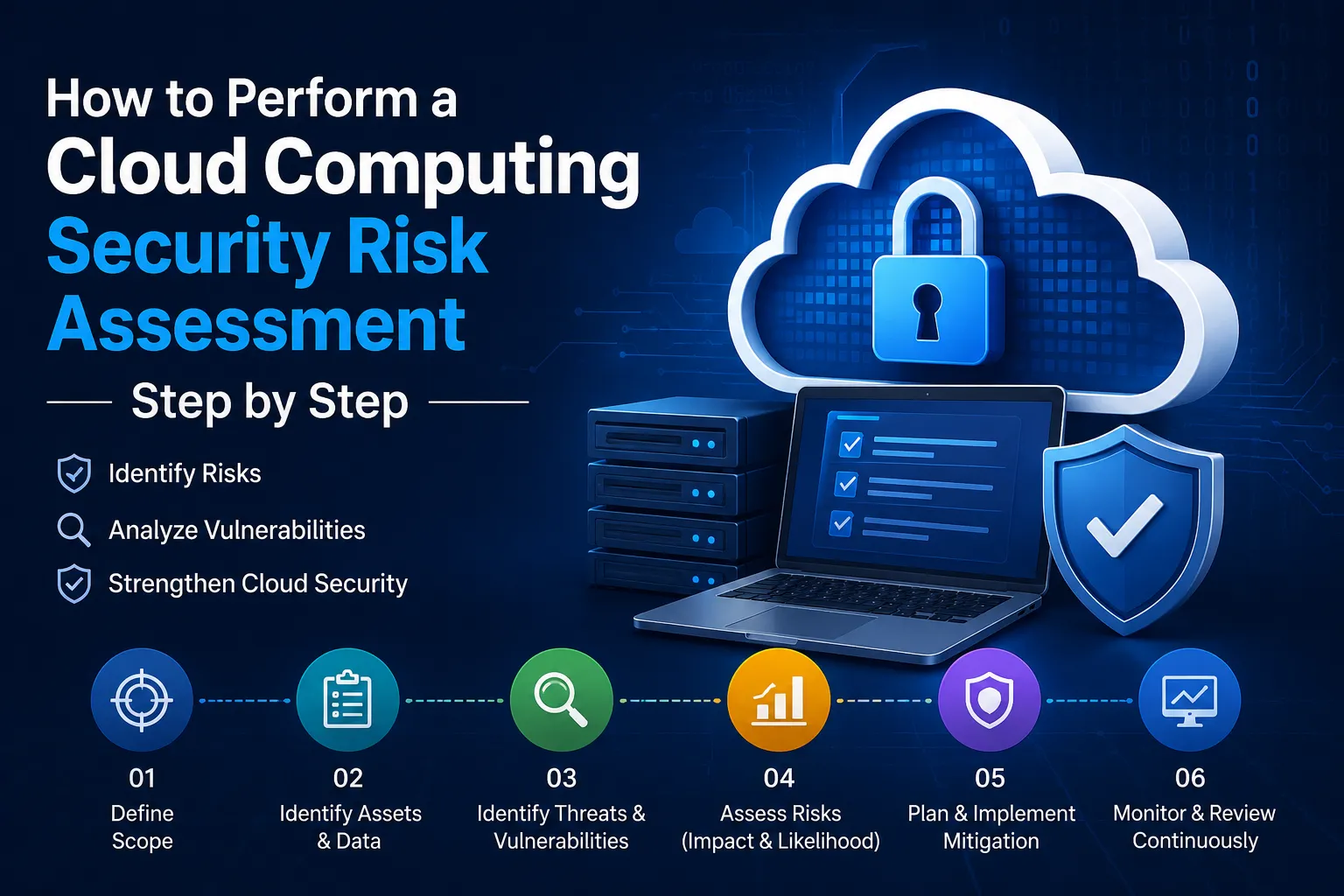

Cloud environments have become a core part of modern business infrastructure. Organizations use cloud computing to store data, run applications, improve scalability, and reduce operational costs. However, cloud adoption also introduces security risks such as data breaches, unauthorized access, misconfigurations, insider threats, insecure APIs, and compliance failures.
A cloud computing security risk assessment helps businesses identify vulnerabilities, evaluate risks, and implement security controls to protect sensitive information and cloud resources. Regular assessments are essential for maintaining compliance, reducing cyber threats, and improving overall cloud security posture.
This guide explains how to perform a cloud computing security risk assessment step by step, including best practices, tools, and risk mitigation strategies.
What Is a Cloud Computing Security Risk Assessment?
A cloud computing security risk assessment is the process of identifying, analyzing, and evaluating security risks associated with cloud infrastructure, applications, and data storage.
The assessment helps organizations:
- Identify cloud vulnerabilities
- Detect security gaps
- Evaluate the impact of threats
- Improve compliance readiness
- Protect sensitive business data
- Reduce the chances of cyberattacks
Cloud security risk assessments apply to all cloud models, including:
- Public cloud
- Private cloud
- Hybrid cloud
- Multi-cloud environments
It also covers cloud service models such as:
- Infrastructure as a Service (IaaS)
- Platform as a Service (PaaS)
- Software as a Service (SaaS)
Why Cloud Computing Security Risk Assessment Matters
Organizations often assume cloud providers handle all security responsibilities. However, most cloud environments operate on a shared responsibility model, where the cloud provider secures the infrastructure while the customer secures applications, data, configurations, and user access.
Without proper risk assessments, businesses may face:
- Data leaks
- Ransomware attacks
- Unauthorized access
- Compliance penalties
- Service disruptions
- Financial losses
- Reputation damage
A structured cloud security risk assessment helps organizations proactively identify and address these risks before attackers exploit them.
Step 1: Define the Scope of the Assessment
The first step is defining the scope of the cloud security risk assessment.
Identify:
- Cloud platforms in use (AWS, Azure, Google Cloud)
- Cloud-hosted applications
- Databases and storage systems
- APIs and integrations
- User accounts and permissions
- Third-party cloud services
- Remote access systems
Clearly defining the scope ensures the assessment focuses on all critical cloud assets and avoids missing important security areas.
Example
An organization using AWS may include:
- EC2 instances
- S3 buckets
- IAM configurations
- Lambda functions
- Cloud databases
- Kubernetes clusters
Documenting all cloud assets creates a complete inventory for analysis.
Step 2: Identify Critical Assets and Sensitive Data
The next step is identifying critical assets and sensitive information stored or processed in the cloud.
These assets may include:
- Customer records
- Financial information
- Healthcare data
- Intellectual property
- Employee data
- Login credentials
- Business applications
Classify data based on sensitivity levels such as:
- Public
- Internal
- Confidential
- Restricted
Understanding which assets are most valuable helps prioritize security efforts and risk mitigation.
Step 3: Identify Threats and Vulnerabilities
Once assets are identified, the next step is discovering potential threats and vulnerabilities.
Common Cloud Security Threats
Misconfigured Cloud Settings
Incorrect permissions and exposed storage buckets are among the most common cloud vulnerabilities.
Weak Identity and Access Management (IAM)
Poor password policies and excessive privileges increase the risk of unauthorized access.
Insecure APIs
Cloud applications rely heavily on APIs, making them attractive attack targets.
Insider Threats
Employees or contractors may intentionally or accidentally expose sensitive information.
Malware and Ransomware
Attackers may compromise cloud workloads through infected files or vulnerable applications.
Data Breaches
Weak encryption or improper access controls may expose confidential data.
DDoS Attacks
Distributed denial-of-service attacks can disrupt cloud-hosted services.
Vulnerability Identification Methods
Organizations can identify vulnerabilities using:
- Vulnerability scanning tools
- Penetration testing
- Configuration reviews
- Cloud security posture management tools
- Security audits
- Threat intelligence reports
Step 4: Analyze Existing Security Controls
Evaluate the security measures already implemented in the cloud environment.
Review:
- Firewalls
- Encryption protocols
- Multi-factor authentication (MFA)
- Identity and access management policies
- Security monitoring systems
- Backup procedures
- Logging and alerting
- Endpoint protection
- Network segmentation
The goal is to determine whether current controls effectively reduce risks.
Questions to Ask
- Are sensitive files encrypted?
- Are user permissions properly restricted?
- Is MFA enabled for all accounts?
- Are security logs monitored regularly?
- Are backups tested frequently?
Weak or outdated controls may require upgrades or replacement.
Step 5: Assess the Likelihood and Impact of Risks
After identifying threats and vulnerabilities, assess the likelihood and impact of each risk.
Likelihood Assessment
Determine how likely a threat is to occur based on factors such as:
- Existing vulnerabilities
- Exposure level
- Historical attack data
- Threat actor activity
Likelihood categories may include:
- Low
- Medium
- High
Impact Assessment
Evaluate the potential consequences if a threat occurs.
Possible impacts include:
- Financial losses
- Legal penalties
- Operational downtime
- Data loss
- Brand reputation damage
Impact levels are typically categorized as:
- Minor
- Moderate
- Severe
Step 6: Create a Risk Matrix
A risk matrix helps prioritize risks based on likelihood and impact.
| Risk | Likelihood | Impact | Priority |
| Misconfigured S3 Bucket | High | Severe | Critical |
| Weak Password Policy | Medium | High | High |
| Unpatched Cloud Server | High | High | Critical |
| Lack of MFA | Medium | Severe | High |
Prioritizing risks ensures organizations focus first on the most dangerous vulnerabilities.
Step 7: Conduct Cloud Security Testing
Practical testing helps validate whether vulnerabilities can actually be exploited.
Penetration Testing
Cloud penetration testing simulates real-world cyberattacks to identify exploitable weaknesses.
Penetration testers may evaluate:
- Web applications
- APIs
- Cloud storage
- Authentication systems
- Kubernetes clusters
- Virtual machines
Vulnerability Scanning
Automated scanners detect known vulnerabilities and misconfigurations.
Popular tools include:
- Nessus
- OpenVAS
- Qualys
- Burp Suite
- AWS Inspector
Configuration Audits
Review cloud configurations against security best practices and compliance frameworks.
Step 8: Review Compliance Requirements
Organizations handling regulated data must ensure cloud environments meet compliance standards.
Common regulations include:
- GDPR
- HIPAA
- PCI DSS
- ISO 27001
- SOC 2
Compliance reviews should evaluate:
- Data encryption
- Access controls
- Audit logging
- Data retention policies
- Incident response procedures
Non-compliance can result in heavy penalties and legal consequences.
Step 9: Develop a Risk Mitigation Plan
Once risks are identified and prioritized, create a remediation strategy.
Common Risk Mitigation Measures
Enable Multi-Factor Authentication
MFA adds an extra layer of protection against unauthorized access.
Implement Least Privilege Access
Users should only have permissions necessary for their roles.
Encrypt Sensitive Data
Use encryption for both stored data and data in transit.
Patch Vulnerabilities Regularly
Apply security updates promptly to reduce exploit risks.
Monitor Cloud Activity
Use SIEM tools and cloud monitoring systems to detect suspicious behavior.
Secure APIs
Implement authentication, rate limiting, and API gateways.
Backup Critical Data
Maintain secure and regularly tested backups.
Step 10: Document Findings and Recommendations
A detailed report should summarize:
- Identified risks
- Vulnerabilities discovered
- Affected assets
- Risk severity levels
- Security gaps
- Recommended remediation actions
The report helps management understand the organization’s security posture and prioritize improvements.
Step 11: Implement Security Improvements
After completing the assessment, organizations should immediately address critical vulnerabilities.
Examples include:
- Removing public access from cloud storage
- Enabling MFA
- Updating firewall rules
- Patching vulnerable systems
- Improving logging and monitoring
- Restricting administrative privileges
Security improvements should follow a structured remediation timeline.
Step 12: Continuously Monitor Cloud Security
Cloud environments change frequently. New workloads, applications, and users can introduce additional risks.
Continuous monitoring helps organizations:
- Detect suspicious activities
- Identify new vulnerabilities
- Track compliance status
- Respond to incidents faster
Continuous Monitoring Tools
- AWS CloudTrail
- Microsoft Defender for Cloud
- Google Security Command Center
- Splunk
- Datadog
Security monitoring should include:
- Real-time alerts
- Log analysis
- Behavioral analytics
- Threat intelligence integration
Best Practices for Cloud Computing Security Risk Assessment
Maintain Asset Visibility
Keep an updated inventory of cloud assets and services.
Automate Security Monitoring
Automation helps detect threats faster and reduces manual effort.
Conduct Regular Penetration Testing
Frequent testing identifies vulnerabilities before attackers exploit them.
Train Employees on Cloud Security
Human error remains a major cause of cloud breaches.
Use Zero Trust Security Principles
Never automatically trust users or devices inside the network.
Implement Strong Access Controls
Use role-based access control (RBAC) and least privilege access.
Review Third-Party Risks
Assess the security posture of vendors and cloud partners.
Common Challenges in Cloud Security Risk Assessment
Lack of Visibility
Multi-cloud environments can make tracking assets difficult.
Complex Configurations
Cloud systems often involve complicated permission settings.
Shared Responsibility Confusion
Organizations may misunderstand which security tasks belong to the cloud provider.
Rapid Cloud Expansion
Fast cloud adoption can create unmanaged security gaps.
Compliance Complexity
Meeting multiple regulatory requirements can be challenging.
Addressing these challenges requires strong governance and continuous assessment practices.
Benefits of Performing Regular Cloud Security Risk Assessments
Organizations that conduct regular assessments gain several advantages:
- Better protection against cyberattacks
- Reduced risk of data breaches
- Improved compliance readiness
- Enhanced customer trust
- Faster incident detection
- Stronger security posture
- Reduced financial losses
Regular assessments also help organizations adapt to evolving cyber threats and cloud technologies.
Cloud Security Risk Assessment Tools
Several tools can simplify the assessment process.
AWS Security Hub
Provides centralized cloud security monitoring for AWS environments.
Microsoft Defender for Cloud
Helps identify vulnerabilities and strengthen Azure security.
Prisma Cloud
Offers cloud-native security and compliance management.
Nessus
Detects vulnerabilities across cloud and on-premise systems.
Burp Suite
Useful for testing web applications and APIs.
OpenVAS
An open-source vulnerability scanning platform.
Selecting the right tools depends on the organization’s cloud infrastructure and security requirements.
Future Trends in Cloud Security Risk Assessment
Cloud security continues to evolve as businesses adopt advanced technologies.
Emerging trends include:
- AI-driven threat detection
- Automated risk assessments
- Zero trust cloud architecture
- Cloud-native security platforms
- Container and Kubernetes security
- DevSecOps integration
- Behavioral analytics
Organizations investing in modern cloud security strategies will be better prepared to defend against sophisticated cyber threats.
Conclusion
A cloud computing security risk assessment is essential for identifying vulnerabilities, protecting sensitive data, and strengthening cloud security defenses. The process involves defining the assessment scope, identifying assets, analyzing threats, evaluating existing controls, prioritizing risks, and implementing remediation strategies.
Regular assessments help organizations stay compliant, reduce attack surfaces, and improve overall security posture in increasingly complex cloud environments.
Businesses looking for professional cloud security testing and risk assessment services can rely on Qualysec for advanced penetration testing, vulnerability assessments, and comprehensive cybersecurity solutions designed to secure modern cloud infrastructures.



























Sign in to leave a comment.