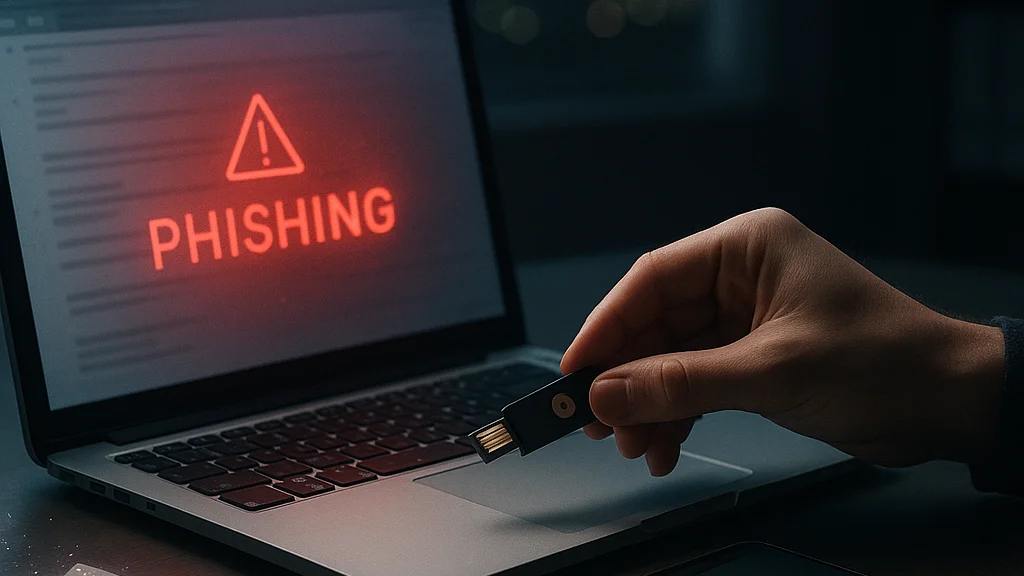

A phishing message used to be easy to spot—bad grammar, suspicious attachments, a prince with urgent banking needs and the subtle charm of a software bug from 2007. That era is mostly gone. The modern phishing attack is polished, personalized, and frequently timed to moments when people are distracted: payroll week, tax season, a password reset, a delivery notification, a frantic message from “your boss” sent five minutes before a meeting. The trick is no longer just technical. It is behavioral.
That is why the old advice—check the sender, avoid strange links, do not open attachments—still matters but no longer feels sufficient. Attackers now use AI-assisted writing, cloned login pages, compromised business email accounts, QR codes, fake browser update prompts, and voice messages that sound plausible enough to create hesitation. Hesitation is the whole business model, really. One click, one approval, one copied code, and the IKEA shelf collapses.
Rethinking phishing defense means shifting from a checklist mindset to a systems mindset. You are not trying to become a human spam filter with perfect instincts. You are trying to build layers that make your mistakes survivable. That includes stronger authentication, safer device habits, better financial controls, and a clearer understanding of how criminals actually stage attacks in 2026. If you want the baseline playbook first, WriteUpCafe has a practical primer in How to Protect Yourself From Phishing Attacks Effectively. What follows goes further: not just how to spot phishing, but how to make yourself a harder target even when a message looks convincingly real. That distinction matters. So does your blood pressure.
Phishing succeeds less because people are careless than because digital trust is being industrialized by attackers.
Why the old phishing playbook is breaking down
For years, anti-phishing advice focused on visual clues: misspellings, odd logos, awkward wording, and suspicious email domains. Those clues still appear, especially in mass campaigns, but the threat has matured. Criminal groups now run phishing like a product operation. They test subject lines, localize language, mirror brand design, and exploit current events. A fake Microsoft 365 login page or banking alert can look nearly identical to the real thing because, in many cases, it is built from copied assets and hosted on short-lived infrastructure designed to disappear before defenders respond.
What changed is not merely design quality. Attackers increasingly rely on context. They know who handles invoices, who recently changed jobs, which executives travel, which crypto wallets are active, and which services a company uses. Public LinkedIn profiles, data broker records, previous breaches, and social media posts provide enough material to craft messages that feel routine. According to industry reporting and recurring security advisories, business email compromise remains especially damaging because it exploits trust between real people rather than malware alone.
Another problem is channel sprawl. Phishing no longer lives only in email. It arrives through SMS, WhatsApp, Signal, Teams, Slack, social platforms, QR codes on posters, fake customer support numbers in search results, and browser push notifications. Outlook India, in its report on crypto-related scams, describes how phishing has expanded in environments where urgency and self-custody create ideal conditions for fraud. The crypto angle is useful because it exposes the core pattern: attackers win when they can rush a user into bypassing normal verification.
That is also why purely awareness-based defense has limits. Training helps, but humans are inconsistent under pressure. A better model assumes that some phishing attempts will get through and asks a harder question: what controls prevent a single mistake from becoming account takeover, wire fraud, or identity theft? That is the pivot. Everything else is décor.
What phishing looks like in 2026
The 2026 phishing environment is defined by realism, speed, and cross-channel coordination. A victim might receive an email about unusual account activity, then an SMS with a one-time code request, then a phone call from “support” confirming the issue. Each piece reinforces the others. The scam feels credible because it is not one message; it is a sequence. Attackers understand something every sitcom writer knows—callbacks make the bit land.
Several patterns stand out this year. First, QR phishing, sometimes called quishing, keeps spreading because many users trust their phone camera more than a visible hyperlink. A code on a poster, PDF, invoice, or email can route victims to a fake login page without the obvious signs people were trained to inspect on desktop. Second, attackers increasingly target multifactor authentication workflows. Rather than stealing only passwords, they trick users into approving push notifications, revealing one-time codes, or logging into adversary-in-the-middle pages that capture session tokens.
Third, generative AI has lowered the cost of convincing text and multilingual impersonation. The point is not that AI created phishing from scratch; criminals were already busy. The point is scale. A campaign that once required native-level writing or manual customization can now be adapted quickly across regions and brands. TechTimes, in its May 2026 guide to preventing phishing attacks, emphasizes classic warning signs while also noting how attackers are becoming more sophisticated in presentation and social engineering.
Fourth, there is a noticeable rise in attacks that avoid malware entirely. Credential theft, session hijacking, and payment redirection are often cleaner for criminals because they trigger fewer security alarms. If an attacker logs in using valid credentials from a familiar geography or through a trusted cloud service, detection becomes harder. This is one reason passkeys and phishing-resistant authentication are gaining traction among security teams and major platforms.
- Email phishing: still dominant for broad reach, especially for fake invoices, account alerts, and HR notices.
- Smishing and messaging app scams: effective because phones compress context and encourage fast taps.
- Voice phishing: increasingly paired with leaked personal data to sound legitimate.
- QR phishing: useful for bypassing user suspicion about visible links.
- Business email compromise: high-value fraud that exploits trust and routine approvals.
The lesson is blunt: phishing is no longer a weird message from a stranger. Often, it looks exactly like work. That is the problem.
The strongest anti-phishing habit is not suspicion of every message; it is refusal to complete sensitive actions through the same channel that initiated the request.
Stop trying to spot every scam—build controls that survive mistakes
The most effective personal defense is not superhuman vigilance. It is friction in the right places. Think of your digital life as a badly maintained apartment building: you cannot stop every intruder from reaching the lobby, but you can make it much harder for them to reach your flat, your files, and your bank account. That means reducing the value of stolen credentials and limiting what any single compromised account can do.
Start with authentication. Password reuse remains one of the most expensive habits online because one breached service can unlock several others. A password manager helps by generating unique, long passwords for every account. More important in 2026 is moving high-value accounts—email, banking, cloud storage, workplace identity, social media admin panels—to phishing-resistant authentication where available. Passkeys, based on device-bound cryptographic credentials, are materially safer than passwords plus SMS codes because there is no shared secret to type into a fake page. If a service does not support passkeys, use an authenticator app or hardware security key before SMS.
Email security also deserves a rethink. Your primary email account is the skeleton key to password resets, receipts, tax documents, and identity recovery. Protect it more aggressively than almost anything else. Use a unique email alias for sensitive services when possible, enable login alerts, review forwarding rules, and check recovery methods. Attackers who compromise email often create hidden forwarding rules to monitor conversations or intercept invoices. That is a small setting with very large consequences.
Then there is the browser. Keep it updated, limit extensions, and treat extension permissions as seriously as app permissions on your phone. Malicious or overly broad extensions can read page content, intercept form data, or inject ads and prompts. If you use a password manager, let it autofill only on the correct domain; that feature can act like a quiet lie detector because it often refuses to fill credentials on lookalike sites.
- Use a password manager to create unique passwords for every account.
- Enable passkeys, hardware keys, or authenticator apps on critical accounts.
- Protect your primary email account with the strongest available login method.
- Review account recovery options, forwarding rules, and login alerts monthly.
- Keep browsers and operating systems updated; remove unnecessary extensions.
- Separate financial activity from casual browsing when possible—different browser profiles help.
If you want a companion piece focused on common user errors, WriteUpCafe’s Common Mistakes in Protecting Yourself from Phishing Attacks is useful precisely because it shows how small habits compound. Security is often boring until it is suddenly very expensive. That joke writes itself.
How to verify requests without becoming paranoid
People often hear “verify everything” and imagine a life of digital trench warfare. That is not practical. A better approach is to identify trigger actions—the small set of requests that deserve independent verification every single time. These include password resets, MFA code requests, payment changes, gift card purchases, payroll updates, crypto transfers, document-sharing invitations, and any message that creates urgency around account suspension or legal trouble. Those are the moments when you pause and switch channels.
Independent verification means you do not click the link in the message and you do not call the number in the message. You open the official app, type the known website yourself, or contact the person using a saved number or prior thread. This sounds simple because it is simple. It just collides with modern convenience, which is how scams make rent. For work settings, teams should normalize callback verification for payment changes and sensitive approvals. If a vendor suddenly changes bank details, someone should confirm it through a previously known contact method. No exceptions, no dramatic music.
There is also a useful mental model for suspicious messages: ask what the sender wants you to do right now. Most phishing attempts compress time. They want a click, a login, a code, a transfer, a download, or a reply with personal data. Legitimate companies sometimes send urgent notices, but credible organizations do not need you to surrender judgment. That is usually the tell.
For individuals, a few verification habits carry outsized value:
- Never share one-time codes or MFA approvals with anyone who contacts you first.
- Do not trust caller ID or display names; both are easy to spoof.
- Type known domains manually for banks, email, payroll, and crypto platforms.
- Treat QR codes as links with better branding and worse transparency.
- Use official apps from your device, not links from messages, for account checks.
Outlook India’s coverage of phishing in cryptocurrency circles is especially relevant here because self-custody removes the safety net of chargebacks and centralized recovery. A single rushed approval can be final. Mainstream finance is not identical, but the behavioral lesson transfers cleanly: the more irreversible the action, the more independent verification matters.
The high-risk zones people ignore: email, finance, and recovery paths
Most users focus on the obvious front door—the password prompt. Attackers, meanwhile, are often targeting the side entrances: password recovery, invoice workflows, shared cloud folders, and admin privileges on social accounts. If you want to reduce phishing damage, identify the assets that create cascading compromise. Top of the list is your email. Second is your phone number. Third is any account that can authorize payments or reset other accounts. Everything else is downstream from those.
Email compromise is particularly dangerous because it enables quiet persistence. An attacker who gains access may search for tax forms, banking correspondence, and cloud storage links; create forwarding rules; and delete security alerts. They may then use the account to phish your contacts from a trusted address. Review mailbox rules, connected apps, and active sessions regularly. If your provider supports it, inspect recent login IPs and device history. That sounds technical, but most major services present it in readable dashboards. Even software occasionally tries to help—rare, but moving.
Financial phishing has also become more procedural. Rather than asking directly for card details, criminals may impersonate a bank fraud team, persuade victims to move money to a “safe” account, or trick them into adding a new payee and approving the transfer themselves. Because the customer technically authorized the action, recovery can become messy. The same applies to payroll diversion scams, where attackers alter salary account details through HR impersonation. One email, one changed field, and the month gets bleak.
Recovery paths deserve equal attention. If your backup email is old, your phone number is recycled, or your security questions rely on public biographical facts, you have already weakened your defense. Many account takeovers happen not through the main login page but through neglected recovery settings. Review them with the same seriousness you would apply to locks on your home.
For a broader strategic overview, WriteUpCafe’s How to Protect Yourself from Phishing Attacks: Strategies for Cybersecurity complements this point well: the strongest defense is not one trick but a stack of controls around identity, verification, and recovery. That stack is less glamorous than a movie hacker scene. It also works better.
What organizations and households should change in 2026
Phishing defense is often framed as an individual responsibility, but many attacks succeed because the surrounding system is weak. Organizations still rely on inbox warnings while leaving approval workflows sloppy. Families share streaming passwords, reuse email accounts for utilities, and keep financial alerts off because notifications are annoying. The result is predictable. Attackers do not need everyone to fail; they need one person to be busy at the wrong time.
For companies, 2026 should be the year of reducing single-step trust. Payment changes should require out-of-band confirmation. Privileged accounts should use hardware-backed authentication where possible. Conditional access policies should flag unusual logins, impossible travel, and risky device states. Staff should be trained on specific fraud patterns they actually face—invoice redirection, fake recruiter messages, document-share lures, MFA fatigue attacks—not generic slides about suspicious links. If your training still features a cartoon fish, the criminals thank you for your service.
Households need a simpler version of the same logic. Separate your core accounts. Use one email for banking and government services, another for shopping and newsletters. Turn on transaction alerts. Freeze credit where available in your jurisdiction if you are dealing with identity theft concerns. Teach family members one rule that covers most scams: no money movement, password reset, or code sharing based on an incoming message alone.
There is also a role for device hygiene that people underestimate. Keep phones updated, install apps only from official stores, and review accessibility and screen-sharing permissions. A number of scams now guide victims into installing remote access tools under the guise of support. Once that happens, the attack stops being about persuasion and becomes hands-on fraud.
TechTimes’ 2026 prevention guide and other consumer security reporting continue to stress foundational steps because they remain effective. The difference now is emphasis: not just spotting bad messages, but redesigning routines so that a plausible fake cannot easily trigger irreversible action. That is what “rethinking” really means here. Less heroism, more architecture.
What to do if you clicked, replied, or approved something
The worst response to a phishing mistake is denial. The second worst is panic. The useful response is containment. If you clicked a suspicious link but did not enter anything, close the page, clear the browser session if needed, and run a security scan if a download occurred. If you entered credentials, change the password immediately from a known-good device and revoke active sessions. If the same password was reused elsewhere, change those accounts too. Yes, all of them. Your future self will complain less than your compromised one.
If you approved an MFA prompt you did not initiate, reset the account password and review recent logins, recovery options, and mailbox rules. If a bank account or card is involved, contact the institution through its official app or known customer service number and explain the exact action taken. Time matters. So does precision. “I may have clicked something weird” is less helpful than “I entered my login on a page reached from an SMS at 2:14 p.m. and then approved one push notification.” Give responders the timeline.
For crypto-related phishing, speed is even more critical because transactions may be irreversible. Disconnect compromised wallets from suspicious dApps, revoke token approvals where appropriate, move remaining assets to a clean wallet if advised by a trusted provider, and preserve evidence. Outlook India’s discussion of crypto phishing underscores how attackers exploit urgency and self-custody; once assets move, recovery options narrow fast.
Document the incident. Save screenshots, sender addresses, URLs, phone numbers, and transaction references. Report the phishing attempt to the relevant service provider and, where applicable, to your employer’s security team or local cybercrime reporting channel. Reporting does not guarantee a happy ending, but it can help block reuse against others and support fraud investigations.
A fast, boring response beats a dramatic one: change credentials, revoke sessions, contact the real provider, document everything.
Finally, treat the incident as a systems audit rather than a personal moral failing. Ask what control should have caught it sooner: unique passwords, stronger MFA, transaction alerts, separate email accounts, a better approval workflow, less trust in inbound urgency. Shame is useless. Process is not.
The future of anti-phishing is less about detection and more about design
The long-term answer to phishing is not teaching every human to forensically inspect every message forever. That scales badly and assumes people have spare cognitive bandwidth—which, judging by any office on a Monday, is optimistic. The more durable answer is design that removes opportunities for credential theft and makes sensitive actions verifiable by default.
Passkeys are part of that future because they are resistant to fake login pages. Hardware security keys strengthen it further for high-risk users such as journalists, executives, administrators, and activists. Secure payment workflows, verified in-app notifications, transaction signing, and limited session lifetimes also help. So do browser and operating system changes that make spoofed prompts and malicious downloads harder to execute. Platform design rarely gets applause, but it quietly saves people from themselves. A noble profession.
At the same time, phishing will keep adapting. Attackers will continue using AI for personalization, deepfake audio for authority cues, and compromised legitimate services for delivery. That means the goal is not perfect prevention. The goal is resilience: fewer successful takeovers, smaller blast radius, faster recovery, and less dependence on memory and mood.
If you want one practical rule to keep, make it this: never complete a sensitive action from the same message, call, or prompt that asked for it. Switch channels. Open the official app. Type the known site. Use the saved number. Confirm with the person you already know, not the one who just appeared in your inbox wearing a fake moustache.
Phishing defense used to be sold as a sharp eye. In 2026, it is better understood as a well-built routine. That is less cinematic, admittedly. It is also how you keep your accounts, your money, and your week intact.

























Sign in to leave a comment.