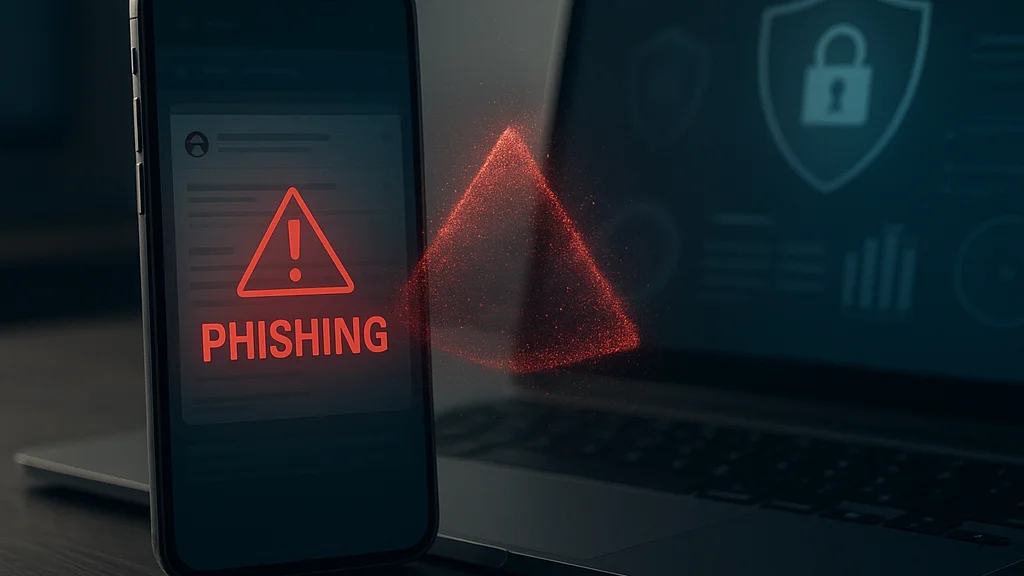

A phishing attack rarely begins with obvious chaos. More often, it starts with a message that looks routine: a courier update while you are waiting for a parcel, a payroll notice on a busy Tuesday, a cloud storage alert just before lunch at a hawker centre, or a security prompt that appears to come from Microsoft or your bank. The criminal is counting on one thing above all else: speed. Not technical brilliance, not cinematic hacking screens, but your willingness to act before you verify.
That is why phishing remains one of the most durable cyber threats in 2026. It exploits human trust, platform design, and the sheer volume of digital communication. According to the FBI and industry reporting referenced by Kiplinger on MSN, criminals continue to impersonate major technology brands because familiarity lowers suspicion. At the same time, consumer-facing guidance from TechTimes reflects a wider truth security teams have known for years: phishing is no longer confined to poorly written emails. It now spans SMS, QR codes, fake login portals, browser pop-ups, collaboration tools, social media direct messages, and voice calls backed by leaked personal data.
For readers who want a broader primer, WriteUpCafe has also covered strategies for cybersecurity and the difference between spear phishing and general phishing. Here, I want to move beyond generic advice. The practical question is not whether phishing exists. It is how to build a personal defence system that still works when you are distracted, tired, or under pressure.
The most effective anti-phishing habit is not spotting every scam. It is refusing to act on urgency until you verify the request through a separate channel.
If you understand that single principle, you are already ahead of many victims. But durable protection requires more than caution. It requires a layered routine, a clear recognition of modern attack patterns, and a willingness to harden the accounts that matter most.
Why phishing still works when people know about it
Many readers assume phishing succeeds mainly because users are careless. That explanation is comforting, but incomplete. Phishing works because the modern digital environment is engineered for responsiveness. We are trained to tap, approve, sign in, and clear notifications quickly. Banks send fraud prompts. delivery apps send live updates. employers send collaboration links. governments send digital service notices. Attackers imitate this normal traffic and insert themselves into a familiar workflow.
The problem has intensified as criminal groups industrialise phishing. They buy phishing kits, rent infrastructure, use stolen brand assets, and automate credential collection. A convincing fake Microsoft 365 page or crypto wallet prompt can now be deployed by low-skill operators. Outlookindia’s report on crypto-related phishing highlights how attackers target digital asset users with wallet recovery requests, exchange alerts, and seed phrase traps. Those same techniques have spread well beyond crypto. The target may be your payroll login, your Singpass-adjacent services, or your family’s shared cloud account.
Another reason phishing remains effective is context collapse. One device often holds work email, personal banking, shopping apps, chat groups, and password reset messages. If a criminal compromises one account, they can often pivot into others by triggering password resets or impersonating you. This is why phishing is not just about one bad click. It is often the entry point to account takeover, financial fraud, identity misuse, and business email compromise.
Recent scams also blend channels. An email may instruct you to call a support number. A text may ask you to scan a QR code. A pop-up may direct you to install remote access software. The FBI warning cited by Kiplinger on MSN is a useful reminder that trusted brands are repeatedly abused because users are conditioned to comply with their security notices. The attacker does not need perfection. They need plausibility for a few minutes.
- Email phishing: fake invoices, shared documents, password expiry notices, tax alerts.
- Smishing: SMS delivery failures, banking warnings, road toll or fine notifications.
- Vishing: calls from “bank staff,” “IT support,” or “government officers.”
- Quishing: malicious QR codes leading to credential theft or malware pages.
- Spear phishing: highly targeted messages using your employer, role, or recent activity.
Once you see phishing as a system of social engineering rather than a single email problem, better defences become easier to design.
The red flags that matter most in 2026
Traditional advice still matters: check the sender, inspect links, and distrust poor grammar. But modern phishing often looks polished. Attackers use copied logos, AI-assisted writing, and domains that appear plausible at a glance. The stronger signal is not spelling. It is behavioural pressure. Does the message push you to act urgently, bypass routine, reveal credentials, approve a login, or send money without verification?
Start with the request itself. A legitimate organisation may ask you to sign in, but it should not ask for your password in a reply, your one-time passcode over the phone, or your recovery phrase for a wallet. Likewise, a real bank may contact you about suspicious activity, but it will not need you to transfer funds to a “safe account” controlled by a criminal. If the action requested would weaken your own security posture, stop immediately.
Next, examine the path. Hovering over links on desktops still helps, but mobile users need a different discipline because full URLs are harder to inspect. Open the official app yourself. Type the known website manually. Use a saved bookmark. Never trust a login page reached through an unsolicited link, even if the page looks correct. This matters especially for Microsoft, Google, Apple, and banking portals because those brands are heavily impersonated.
QR-code phishing deserves special attention. Restaurants, parking systems, event check-ins, and payment flows have normalised QR interactions. Criminals exploit that habit by placing malicious stickers over genuine codes or embedding harmful QR codes in email attachments and posters. A QR code is not inherently trustworthy; it is simply another link hidden from view.
If a message creates urgency and removes your normal verification steps, treat that as the primary warning sign — even when the branding looks flawless.
There are also subtler indicators:
- The message arrives at an odd time relative to the claimed event, such as an invoice before a purchase or a payroll notice on a public holiday.
- The sender’s display name matches a trusted brand, but the actual account or reply path does not.
- The message asks you to override security controls, disable MFA, install remote tools, or share a code.
- The tone is unusually threatening, flattering, or secretive.
- The communication channel is unusual for that organisation, such as a bank using a random messaging app.
These patterns matter more than cosmetic quality. Attackers can fake appearance. They struggle more to fake process.
Build a layered defence around your most important accounts
The strongest personal anti-phishing strategy is not a single trick. It is a stack of controls that reduces damage even if one layer fails. Think like a defender. Which accounts would hurt most if compromised? Usually the answer includes your primary email, banking apps, cloud storage, work identity, messaging accounts, and any service used for password resets. Protect those first.
Begin with passwords. Every important account needs a unique, long password generated and stored by a reputable password manager. Reused passwords turn one phishing incident into a cascade. If criminals steal your credentials from a shopping site and you use the same password for email, they now control the reset channel for almost everything else. Password managers also help because they tend to autofill only on the correct domain. If your saved credentials do not appear on a login page, that is a useful warning.
Then enable multi-factor authentication, but choose the strongest option available. App-based authenticators and hardware security keys are generally safer than SMS, which can be exposed to SIM-swap attacks or message interception. Security keys are especially effective against phishing because they bind authentication to legitimate domains. For high-value accounts, this is worth the small inconvenience. In corporate settings, phishing-resistant MFA is increasingly becoming a baseline expectation rather than an advanced luxury.
Device hygiene matters as well. Keep operating systems, browsers, and security software up to date. Many phishing campaigns do not stop at credential theft; they also try to deliver malware through browser prompts, fake updates, or malicious attachments. A patched device narrows the attacker’s options. So does restricting administrative privileges and avoiding unnecessary software installations.
Practical controls that materially reduce risk include:
- Use a password manager for unique credentials across all critical accounts.
- Turn on MFA, prioritising authenticator apps or hardware keys.
- Separate email roles: use one primary email for sensitive services and another for low-risk signups.
- Review recovery settings so backup emails and phone numbers are current and trustworthy.
- Enable account alerts for logins, password changes, and unusual transactions.
- Back up important data in case a phishing incident leads to ransomware or account lockout.
If you want a useful companion read, WriteUpCafe’s guide on common mistakes in protecting yourself from phishing attacks is particularly relevant because many breaches happen after the first warning sign is ignored. Security is often lost in the exceptions people make for convenience.
One more point deserves emphasis. Your email account is your crown jewel. If you harden only one thing today, harden that. It is the reset path, the archive, the identity bridge, and often the attacker’s first objective.
How scams are changing in 2026
Phishing in 2026 is more adaptive, more personalised, and increasingly assisted by automation. Attackers no longer rely solely on mass spam. They scrape social profiles, purchase breached data, and tailor lures around real services you use. If you recently subscribed to a productivity tool, booked travel, or changed a password, a well-timed message can feel legitimate because it aligns with your actual activity. That does not always mean the attacker has breached the service. Sometimes they are simply exploiting probability and publicly visible behaviour.
AI has lowered the barrier for persuasive text, multilingual outreach, and rapid variation testing. A criminal can generate dozens of message versions, each tuned to a different audience. That is particularly relevant in multilingual societies such as Singapore, where a scam may switch between English and other languages to increase trust. The old assumption that scams are easy to spot because they are clumsy is no longer reliable.
Brand impersonation remains central. The FBI warning referenced by Kiplinger on MSN focused on scams targeting Microsoft users, but the broader issue is that identity platforms are now prime targets. If a criminal captures a Microsoft 365 or Google Workspace login, they may gain access not only to email but to files, calendars, Teams or Meet links, and internal trust chains. One stolen identity can be leveraged to phish colleagues, suppliers, and customers.
Crypto phishing has also matured. According to Outlookindia, attackers continue to exploit wallet users with fake airdrops, exchange notices, and urgent seed phrase requests. The lesson extends beyond digital assets: any account that cannot easily reverse transactions attracts aggressive social engineering. The same is true for gift cards, instant payments, and some cross-border transfers.
Meanwhile, defensive guidance has become more user-centred. TechTimes stresses practical warning signs and verification habits rather than purely technical controls. That reflects a broader shift in security thinking. We are finally acknowledging that people need systems that work when they are busy, mobile, and flooded with notifications.
Recent changes worth watching include:
- More phishing delivered through collaboration tools, not just email.
- Greater use of QR codes in public and business settings.
- More polished fake support interactions involving phone calls and remote access tools.
- Increased abuse of major identity providers to reach downstream accounts.
- Higher-quality localisation and personalisation powered by automation.
The implication is straightforward: your defences must assume the message may look professional and contextually accurate. Verification, not visual judgment, is the safer standard.
A practical response plan when you suspect a phishing attempt
Good security is not only about prevention. It is also about response speed. If you receive a suspicious message, do not click, reply, call the number provided, or scan the QR code. Instead, verify the claim through a separate channel you already trust. Open the official app. Use a known website bookmark. Contact the organisation using the number on its official site or your physical card. This simple separation breaks many attacks.
If you clicked but did not enter anything, close the page and run a security scan if a download occurred. If you entered credentials, act immediately: change the password from a clean device, revoke active sessions, review MFA settings, and check whether recovery details were altered. If the same password was reused elsewhere, change those accounts too. Time matters because criminals often use stolen credentials within minutes.
For financial accounts, call the bank using an official number and ask for transaction monitoring or temporary blocks if necessary. For work accounts, report the incident to your IT or security team at once. Prompt reporting is not embarrassing; it is protective. In many organisations, early reporting prevents lateral spread to colleagues and customers.
A concise incident checklist helps under stress:
- Disconnect from the suspicious interaction and stop all further communication.
- Change compromised passwords from a trusted device.
- Revoke sessions and review recent login history where available.
- Reset MFA if you approved a fraudulent prompt or exposed a code.
- Check inbox rules and forwarding settings in email accounts.
- Contact banks, employers, or service providers through official channels.
- Monitor statements, password reset emails, and account alerts for follow-on abuse.
One overlooked step is checking email forwarding rules. Attackers who gain mailbox access often create hidden forwarding or filtering rules to maintain visibility even after a password change. They may also delete alerts or divert invoices. In business environments, this is a common precursor to invoice fraud.
Another overlooked issue is shame. Victims delay reporting because they feel foolish. Attackers rely on that silence. A mature security culture treats phishing as an expected hazard, not a moral failure. If anything, the rise of polished scams means more capable people will be targeted successfully unless they have disciplined response habits.
Readers looking for a current checklist can compare this guidance with WriteUpCafe’s phishing protection overview and its 2026 update. The underlying principles remain consistent: verify independently, harden key accounts, and respond fast when something slips through.
What families, freelancers, and small businesses should do next
Large enterprises may have security teams, but households and small firms often carry equal exposure with fewer controls. A freelancer can lose client trust through one compromised mailbox. A family can suffer financial loss if a shared cloud account or messaging profile is hijacked. In Singapore’s dense digital economy, where cashless payments and app-based services are routine, the line between personal and business risk is thin.
For families, start with a simple household rule: no one shares one-time passcodes, banking approvals, wallet recovery phrases, or remote access to devices because of an unsolicited message or call. Children, elderly relatives, and less technical family members should know that urgency is a tactic. Practise with examples. Ask: if this parcel text were fake, how would we verify it? If this “bank officer” called, what would we do instead? Rehearsal builds muscle memory.
Freelancers and small businesses need process controls. Use separate accounts for finance, admin, and marketing. Require invoice changes to be confirmed by voice or another known channel. Train staff to treat payment redirections and credential resets as high-risk events. If you use Microsoft 365 or Google Workspace, review sign-in alerts, MFA coverage, and mailbox forwarding rules regularly. Many business phishing losses occur not because the first email was flawless, but because no secondary verification existed.
There is also a regulatory and reputational dimension. Under privacy and data-protection regimes, including frameworks relevant to Singapore-based organisations, a compromised account can expose customer information and trigger reporting obligations. Even where legal thresholds are not crossed, trust erosion is expensive. Clients remember the invoice that went to the wrong bank account. Customers remember the message that appeared to come from your domain.
The most resilient approach is boring by design. It relies on repeatable habits, not heroics:
- Use trusted entry points instead of message links.
- Protect email and financial accounts first.
- Prefer phishing-resistant MFA where possible.
- Verify unusual requests through a second channel.
- Report and remediate quickly when something feels off.
That may sound plain. Good security often is. The objective is not to become impossible to target. It is to become hard to fool and quick to recover. Phishing thrives on haste, isolation, and fragmented attention. Your defence is the opposite: pause, verify, compartmentalise, and act with discipline.
The final takeaway is simple enough to remember during a busy day. Treat every unexpected request involving credentials, money, or urgent action as untrusted until proven otherwise. If you build your digital routine around that standard, most phishing attacks will fail before they begin.


























Sign in to leave a comment.