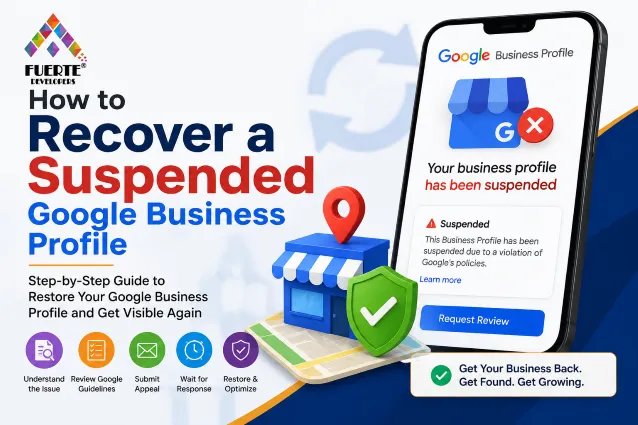

Having a Google Business Profile (previously known as Google My Business) is among the top digital assets for small businesses. By using a profile, it helps customers find businesses on Google Search and Maps, which is why it has been so important for visibility, lead generation, and foot traffic. The moment a profile is suspended, there can be a visible decline in phone calls, visits to the website, requests for direction, and inquiries about the business.
Suspension can seem daunting; it is not always the result of incorrect actions by the business owner. There are many times when companies receive thousands of suspensions due to the presence of policy violations, Inaccurate data, suspicious edits, or verification problems.
The good thing is that most businesses will be able to restore their profiles if they identify the reason for suspension, fix it, and fill out the reinstatement form.
Understanding Google Business Profile Suspensions
Google has the authority to suspend Business Profiles in order to ensure reliable and accurate local search results. When any pieces of information are found to violate the Google guidelines, its Business Profile can be removed from both Google Maps and Search until the issue is solved.
Generally, there are two kinds of suspensions: soft suspension and hard suspension. The first type of suspension allows you to access your Business Profile via your Google Account, although the information will no longer be presented on Google Search and Maps. In the case of hard suspension, access to your profile is denied, which complicates your account recovery.
Knowing the type of suspension allows you to choose the necessary measures for profile recovery.
Common Reasons Why Google Suspends Business Profiles
Many suspensions happen because of unintentional mistakes rather than deliberate policy violations. Even small inconsistencies can trigger Google's automated review systems.
Some of the most common reasons include:
- Using a virtual office or ineligible address
- Keyword stuffing in the business name
- Creating duplicate Business Profiles
- Selecting inaccurate business categories
- Providing inconsistent contact information
- Making frequent or suspicious profile edits
- Violating Google's Business Profile guidelines
Reviewing your profile carefully before requesting reinstatement significantly improves your chances of approval.
Step 1: Review Google's Business Profile Guidelines
Before you start the process of updating or changing your Business Profile, you must go through Google’s Business Profile guidelines thoroughly. When you go through your listing, examine your key business details and see if you have any discrepancies with Google’s requirements.
Focus on the following points in particular: your business name, address, phone number, website link, category, service areas, business hours, and business description. Even a minor inconsistency in the above information on your Business Profile can lead to issues.
Complete compliance is also a sign for Google that your business information is reliable and authentic.
Step 2: Correct Any Policy Violations
Once you've determined possible errors, make sure that you fill in all your information in your profile correctly in accordance with the real business.
Ensure that you don't put any promotional words in the name of your business, eliminate any unnecessary categories, check the contact information, and check the address to ensure it is in accordance with the official documents.
If your business operates in a service area, make sure to conceal your physical address if it is not appropriate, instead of showing the address at some location.
Making a correct adjustment of the information before contacting Google significantly raises the chances of recovering the business.
Step 3: Gather Supporting Documents
Google may require you to supply proof that your business is real. If you have prepared these documents beforehand, your recovery will be made easier.
Acceptable documents may include certificates of registration, utility bills, tax returns, leases, photographs of your store, and signs that show the name and address of your business.
Providing well-structured and consistent documents allows the team at Google to carry out their verification process more easily.





























Sign in to leave a comment.