Google Ads remains one of the most powerful tools for driving targeted traffic, leads, and sales—when done right. However, many businesses waste thousands of dollars on poorly optimized campaigns that fail to convert.
The difference between a money-draining ad campaign and a high-ROI profit machine comes down to strategy, targeting, and continuous optimization.
In this guide, you’ll learn:
✅ Step-by-step Google Ads setup for maximum conversions
✅ How to structure campaigns for profitability (not just clicks)
✅ Advanced bidding & targeting strategies
✅ Key mistakes that destroy ad performance
✅ How to scale winning campaigns
Whether you're a startup founder, marketer, or business owner, this playbook will help you turn Google Ads into a predictable revenue channel.
Why Most Google Ads Campaigns Fail (And How to Avoid It)
Before diving into strategy, let’s address why 70% of Google Ads campaigns underperform:
❌ Poor keyword selection (bidding on irrelevant terms)
❌ Weak ad copy & landing pages (low conversion rates)
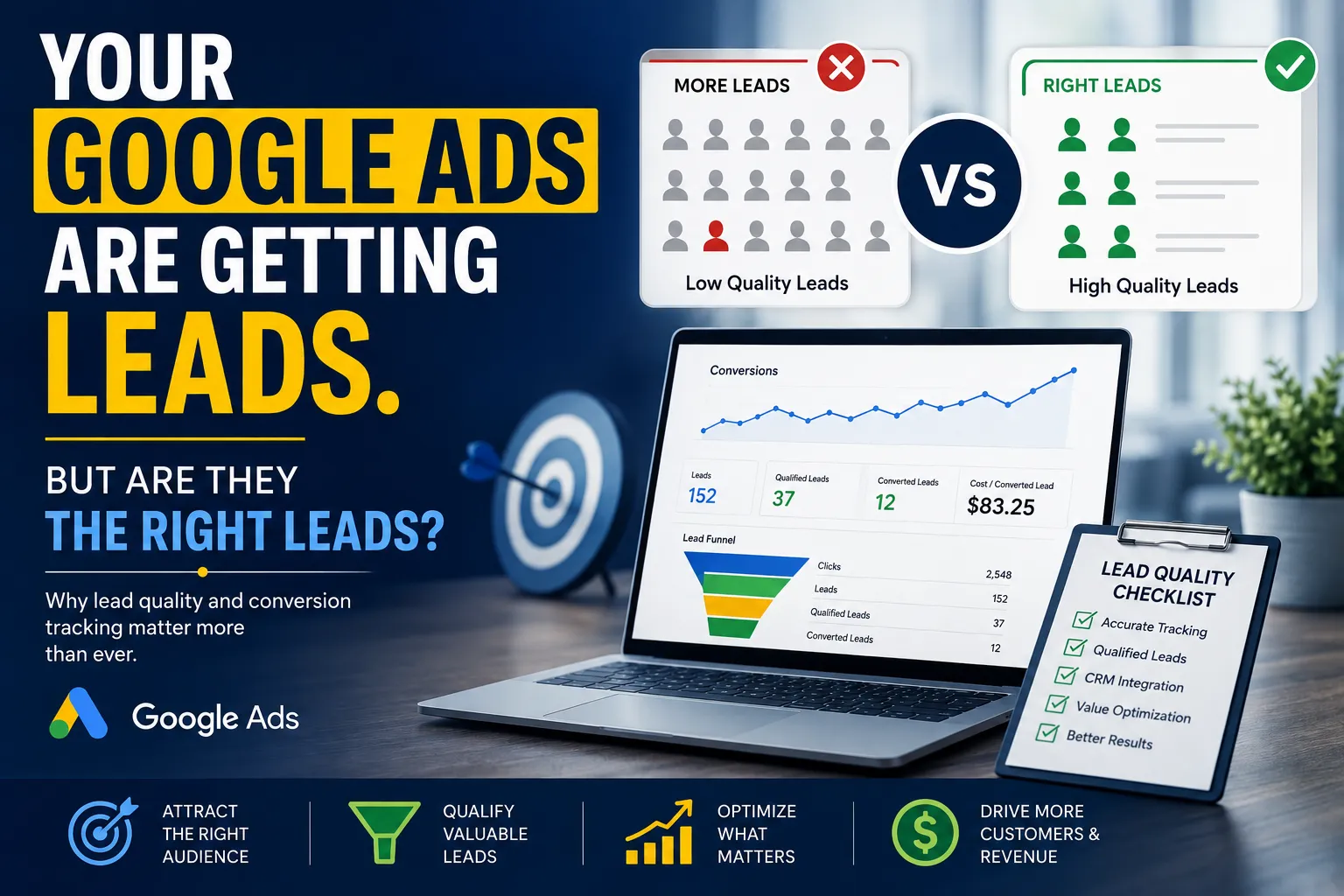
❌ No conversion tracking (can’t measure ROI)
❌ Wrong bidding strategy (overspending on unprofitable clicks)
❌ Ignoring negative keywords (wasting budget on useless traffic)
The solution? A data-driven, profit-focused approach.
Step 1: Campaign Setup for Maximum Profitability
1. Choose the Right Campaign Type
- Search Ads – Best for direct-response offers (e.g., "buy," "sign up").
- Display Ads – Better for brand awareness (lower intent).
- Performance Max – AI-driven, combines Search, Display, YouTube, and more.
Recommendation: Start with Search Ads for measurable ROI.
2. Keyword Research: Targeting High-Intent Buyers
✅ Use Google Keyword Planner – Find high-volume, low-competition keywords.
✅ Focus on Buyer Intent – Target commercial keywords:
- "Buy [product] online"
- "Best [service] for [industry]"
- "[Product] price comparison"
- ✅ Add Negative Keywords – Filter out irrelevant searches (e.g., "free," "DIY").
Pro Tip: Use Broad Match Modifiers (+best +CRM +software) for controlled reach.
Step 2: Crafting High-Converting Ads
3. Google Ads Copy That Converts
Your ad must grab attention + compel action. Follow this formula:
Headline 1: Include primary keyword + pain point.
Headline 2: Unique value proposition (UVP).
Description: Benefit-driven + strong CTA.
Display URL: Clean, branded (e.g., "yoursite.com/offer").
Example (SaaS Startup):
Headline 1: Best CRM for Small Businesses?
Headline 2: Try Our AI-Powered Solution
Description: Automate sales, track leads & boost conversions. Start Free Trial Now!
4. Landing Page Optimization (The Silent Profit Killer)
Your ad is useless if the landing page doesn’t convert. Follow these rules:
✅ Match ad & landing page messaging (Avoid "bait-and-switch").
✅ Clear, benefit-driven headline (Solve a problem fast).
✅ Strong CTA above the fold ("Get Started," "Buy Now").
✅ Social proof (reviews, logos, testimonials).
✅ Mobile-optimized & fast-loading (>3 sec = 53% drop-off).
Tool: Use Unbounce or Leadpages for high-converting pages.
Step 3: Smart Bidding & Budget Control
5. Choosing the Right Bidding Strategy
- Manual CPC – Full control (best for experts).
- Maximize Clicks – Good for traffic, but risky for ROI.
- Target CPA/ROAS – AI-optimized for conversions (best for scaling).
Recommendation: Start with Manual CPC, then switch to Target ROAS once you have 15+ conversions.
6. Setting the Right Budget
- Start small ($20-$50/day) – Test before scaling.
- Increase by 20% weekly if profitable.
- Pause underperforming keywords (Don’t bleed money).
Pro Tip: Use Google Ads Scripts to automate bid adjustments.
Step 4: Advanced Optimization Strategies
7. Ad Extensions = Free Clicks
Boost CTR & ad visibility with:
✅ Sitelink Extensions (Link to key pages).
✅ Call Extensions (For local businesses).
✅ Structured Snippets (Highlight features).
Example: A clinic added call extensions and saw a 30% increase in bookings.
8. Remarketing: The Profit Multiplier
- Target past visitors (70% more likely to convert).
- Use dynamic remarketing (Show viewed products).
- Exclude converters (Avoid ad fatigue).
Setup: Install the Google Ads tag or use Google Analytics 4.
9. A/B Test Everything
Run experiments on:
🔹 Ad copy (Different CTAs, pain points).
🔹 Landing pages (Colors, headlines, forms).
🔹 Bidding strategies (Manual vs. Smart Bidding).
Tool: Use Google Optimize for seamless A/B testing.
Step 5: Scaling Winning Campaigns
Once profitable, scale with:
✅ Geographic expansion (New cities/countries).
✅ Audience targeting (Similar audiences, in-market).
✅ Automated rules (Adjust bids based on performance).
Case Study: An eCommerce brand scaled from $50/day to $1,000/day by:
- Duplicating winning ad groups.
- Expanding to lookalike audiences.
- Using Target ROAS bidding.
3 Deadly Google Ads Mistakes to Avoid
🚫 Ignoring Search Terms Report – Add negative keywords monthly.
🚫 Not Tracking Conversions – Use Google Tag Manager.
🚫 Letting Ads Run Unchecked – Review weekly.
Final Checklist for Profitable Google Ads
✔ Target high-intent keywords (Buyer-focused, not informational).
✔ Write benefit-driven ad copy (Solve a problem fast).
✔ Optimize landing pages (Match ad messaging + strong CTA).
✔ Use smart bidding (Start manual, then automate).
✔ Remarket to warm traffic (70% higher conversion rate).
✔ Test & scale (Double down on what works).
🚀 Need Expert Help? [Book a Free Google Ads Audit]
































Sign in to leave a comment.