
Securing a small home doesn’t always require an expensive, multi-camera surveillance system. With advancements in modern security technology, a single well-placed camera can provide reliable protection, peace of mind, and effective monitoring. Whether you live in an apartment, a small house, or a studio, choosing the right device and using it strategically can make all the difference.
In this guide, you’ll learn how to maximize security using just one camera, including placement strategies, essential features, and practical tips to get the most out of your setup.
Why One Camera Can Be Enough
For small homes, space is limited, and entry points are usually fewer. This makes it easier to monitor critical areas with a single device. Instead of spreading your budget across multiple low-quality cameras, investing in one high-quality camera ensures better image clarity, reliability, and durability.
A properly installed camera can:
- Monitor the main entrance
- Cover living areas or hallways
- Act as a deterrent to intruders
- Provide real-time alerts and recordings
With smart planning, one camera can cover up to 70–80% of your home’s critical zones.
Choosing the Right Camera
Not all cameras are created equal. When relying on a single device, selecting the right model becomes crucial. You need a camera that combines performance, smart features, and durability.
Key Features to Look For
1. High Resolution
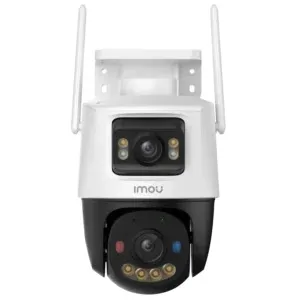
A camera with at least 2MP or 3MP resolution ensures clear footage. A model like EZVIZ H7c Dual 2K+ & 2K+ Dual-Lens Pan provides sharp visuals, making it easier to identify faces and details.
2. Night Vision Capability
A reliable night-vision camera is essential for 24/7 protection. Most incidents occur at night, so your camera should capture clear images even in complete darkness.
3. Motion Detection & Alerts
Smart motion detection allows the camera to send instant alerts to your smartphone when activity is detected. This ensures you stay informed even when you're away.
4. Weather Resistance (For Outdoor Use)
If you plan to install your camera outside, make sure it is weatherproof. Devices designed for outdoor environments can withstand rain, dust, and extreme temperatures.
5. Power Options
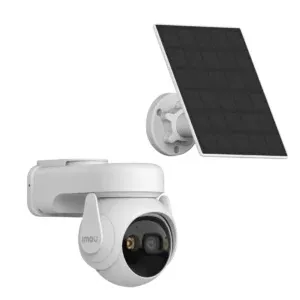
If power outages are common in your area, consider a 3MP Wifi Solar camera, which continues to operate using solar energy and built-in batteries.
Best Placement for Maximum Coverage
Placement is the most important factor when using a single camera. Even the best device won’t be effective if installed incorrectly.
1. Main Entrance
The front door is the primary entry point for most homes. Installing your camera here allows you to monitor anyone entering or leaving.
- Mount the camera at a height of 8–10 feet
- Angle it slightly downward
- Ensure faces are clearly visible
2. Living Room or Central Area
If your home has multiple entry points, placing the camera in a central indoor location can help cover more space.
- Position it where it captures doors and windows
- Avoid placing it behind obstacles like furniture
3. Outdoor Entrance
If you prefer outdoor monitoring, install the camera outside facing your entrance gate or driveway. This acts as a strong deterrent against intruders.
Indoor vs Outdoor Setup
Choosing between indoor and outdoor placement depends on your security priorities.
Indoor Setup
- Easier installation
- Protected from weather
- Covers interior movement
Outdoor Setup
- Prevents threats before entry
- Acts as a visible deterrent
- Covers larger area outside
For most small homes, an outdoor setup near the entrance provides better overall security.
Optimizing Camera Angle and Field of View
To maximize the effectiveness of your single camera, adjust its angle carefully.
- Use wide-angle lenses for broader coverage
- Avoid pointing directly at bright light sources
- Test different angles before final installation
A slight adjustment can significantly improve coverage and reduce blind spots.
Smart Monitoring and Mobile Access
Modern cameras come with mobile apps that allow real-time monitoring. This feature is especially useful when you rely on just one device.
Benefits of Mobile Integration
- Live viewing anytime, anywhere
- Instant motion alerts
- Playback of recorded footage
- Two-way audio communication
With these features, your camera becomes more than just a recording device—it becomes an active security tool.
Storage Options for Continuous Protection
Your camera should have reliable storage to save footage for future reference.
Common Storage Types
- Cloud Storage: Secure and accessible from anywhere
- SD Card Storage: Cost-effective and easy to use
- NVR/DVR Systems: Suitable for advanced setups
For small homes, an SD card combined with optional cloud backup is usually sufficient.
Enhancing Security with Simple Additions
Even with one camera, you can improve security by combining it with simple measures.
1. Proper Lighting
Well-lit areas improve camera visibility and reduce blind spots at night.
2. Warning Signs
Displaying a “CCTV in Use” sign can discourage potential intruders.
3. Secure WiFi Network
Ensure your camera is connected to a strong and secure WiFi network to prevent hacking or interruptions.
Common Mistakes to Avoid
When using a single camera, avoiding mistakes is critical.
1. Poor Placement
Installing the camera too high or too low can reduce visibility.
2. Ignoring Night Performance
Not all cameras perform well in low light. Always test your outdoor-security cameras before relying on it.
3. Weak Internet Connection
A poor connection can cause delays in alerts or interruptions in live viewing.
4. Overlooking Maintenance
Regularly clean the lens and check for software updates to ensure optimal performance.
Budget-Friendly Security Solution
One of the biggest advantages of using a single camera is affordability. Instead of investing in multiple devices, you can choose a high-quality option like Imou Bullet 2E 3MP or a power-efficient H3c Color Wi-Fi Smart Home Camera to meet your needs.
This approach not only reduces upfront costs but also simplifies installation and maintenance.
Real-Life Use Case
Imagine a small apartment with one main entrance and a living area. By installing a single camera near the entrance:
- You can monitor visitors
- Track deliveries
- Detect unusual activity
- Record evidence if needed
With motion alerts and mobile access, you stay connected to your home at all times.























Sign in to leave a comment.