
After chatting with a few friends, we realised something surprising: not everyone knows that they can check their daily electricity or gas usage through their energy distributor’s online portal.
If that’s you, no worries. In this guide, we’ll walk you through how to check your usage step by step. It’s pretty simple, and even if you’re not using the same provider as us, the general process is similar across most Australian energy distributor.
This is especially useful in winter, when heating and longer nights can push up your energy use, and your bills.
Here’s a quick video guide that shows you exactly how to check your daily energy usage.
Step 1: Go to Your Energy Provider’s Website
The first thing you’ll need to do is visit your energy distributor’s official website.
Not sure what their website is?
You can find a helpful list of provider websites here Energy Provider Websites
Step 2: Look for Your Online Account or Usage Portal
Once you’re on the homepage, look for something like:
- MyAccount
- Usage Portal
- Energy Dashboard
- Or, in our case, it’s called myEnergy.
These portals allow you to log in or sign up to manage your account and view your usage data.
Step 3: Register for an Online Account (if you haven’t already)
If this is your first time logging in, you’ll likely need to register an account.
You’ll typically need:
- Your email address
- And one or more of the following:
- Customer Number (from your energy bill)
- NMI (National Meter Identifier): this identifies your electricity meter
- MIRN (Meter Installation Reference Number) : used for gas meters
- Meter Number : also shown on your bill
Tip: This information is usually found on a recent electricity or gas bill. If you can’t find it, try calling your energy retailer’s customer support.
Step 4: Login and Access Your Energy Dashboard
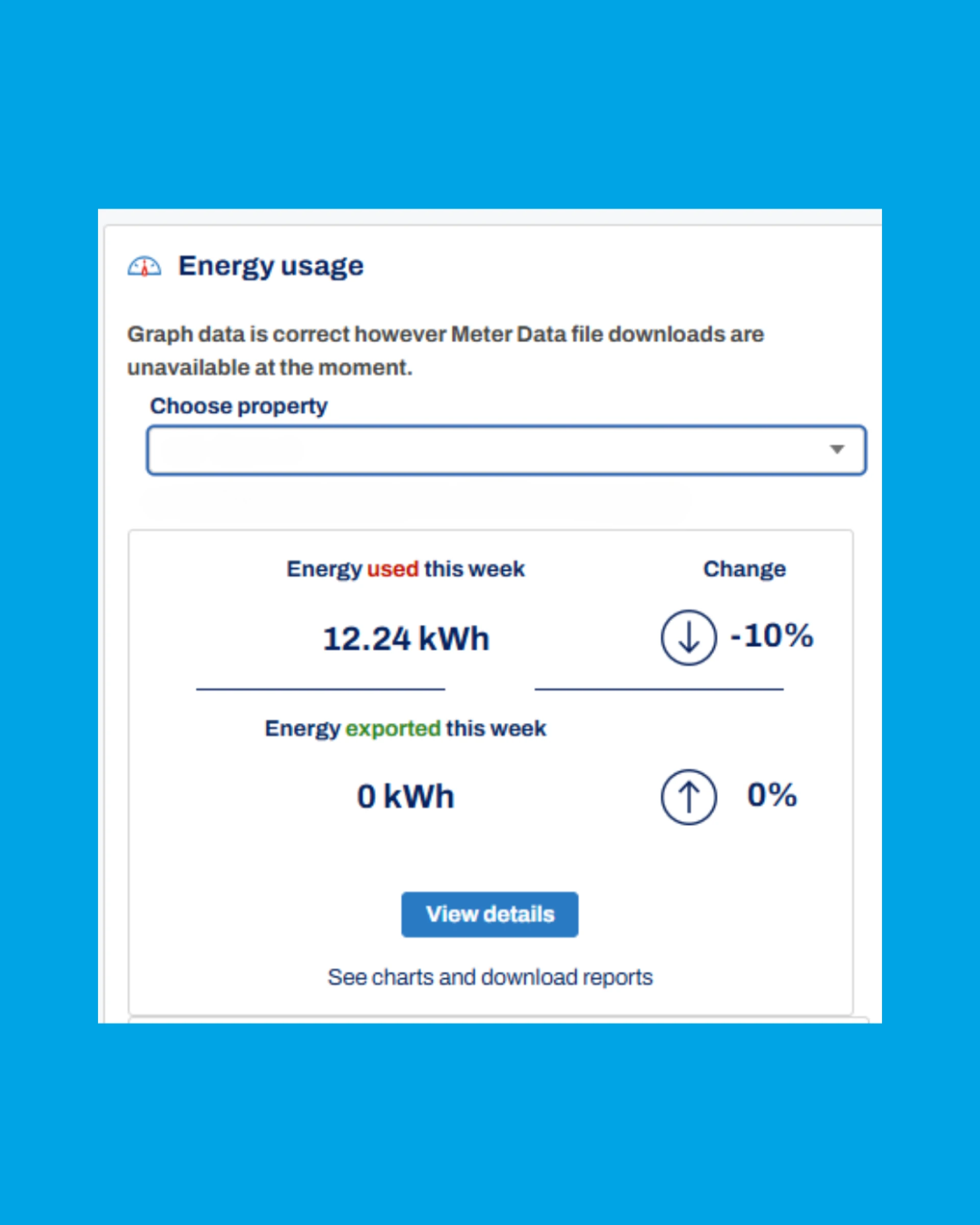
Once registered, log in, and you’ll land on your dashboard. Here’s what you’ll typically find:
- A graph showing daily or hourly usage
- Total usage over the billing period
- Comparison with previous periods
- Sometimes, tools to estimate your bill or compare with average households
Once inside the portal, you’ll notice several menu sections or tabs on the left or top of the dashboard — depending on your provider’s interface. These often let you dive deeper into:
Detailed usage reports. Some energy providers may allow you view up to 2 years’ data on your energy usage trends
- Notification settings
- And even outage reporting and updates
For example, under the “Energy Usage” tab, you can usually:
- View charts by day, week, or billing cycle
- Filter usage by peak, off-peak, or controlled load
- Spot trends or spikes in your household’s consumption
- Download a detailed CSV file.
This is where the magic happens. You’ll see precisely how much energy you’re using, when, and even spot patterns (like high weekend usage or spikes at certain times of day).
If your energy distributor is different from our example, don’t worry! Most providers in Australia follow very similar steps and have extremely user-friendly interfaces.
Read more detail here: https://www.sumo.com.au/blog/how-track-your-daily-energy-usage-online

























Sign in to leave a comment.