

As businesses expand, managing visitors becomes more complicated. A single office may handle visitors with a receptionist, a paper register, and a few basic procedures. But when a company operates across several offices, branches, or facilities, maintaining the same level of visibility and control becomes much more challenging.
Visitors can include clients, candidates, contractors, vendors, partners, delivery personnel, and other guests. Each location may have different reception teams and visitor volumes, but the organization still needs consistent processes for registration, security, notifications, and record keeping.
This is where visitor management software can help organizations create a more structured way to manage visitors across multiple locations while giving administrators better visibility into what is happening at each office.
The Challenge of Managing Visitors Across Multiple Offices
Managing visitors at one office can be relatively simple. The reception team can register guests, notify employees, issue badges, and maintain visitor records.
However, the process becomes more difficult when the organization operates from several locations.
Each office may develop its own visitor procedures. One branch might use a paper register, another may use a spreadsheet, while another may have a digital check-in system. Over time, this can create inconsistencies that affect both workplace security and the visitor experience.
Common challenges include:
- Inconsistent registration procedures
- Limited visibility across locations
- Manual visitor records
- Delayed employee notifications
- Difficult reporting
- Different security practices
- Increased administrative work
- Difficulty tracking visitors across multiple facilities
A centralized approach can help organizations overcome many of these challenges while allowing individual locations to maintain the flexibility they need.
Why Centralized Visibility Matters
One of the biggest benefits of a centralized visitor system is visibility.
Instead of collecting separate visitor reports from every office, authorized administrators can access visitor information through a central platform.
This can help answer important questions such as:
- How many visitors are currently inside each location?
- Which offices have the highest visitor traffic?
- How many visitors are expected today?
- Who has checked in but not checked out?
- Are there visitors waiting for host approval?
- Which locations experience the busiest visitor periods?
Having this information in one place can make it easier for facility managers and administrators to understand visitor activity and respond to operational requirements.
Creating Consistent Visitor Registration
Consistency is particularly important for organizations with multiple locations.
Consider a company where one branch requires identification from every visitor while another only records a visitor's name. Such differences can create confusion and make it harder to maintain organization-wide policies.
A centralized system can help businesses establish standard visitor registration procedures across their locations.
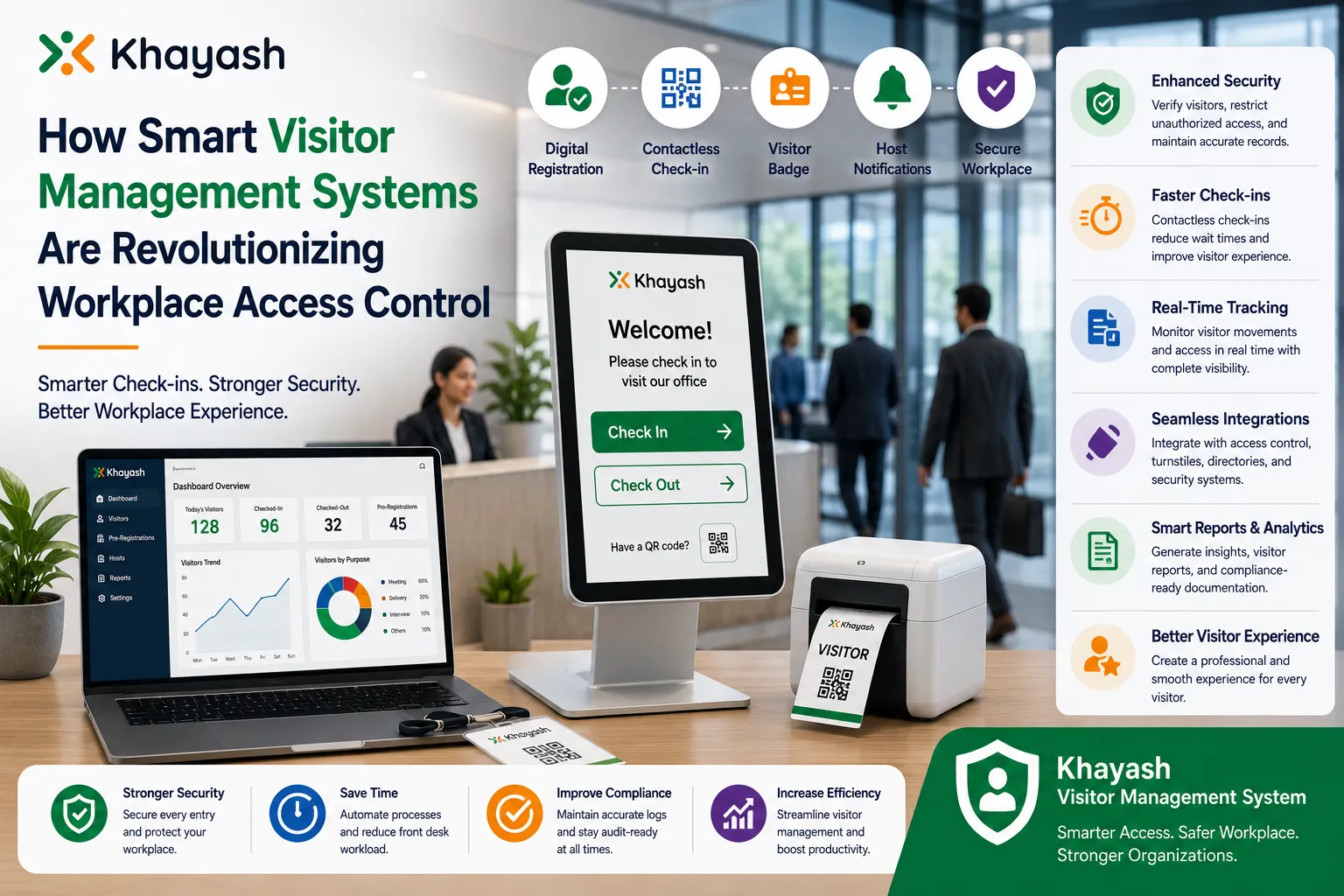
Digital registration can also reduce the reliance on paper forms and manual data entry. Depending on the organization's requirements, visitors may be able to register through QR codes, tablets, kiosks, or other digital check-in methods.
This creates a more consistent experience regardless of which company location a visitor enters.
Managing Different Locations From One Platform
Every office doesn't necessarily have the same requirements.
A company may have a headquarters, regional offices, branch locations, warehouses, and smaller facilities. Each location could have different reception teams, visitor volumes, and access requirements.
A centralized visitor management approach can connect these locations while allowing businesses to configure individual branches according to their needs.
For example, administrators may be able to assign locations, manage reception desks, establish visitor workflows, and monitor activity without requiring each office to operate as a completely separate system.
This balance between central control and local flexibility is particularly useful for growing organizations.
Improving Host Notifications
One common problem at busy reception areas is the delay between a visitor arriving and the employee knowing about the arrival.
Traditionally, reception staff may need to call or message the employee manually.
This becomes increasingly difficult when several visitors arrive at the same time or when the organization has multiple locations.
Automated host notifications can simplify this process.
Once a visitor completes the check-in process, the relevant employee can receive a notification that their guest has arrived. This reduces the need for reception staff to coordinate every visit manually.
It can also help create a smoother experience for both employees and visitors.
Making Pre-Registration More Convenient
Scheduled visitors don't always need to complete the entire registration process after arriving.
For meetings, interviews, events, and planned visits, employees can pre-register guests before they reach the office.
Visitors can receive relevant information before their arrival and, where supported, use a QR code to speed up the check-in process.
Pre-registration can reduce waiting at reception and give visitors a clearer idea of what to expect when they arrive.
It can also help reception teams prepare for expected visitors instead of handling every arrival as an unexpected event.
Strengthening Visitor Security
Managing visitors is closely connected with workplace security.
When different offices follow different procedures, it can become difficult for organizations to maintain consistent security standards.
A centralized system can help establish common processes for visitor approvals, identification, access permissions, badges, and check-in and check-out records.
Depending on the organization's requirements, visitor workflows may include:
- Visitor approvals
- Identity verification
- Digital registration
- Visitor badges
- Access permissions
- Host notifications
- Visitor history
- Check-in and check-out tracking
These processes provide organizations with better control over who is entering their facilities and why they are there.
Better Visibility During Emergencies
Knowing who is inside a workplace becomes especially important during an emergency.
Paper registers may not always provide an accurate picture of current visitors. Someone may forget to sign out, or information may be incomplete.
Digital check-in and check-out records can provide more current information about people inside a facility.
For businesses with multiple locations, centralized visitor information can also help administrators understand visitor presence across different facilities.
This information can support emergency response procedures and help relevant teams determine who may still be inside a building.
Turning Visitor Data Into Useful Insights
Visitor information isn't only useful for security.
It can also provide insights into workplace operations.
Over time, businesses may identify patterns such as:
- Peak visitor hours
- High-traffic days
- Frequently visited departments
- Regular contractors
- Repeat visitors
- Average visitor volumes
- Location-specific visitor trends
These insights can help organizations make more informed decisions about reception staffing, facility planning, security procedures, and workplace resources.
Instead of treating visitor records as paperwork that is stored and forgotten, businesses can use the information to understand how their facilities are being used.
Managing Different Types of Visitors
A company doesn't necessarily need the same visitor process for every guest.
A customer visiting for a business meeting may have different requirements from a contractor arriving for maintenance work.
Similarly, an interview candidate, delivery person, vendor, or event attendee may require a different registration or approval process.
A flexible visitor system can allow organizations to create workflows based on the purpose of the visit.
This makes visitor management more practical for large organizations that receive different categories of visitors every day.
Reducing Administrative Work
Managing visitors manually across multiple locations can require considerable administrative effort.
Managers may have to collect reports from different reception teams, combine spreadsheets, review paper registers, and manually compare information.
Centralized visitor management can reduce much of this repetitive work.
Authorized users can monitor visitor activity, review records, generate reports, and access information from a common platform.
This allows reception and facility teams to spend less time maintaining records and more time assisting visitors and employees.
Creating a Better Visitor Experience
Visitor management isn't only about security and administration.
It also affects the first impression visitors have of an organization.
A visitor who spends several minutes completing paperwork, waiting for reception staff, and trying to contact an employee may have a less positive experience.
Digital check-in can make the arrival process more convenient.
QR codes, pre-registration, self-service check-in, digital badges, and automated notifications can reduce unnecessary delays while keeping the process organized.
The goal isn't to eliminate the human element from reception. Instead, technology can handle repetitive tasks so reception teams can focus on visitors who require personal assistance.
What to Look for in a Multi-Location Visitor Management Solution
Businesses considering a visitor management platform should look beyond basic check-in functionality.
A solution designed for multiple offices should ideally support:
- Multi-location management
- Centralized dashboards
- Real-time visitor tracking
- Visitor pre-registration
- QR code check-in
- Host notifications
- Visitor approval workflows
- Digital badges
- Visitor history
- Reports and analytics
- Custom visitor workflows
- Access control integrations
- Scalability for future locations
The right features will depend on the organization's size, industry, security requirements, and visitor volume.
Building a Consistent Visitor Strategy
Technology alone cannot solve every visitor management challenge.
Organizations should also establish clear policies covering visitor approvals, information collection, badge handling, record retention, access permissions, and emergency procedures.
The technology should support these policies and make them easier to follow.
When people, processes, and technology work together, businesses can create a visitor experience that is consistent across locations without making every office operate in exactly the same way.
Conclusion
Managing visitors becomes increasingly difficult as organizations expand across multiple offices. Separate registers, inconsistent procedures, manual notifications, and disconnected records can make it difficult for businesses to maintain visibility and control.
A centralized visitor management approach can bring these processes together. From pre-registration and digital check-ins to host notifications, visitor approvals, visitor tracking, reporting, and multi-location management, modern visitor technology can help organizations create a more organized and consistent workplace experience.
The goal isn't simply to replace a paper visitor register. It is to create a system that helps businesses understand who is arriving, where they are visiting, why they are visiting, and when they leave.
For organizations looking to create a more connected and consistent visitor experience across multiple locations, exploring a centralized visitor management solution can be a practical next step. Get in touch with the Khayash team to learn how a digital visitor management system can support your organization's multi-location visitor workflows and request a personalized demo.
Frequently Asked Questions
1. Why do businesses with multiple offices need centralized visitor management?
It provides better visibility into visitor activity across different locations and helps organizations maintain consistent registration and security procedures.
2. Can visitor management systems handle multiple office locations?
Yes. Multi-location systems can allow businesses to manage different branches and reception areas from a centralized platform.
3. How can digital check-in improve the visitor experience?
QR check-ins, pre-registration, self-service kiosks, and automated notifications can reduce waiting times and make the arrival process more convenient.
4. Can businesses track visitors across different locations?
Depending on the platform, administrators can monitor visitor check-ins, check-outs, expected visitors, pending approvals, and current visitors across multiple facilities.
5. What should businesses consider when choosing a visitor management system?
Businesses should consider multi-location support, centralized visibility, security controls, visitor tracking, integrations, reporting, customization, scalability, and ease of use.

























Sign in to leave a comment.