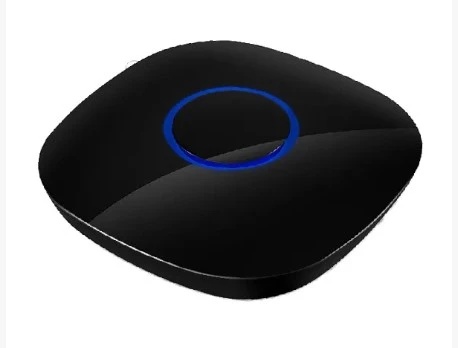

Wi-Fi-controlled fireplaces are one of the coolest new additions to many homes nowadays. They exude so much awe when it comes to comfort, luxury, and software-controlled convenience. There's no doubt that these can be operated remotely by homeowners, be they smartphones or Wi-Fi fireplace remotes, removing the need to adjust things all the time. It is important to know about a few things, though, to make the setup proceed smoothly and safely.
Understanding How a WiFi Remote Fireplace Works
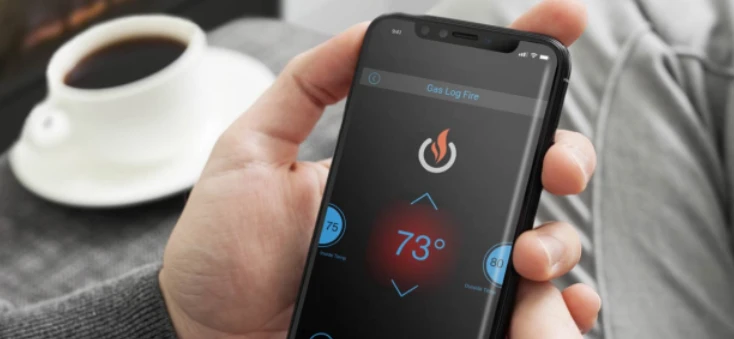
Connected by Wi-Fi, the remote fireplace allows for control of the intensity of the flame, the level of heat, the timer settings, and the power of the unit itself (whether it is turned on or off). Most units can be controlled via a phone application, and a few actually come with a wireless fireplace remote. This has the unique feature of giving someone both choice, convenience, and flexibility, meaning the fireplace can be operated by phone or remote.
Choosing the Right Location
The location of your install has a lot to do with performance. The fireplace should be placed where wifi coverage is consistent, and therefore, the remote fireplace can establish a stable connection. One should avoid installing where a heavily constructed wall and large metallic objects or sizable and heavy electronic devices may block the signal. With a strong wifi connection, the wireless fireplace remote and mobile app work smoothly.
Checking Power and Connectivity Requirements
Check if the fireplace unit has access to the necessary power before installing. Electric fireplaces with WiFi capabilities need an appropriate outlet, and sometimes even need a separate circuit for the same. Make sure also to pair the fireplace with your home network through the manufacturer's app while installing it. This process typically entails choosing your WiFi network and entering the password.
Setting Up the Wireless Fireplace Remote
Most systems come with a wireless fireplace remote that must be paired with the fireplace unit. Pairing usually involves pressing a specific button sequence on both the remote and the fireplace receiver. Once connected, the remote allows easy control of heat settings, flame effects, and timers without needing your smartphone.
Installing the Mobile App
To fully receive the benefits of the wifi remote fireplace, find and download the appropriate mobile application from the manufacturer. The application will enable the control of the fireplace from anywhere on the same wifi network. What is more, some advanced systems allow you to control the fireplace remotely from home. Post-installation, the mobile app allows you to set your facilities, schedule heating times, and control the look of the flame directly from your device.
Safety and Maintenance Considerations
Safety should forever be kept as an essential installation priority, following manufacturer instructions with great care, assuring proper ventilation if necessary. Checking the Wi-Fi remote fireplace-to-wireless fireplace remote connections periodically can help assure reliable operation. Regular maintenance, including cleaning the unit and mobile app updates, will help maintain top-notch performance.
By choosing the right location, assuring proper connectivity, and following installation guidelines, you can enjoy a stylish and efficient heating solution that blends technology with modern living.

























Sign in to leave a comment.