
Introduction
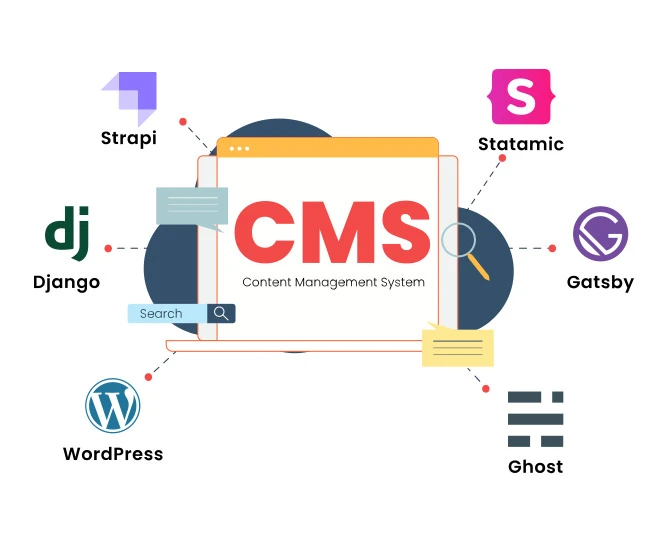
In today's digital landscape, Content Management Systems (CMS) have become essential tools for businesses to manage and publish website content. However, sometimes more than the built-in features of CMS platforms may be needed to meet specific business requirements. This is where integrating third-party systems comes into play. By seamlessly connecting external applications and services with CMS, businesses can unlock a whole new level of functionality and customization. In this blog, we will explore the importance of integrating third-party systems with CMS and how it can benefit businesses in various industries.
Understanding Third-Party Systems
Third-party systems play a crucial role in enhancing the functionality of content management systems (CMS). Let's explore third-party systems, the types commonly integrated with CMS, and their benefits.
Definition of Third-Party Systems and Their Role in Enhancing CMS Functionality:
Third-party systems refer to external software or services developed by companies other than the CMS development company.They are designed to integrate seamlessly with CMS platforms to provide additional features and capabilities.Integrating third-party systems expands CMS's functionality beyond its core capabilities.Various Types of Third-Party Systems Commonly Integrated with CMS:
E-commerce Platforms:These systems enable online transactions, product management, and secure payment processing.Examples include Magento, Shopify, and WooCommerce.Social Media Integration:Social media systems allow users to share content and interact with their social networks.Popular integrations include Facebook, Twitter, and LinkedIn.Analytics and Tracking Tools:These systems provide insights into website performance, user behavior, and traffic sources.Google Analytics and Adobe Analytics are commonly used for tracking and analyzing data.Customer Relationship Management (CRM) Systems:CRM integrations help manage customer data, track interactions, and enhance customer service.Salesforce, HubSpot, and Zoho CRM are widely used CRM platforms.Email Marketing Services:Integrating email marketing systems with CMS enables targeted campaigns and email automation.Examples include Mailchimp, Constant Contact, and Sendinblue.Benefits of Integrating Third-Party Systems:
Extended Functionality:Third-party systems bring specialized features that complement the core CMS capabilities.This allows users to create unique and customized websites tailored to their needs.Time and Cost Efficiency:Instead of developing new features from scratch, integrating third-party systems saves time and resources.CMS development companies can focus on core functionalities, while third-party systems handle specialized tasks.Scalability and Flexibility:Integrating third-party systems offers scalability, allowing CMS websites to grow and adapt to changing requirements.It provides flexibility to choose from a wide range of systems that suit the specific needs of businesses or individuals.Enhanced User Experience:Third-party integrations can enhance the user experience by providing interactive elements, personalized content, and social sharing options.Users can benefit from advanced features without extensive development efforts.In conclusion, third-party systems are external software or services that enhance the functionality of CMS platforms. By integrating various types of third-party systems, CMS development companies can extend the capabilities of their CMS, providing users with advanced features, scalability, and enhanced user experience.
Selecting the Right Third-Party Systems
When it comes to integrating third-party systems with your Content Management System (CMS), several important factors must be considered. Making the right choices can significantly impact the efficiency and effectiveness of your CMS development. Here are some key points to keep in mind:
Compatibility:
Ensure that the third-party system is compatible with your CMS. This includes checking if it supports the same programming language, framework, and database as your CMS.Look for systems that offer seamless integration options or have pre-built connectors specifically designed for your CMS.Scalability:
Consider the scalability of the third-party system. Will it handle increased data volume and user traffic as your CMS grows?Look for systems with scalability features such as load balancing, caching mechanisms, and support for distributed environments.Functionality:
Evaluate the functionality provided by the third-party system. Does it offer the specific features and capabilities you need for your CMS development?Consider the system's flexibility to customize and extend functionality to align with your CMS requirements.Reliability and Support:
Research the reputation and reliability of the third-party system. Look for reviews, customer testimonials, and case studies to gauge the system's performance and reliability.Ensure that the system has a responsive support team that can assist you in case of any issues or questions during integration or usage.Security:
Security should be a top priority when selecting third-party systems. Assess the system's security measures, such as encryption protocols, authentication mechanisms, and data protection features.Ensure the system complies with relevant security standards and regulations to safeguard your CMS and user data.Cost and Licensing:
Consider the cost implications of integrating the third-party system. Evaluate the pricing models, licensing options, and additional costs, such as maintenance or upgrades.Calculate the potential return on investment (ROI) based on the system's features and benefits for your CMS development.By carefully considering these factors and evaluating different third-party systems, you can make informed decisions that will enhance your CMS development project's functionality, scalability, and overall success. Collaborating with a reputable CMS development company or utilizing CMS development services can also provide valuable expertise and guidance.
Integration Process and Challenges
Integrating third-party systems with a Content Management System (CMS) can be complex. This section will outline the general integration process, discuss common challenges and roadblocks, and provide strategies for overcoming these challenges.
General Process of Integrating Third-Party Systems with CMS:
Identify the third-party system: Determine the specific system or service that needs to be integrated with the CMS.Understand the integration requirements: Assess the functionalities and data exchange needs between the CMS and the third-party system.Research available APIs or integration methods: Explore the options provided by the third-party system, such as APIs (Application Programming Interfaces) or pre-built connectors.Develop integration strategy: Plan the implementation approach, including data mapping, authentication mechanisms, and error handling.Implement integration: Develop the necessary code or configure the integration tools to connect the CMS and the third-party system.Test and troubleshoot: Conduct thorough testing to ensure proper functionality and identify and resolve any issues or errors.Deploy and monitor: Once integration is successful, deploy the integrated system and monitor its performance for ongoing maintenance.Common Challenges and Roadblocks during Integration:
Incompatible data formats: The CMS and the third-party system may use different formats, requiring data transformation or mapping.Authentication and security: Ensuring secure data exchange and implementing appropriate authentication mechanisms can be challenging.Synchronization and real-time updates: Keeping data synchronized between the CMS and the third-party system, especially in real-time, can pose difficulties.Version compatibility: Changes or updates in the CMS or the third-party system may lead to compatibility issues.Limited documentation or support: Inadequate documentation or lack of support from the third-party system can hinder integration efforts.Strategies for Overcoming Integration Challenges:
Thoroughly understand the requirements: Clearly define integration needs and objectives before starting the integration process.Choose compatible systems: Prioritize selecting third-party systems that offer robust integration capabilities and align with the CMS.Leverage existing integrations or APIs: Look for pre-built connectors or APIs provided by the CMS or the third-party system to simplify integration.Employ middleware or integration platforms: Utilize middleware or integration platforms that streamline system data exchange.Test and iterate: Conduct comprehensive testing and iterate on the integration implementation to address any issues or errors.Seek expert assistance: Consider engaging a CMS development company or CMS development services provider with expertise in integrations to ensure a smooth and successful integration.By following these steps and implementing appropriate strategies, integrating third-party systems with a CMS can become a manageable process, overcoming the common challenges that may arise along the way.
Benefits and Use Cases of Integration
Integrating third-party systems into a content management system (CMS) can bring numerous benefits and open new possibilities for improved functionality and user experience. Let's delve into the advantages of integration and explore real-world use cases where successful integration has significantly impacted.
Benefits of Integration:
Enhanced Functionality: Integrating third-party systems expands the capabilities of a CMS, allowing it to perform tasks beyond its core functionalities. This results in a more robust and feature-rich platform.Improved User Experience: Integration enables a seamless user experience by directly incorporating additional tools or services into the CMS. Users can access different functionalities without having to switch between multiple applications.Time and Cost Savings: Instead of building custom functionalities from scratch, integration allows CMS developers to leverage existing systems. This reduces development time and costs associated with creating complex features.Scalability and Flexibility: Integrating third-party systems provides scalability as CMS platforms can easily adapt to changing business needs. CMS development companies can offer tailored solutions to diverse clients by integrating specialized tools.Successful Integration Use Cases:
E-commerce Integration: A CMS can integrate with popular e-commerce platforms like Shopify or WooCommerce, enabling seamless product catalog management, order processing, and payment integration.Marketing Automation Integration: Integration with marketing automation tools, such as MailChimp or HubSpot, empowers businesses to automate email campaigns, lead nurturing, and customer segmentation directly from the CMS.Social Media Integration: Integrating social media platforms like Facebook, Twitter, or Instagram allows for streamlined content sharing, social engagement tracking, and even social login functionality.Analytics Integration: By integrating analytics tools like Google Analytics or Adobe Analytics, CMS users can easily monitor website traffic and user behavior and make data-driven decisions for content optimization.How Integration Enhances Specific Aspects of a CMS:
E-commerce: Integration with payment gateways, inventory management systems, and shipping providers enables a comprehensive e-commerce solution within the CMS, facilitating smooth online transactions and order fulfillment.Marketing Automation: Integration with marketing tools automates repetitive tasks, such as email campaigns, lead capture forms, and customer segmentation. This enhances marketing effectiveness and reduces manual effort.Personalization: Integration with customer relationship management (CRM) systems enables personalized content delivery based on user profiles, enhancing user engagement and conversion rates.In summary, integrating third-party systems into a CMS brings benefits like enhanced functionality, improved user experience, time and cost savings, and scalability. Real-world use cases demonstrate successful integration in e-commerce, marketing automation, social media, and analytics. Such integration enhances specific aspects of a CMS, such as e-commerce capabilities, marketing automation workflows, and personalized content delivery.
Conclusion
In conclusion, integrating third-party systems with CMS can greatly enhance the functionality and capabilities of a website. Businesses can tap into a vast ecosystem of third-party applications and services to meet their unique needs by partnering with a CMS development company or utilizing CMS development services. The possibilities are endless, whether it's integrating e-commerce platforms, customer relationship management systems, analytics tools, or social media plugins. With seamless integration, businesses can improve efficiency, streamline processes, enhance user experiences, and ultimately stay ahead in the competitive digital landscape. Embracing third-party integrations is the key to unlocking the full potential of a CMS and ensuring a dynamic and versatile online presence.






























Sign in to leave a comment.