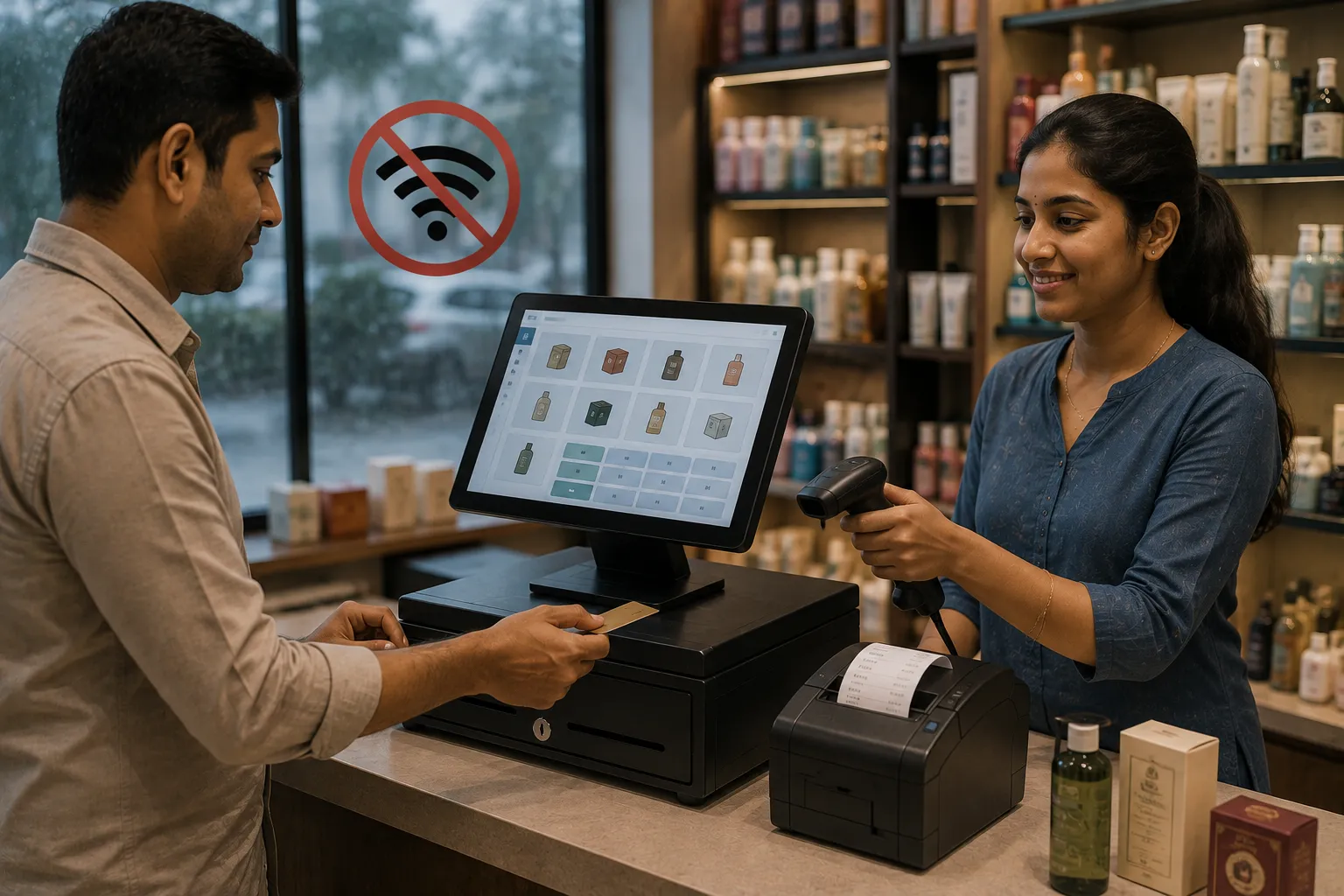

Imagine a busy retail store on a Saturday evening.
Customers are waiting at the counter. Products have already been scanned. The bill is ready. Then suddenly, the internet connection stops working.
The POS screen keeps loading.
The payment application cannot connect.
The cloud server is unreachable.
The customer is waiting.
For a retailer, even a short connectivity problem can become a business problem.
India has made enormous progress in digital payments and connected commerce. The Reserve Bank of India has also introduced frameworks supporting certain small-value digital payments in offline mode, showing that operating without continuous internet connectivity is a genuine technology consideration rather than simply a legacy concern.
At the same time, internet connectivity is not equally reliable everywhere. Internet disruptions can arise from network failures, infrastructure problems, weather, local outages, maintenance or other circumstances. Internet Society's tracking data has recorded hundreds of internet shutdown events in India since 2018.
This creates an important question for retailers:
What happens to your store when your POS needs the internet but the internet is unavailable?
This is where offline POS software can make a significant difference.
What Is Offline POS Software?
Offline POS software is a point-of-sale system designed to continue performing essential retail operations even when the internet connection is temporarily unavailable.
Instead of depending entirely on a remote server for every transaction, the system can keep critical operational data available locally.
Depending on the software architecture, an offline-capable POS may allow a retailer to:
- Create bills
- Scan barcodes
- Search products
- Check available stock
- Apply prices and discounts
- Print receipts
- Record sales
- Update local inventory
- Store transactions
- Continue customer service
When connectivity returns, the system can synchronize locally stored information with the central server or cloud platform.
This is often described as offline-first, offline-capable, or hybrid POS architecture.
Why Internet Downtime Is a Retail Problem
A few minutes of internet downtime may sound insignificant.
For a retailer serving hundreds of customers every day, however, the consequences can add up quickly.
During an outage, a store may experience:
- Delayed billing
- Long queues
- Abandoned purchases
- Manual invoices
- Stock-entry delays
- Payment confusion
- Duplicate transactions
- Employee frustration
- Customer dissatisfaction
- Lost sales
The problem becomes even more serious during high-traffic periods such as:
- Weekends
- Festivals
- Holiday sales
- Wedding seasons
- End-of-season promotions
- School reopening periods
- Local events
When customer traffic is high, the cost of downtime can be much greater than the cost of the internet connection itself.
How an Internet-Dependent POS Can Affect a Store
Consider a clothing store with a cloud-only POS system.
At 6:30 PM, the internet goes down.
A customer purchases three products.
The employee scans the products, but the POS cannot reach the server.
The employee now has several choices:
- Ask the customer to wait.
- Write the transaction manually.
- Use another billing method.
- Ask the customer to return later.
- Risk losing the sale.
None of these is ideal.
Now imagine this happening to ten customers in a queue.
The problem is no longer technical.
It becomes a customer-experience and revenue problem.
How Offline POS Software Works
A well-designed offline POS generally separates essential store operations from internet-dependent services.
Normal Internet Connection
The POS communicates with the central database or cloud platform.
POS → Internet → Server/Cloud
Transactions and data are synchronized normally.
During Internet Downtime
Essential data is available locally.
POS → Local Database
The employee can continue approved offline operations.
After Connectivity Returns
Stored transactions can synchronize with the central system.
Local Database → Internet → Server/Cloud
This approach allows retailers to maintain operational continuity without abandoning the benefits of connected software.
What Can a POS Do Without Internet?
The exact capabilities depend on the software.
A strong offline billing software solution may support:
| Function | During Internet Outage |
| Product search | Usually possible |
| Barcode scanning | Usually possible |
| Billing | Possible with offline capability |
| Receipt printing | Possible |
| Local sales recording | Possible |
| Local stock update | Possible |
| Price lookup | Possible if data is cached locally |
| Customer lookup | Depends on local data availability |
| Cloud reports | Usually unavailable |
| Online backup | Usually delayed |
| Payment gateway | Internet-dependent |
| Data synchronization | Resumes after connection |
| Online services | May be unavailable |
This distinction is important.
Offline POS does not mean that every digital service works without internet.
It means that the core retail workflow can continue despite temporary connectivity loss.
Offline POS vs Cloud-Only POS
Cloud technology offers significant advantages.
Centralized data, remote access, automatic updates and multi-location visibility are valuable for modern retailers.
The problem arises when the POS becomes completely dependent on internet availability.
| Feature | Cloud-Only POS | Offline-Capable POS |
| Internet dependency | High | Lower |
| Billing during outage | May stop | Can continue |
| Local transaction storage | Limited/varies | Core capability |
| Cloud access | Excellent | Excellent when online |
| Business continuity | Dependent on connection | Stronger |
| Synchronization | Real-time | Online + after reconnection |
| Remote reporting | Usually available | Available when connected |
| Outage resilience | Lower | Higher |
The ideal solution for many retailers is not necessarily "cloud versus offline."
It can be cloud + offline capability.
Why Offline POS Software Matters in India
India has rapidly embraced digital retail.
UPI has become a major part of everyday payments, while QR codes, mobile payments and connected commerce are now common across retail environments. RBI has also expanded offline payment capabilities, including NFC-based UPI Lite functionality designed for situations where internet or telecom connectivity is weak or unavailable.
But digital adoption does not automatically mean perfect connectivity.
A retailer may operate in:
- A rural market
- A semi-urban town
- A developing commercial area
- A location with unstable broadband
- A location with inconsistent mobile data
- A crowded market where network performance fluctuates
- An area affected by temporary internet restrictions
India's connectivity environment is therefore diverse.
An offline POS software India strategy recognizes this reality.
Internet Shutdowns and Retail Business Continuity
Internet downtime can sometimes be caused by ordinary technical problems.
But India has also experienced regional internet shutdowns.
Internet Society's tracking platform reports 438 shutdown events in India since 2018 in its current dataset.
For a retail business, the important lesson is not simply how often shutdowns occur.
The lesson is:
A business should understand which operations depend on continuous connectivity and have a contingency plan for them.
If billing completely stops whenever the network disappears, the store has a single point of operational failure.
Offline capability reduces that dependency.
Offline POS and Digital Payments Are Different
One common misconception is:
"If the POS works offline, every payment will also work offline."
That is not necessarily true.
The billing system and payment system are separate components.
A POS may continue generating invoices without internet while a particular online payment method remains unavailable.
RBI's framework specifically defines an offline payment as one that does not require internet or telecom connectivity to take effect and establishes conditions and limits for eligible offline digital payments.
RBI has also supported UPI Lite and NFC-based offline payment functionality for eligible use cases.
Therefore, retailers should evaluate two separate questions:
Question 1
Can my POS create and store a sale without internet?
Question 2
Can my chosen payment method complete a transaction without internet?
These are not the same thing.
What Happens to UPI During an Internet Outage?
Traditional online UPI transactions generally rely on network connectivity.
However, India has developed offline payment capabilities for specific use cases.
RBI notes that UPI Lite was introduced as part of the offline-payment framework, and UPI Lite X uses NFC technology to enable offline transactions in appropriate circumstances.
This is useful because it demonstrates an important principle:
Digital retail does not necessarily have to mean permanent internet dependency.
Technology can be designed to tolerate temporary connectivity gaps.
Practical Example: A Grocery Store During Downtime
Suppose a grocery store normally processes 150 bills per day.
At 7 PM, the broadband connection fails.
The store still has:
- Product database
- Pricing information
- Barcode scanner
- POS terminal
- Receipt printer
- Local transaction database
With an offline-capable system, staff can continue billing eligible transactions.
At 9 PM, internet connectivity returns.
The POS synchronizes the transactions.
Instead of shutting down for two hours, the store continues operating.
That is the real value of offline functionality.
Offline POS and Inventory Management
Billing and inventory are closely connected.
Every sale changes stock.
If the POS cannot record sales during an outage, inventory accuracy can become a problem.
For example:
Opening stock: 50 units
Offline sales: 8 units
Expected closing stock: 42 units
If those eight sales are written on paper and entered into the system later, employees must remember to update the inventory.
That creates opportunities for:
- Missed entries
- Duplicate entries
- Incorrect quantities
- Wrong product selection
- Delayed stock visibility
A POS with a local inventory database can record the sale immediately and synchronize the updated information later.
Barcode Billing During Internet Downtime
Barcode scanning is another important feature.
A product barcode does not inherently require internet connectivity.
If product information is already available locally, the POS can:
- Scan the barcode.
- Find the product locally.
- Retrieve its price.
- Add it to the bill.
- Calculate the invoice.
- Print the receipt.
- Record the transaction locally.
This makes barcode-enabled offline billing particularly useful for busy retail counters.
Offline POS for Different Retail Businesses
Offline functionality is not limited to grocery stores.
It can benefit many retail categories.
Textile Stores
A clothing retailer may need size, colour, brand and SKU-level inventory.
A textile billing software solution with offline functionality can help the store continue billing even when connectivity temporarily disappears.
Optical Stores
An optical retailer may manage frames, lenses, prescriptions and customer orders.
An optical shop billing software system can help keep relevant product and transaction information accessible locally, depending on its architecture.
Gift Stores
Gift shops often experience sudden increases in customer traffic during festivals, birthdays and seasonal occasions.
Gift shop billing software with offline capability can reduce the impact of network interruptions during busy periods.
The same principle applies to:
- Supermarkets
- Electronics stores
- Footwear shops
- Furniture retailers
- Pharmacy stores
- Jewellery shops
- Hardware stores
- Mobile stores
- Department stores
Key Benefits of Offline POS Software
1. Business Continuity
The most obvious benefit is simple:
The store can keep selling.
2. Reduced Downtime Risk
An internet outage does not automatically become a billing outage.
3. Better Customer Experience
Customers do not necessarily have to stand in line waiting for a connection.
4. Faster Recovery
Transactions recorded locally can synchronize when connectivity returns.
5. Better Inventory Accuracy
Sales can be recorded at the time they occur rather than reconstructed later.
6. Lower Dependence on a Single Network
Retailers can reduce the operational risk associated with one internet connection.
7. Better Employee Productivity
Employees can continue working instead of waiting for technical problems to resolve.
8. Greater Resilience for Small Businesses
A small retailer may not have an IT department or sophisticated network infrastructure.
Offline functionality provides an additional layer of resilience without requiring a complicated disaster-recovery setup.
Offline POS Does Not Mean Offline Everything
This is an important distinction.
A good offline strategy should identify which functions are core retail operations and which require external connectivity.
Core Offline Functions
Depending on the software:
- Product lookup
- Barcode scanning
- Billing
- Receipt printing
- Local inventory updates
- Transaction recording
- Basic customer lookup
Internet-Dependent Functions
Often include:
- Online payment gateways
- Cloud backups
- Remote dashboards
- Online synchronization
- E-commerce integration
- Cloud-hosted services
- Certain tax or government integrations
- Email/SMS/WhatsApp notifications
This architecture is often more practical than trying to make every feature work offline.
GST and Offline Billing
GST compliance introduces another consideration.
Businesses should distinguish between creating a local transaction record and completing any legally required online reporting or authentication process.
For example, India's GST e-invoicing system involves electronic invoice reporting to the Invoice Registration Portal for applicable taxpayers and transactions. The official e-invoice portal explains that an invoice is submitted to the IRP for authentication and an IRN is generated.
Therefore, an offline POS should not be interpreted as permission to ignore applicable GST or e-invoicing requirements.
Instead, businesses should look for software that provides an appropriate workflow such as:
Offline transaction → local storage → connectivity restored → required online processing/synchronization
The exact compliance workflow depends on the business, transaction type and applicable regulations.
Data Synchronization: The Most Important Offline Feature
Offline capability is only useful if synchronization is reliable.
When the internet returns, the system should be able to safely transfer locally stored information to the central database.
A strong synchronization process should address:
- Duplicate transactions
- Conflicting records
- Failed synchronization
- Interrupted uploads
- Time stamps
- Transaction IDs
- Inventory changes
- User identification
- Error reporting
- Retry mechanisms
Example
Suppose three bills were generated offline:
- Bill #1051
- Bill #1052
- Bill #1053
When the connection returns, the software should synchronize those transactions without creating duplicates or losing information.
This is why retailers should ask software vendors how synchronization works, rather than simply asking whether the software "works offline."
What to Ask a POS Vendor About Offline Mode
Before purchasing an offline POS system, ask these questions:
1. Can billing continue without internet?
Ask the vendor to demonstrate it.
2. What data is stored locally?
Is it only product information, or can sales and inventory changes also be stored?
3. How long can the POS operate offline?
Some systems may have limitations.
4. What happens when the internet returns?
Ask for a live synchronization demonstration.
5. What happens if synchronization fails?
There should be an error-handling process.
6. Can multiple terminals work offline?
This matters for larger stores.
7. Can inventory be updated offline?
This is critical for accurate stock management.
8. Are offline transactions secure?
Ask about encryption, authentication and user permissions.
9. Can reports be generated offline?
Some basic reports may be available locally.
10. Which payment methods work during an outage?
Do not assume that POS billing and payment processing have identical offline capabilities.
Offline POS vs Manual Billing
Some retailers respond to internet outages by returning to paper invoices.
That works as an emergency fallback, but it introduces its own problems.
| Area | Manual Billing | Offline POS |
| Billing speed | Slower | Faster |
| Product lookup | Manual | Digital |
| Barcode scanning | Usually unavailable | Available |
| Stock update | Delayed | Can be immediate |
| Transaction history | Manual | Digital |
| Calculation errors | Higher risk | Lower with automation |
| Reports | Manual preparation | System-generated |
| Data synchronization | Manual | Automated/structured |
| Customer lookup | Difficult | Faster |
| Recovery after outage | Manual entry | Synchronization |
Offline POS is therefore not about going backward.
It is about maintaining digital operations even when connectivity temporarily fails.
Cloud POS + Offline Mode: The Best of Both Worlds?
For many retailers, the most practical architecture may be a hybrid model.
Cloud Benefits
- Centralized data
- Remote access
- Multi-branch visibility
- Central reporting
- Automatic updates
- Centralized backups
Offline Benefits
- Business continuity
- Local billing
- Reduced connectivity dependency
- Faster recovery
- Local transaction processing
Combining both can provide a stronger retail technology foundation.
The important point is that cloud software does not have to mean cloud-only operations.
Security Considerations for Offline POS
Offline data creates another responsibility: security.
If transactions are stored locally, retailers should consider:
- Device access controls
- User authentication
- Data encryption
- Regular backups
- Audit logs
- Role-based permissions
- Secure synchronization
- Automatic data recovery
- Protection against unauthorized access
Retail POS systems can contain valuable business information.
Depending on the business, that can include:
- Sales history
- Customer details
- Product prices
- Supplier information
- Inventory value
- Employee activity
Offline capability should therefore be implemented with security—not instead of security.
Offline POS and Business Continuity Planning
Business continuity is not only for large corporations.
Even a small shop should ask:
"What happens if our internet stops working for four hours?"
A simple continuity plan can include:
Step 1: Identify Critical Operations
Determine what must continue:
- Billing
- Stock recording
- Receipt printing
- Customer service
Step 2: Enable Offline POS
Ensure essential POS functions can operate locally.
Step 3: Maintain Backup Connectivity
Where practical, consider:
- Secondary broadband
- Mobile hotspot
- Alternate network provider
Step 4: Define Payment Alternatives
Keep appropriate options available for situations where online payments are unavailable.
Step 5: Test the System
Do not wait for a real outage.
Conduct a controlled offline test.
Step 6: Verify Synchronization
Confirm that offline transactions correctly reach the central system after reconnection.
Company Registration and Retail Business Continuity
Technology is only one part of building a reliable retail business.
Formalizing the business can also help establish a stronger operational foundation.
In India, the appropriate legal structure may differ depending on the business—for example, proprietorship, partnership, LLP or company.
For companies, the Ministry of Corporate Affairs provides the SPICe+ incorporation process, which integrates multiple services intended to simplify starting a company.
For eligible micro, small and medium enterprises, Udyam Registration provides a formal MSME registration route. The official Udyam portal states that registration is free, paperless and provides a permanent registration number and online certificate.
Why Registration Matters
Formal business registration can help a retailer establish:
- Business identity
- Better supplier credibility
- Formal banking relationships
- Structured accounting
- Tax compliance
- Access to applicable government schemes
- Easier business expansion
- Better documentation
- Stronger commercial relationships
Udyam's official portal also highlights integration with systems such as GeM, government procurement platforms and TReDS-related facilities for eligible MSMEs.
Registration requirements vary by business structure, location, turnover and activity, so retailers should verify which registrations actually apply to them.
Global Retail Businesses and Registration
The same principle applies outside India.
A retailer operating in another country may need to consider:
- Company registration
- Business licensing
- Sales-tax/VAT registration
- Local permits
- Consumer-protection requirements
- Data-protection rules
- Employment requirements
- Payment regulations
Search terms such as:
- Retail business registration USA
- Retail business registration UK
- Retail business registration UAE
- Retail company incorporation
- Retail business license
can help identify country-specific requirements.
However, there is no universal "global retail registration."
A business expanding internationally must comply with the rules of each jurisdiction in which it operates.
How Offline POS Supports Business Growth
Offline capability may look like a technical feature.
Its real value is business-oriented.
Consider a retailer expanding from one shop to five.
Each branch now has:
- Different internet providers
- Different network conditions
- More employees
- More transactions
- More inventory
- Greater customer expectations
A centralized POS with reliable offline capabilities can help standardize operations across branches while reducing the risk that a local connectivity problem will completely stop sales.
That makes offline capability a scalability feature, not merely an emergency feature.
Signs Your Business Needs Offline POS Software
You should seriously consider offline-capable POS technology if:
- Your internet connection frequently drops.
- Your store is in an area with unstable connectivity.
- You experience billing delays during outages.
- Employees maintain handwritten bills as backups.
- Customers complain about payment or billing delays.
- Your POS stops working whenever the internet fails.
- Your store handles high transaction volumes.
- You operate multiple branches.
- You cannot afford to lose sales during peak hours.
- Your business needs stronger continuity planning.
How to Choose the Best Offline POS Software
Don't choose a system merely because the vendor says:
"Yes, it works offline."
Evaluate the complete architecture.
Look for:
- Genuine offline billing
- Local database
- Local product catalog
- Offline inventory updates
- Barcode support
- Receipt printing
- Configurable pricing
- Secure transaction storage
- Automatic synchronization
- Conflict management
- Backup mechanisms
- User permissions
- Audit trails
- GST support
- Multi-branch support
- Reliable customer support
Most importantly:
Ask the vendor to disconnect the internet during the demonstration.
Then create a real bill.
Scan a product.
Apply a discount.
Print the receipt.
Check inventory.
Reconnect the internet.
Then watch what happens to the transaction.
That five-minute demonstration can reveal more than a long feature brochure.
Frequently Asked Questions
1. What is offline POS software?
Offline POS software allows essential point-of-sale operations to continue even when an internet connection is temporarily unavailable. Transactions can typically be stored locally and synchronized when connectivity returns.
2. Can POS software work without internet?
Yes, if it has genuine offline capabilities. The exact functions available offline depend on the software's architecture and configuration.
3. Can I print bills without internet?
An offline-capable POS can generally continue printing receipts if the required product, pricing and transaction data is available locally and the printer is connected.
4. Will inventory update during an internet outage?
A POS with a local inventory database can update inventory during an outage and synchronize the changes later. However, this should be confirmed with the software provider.
5. Can UPI work without internet?
Certain offline digital-payment solutions exist under RBI's framework, including specific UPI Lite/NFC-based functionality. They have their own eligibility conditions and transaction limits.
6. Is offline POS better than cloud POS?
It is not necessarily a question of choosing one over the other. A hybrid POS that provides cloud capabilities while supporting essential offline operations can provide both centralized management and better business continuity.
7. Does offline POS mean GST compliance is automatic?
No. Offline billing capability does not eliminate applicable GST obligations. Businesses must follow the relevant GST and e-invoicing requirements applicable to their transactions and business.
8. Is offline POS software useful for small shops?
Yes. Small retailers can benefit significantly because they may have limited IT resources and may be more vulnerable to losing sales when connectivity fails.
9. What happens to offline transactions after the internet returns?
In a properly designed system, transactions stored locally are synchronized with the central system after connectivity is restored. Retailers should verify the synchronization process before purchasing the software.
10. How can I test whether a POS genuinely works offline?
Disconnect the internet during a software demonstration and create a real transaction. Test product search, barcode scanning, billing, receipt printing, inventory updates and synchronization after reconnecting.
Conclusion
India's retail ecosystem is becoming increasingly digital, but digital does not have to mean permanently dependent on the internet.
Connectivity problems will continue to be a practical consideration for retailers—whether caused by network failures, infrastructure problems, temporary outages or regional disruptions. India's own payment ecosystem has recognized the importance of offline functionality by developing frameworks and technologies for certain offline digital-payment use cases.
For retailers, the bigger lesson is straightforward:
Your internet connection should not automatically determine whether your store can sell.
A well-designed offline POS software solution can keep core activities such as billing, product lookup, barcode scanning and local inventory management running during temporary connectivity problems. Once the connection returns, reliable synchronization can bring those transactions back into the central system.
The strongest approach is not necessarily to abandon cloud technology. Instead, retailers should look for a resilient POS architecture that combines cloud management with dependable offline operation.
Whether you operate a textile store, optical shop, gift store, grocery outlet or multi-branch retail business, business continuity should be part of your technology strategy.
Because when the internet goes down, your customers do not necessarily stop shopping—and your POS should not necessarily stop selling.

























Sign in to leave a comment.