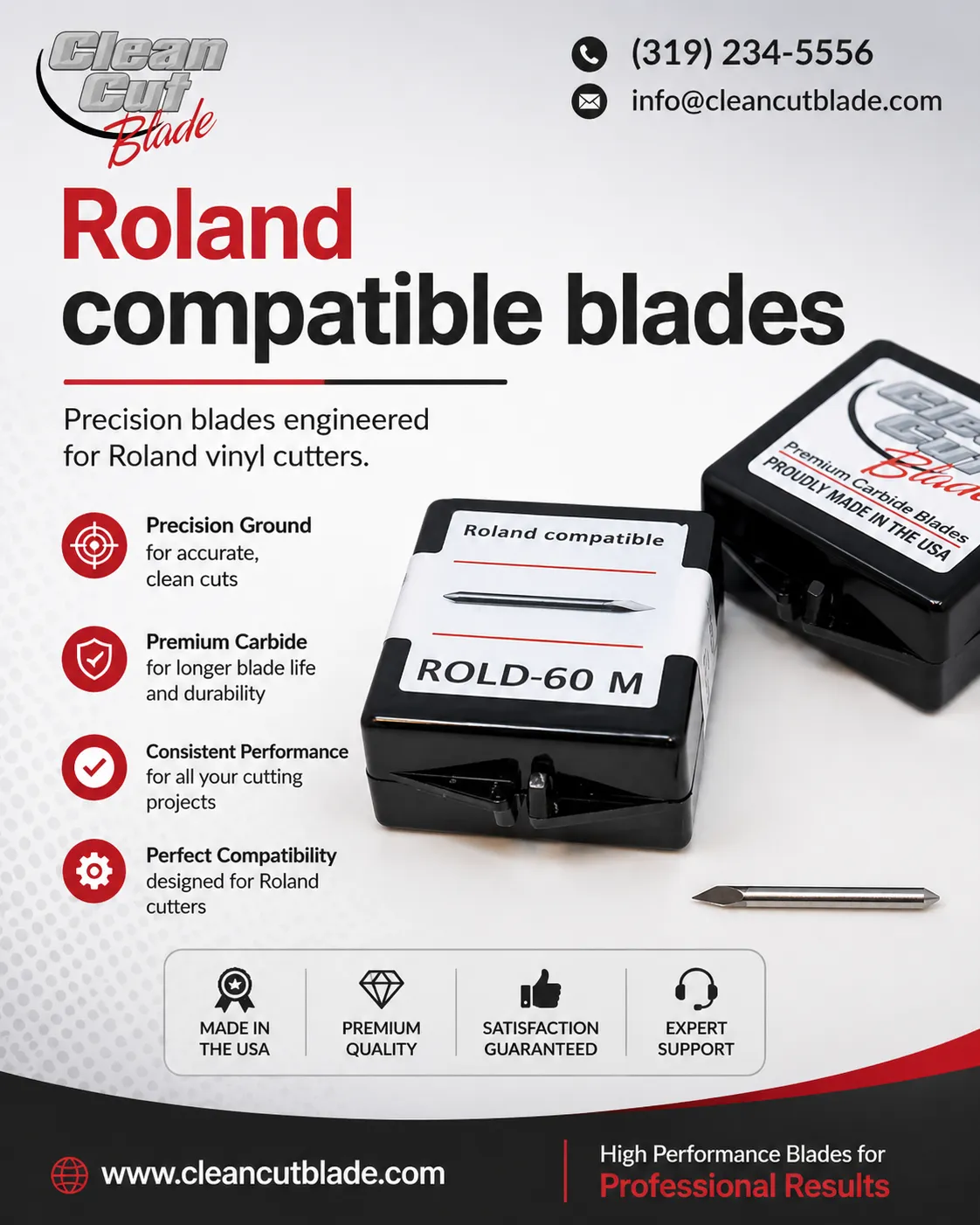

Achieving clean cuts and professional-looking results depends on more than simply loading material into a plotter and pressing start. Every stage of the cutting process contributes to final output quality. Whether the project involves vinyl graphics, heat transfer films, cardstock, or specialty media, blade performance remains a critical factor.
Many professionals rely on Roland compatible blades because blade quality directly influences cutting precision, edge quality, and overall workflow efficiency. Understanding the variables that affect blade performance helps operators improve consistency and reduce material waste.
Blade Geometry Shapes Cutting Results
Blade geometry plays a major role in determining how effectively a plotter cuts different materials. Blade angles typically range from 25° to 60°, with each angle serving a specific purpose.
A lower blade angle often suits thin materials and simple graphics. A steeper angle provides better penetration for thicker materials and intricate designs. Selecting an angle that matches material requirements helps produce cleaner cuts and more accurate details.
Many operators choose Roland compatible blades in multiple angles to accommodate a variety of projects without compromising quality.
Sharpness Directly Impacts Edge Quality
Blade sharpness affects nearly every aspect of cutting performance. A sharp blade slices smoothly through material, while a worn blade drags across the surface and creates rough edges.
Signs of blade wear include increased cutting force requirements, incomplete cuts, and poor weeding performance. Regular inspection helps identify these issues before they affect production quality.
Replacing worn Roland compatible blades at appropriate intervals supports consistent cutting accuracy and protects valuable materials from unnecessary damage.
Proper Blade Depth Improves Precision
Blade depth remains one of the most overlooked settings in plotter operation. Excessive blade exposure often leads to jagged cuts, premature wear, and damage to cutting strips.
A properly adjusted blade extends only enough to cut through the material layer. This approach improves control and reduces unnecessary strain on the equipment.
When operators correctly set blade depth alongside quality Roland compatible blades, overall cutting precision improves significantly.
Cutting Force Must Match Material Requirements
Different materials require different cutting pressures. Thin vinyl generally needs less force than reflective films, flock materials, or heavy cardstock.
Applying too much force may cut through backing layers and shorten blade life. Insufficient force leaves incomplete cuts and affects production efficiency.
Testing material settings before production helps determine optimal pressure levels. Combined with properly selected Roland compatible blades, accurate force settings contribute to cleaner finishes and improved consistency.
Machine Calibration Supports Accuracy
Even high-quality blades struggle to deliver precise results when machine calibration drifts from recommended settings. Plotters require periodic calibration to maintain tracking accuracy and cutting consistency.
Calibration checks should include force settings, offset values, carriage movement, and material alignment. Small calibration errors often become noticeable during detailed cutting applications.
Many cutting issues attributed to blade quality actually originate from calibration problems rather than the Roland compatible blades themselves.
Material Characteristics Influence Blade Performance
Every material behaves differently during cutting. Thickness, density, adhesive strength, and surface texture all influence blade interaction.
Heat transfer vinyl, reflective media, laminated graphics, and cardstock each present unique cutting challenges. Understanding material properties helps operators select suitable blade configurations and machine settings.
Using appropriate Roland compatible blades for specific material types supports cleaner edges and more predictable production outcomes.
Blade Holders Require Regular Maintenance
Blade holders play an important role in maintaining smooth blade movement. Dirt, dust, and adhesive residue may interfere with blade rotation and reduce cutting quality.
Routine cleaning helps prevent buildup and supports consistent performance. Operators should inspect blade holders regularly for wear or damage that could affect accuracy.
Well-maintained holders paired with Roland compatible blades provide stable operation and dependable cutting results.
Cutting Speed Affects Detail Reproduction
Faster production speeds may seem appealing, though excessive speed often reduces cutting accuracy. Intricate graphics require controlled movement to preserve fine details and sharp corners.
Slower speeds generally improve precision when working with complex artwork. Larger and simpler graphics may tolerate higher operating speeds without affecting quality.
Balancing speed and accuracy allows Roland compatible blades to perform efficiently while maintaining desired finish standards.
Environmental Conditions Matter More Than Expected
Temperature and humidity influence both material behavior and cutting performance. Certain materials expand, contract, or respond differently under changing environmental conditions.
Fluctuating conditions may affect dimensional stability and adhesive characteristics, leading to inconsistencies during production. Maintaining a controlled workspace helps improve repeatability and reliability.
Consistent environmental conditions support optimal performance from Roland compatible blades and contribute to more predictable cutting results.
Operator Experience Remains Essential
Technology and equipment continue to evolve, though operator knowledge still plays a major role in achieving professional results. Experienced users recognize early warning signs of blade wear, calibration issues, and material-related challenges.
Understanding how various settings interact allows operators to make informed adjustments before problems affect production quality. Continuous learning often leads to improved efficiency and reduced waste.
Professionals who understand the capabilities of Roland compatible blades often achieve better outcomes across a wider range of applications.
Preventive Maintenance Protects Long Term Performance
Preventive maintenance supports both equipment longevity and cutting accuracy. Regular inspections help identify potential issues before they interrupt production.
Maintenance routines should include blade inspections, holder cleaning, calibration checks, and cutting strip evaluations. These simple practices contribute to consistent performance and lower operating costs.
Quality Roland compatible blades perform best when paired with a proactive maintenance approach that prioritizes reliability and precision.
Offset Settings Influence Corner Accuracy
Blade offset refers to the distance between the blade's rotational center and its cutting tip. Although this measurement appears minor, it significantly affects the accuracy of corners, curves, and intricate design elements.
When offset settings do not match the blade specifications, designs may show rounded corners, overlapping cut paths, or uneven edges. These issues become particularly noticeable in detailed graphics and small lettering where precision matters most.
Operators should verify offset values whenever they install new Roland compatible blades or switch between blade types. Proper offset adjustments help maintain design integrity and support cleaner, more accurate cutting results.
Cutting Strip Condition Affects Blade Stability
The cutting strip serves as a support surface beneath the material during operation. Over time, repeated cutting creates grooves and wear marks that may interfere with blade performance.
A damaged cutting strip often leads to inconsistent cutting depth, incomplete cuts, and reduced accuracy across the material surface. Even high-quality blades may struggle to deliver optimal results when the support surface shows excessive wear.
Regular inspection of the cutting strip helps identify areas that need attention. Pairing a well-maintained machine with Roland compatible blades creates a more stable cutting environment and contributes to improved material finish quality.
Consistent Testing Improves Production Outcomes
Many production issues originate from skipping preliminary testing. A short test cut provides valuable insight into blade performance, force settings, and material compatibility before a full production run begins.
Testing becomes especially important when introducing a new material, adjusting machine settings, or installing replacement blades. Small corrections identified during test cuts often prevent wasted materials and costly rework later in the process.
Professionals frequently rely on test procedures to maintain consistent standards across different projects. Evaluating performance with Roland compatible blades before production starts helps ensure accurate cuts, smoother workflows, and more predictable results.
Conclusion
Plotter blade accuracy depends on multiple interconnected factors, including blade geometry, sharpness, cutting force, machine calibration, material properties, and operator expertise. Paying attention to each variable helps improve material finish, reduce waste, and maintain production efficiency.
While no single factor guarantees perfect results, a balanced approach delivers greater consistency. Understanding how Roland compatible blades interact with machine settings and material characteristics helps create cleaner cuts, sharper details, and more professional finished products.






















Sign in to leave a comment.