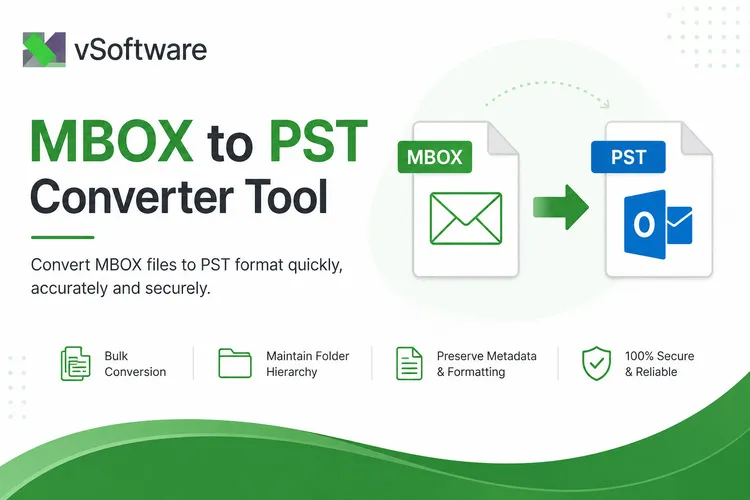

Introduction to MBOX and PST files
If you've ever tried to migrate your emails from MBOX to PST, you know how frustrating it can be when the conversion doesn't go as planned. Whether you're switching platforms or just organizing your email archives, dealing with file format incompatibilities can feel like hitting a wall. MBOX and PST files serve different purposes in the world of email management, but converting between them should be straightforward—yet it often isn't.
As more users transition to software that requires PST files, understanding these formats is crucial for seamless data migration. But what happens when that process hits a snag? Let’s explore why MBOX to PST conversion failures occur and discover practical solutions to ensure your important emails make the journey smoothly.
Why do conversion failures occur?
Conversion failures during MBOX-to-PST transitions can stem from various issues. One common problem is file corruption. If the MBOX file has any damage or inconsistencies, it can disrupt the conversion process.
Another factor is compatibility. Different email clients use unique formats and structures, which may not always translate well when converting files. This incompatibility can lead to data loss or incomplete transfers.
User error also plays a significant role in conversion failures. Mistakes in selecting options or settings within the conversion tool can result in unwanted outcomes.
Additionally, insufficient system resources might hinder the process as well. Limited storage space or low RAM may cause tools to crash mid-conversion.
Outdated software versions could be problematic too. Using an older version of a converter might lack necessary features for successful conversions, leading to frustrating errors down the line.
Common errors during MBOX to PST conversion
When converting MBOX files to PST, several common errors can arise. One frequent issue is file corruption. If the MBOX file has any damage or incomplete data, conversion tools may fail to process it correctly.
Another prevalent error involves compatibility issues between software versions. Not all programs support every version of MBOX, leading to unexpected failures during the conversion process.
Users often encounter problems with large file sizes too. Some tools have limits on how much data they can handle at once, leading to timeouts or crashes during conversions.
Additionally, incorrect settings in the chosen software can result in missing emails or folders post-conversion. It’s essential to double-check configurations before starting the process.
Insufficient system resources like RAM and disk space might hinder successful completion of the conversion task. Properly managing these aspects will help mitigate potential disruptions along the way.
Solutions to fix conversion failures
To fix MBOX to PST conversion failures, start by checking the integrity of your MBOX files. Corrupted files can lead to errors during the conversion process. Use a file repair tool specifically designed for MBOX formats.
Ensure that you are using an updated version of the software intended for conversion. Outdated applications may lack necessary features or bug fixes that affect performance.
If issues persist, consider breaking down large mailboxes into smaller batches. This approach often alleviates pressure on the conversion tool and reduces chances of failure.
Review system requirements and ensure compatibility with your operating system. Running tools in an unsupported environment can cause unexpected hiccups in converting email files efficiently.
Tips for a successful MBOX to PST conversion
To ensure a smooth MBOX to PST conversion, start by creating backups of your original files. This precaution protects your data against potential loss during the process.
Next, choose reliable software designed specifically for this type of conversion. Read reviews and check user feedback to find a tool that meets your needs.
Before starting the conversion, update both your operating system and email client. Compatibility issues can often lead to unexpected errors.
Make sure you have enough storage space on your device. Insufficient disk space can result in incomplete conversions or corrupted files.
Follow clear instructions provided by the chosen tool carefully. A step-by-step approach minimizes mistakes and enhances efficiency throughout the process.
Alternatives to manual conversion
For those who find manual conversion tedious or error-prone, several alternatives can simplify the MBOX to PST conversion process.
One popular option is using specialized software designed for this task. These tools often come equipped with user-friendly interfaces and advanced features that automate the entire process.
Another alternative is cloud-based solutions. Many online platforms offer MBOX to PST conversion services without requiring users to download any software. This can save time and effort while ensuring data security.
If you're part of a larger organization, consider leveraging IT support. Your team may have access to professional-grade tools or expertise that can make conversions smoother and more reliable.
Explore these alternatives based on your specific needs, as they often provide efficiency and accuracy that manual methods can't match.
Conclusion: Importance of choosing the right tool for MBOX to PST conversion
The journey of converting MBOX to PST can be a complex one, filled with potential pitfalls. Selecting the appropriate tool for this conversion process is crucial. A reliable converter not only simplifies the procedure but also minimizes the chances of errors and data loss.
Choosing a tool designed specifically for MBOX to PST conversion ensures compatibility and efficiency. Look for software that offers robust features like batch processing, preview options, and support for various file sizes. Reading user reviews can provide valuable insights into performance.
Remember that investing in a trustworthy converter saves time and effort in the long run. It allows users to focus on what truly matters: accessing their emails seamlessly without worrying about corruption or data integrity issues.
By making an informed choice, you set yourself up for success in your MBOX to PST conversion endeavors. With the right tool at your disposal, you'll navigate this transition smoothly while retaining all essential information intact.


























Sign in to leave a comment.