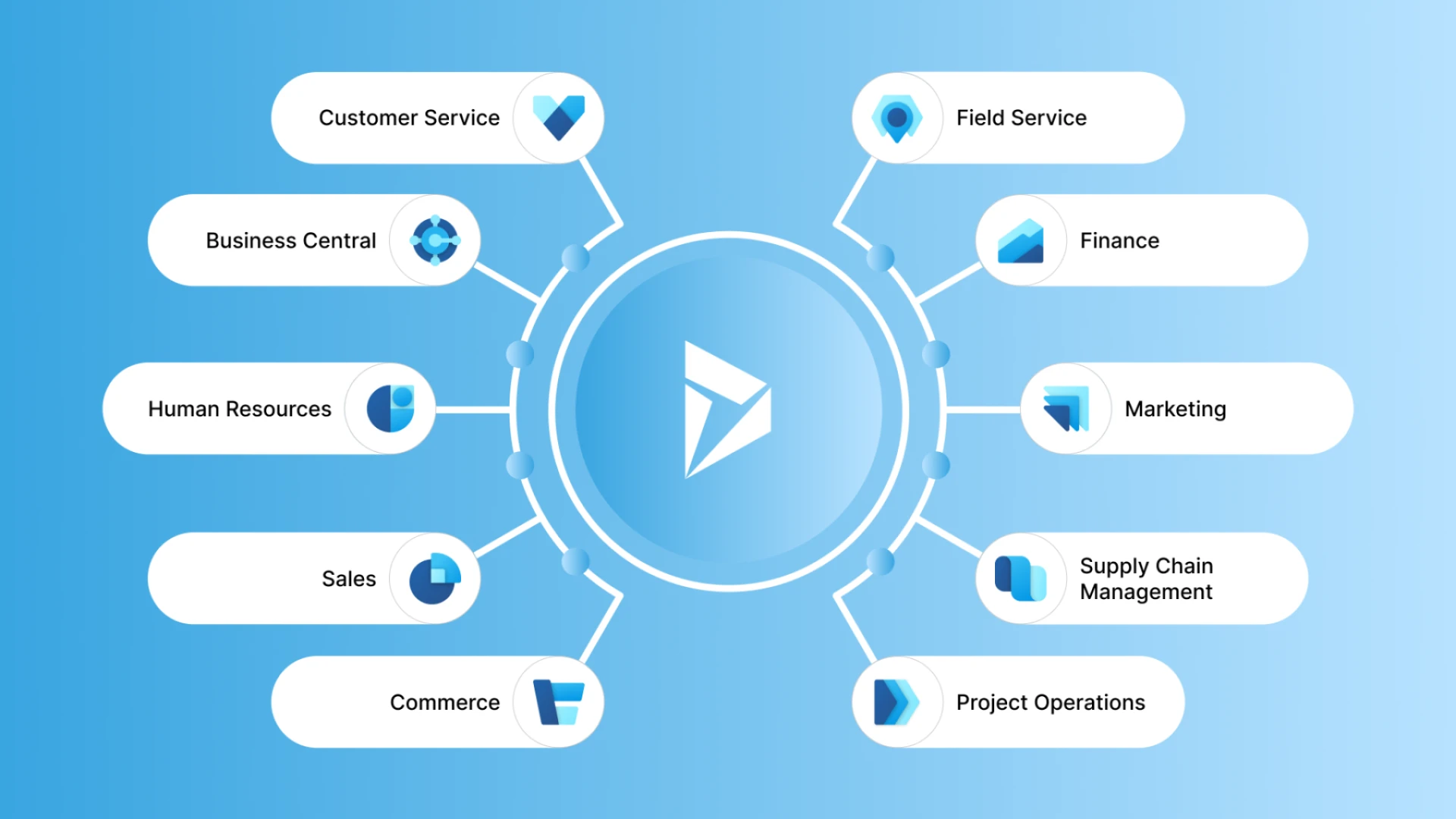

Microsoft Dynamics 365 has emerged as a cornerstone for businesses seeking to unify CRM and ERP capabilities in the cloud. As digital transformation accelerates across industries, organizations require robust consulting and implementation strategies to maximize their Dynamics 365 investment. This blog explores the technical intricacies, use cases, benefits, and potential drawbacks of Microsoft Dynamics 365 consulting and implementation, backed with examples, statistics, and the latest technological trends.
<a herf="https://techwize.com/erp-crm-services/microsoft-dynamics-365" >aaaa</a>
Why Microsoft Dynamics 365?
Microsoft Dynamics 365 is a suite of cloud-based business applications that seamlessly integrate customer relationship management (CRM) and enterprise resource planning (ERP) functionalities. It supports modular deployments, enabling businesses to implement what they need while maintaining scalability.
Key Benefits:
- Unified platform for sales, customer service, operations, finance, and marketing
- Native integration with Microsoft Power Platform and Azure
- AI-driven insights and automation
- Modular and scalable architecture
- Improved customer experience and operational efficiency
The Role of Microsoft Dynamics 365 Consulting
Consulting services are critical for aligning Dynamics 365 capabilities with organizational goals. Consultants assess business needs, map processes, recommend optimal modules, and guide data migration, security policies, and user adoption.
Phases of Consulting and Implementation
1. Business Process Analysis Consultants begin with a comprehensive analysis of existing workflows to identify gaps and inefficiencies.
2. Solution Architecture Design The architecture is tailored using best-fit Dynamics 365 modules (e.g., Sales, Finance, Supply Chain Management).
3. Data Migration and Integration Legacy data is transformed and migrated securely. Integration with other platforms (SAP, Oracle, Salesforce) is established using APIs and middleware such as Azure Logic Apps.
4. Customization and Development Using tools like Power Apps and Power Automate, consultants customize workflows, dashboards, and forms.
5. Testing and Deployment Rigorous functional and UAT testing ensures error-free deployment.
6. Change Management and Training End-user training and change management ensure successful adoption and reduced resistance.
Technical Aspects of Integration
Data Integration Techniques
- Azure Data Factory: Used for large-scale ETL operations.
- Common Data Service (Dataverse): Acts as a central data layer for app interconnectivity.
- OData and REST APIs: Enable real-time communication with third-party systems.
Security and Compliance
- Role-based access controls
- GDPR and HIPAA compliance through Azure governance
- Secure identity management via Azure Active Directory (AAD)
Use Cases Across Industries
Manufacturing
- Use Case: Integrating Dynamics 365 Supply Chain Management to monitor inventory levels and automate reordering.
- Benefit: 27% increase in on-time delivery and 32% reduction in inventory costs (Forrester).
Retail
- Use Case: Implementing Dynamics 365 Commerce for omnichannel engagement.
- Benefit: 23% uplift in customer retention due to personalized shopping experiences.
Healthcare
- Use Case: Using Dynamics 365 Customer Insights to deliver personalized patient engagement.
- Benefit: Enhanced patient satisfaction and 18% reduction in appointment no-shows.
Financial Services
- Use Case: Automating risk and compliance workflows using Dynamics 365 Finance and Azure AI.
- Benefit: 40% reduction in audit preparation time and better fraud detection.
Latest Tools and Technologies in Dynamics 365 Ecosystem
- Microsoft Power Platform: Integrates Power BI, Power Apps, Power Automate, and Power Virtual Agents for intelligent business automation.
- AI Builder: Empowers users to embed AI models into workflows without coding.
- Azure Synapse Analytics: Provides advanced data analytics integrated with Dynamics data.
- Copilot for Dynamics 365: Uses generative AI to assist with sales, marketing, and customer service operations.
- Dataverse: Centralized data platform that ensures consistency across Dynamics 365 and Power Platform.
Challenges and Disadvantages
- Complex Customizations: Extensive customizations can complicate upgrades.
- Cost: Initial implementation and licensing can be high for small businesses.
- Change Resistance: User resistance without strong change management strategies.
- Integration Complexity: Integrating with legacy or non-Microsoft systems can require additional middleware and resources.
Best Practices for a Successful Implementation
- Define clear KPIs and success metrics before implementation
- Involve stakeholders from all departments
- Adopt an agile, phased rollout approach
- Leverage Microsoft-certified partners and MVPs
- Regularly audit data quality and user adoption
Conclusion
Microsoft Dynamics 365 is not just a software suite it’s a strategic enabler of digital transformation. With expert consulting, thoughtful implementation, and integration of cutting-edge technologies like AI, analytics, and cloud computing, businesses can harness its full potential. While challenges exist, a structured approach minimizes risks and maximizes value, driving sustainable competitive advantage across industries..



























Sign in to leave a comment.