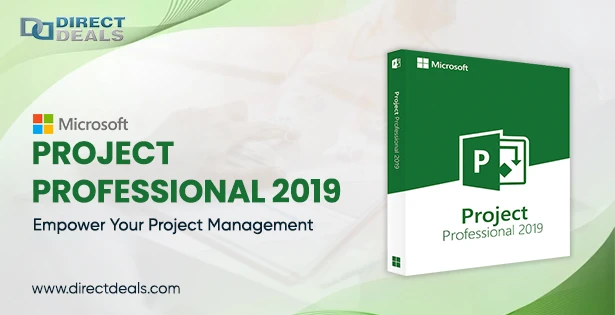

In the realm of project management, having the right tools is crucial for the successful planning, execution, and monitoring of projects. Microsoft Project 2019 and Microsoft Project Professional 2019 are two powerful software solutions designed to streamline project management tasks, improve collaboration, and enhance productivity.
This article will explore how to download and utilize these tools to empower your project management endeavors.
What are the downloading steps for Microsoft Project 2019?
Microsoft Project 2019 is a comprehensive project management software that enables users to plan, track progress, allocate resources, and manage budgets effectively. To download Microsoft Project 2019, follow these steps:
Visit the official Microsoft website or authorized resellers.Navigate to the Microsoft Project 2019 product page.Choose the preferred version, such as Standard or Professional.Click on the "Download" button or follow the instructions provided for purchase and installation.Microsoft Project 2019 offers a wide array of features, including:
Project Planning: Create project schedules, set milestones, and define tasks with dependencies.Resource Management: Allocate resources efficiently, track availability, and optimize workloads.Task Management: Assign tasks, set priorities, and monitor progress with Gantt charts and task lists.Budget Tracking: Manage project costs, track expenses, and generate financial reports.Collaboration: Share project information, facilitate team communication and enhance collaboration.What are the downloading steps for Microsoft Project Professional 2019?
Microsoft Project Professional 2019 is an advanced version of Microsoft Project 2019, tailored for professional project managers. It includes all the standard version features with additional capabilities for complex project management scenarios. To download Microsoft Project Professional 2019, follow the steps mentioned above for Microsoft Project 2019, ensuring that you select the Professional version during the download process.
In addition to the features offered by Microsoft Project 2019, Microsoft Project Professional 2019 provides:
Portfolio Management: Evaluate and prioritize projects, assess risks, and make informed decisions.Advanced Analytics: Utilize built-in analytics and reporting tools for in-depth project analysis.Timesheet Management: Track actual work hours, manage timesheets, and streamline payroll processes.SharePoint Integration: Seamlessly integrate with SharePoint to enhance document management and collaboration.Benefits of Microsoft Project:
Microsoft Project offers several benefits, making it a popular choice among project managers and organizations. Here are some key advantages of using Microsoft Project:
Efficient Project Planning: Microsoft Project provides comprehensive tools and features to help you plan projects effectively. You can create project schedules, define tasks, set dependencies, and allocate resources with ease. The Gantt chart view visually represents the project timeline, enabling you to identify critical paths and optimize project sequencing.Resource Management: Managing resources is a critical aspect of project management. Microsoft Project allows you to allocate resources efficiently, track resource availability, and balance workloads. You can assign resources to tasks, set working hours, and monitor resource utilization, ensuring that your project is adequately staffed and resources are optimized.Task Tracking and Collaboration: Microsoft Project enables you to track task progress, record actual work hours, and monitor task completion. This real-time visibility helps you identify delays, bottlenecks, and potential issues, allowing you to take corrective actions promptly. The software also promotes collaboration by providing features for team communication, document sharing, and centralized project information.Budget Management: Keeping track of project costs and budgets is crucial for successful execution. Microsoft Project offers robust budget management capabilities, allowing you to set project budgets, track expenses, and compare actual costs against planned costs. You can generate financial reports, monitor spending, and make informed decisions to ensure your project stays within budget.Conclusion:
Efficient project management is crucial for organizations across various industries, and Microsoft Project 2019 and Microsoft Project Professional 2019 are powerful tools that simplify project planning, execution, and monitoring. By downloading these software solutions, project managers can access various features and functionalities that boost productivity, facilitate collaboration, and enable better decision-making.
Whether you choose Microsoft Project 2019 or opt for the advanced capabilities of Microsoft Project Professional 2019, these tools offer the means to streamline your project management processes, ensure project success, and achieve your organizational goals. Download the software, unleash your project management potential, and witness the transformative impact it can have on your projects.
In addition to that, you can easily have Microsoft Project Professional 2019 Download at the best prices from DirectDeals, and they are certified Microsoft Partners. They have been serving the most authentic products for the past 24+ years.























Sign in to leave a comment.