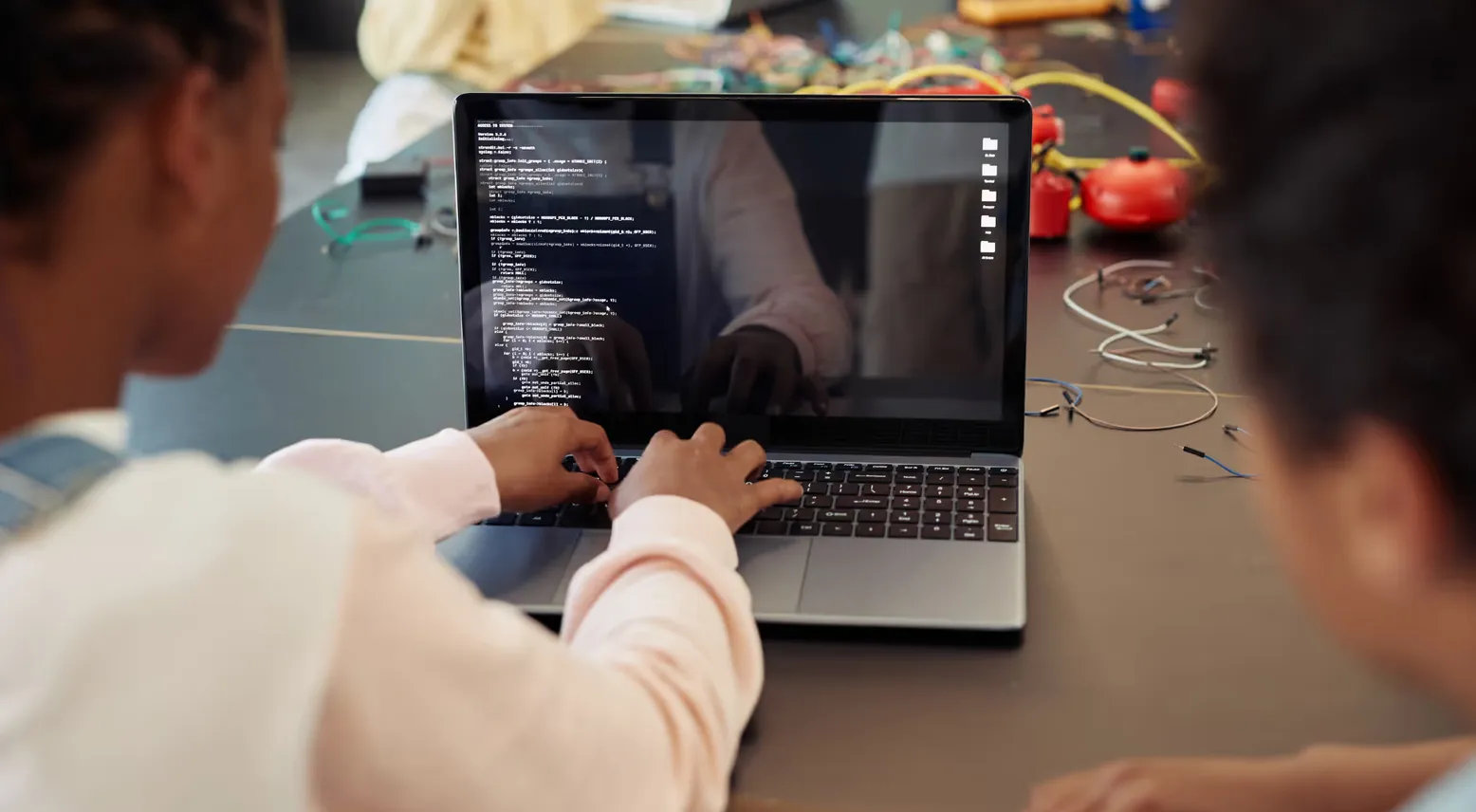


For many parents in Singapore, coding is becoming more than an optional enrichment activity. It can help children strengthen logical thinking, creativity, problem-solving skills and confidence with technology.
One beginner-friendly way to start is through a scratch coding program. Instead of requiring children to memorise complicated commands, Scratch uses colourful visual blocks that can be dragged and connected to create instructions. This makes programming concepts easier to understand while allowing children to build games, animations and interactive projects.
What Is a Scratch Coding Program?
A scratch coding program introduces children to programming through a visual, block-based environment. Scratch was designed to make coding approachable for beginners, especially children who may not yet be ready for text-based programming languages.
Instead of typing every line of code, students arrange blocks that represent actions, events, loops, conditions and variables. As they connect these blocks, they begin to understand how instructions work together.
For example, a child may programme a character to move when a button is clicked, repeat an action several times or respond differently depending on an event. Behind the colourful interface are genuine computational-thinking concepts that can support more advanced programming later.
Why Scratch Coding Is Useful for Children
The value of Scratch is not simply that children learn to “code.” The larger benefit is learning how to think through a problem.
When a project does not work as expected, children need to identify what went wrong, change their instructions and test the result again. This process encourages patience, resilience and structured problem-solving.
Scratch also supports creativity. Children can design characters, tell stories, create animations and build simple games instead of only following one fixed answer. That combination of logic and imagination can make learning more engaging.
Another advantage is immediate feedback. When students change their code, they can quickly see what happens on screen. This helps make abstract ideas such as sequencing, loops and conditions easier to understand.
What Should Parents Look for in a Coding Class?
Choosing the right coding class involves more than finding the nearest centre or selecting a programme based on age alone.
A strong programme should provide clear progression. Children should first understand simple concepts before moving into more challenging tasks. Lessons should also encourage students to explain what they have built instead of simply copying instructions from a teacher.
Parents can look for age-appropriate projects, opportunities for independent experimentation, supportive teaching and a curriculum that becomes more advanced over time. It is also helpful when projects connect coding with creativity, mathematics, science or real-world problem-solving.
A good coding class should leave a child able to explain not only what they created, but also why their solution works.
Why Combine Coding With Robotics?
Screen-based coding can be useful, but some children learn even better when they can see their instructions produce a physical result.
Robotics adds this practical dimension. A student might write instructions and then watch a robot move, react to a sensor or complete a challenge. Code is no longer something that exists only on a screen.
Meta Robotics uses hands-on robotics and coding activities in its programmes for children in Singapore. Its approach focuses on building, testing and refining solutions so students can practise logical thinking through real projects.
For younger learners, this can make technical ideas feel more concrete. For older students, it can provide a bridge from basic programming concepts into robotics, engineering and more advanced technology.
Is Scratch Suitable for Complete Beginners?
Yes. Scratch is designed to lower the entry barrier to programming.
Children do not need previous coding experience to begin. Because the blocks are visually organised, beginners can focus on understanding logic without being distracted by typing errors or complex syntax.
That said, beginners still benefit from guidance. A structured scratch coding program can introduce concepts in the right sequence, give children achievable challenges and help them understand why their code behaves in a certain way.
As confidence grows, children can create more complex projects and eventually transition into other programming environments or text-based languages.
Frequently Asked Questions About Scratch Coding
What age can children start learning Scratch?
Scratch is commonly used with primary-school-age children, although readiness depends on reading ability, attention span and familiarity with digital devices. The right starting point should match the individual child rather than age alone.
Does Scratch teach real programming skills?
Yes. Students can learn important concepts such as sequences, loops, events, variables, conditions and debugging, even though they are using visual blocks instead of typed commands.
These concepts form part of the logical foundation children can later apply when learning more advanced programming languages.
Can Scratch help children move into advanced coding?
Yes. Once children understand programming logic through Scratch, moving into text-based coding can feel less intimidating because many of the underlying concepts are already familiar.
Scratch therefore works well as an introduction rather than an endpoint.
Helping Children Become Confident Technology Creators
Learning coding should not be about pushing children towards a specific career too early. It is about giving them another tool for understanding problems, testing ideas and creating solutions.
A well-designed scratch coding program can provide a friendly first step into programming, while a structured coding class can help children progress with appropriate guidance and increasingly challenging projects.
For families in Singapore looking for a hands-on learning environment, Meta Robotics combines coding with robotics activities designed to help children build, test and improve their own solutions.
The goal is not simply for children to use technology. It is to help them understand how technology works, develop stronger problem-solving habits and gain the confidence to create with it.























Sign in to leave a comment.