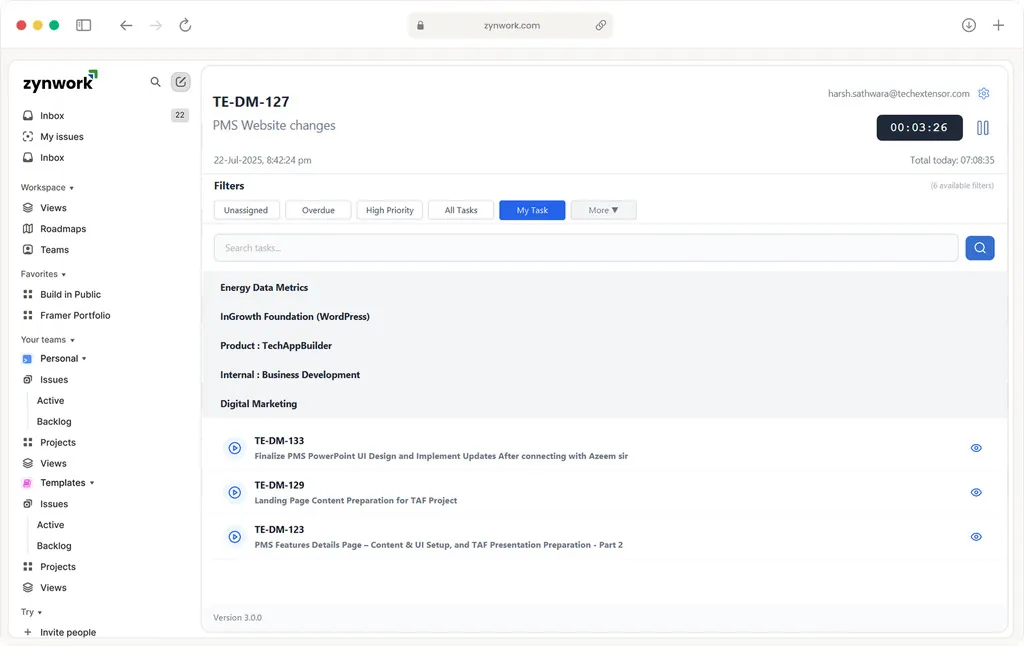

Have you ever started a project with a clear plan, only to find that a few weeks later, priorities have changed, deadlines are slipping, and your team is unsure about what to focus on next?
It happens to even the best IT teams.
Modern projects move quickly. Customer needs change, new requirements appear, and unexpected technical issues can affect timelines. This is why many teams are moving away from rigid project plans and adopting a more flexible approach.
Sprint project management helps teams break large projects into smaller, focused delivery cycles. Instead of trying to manage everything at once, teams work toward specific goals, review progress regularly, and improve their process with every sprint.
When combined with the right project management software tools, this approach can make project planning and delivery much more organized.
Let's explore how it works and why it matters for modern IT teams.
What Is Sprint Project Management?
Sprint project management is a structured approach to managing work through short, time-boxed development cycles called sprints.
A sprint usually lasts between one and four weeks. During each sprint, a team selects a specific set of tasks and works toward a defined goal.
At the beginning of a sprint, the team decides what needs to be completed. During the sprint, team members work on their assigned tasks while tracking progress and addressing blockers.
At the end of the sprint, the team reviews what was completed, collects feedback, and identifies improvements for the next cycle.
This creates a continuous delivery loop that keeps projects moving forward.
Why IT Teams Use Sprint-Based Delivery
Traditional project management often tries to define everything at the beginning of a project.
That approach can be difficult when requirements change frequently.
Sprint-based delivery provides more flexibility.
Teams can:
- Break complex projects into manageable pieces
- Focus on high-priority work
- Identify problems earlier
- Adapt to changing requirements
- Deliver working results more frequently
- Improve processes through regular feedback
Instead of waiting until the end of a six-month project to discover a major problem, teams can identify issues during the first few sprints.
That's a major advantage for modern technology teams.
The Key Elements of Effective Sprint Management
A successful sprint requires more than simply creating a list of tasks.
1. Clear Sprint Goals
Every sprint should have a clear objective.
For example, instead of saying:
"Work on the mobile application."
A better sprint goal would be:
"Complete user authentication for the mobile application."
A specific goal gives the team a clear direction and makes progress easier to measure.
2. Prioritized Backlog
The product or project backlog can contain hundreds of tasks.
The team shouldn't try to complete everything at once.
Before each sprint, tasks should be prioritized based on:
- Business value
- Customer impact
- Technical dependencies
- Project deadlines
- Team capacity
This helps ensure that the most important work gets completed first.
3. Realistic Workloads
One of the biggest mistakes teams make is overloading a sprint.
A team may have 100 hours of available capacity but plan 150 hours of work.
The result?
Missed deadlines, unfinished tasks, and unnecessary pressure.
Good sprint planning considers actual team availability and previous delivery performance.
4. Regular Progress Tracking
Teams need visibility throughout the sprint.
Daily updates and real-time dashboards can help managers and team members understand:
- What's completed
- What's in progress
- What's blocked
- Who is overloaded
- Whether the sprint is on track
This allows teams to solve problems before they become major delivery risks.
How Project Management Software Supports Sprints
Managing sprints manually can become difficult as projects grow.
This is where modern project management software tools can help.
Instead of tracking tasks across spreadsheets, emails, and chat messages, teams can centralize project information in one workspace.
Useful capabilities include:
- Sprint planning
- Task management
- Backlog organization
- Team collaboration
- Resource allocation
- Progress dashboards
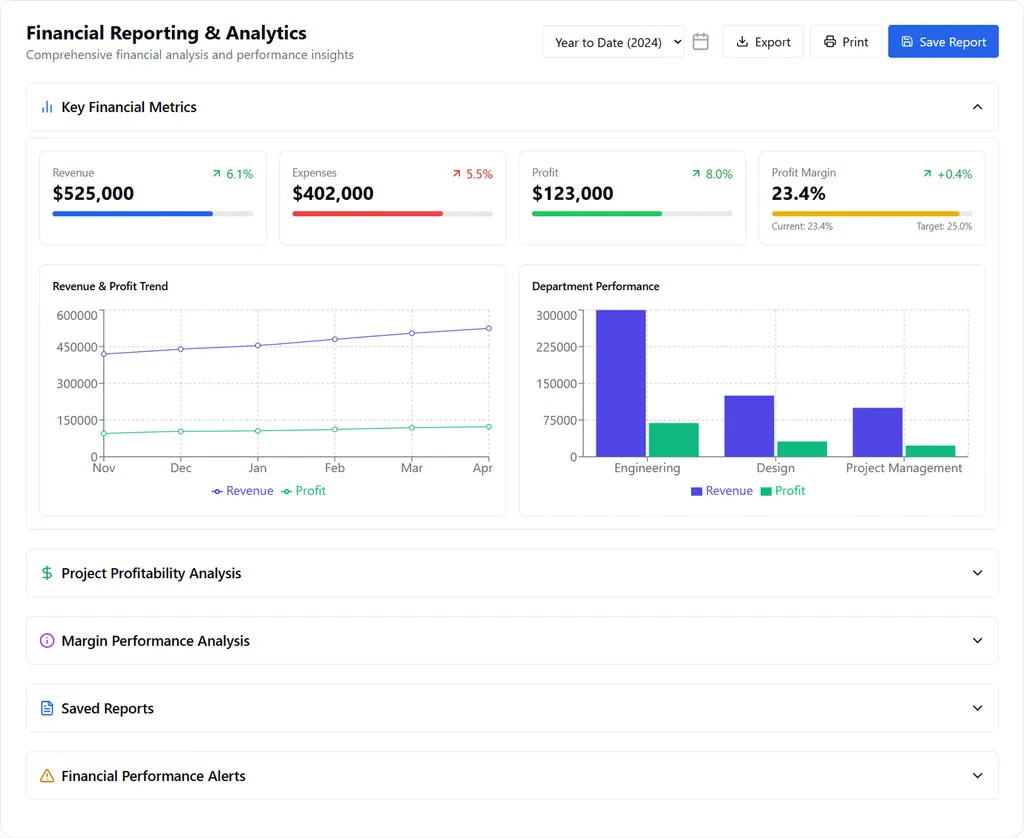
- Budget tracking
- Performance analytics
- Automated reporting
With everything connected, project managers gain better visibility while team members spend less time searching for information.
Sprint Management vs Traditional Project Planning
| Area | Sprint-Based Approach | Traditional Approach |
|---|---|---|
| Planning | Short delivery cycles | Long-term upfront planning |
| Flexibility | High | Often limited |
| Feedback | Regular | Usually at major milestones |
| Risk Detection | Early | May happen later |
| Delivery | Frequent increments | Larger final delivery |
| Priorities | Can be adjusted between sprints | Changes can be more difficult |
Neither approach is perfect for every project.
However, teams working in fast-changing technology environments often benefit from shorter planning and delivery cycles.
Common Sprint Challenges
While sprint-based delivery can improve project execution, teams still face challenges.
Scope Creep
Adding new tasks in the middle of a sprint can disrupt the team's commitment.
Poor Estimation
If tasks are consistently underestimated, sprints may regularly remain incomplete.
Unclear Goals
Without a clear sprint objective, team members may focus on different priorities.
Lack of Visibility
When progress is tracked manually, managers may not see problems until it's too late.
Too Many Meetings
Agile doesn't mean endless meetings. Teams should keep communication focused and purposeful.
The solution is to create a sprint process that is simple, transparent, and easy for everyone to follow.
Best Practices for Better Sprint Delivery
If your IT team wants to improve sprint performance, start with these practices:
Keep Goals Simple
One sprint should have one clear purpose.
Plan According to Capacity
Understand how much work your team can realistically complete.
Track Progress Continuously
Don't wait until the end of the sprint to check performance.
Protect the Sprint Scope
Avoid unnecessary changes once the sprint begins.
Review Every Sprint
Use retrospectives to understand what worked and what needs improvement.
Use Data to Improve
Track metrics such as cycle time, completion rate, workload, and delivery trends.
Small improvements made consistently can have a major impact over time.
Choosing the Right Project Management Platform
The right project management software tools should make sprint execution easier, not add another layer of complexity.
When evaluating a platform, look for:
- Easy sprint planning
- Real-time project visibility
- Task and backlog management
- Resource tracking
- Team collaboration
- Performance reporting
- Budget and financial visibility
- Integration with your existing workflow
The best solution is one that connects project execution with the information leaders need to make better decisions.
How Zynwork Helps Modern IT Teams
For teams managing multiple projects, keeping sprint execution connected to resources, budgets, and performance can be challenging.
Zynwork brings these areas together so teams can gain greater visibility across the project lifecycle. Instead of looking at tasks in isolation, teams can connect day-to-day execution with broader project performance and business goals.
This helps project managers understand not only what is being completed, but also how projects are progressing against timelines, resources, and expected outcomes.
Final Thoughts
Successful project delivery isn't about trying to complete everything at once.
It's about breaking complex work into focused steps, creating clear priorities, and continuously learning from the results.
With the right sprint project management approach, IT teams can improve focus, respond to change faster, and deliver meaningful results more consistently.
And with modern project management software tools, teams can bring planning, execution, collaboration, resources, and reporting into a connected workflow.
The future of project delivery isn't about working harder.
It's about creating a smarter system that helps teams know what to do, why it matters, and how they're progressing every step of the way.


























Sign in to leave a comment.