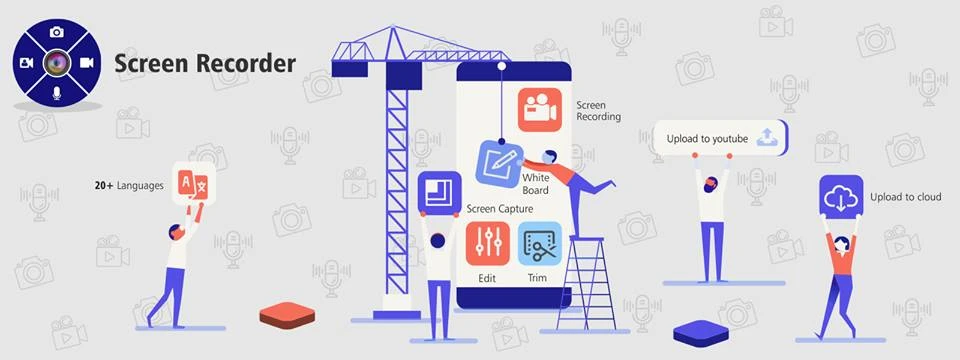

Screen recorders are perhaps the most unappreciated tools for businesses in the market, though they can prove highly useful for businesses. They have multiple uses such that it is a wonder why they are not universally accepted by businesses. This is despite the online availability of many of these tools like screen recorder with internal audio for free of cost.
What it is
Screen Recorder is software that permits users to digitally record the contents of a screen, whether of a computer or mobile phone. From useful and productive work done by an employee to YouTube videos watched by him on the sly, a screen recorder can capture everything occurring on a Mac or PC, as viewed by the user.
Screen recorders can be used for different objectives, such as checking on the productivity of current employees to creating step-by-step video tutorials for the on boarding of new employees. When combined with some other software like tools for call recording, screen recorders can be used for offering remote medical and psychological help.
So why is a screen recorder such an important element of the arsenal of a business? Here are a few reasons:
Wide sharing of information
Businesses need to share information with a wide range of stakeholders like shareholders, customers, and employees. This would be very tough if these are stationed in different locations. Screen recorders can be used to record live meetings and presentations. They can be used to share information with a wide range of audience that needs it.
Improves communication
In case you cannot meet business clients face to face, the only option is a video call. Particularly when a client needs to consult the whole team or any other stakeholders prior to making a decision, the screen recorder serves as a tool to reach a wide audience. The presentation can be recorded and shared with all so that all gain information efficiently and quickly. Live meetings can be recorded to watch later—no need to take notes and meeting minutes.
Create tutorials
The massive number of tutorials online serves to demonstrate the use of screen recorders. The latter can be used to record videos that instruct how to do any activity on the computer in a step-by-step fashion as they are easy to understand. Such tutorials make the subject engaging, interesting, and interactive.
Tutorials can be used to train employees and help them learn the ropes of the new software purchased by the company. By keeping track of their activities, one can identify their weaknesses and offer useful insights.
Monitor daily activities
A screen recorder is most notorious for ‘spying on employees.’ While it can be used to check why an employee is slacking on his duties by spending all his online time on social media, there are other benefits as well. By keeping track of employee activity, one can gain an excellent awareness of their productivity. This includes information like what tools they use most, how they respond to customer queries, or whether they are using new tools to the highest potential. Screen recordings can help in taking tough decisions under tight deadlines.
Identify system errors
Software crashes, network errors, and system faults are simply some of the problems which may cause slowing down of one’s business. The IT team of the company may have to waste valuable time to detect the sources and results of the errors. Much money will be lost in the process.
Screen recorder helps in 2 ways. Firstly, it helps provide a clear picture of the source and the consequences of errors. Secondly, it indicates how to avoid such errors from emerging in the future. Both ways, one can save much time and money in fixing errors.
In sum, a screen recorder with internal audio can prove highly useful for a business. Though there are many free-of-cost tools for this function, it is good to go in for a paid service to enjoy maximum benefits.
























Sign in to leave a comment.