

Why Businesses Seek Free PowerApps Alternatives
Microsoft PowerApps has established itself as a leading low-code development platform, but its licensing costs and Microsoft-centric ecosystem limitations drive many businesses to explore free alternatives. Organizations facing budget constraints, seeking greater flexibility, or requiring features beyond PowerApps' capabilities are increasingly turning to free no-code platforms that deliver comparable functionality without the enterprise price tag.
The demand for free PowerApps alternatives stems from several key factors: escalating per-user licensing costs, limited customization options outside the Microsoft ecosystem, steep learning curves for non-technical users, and performance bottlenecks when handling complex business logic. Small businesses, startups, and cost-conscious enterprises need robust app development capabilities without committing to expensive monthly subscriptions.
Free no-code platforms have evolved significantly in 2025, offering sophisticated features that rival premium solutions. These platforms enable citizen developers to create business applications, automate workflows, and build custom solutions without coding expertise or substantial financial investment.
Key Limitations of PowerApps Driving Alternative Adoption
PowerApps presents several challenges that prompt businesses to seek alternatives:
- Expensive scaling costs as user counts increase across organizations
- Microsoft ecosystem dependency limiting integration with non-Microsoft tools
- Limited offline functionality for field operations and remote work scenarios
- Complex pricing structure with multiple licensing tiers and hidden costs
- Restricted customization for unique business requirements and branding needs
- Performance issues with data-heavy applications and complex workflows
Essential Features in Free PowerApps Alternatives
When evaluating free alternatives to PowerApps, businesses should prioritize platforms offering these critical capabilities:
- Visual drag-and-drop interface for intuitive app development without coding
- Database integration supporting multiple data sources beyond spreadsheets
- Mobile responsiveness ensuring apps work seamlessly across devices
- Workflow automation with conditional logic and approval processes
- User management including role-based access controls and permissions
- API integrations connecting with popular business tools and services
- Custom branding options for professional client-facing applications
Leading Free No-Code Platforms Outperforming PowerApps
Clappia: Comprehensive Mobile-First Development
Clappia stands out as a robust free alternative offering lifetime access to core features without trial limitations. Unlike PowerApps' Microsoft-centric approach, this platform provides unlimited app creation for up to 100 users on the free plan, making it ideal for small to medium businesses.
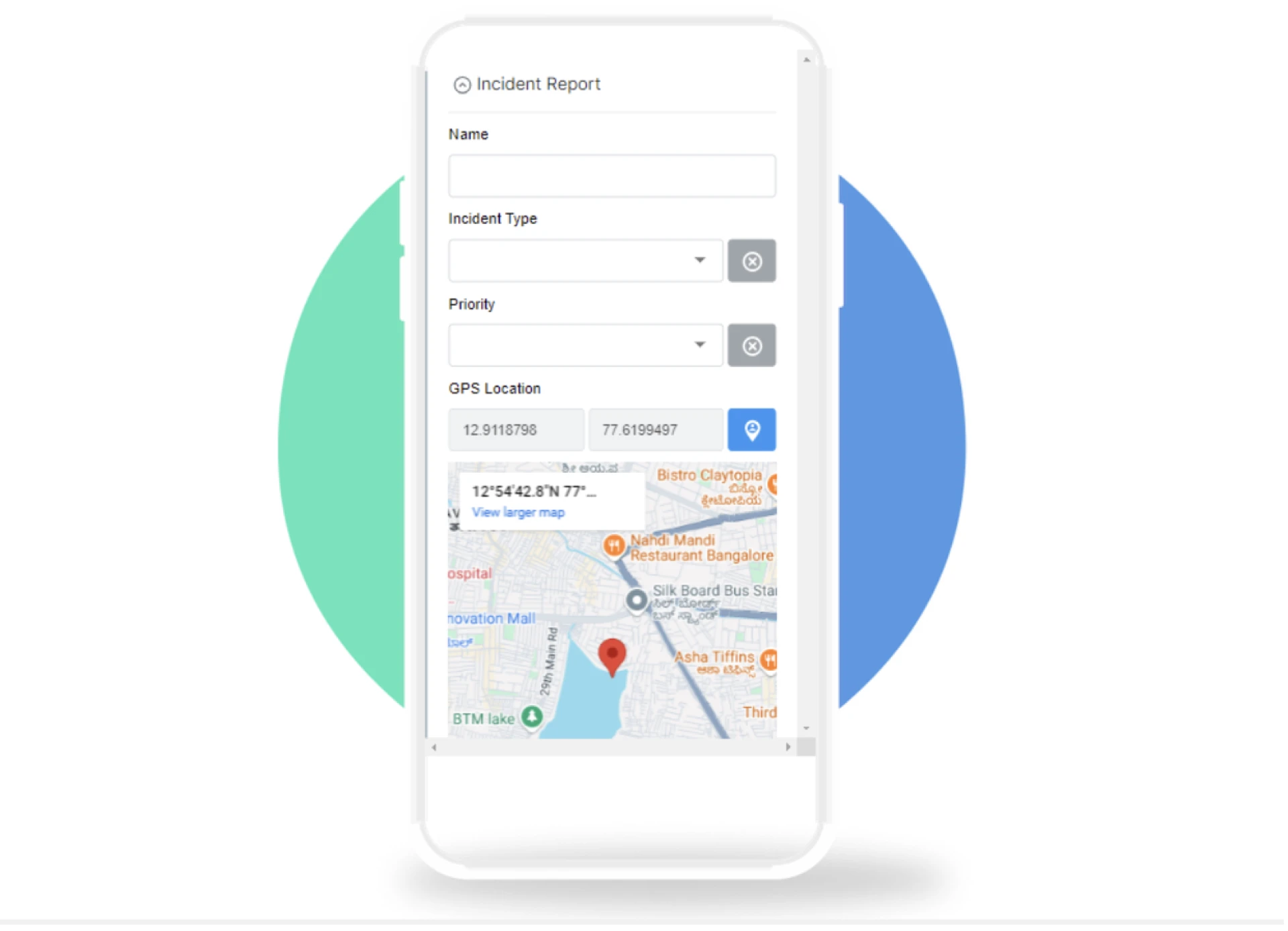
The platform excels in mobile-first development with advanced features like GPS tracking, offline synchronization, QR code scanning, and live camera uploads. These capabilities surpass PowerApps' basic mobile functionality, particularly for field operations, inventory management, and location-based workflows.
Key advantages include 400 monthly submissions, 400 workflow executions, live tracking capabilities, PDF configuration, Google Sheets integration, and native mobile apps. The pricing transparency eliminates hidden costs common in PowerApps licensing, with paid plans starting at just $6 per user monthly.
Airtable: Database-Powered Application Development
Airtable combines spreadsheet familiarity with database functionality, offering a generous free tier supporting unlimited bases, 1,200 records per base, and 2GB attachment storage. This platform appeals to teams transitioning from Excel-based processes to more sophisticated data management.
The visual interface simplifies complex data relationships while providing kanban views, calendar layouts, and gallery formats that enhance user experience beyond PowerApps' sometimes rigid interface design. Collaboration features enable real-time editing and commenting, supporting distributed teams better than PowerApps' traditional approach.
Glide: Progressive Web App Builder
Glide transforms Google Sheets into professional mobile applications with an intuitive visual builder. The free plan supports up to 500 rows, 10 users, and includes essential features like conditional formatting, user authentication, and basic integrations.
This platform excels at rapid prototyping and MVP development, allowing businesses to validate app concepts before investing in more complex solutions. The template library accelerates development timelines compared to starting from scratch in PowerApps.
Bubble: Full-Stack Development Platform
Bubble provides the most comprehensive free alternative, enabling complete web application development with custom databases, workflows, and API integrations. While requiring a steeper learning curve than PowerApps, it offers unlimited customization potential for complex business requirements.
The visual programming approach eliminates coding barriers while providing developer-level control over application logic and user interface design. This flexibility addresses PowerApps' customization limitations for unique business processes.
AppSheet: Google's No-Code Solution
AppSheet by Google offers a compelling alternative with tight Google Workspace integration and a free tier supporting up to 10 users. The platform automatically generates apps from existing spreadsheets, similar to PowerApps but within the Google ecosystem.
Smart suggestions and automated workflow recommendations accelerate development while maintaining the simplicity that non-technical users require. Integration with Google Drive, Sheets, and Forms provides familiar workflows for Google-centric organizations.
Industry-Specific Use Cases for Free Alternatives
Small Business Operations
Small businesses benefit significantly from free no-code platforms that eliminate the need for expensive PowerApps licenses while providing essential functionality. Customer relationship management, inventory tracking, and employee scheduling applications can be built and deployed without ongoing subscription costs.
These platforms typically offer sufficient capabilities for businesses with fewer than 100 employees, providing room for growth before requiring paid upgrades. The ability to create multiple applications under a single free account maximizes value for resource-constrained organizations.
Educational Institutions
Educational organizations find free alternatives particularly valuable for student projects, administrative tools, and research applications. The elimination of per-user costs makes these platforms accessible for classroom use and student learning without budget approval complexities.
Features like form builders, data collection tools, and basic workflow automation support common educational use cases while introducing students to modern app development concepts without expensive software licensing.
Non-Profit Organizations
Non-profit organizations benefit from free no-code platforms that support volunteer management, donation tracking, and event coordination applications. These platforms enable mission-focused organizations to build necessary tools without diverting funds from core activities.
The combination of free access and professional functionality helps non-profits compete with larger organizations by leveraging technology effectively despite limited budgets.
Feature Comparison: Free vs. Paid Tiers
Most free PowerApps alternatives operate on freemium models, providing substantial functionality at no cost while offering premium features through paid upgrades. Understanding these limitations helps businesses make informed decisions about platform selection.
Common free tier limitations include restricted user counts, limited monthly submissions or records, reduced storage capacity, and basic support options. However, these constraints often prove sufficient for proof-of-concept development and small-scale deployments.
Evaluating Long-Term Viability
When selecting free alternatives, consider the platform's roadmap and business model sustainability. Platforms with clear monetization strategies and active development communities typically provide more reliable long-term support than purely free offerings.
The ability to export data and applications ensures business continuity if platform changes require migration to alternative solutions. This flexibility contrasts with PowerApps' Microsoft ecosystem lock-in that complicates future transitions.
Migration Strategy from PowerApps
Assessment and Planning
Before migrating from PowerApps, document existing applications, user workflows, and integration requirements. This analysis identifies which free alternatives best match current functionality while highlighting opportunities for improvement.
Consider the total cost of ownership, including training time, data migration effort, and potential downtime during transition. Free alternatives often provide faster implementation timelines due to simplified licensing and setup processes.
Pilot Testing Approach
Start with a single non-critical application to test the chosen free platform's capabilities and team adoption. This approach minimizes risk while providing practical experience with the new development environment.
Focus on applications that can benefit from features unavailable in PowerApps, such as advanced mobile functionality or improved user interface design options.
Future-Proofing Your No-Code Strategy
Emerging Technology Integration
Leading free no-code platforms increasingly incorporate artificial intelligence, machine learning, and automation capabilities that enhance application functionality beyond traditional form-based tools. These advances provide competitive advantages over PowerApps' more conservative feature development.
Consider platforms with active API ecosystems and third-party integration marketplaces that enable connection with emerging business tools and technologies.
Scalability Considerations
While free tiers provide excellent starting points, evaluate upgrade paths and pricing structures for future growth. The most effective free alternatives offer transparent pricing and smooth transition paths to paid plans when business requirements exceed free tier limitations.
Community and Support Ecosystems
Active user communities, comprehensive documentation, and educational resources significantly impact successful platform adoption. Free alternatives with strong community support often provide better learning experiences than expensive platforms with limited user engagement.
Making the Right Choice for Your Organization
Selecting the optimal free PowerApps alternative requires balancing current needs with future requirements, technical capabilities, and organizational constraints. The most successful implementations align platform strengths with specific business use cases rather than attempting to recreate PowerApps functionality exactly.
Consider starting with the platform offering the most generous free tier for your primary use case, then expanding to additional platforms if needed. This approach maximizes experimentation opportunities while minimizing commitment until the best fit becomes clear.
Free no-code platforms have matured to the point where they provide genuine alternatives to expensive enterprise solutions, enabling businesses of all sizes to leverage application development capabilities previously reserved for large organizations with substantial technology budgets.
The key to success lies in understanding each platform's strengths and limitations, then selecting the solution that best aligns with your organization's specific requirements and growth trajectory.
























Sign in to leave a comment.