
https://www.prismetric.com/work/viainvest-app/
ViaInvest is an excellent mobile app for the finance & investment industry offers the best features to the investors.
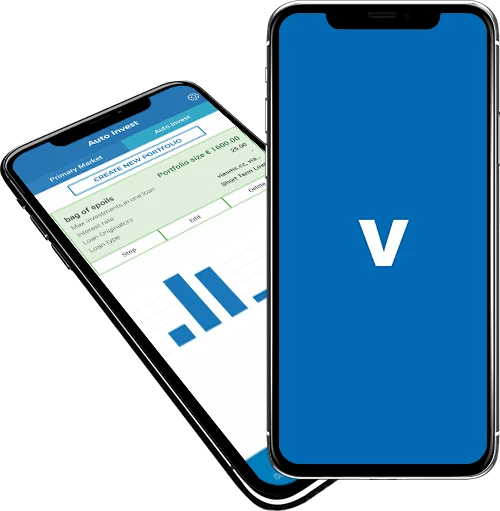
ViaInvest is an excellent mobile application that allows users to view a summary of their account balance in terms of total available funds and invested funds with an option to view paid interest, accumulated interest, net annual return details, and set up and edit auto-invest portfolios.
Client Requirements
The aim is to develop a mobile application (exclusively for Android & iOS Smartphone devices) that allows users to monitor their investment portfolio performance, browse available loan listings to make manual investment, set up and edit auto-invest portfolios. The users should be able to view their portfolio, can chat with the investors and advisors, read instructions related to adding funds in an investor bank account, and receive push notifications. Furthermore, the user should view available funds with an option to withdraw funds from the applicationApplication Features and Functionalities – For Users
Summary Feature
The summary feature allows the users to monitor their investment portfolio performance by viewing their account balance wherein they can view the total available funds and invested funds along with a total of both the fundsThe users can also view the interest paid, i.e. profit on the invested funds, accumulated interest along total interest in terms of percentage and euro. He/She can also view net annual return i.e. annualized measure of the rate of return on the initial amount investedThey can view account statements, view opening, closing balance of respective dates and can also filter and download their account statement from the applicationHelp & Support/Chat Feature
Through this option the users can chat with the investors and advisors through the applicationInvest Feature
The Primary Market option of Invest feature lets the users to browse the available loan listings and select any loan to view detailed descriptions related to loan, borrower, and schedule payment. The users can also view the initial loan amount, available for investment amount, interest rate, available balance and can make manual investment by entering the amount (in euro currency)The Auto Invest option in Invest feature allows the users to auto invest by creating a new portfolio by adding necessary informationPortfolio Feature
Through portfolio feature the users can view a list of all the portfolios created and select any created portfolio to view description.Funds Feature
Through Funds feature the users can view their available funds including the option to withdraw funds from the bank account and their investor bank account details to start investing by depositing funds in their investor’s bank account from outside the applicationProfile Feature
With the profile feature the users can view and edit his/her profile details and save the changes, view the list of documents uploaded with an option to upload new documents, Switch On/Off to get notification alerts and can change their Password & Pass code




















Sign in to leave a comment.