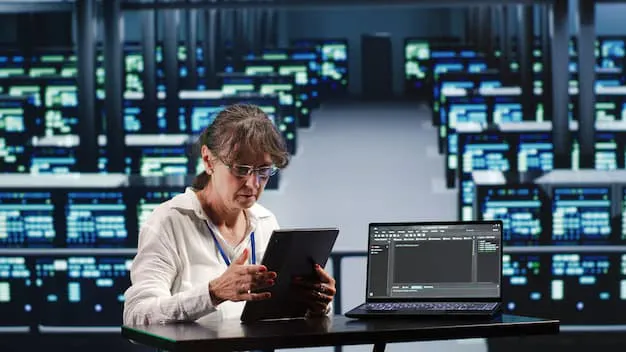

Hybrid work has changed how organizations manage employees, applications, data, and workplace technology. With staff working across offices, homes, and other locations, traditional desktop management can become difficult to control and maintain. virtual desktop infrastructure solutions provide a centralized approach that allows organizations to deliver consistent computing environments while keeping applications and data under controlled management. By hosting desktop environments centrally, organizations can simplify administration, improve accessibility, strengthen security, and support flexible working arrangements without requiring every employee device to contain all necessary business resources.
Understanding Virtual Desktop Infrastructure
Virtual desktop infrastructure is a technology approach that hosts desktop environments within centralized computing resources rather than relying entirely on individual physical computers. Users can access their assigned desktop through compatible devices and secure connections. The processing environment, applications, and business information can remain within centrally managed infrastructure. This model allows organizations to establish consistent desktop configurations while reducing the complexity associated with maintaining numerous physical machines. It can also make it easier for technical teams to manage updates, security controls, software installations, and user access from a centralized administrative environment.
How Virtual Desktops Support Hybrid Teams
Hybrid employees often need access to the same applications and resources regardless of where they work. A centrally hosted desktop can provide a familiar working environment from different locations and supported devices. Employees can sign in and continue working without depending entirely on the capabilities of a particular computer. This consistency can be especially valuable for organizations with distributed teams, temporary workers, contractors, and employees who regularly move between office and home environments. Centralized desktops can therefore help create a more predictable digital workplace while reducing differences between individual computing setups.
Centralized Desktop Management
Managing hundreds or thousands of physical computers can require considerable administrative effort. Each device may require separate operating system updates, application installations, security configurations, troubleshooting, and hardware maintenance. Centralized desktop infrastructure can reduce this burden by allowing technical teams to manage many computing environments from a controlled location. Administrators can establish standardized configurations and apply changes more efficiently. When employees require updated applications or security improvements, the changes can be managed centrally instead of requiring extensive manual intervention across individual endpoints. This approach can improve operational consistency while helping technical teams use their resources more efficiently.
Why Hybrid Work Requires Flexible Infrastructure
Hybrid work environments introduce greater diversity in devices, networks, locations, and working schedules. Employees may connect from corporate offices, residential networks, shared workspaces, or temporary locations. This flexibility creates challenges for organizations attempting to maintain consistent performance and security across every endpoint. Centralized desktop delivery can address some of these challenges by moving important computing resources away from individual devices and into managed infrastructure. Employees can then access their work environment remotely while organizations retain greater control over applications, configurations, permissions, and business information.
Supporting Different Devices
Employees may use desktops, laptops, thin clients, or other supported devices to perform their responsibilities. Physical hardware can differ significantly in processing power, storage capacity, operating systems, and configuration. A centralized desktop environment can reduce the importance of these differences because much of the computing workload is handled by managed infrastructure. As a result, employees may receive a more consistent experience across supported endpoints. This flexibility can also help organizations extend the useful life of existing hardware, potentially reducing the pressure to replace devices simply because they cannot locally support demanding business applications.
Improving Accessibility
Accessibility is an important consideration for hybrid organizations because employees need reliable access to business resources from different locations. A centrally managed desktop environment can provide access to applications and workspaces without requiring complete software installations on every endpoint. When properly designed, employees can authenticate securely and reach their assigned environments through an appropriate connection. This model can support workforce mobility while helping organizations maintain control over sensitive resources. It also provides a practical way to establish a consistent work environment for employees who frequently change locations or divide their working schedules between offices and remote settings.
Security Advantages of Centralized Desktop Delivery
Security remains a major concern when employees access corporate systems from outside traditional office networks. Distributed endpoints can create additional opportunities for unauthorized access, data exposure, malware, and configuration errors. Centralized desktop environments can help organizations reduce some endpoint related risks by keeping applications and important information within managed infrastructure. Access controls, authentication policies, monitoring capabilities, and administrative restrictions can be applied centrally. Although virtualization does not automatically guarantee security, it can provide an architectural foundation that helps organizations establish stronger and more consistent controls across a distributed workforce.
Protecting Business Data
Keeping sensitive business information away from individual endpoints can reduce the consequences associated with lost or compromised devices. Depending on the architecture, employees may interact with centrally hosted applications and desktops without storing substantial amounts of business data locally. This can be useful when workers access corporate resources from personal or shared devices. Centralized management also allows technical teams to apply access policies according to user roles and organizational requirements. Strong authentication, encryption, monitoring, and carefully designed permissions remain essential, but centralized desktop delivery can make these controls easier to coordinate across a large workforce.
Managing User Access
Different employees require different applications and levels of access. Centralized desktop environments can support role based access by providing users with appropriate applications and computing resources according to their responsibilities. When an employee changes departments, responsibilities, or employment status, administrators can adjust access without rebuilding an entire physical workstation. This can improve administrative efficiency and reduce the likelihood of unnecessary permissions remaining active. Effective access management should combine centralized desktop controls with strong authentication, identity management, regular permission reviews, and clear security policies to create a more comprehensive protection strategy.
Operational Benefits for IT Teams
IT departments often spend significant time maintaining physical endpoints and responding to individual desktop issues. Centralized infrastructure can simplify many administrative processes by moving desktop management into a controlled environment. Application deployment, operating system maintenance, configuration changes, and user provisioning can become more standardized. Technical teams can also monitor centralized resources and identify recurring performance or access issues more efficiently. This can reduce repetitive support work and allow IT professionals to focus more attention on strategic technology initiatives, infrastructure improvements, security planning, and business requirements rather than routine endpoint maintenance.
Simplifying Application Management
Applications can become difficult to manage when every employee device requires separate installations and updates. Centralized delivery can allow organizations to maintain applications within managed computing environments and provide access according to user requirements. When an application needs an update, administrators may be able to manage the change centrally rather than coordinating installations across numerous endpoints. This can improve version consistency and reduce configuration differences. It can also make application onboarding easier when new employees join the organization. Proper application compatibility testing remains important because centralized infrastructure still needs to support the technical and performance requirements of business software.
Reducing Hardware Dependency
Organizations frequently replace physical computers because hardware becomes outdated, incompatible, or insufficient for newer applications. Centralized desktop environments can reduce dependence on high performance endpoint hardware because processing may occur within managed infrastructure. This can potentially extend the useful life of existing devices and create more flexibility in hardware procurement. Organizations can evaluate endpoint requirements according to actual access needs rather than assuming every employee requires a powerful computer. Hardware savings will vary according to infrastructure design, licensing, networking, storage, and operational requirements, so financial evaluation should consider the complete environment rather than equipment costs alone.
Performance and User Experience Considerations
Successful hybrid desktop delivery depends heavily on user experience. Employees expect applications to respond quickly and desktops to remain available during normal working activities. Performance can be affected by network quality, server capacity, storage performance, application behavior, graphics requirements, and the number of simultaneous users. Organizations should therefore assess workloads carefully before implementation. Monitoring tools can help identify resource bottlenecks and unusual usage patterns. Capacity planning is equally important because infrastructure must accommodate changing workforce sizes and usage patterns without creating unacceptable delays or interruptions during critical business operations.
Network Reliability
Because employees commonly access centralized desktops through networks, connectivity becomes an important part of the overall experience. Poor bandwidth, high latency, unstable connections, and network congestion can affect responsiveness. Organizations should assess the locations from which employees connect and design infrastructure accordingly. Reliable connectivity, appropriate network architecture, traffic management, and resilient infrastructure can improve accessibility. Organizations should also consider what happens when connectivity is interrupted. Business continuity planning can help define alternative access methods and recovery procedures. A strong desktop environment should therefore be supported by dependable networking rather than treating connectivity as a secondary consideration.
Scalability for Growing Organizations
Hybrid workforces can change rapidly as organizations hire employees, open locations, restructure departments, or adopt new working policies. Desktop infrastructure should be capable of expanding without creating excessive administrative complexity. Centralized platforms can provide scalability by allowing computing resources to be adjusted according to user demand and organizational requirements. Administrators can provision additional desktop environments when workforce numbers increase and modify resources when requirements change. Scalability planning should include processing capacity, memory, storage, networking, licensing, backup, security, and support resources to ensure that growth does not compromise performance or reliability.
Supporting Temporary and Distributed Workers
Some organizations rely on contractors, seasonal employees, consultants, or temporary project teams. Providing physical computers to every short term worker can increase procurement, configuration, support, and recovery responsibilities. Centralized desktop delivery can provide a more controlled way to give temporary users access to required applications and resources. Access can be established according to defined responsibilities and removed when the engagement ends. This approach can help organizations maintain better control over corporate resources while reducing unnecessary long term hardware commitments. It can also make onboarding and offboarding processes more structured for distributed teams.
Business Continuity and Disaster Recovery
Business continuity is increasingly important for organizations with employees working across multiple locations. Unexpected hardware failures, facility problems, cyber incidents, or other disruptions can interfere with access to essential applications. Centralized desktop environments can support continuity strategies when designed with appropriate redundancy, backup, monitoring, and recovery mechanisms. Organizations can maintain replicated resources and documented recovery procedures according to their operational requirements. However, virtualization alone is not a complete disaster recovery strategy. Successful continuity planning requires regular testing, clear responsibilities, recovery objectives, backup validation, and dependable infrastructure capable of supporting critical workloads during disruptions.
Choosing the Right Infrastructure Approach
Selecting an appropriate desktop infrastructure requires more than comparing technical features. Organizations should evaluate workforce size, application requirements, user locations, device types, security expectations, network conditions, existing infrastructure, administrative capabilities, and future growth. Cost should also be assessed across deployment, licensing, infrastructure, support, maintenance, and training. A solution that appears inexpensive initially may become costly if it requires extensive management or cannot support important workloads. Conversely, an appropriately designed environment can provide long term operational value by simplifying administration, supporting workforce flexibility, and creating a more consistent approach to desktop delivery.
Evaluating User Requirements
Different users may have substantially different computing needs. Office employees may require productivity applications, while designers, engineers, analysts, developers, or other specialized workers may require applications with greater processing or graphics demands. Organizations should categorize users according to workload requirements before designing the environment. User experience testing can then determine whether applications perform acceptably under realistic conditions. This assessment helps prevent organizations from creating a one size fits all infrastructure that either wastes resources or delivers insufficient performance. A workload based approach can create better alignment between infrastructure investment and actual employee requirements.
Implementing Virtual Desktop Infrastructure Successfully
Implementation should begin with clear objectives rather than immediately deploying technology across the entire organization. A pilot involving representative users can help identify application compatibility, performance, security, networking, and support requirements. Feedback from employees and IT teams can guide adjustments before broader deployment. Documentation should cover provisioning, access management, monitoring, troubleshooting, backup, recovery, and user support. Training can also improve adoption by helping employees understand how to access their desktops and respond to common issues. A phased implementation approach can reduce operational risk and provide opportunities to improve the environment based on practical experience.
Measuring Long Term Success
Organizations should establish measurable objectives before deployment to determine whether the infrastructure delivers expected value. Useful measures can include application availability, user satisfaction, support ticket volume, provisioning time, infrastructure utilization, security incidents, and endpoint replacement requirements. Financial measures can also help evaluate whether the environment is producing expected operational efficiencies. Regular reviews allow organizations to identify changing workforce requirements and adjust resources accordingly. Continuous improvement is important because hybrid work environments evolve over time. An infrastructure that performs effectively today may require different capacity, policies, or management processes as business needs change.
Conclusion
Hybrid work requires technology that can balance accessibility, security, performance, scalability, and centralized management. Virtual desktop infrastructure can provide organizations with a structured way to deliver consistent computing environments across different locations and supported devices. When carefully planned, it can simplify administration, strengthen control over business resources, support flexible workforce models, and reduce dependence on individual endpoint configurations. Successful adoption depends on thoughtful workload assessment, reliable networking, security planning, user testing, capacity management, and ongoing optimization. Organizations seeking a practical approach to modern desktop delivery can also evaluate Inuvika OVD Enterprise when considering solutions designed for flexible and centralized workplace computing.



























Sign in to leave a comment.