Virtual reality has moved beyond gaming consoles and tech demos. Today, businesses across industries are discovering how immersive experiences can transform customer engagement, employee training, and operational efficiency. If you're considering building a VR application, you're entering a market projected to reach $87 billion by 2030, with enterprise adoption growing faster than ever before.
This comprehensive guide walks you through everything you need to know about creating successful VR applications, from initial concept to market launch and beyond.
Understanding Modern Virtual Reality Technology
Virtual reality creates computer-generated environments that users can explore and interact with in ways that feel tangible and real. Unlike traditional screens that display information at arm's length, VR wraps around your entire field of vision, responding to your movements and actions in real time.
The technology has evolved dramatically over the past few years. Early VR systems required expensive computers and complicated setups. Modern headsets like the Meta Quest 3 and Apple Vision Pro offer standalone experiences with no external hardware needed. This accessibility has opened doors for businesses that previously couldn't justify the investment.
What makes VR particularly valuable for businesses is presence—the psychological phenomenon where users feel like they're actually inside the digital environment. When someone puts on a VR headset and finds themselves standing on a factory floor or examining a 3D product model, their brain processes that experience similarly to being physically present. This deep engagement creates opportunities for training, visualization, and customer experiences that flat screens simply cannot match.
Why Businesses Are Investing in VR Applications
The business case for VR has shifted from "nice to have" to "competitive advantage" in many sectors. Companies aren't building VR apps because the technology is cool—they're doing it because the return on investment is measurable and significant.
Training and Education Applications
Walmart trained over one million employees using VR before the pandemic hit. When COVID-19 made in-person training impossible, companies with VR programs maintained continuity while competitors scrambled. The reason VR training works so well is simple: people learn by doing, and VR lets them practice dangerous, expensive, or rare scenarios repeatedly without real-world consequences.
A surgical resident can practice a complex procedure fifty times in VR before touching a real patient. A factory worker can learn machine operation without risking injury or production downtime. An airline pilot can experience emergency scenarios that would be dangerous to create in actual flight. The training sticks because the experience feels real, triggering the same
neural pathways as actual hands-on practice.
Product Visualization and Design
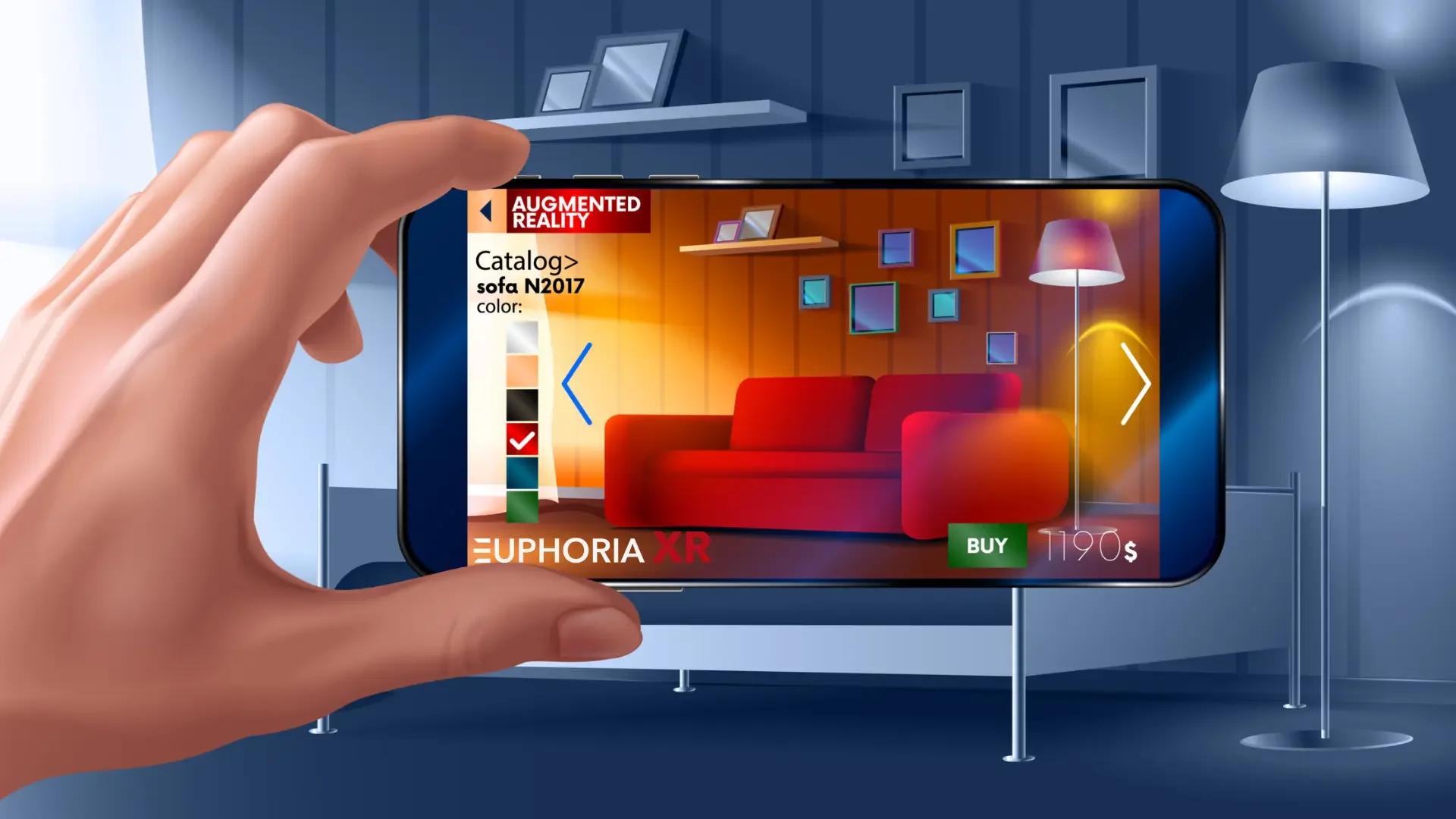
Architecture and real estate firms use VR to let clients walk through buildings before construction begins. Automotive companies let customers configure and explore vehicles in virtual showrooms. Furniture retailers enable shoppers to see exactly how a sofa will look in their living room.
This visualization capability reduces costly mistakes in the design phase and increases customer confidence in purchase decisions. When IKEA introduced VR showrooms, they found customers who used the experience were significantly more likely to complete purchases and less likely to return items.
Remote Collaboration and Meetings
The shift to remote work revealed limitations in video conferencing. You can't have side conversations, read body language effectively, or collaborate on 3D objects through a flat screen. VR meetings create shared spaces where remote teams can gather around virtual whiteboards, examine 3D models together, or simply have more natural interactions.
Companies using VR development services for collaboration tools report that creative problem-solving improves when teams can interact spatially rather than through grid views of faces.
Customer Experience and Marketing
Brands are discovering that VR creates memorable experiences that traditional advertising cannot match. A travel company lets potential customers experience a destination before booking. A theme park offers virtual previews of new attractions. A fashion brand hosts immersive runway shows accessible from anywhere in the world.
These aren't gimmicks—they're strategic investments in customer engagement. People spend an average of 7-10 minutes in a branded VR experience compared to seconds with traditional digital ads. That extended attention creates stronger brand connections and higher conversion rates.
Key Technologies Behind Successful VR Applications
Building effective VR applications requires understanding several interconnected technology layers. Each component plays a critical role in creating the immersive, responsive experience users expect.
Hardware Platforms and Capabilities
The VR hardware landscape has diversified significantly. Standalone headsets like Meta Quest devices dominate the consumer market with their ease of use and affordable pricing. These devices pack impressive computing power into self-contained units, running Android-based operating systems that feel familiar to mobile developers.
PC-tethered headsets like the Valve Index and HTC Vive Pro offer higher performance for applications demanding complex graphics or precise tracking. These systems connect to powerful computers that handle the heavy computational lifting, enabling richer visual experiences and more sophisticated simulations.
Apple Vision Pro represents a different approach entirely, blending VR with augmented reality and emphasizing productivity alongside entertainment. Its eye and hand tracking technology eliminates controllers entirely, creating more natural interactions.
When planning VR application development, your target platform choice affects everything from visual fidelity to interaction design. A training application for enterprise might target PC VR for maximum realism, while a customer-facing experience would likely choose standalone headsets for accessibility.
Development Engines and Frameworks
Unity and Unreal Engine power the majority of commercial VR applications. Unity dominates in business applications and mobile VR due to its flexibility and extensive plugin ecosystem. Its C# scripting environment feels approachable for developers with traditional programming backgrounds.
Unreal Engine, built on C++, offers stunning visual fidelity out of the box. Its Blueprint visual scripting system lets designers create interactions without writing code, while programmers can dive deep into C++ for performance-critical features. Games and high-end architectural visualizations often choose Unreal for its rendering capabilities.
Both engines provide VR-specific features: head tracking, controller input handling, spatial audio, and performance optimization tools designed specifically for the constraints of running complex 3D environments at the high frame rates VR requires.
WebVR and WebXR bring VR experiences to web browsers, lowering the barrier to entry for users. Instead of downloading an application, users can access VR content through a URL. While browser-based VR has limitations compared to native applications, it excels for marketing experiences and demonstrations where easy access matters more than cutting-edge features.
Tracking and Input Systems
Accurate tracking transforms VR from a 3D movie into an interactive experience. Inside-out tracking, where cameras on the headset monitor the environment, has become standard. This system tracks both head position and hand controller location without external sensors, simplifying setup while maintaining accuracy.
Hand tracking takes interaction further by eliminating controllers entirely. Users interact with virtual objects using natural hand gestures, reaching out to grab, point, or manipulate items as they would in the physical world. While not suitable for every application, hand tracking creates more intuitive experiences for tasks like object examination or menu navigation.
Eye tracking, featured in newer headsets, enables sophisticated features. Applications can render sharp detail only where users are looking, dramatically improving performance. Eye gaze can serve as an input method, selecting objects by looking at them. Training simulations can analyze where users focus attention, revealing whether they're following procedures correctly.
Spatial Audio Technology
Immersive audio completes the sense of presence. Spatial audio systems simulate how sound behaves in three-dimensional space—sounds behind you come from behind, distant sounds are quieter, and audio reflects off virtual surfaces appropriately. This audio positioning helps users locate objects, understand their environment, and feel grounded in the virtual space.
The technology matters more than many developers initially realize. Studies show that spatial audio significantly increases the sense of presence and helps users maintain situational awareness in complex environments. Training simulations use audio cues to guide attention without visual clutter, while social VR applications rely on spatial audio to make conversations feel natural.
The Complete VR Development Process
Creating a successful VR application follows a structured process, though iteration and flexibility remain important throughout. Understanding each phase helps set realistic timelines and budgets.
Strategy and Planning Phase
Every successful VR project begins with clear answers to fundamental questions: What problem are you solving? Who will use this application? What specific outcomes define success? These questions sound basic, but vague answers lead to projects that drift or fail to deliver value.
A manufacturing company might identify "reduce workplace accidents in the stamping department" as their goal. This specificity guides every subsequent decision. The target users are stamping operators with varying technical comfort. Success means reduced accident rates and faster completion of safety certification.
With goals defined, you analyze whether VR is genuinely the best solution. VR excels at spatial understanding, procedural training, and experiences where presence matters. It's often overkill for simple information delivery or tasks that work well on traditional screens. Honest evaluation at this stage prevents expensive mistakes later.
Platform selection happens here. Budget, target audience, required features, and distribution plans all factor into choosing between standalone, PC VR, or web-based approaches. An internal training application might target specific hardware that the company will provide. A customer-facing experience needs broader compatibility.
Experience Design and Prototyping
VR interaction design differs fundamentally from screen-based interfaces. You're not designing pages or screens—you're creating spaces that users inhabit. Comfortable VR experiences respect human scale, provide clear spatial orientation, and minimize actions that cause motion sickness.
The design process starts with wireframes, but for VR, these often exist as 3D blockouts rather than 2D sketches. Designers create rough 3D environments using simple shapes, establishing scale, layout, and user movement patterns before any detailed art is created.
User flow in VR considers physical comfort. How long will users stand? Where should interactive elements be positioned so people of different heights can reach them comfortably? How do users navigate large spaces without physically walking long distances? These questions have significant impact on user comfort and accessibility.
Prototyping happens early and often. Building rough versions quickly and testing with real users in headsets reveals problems that never appear in 2D planning. A training scenario might seem logical on paper but prove confusing when experienced spatially. Users might struggle to reach objects positioned too high or miss important elements placed outside typical viewing angles.
Technical Development and Integration
Core development transforms designs into functioning applications. This phase involves 3D modeling, programming interaction systems, implementing audio, optimizing performance, and integrating any external systems or data sources.
Performance optimization deserves special attention in VR. Applications must maintain high, stable frame rates—typically 72-90 fps minimum depending on the target headset. Lower frame rates cause discomfort and motion sickness. Developers use various techniques: level of detail systems that show simpler models for distant objects, occlusion culling that doesn't render what users can't see, texture atlasing, and careful polygon budgets.
When projects require connecting to external systems—databases, e-commerce platforms, learning management systems, or enterprise software—integration architecture matters significantly. Will data sync in real time or load once at startup? How does the application handle network interruptions? What happens when external systems are updated?
Working with a VR app development company experienced in enterprise integration can prevent painful problems. They've solved issues around authentication, data security, offline functionality, and system compatibility that might not be obvious until you're deep in development.
Testing and Quality Assurance
VR testing goes beyond checking that features work correctly. Comfort testing ensures users don't experience motion sickness, eye strain, or physical fatigue. This requires real people wearing headsets for extended periods, not just developers who've built up tolerance through constant use.
Accessibility testing evaluates whether users with different physical abilities can use the application. Can seated users reach all interactive elements? Do audio cues supplement visual information for users with vision impairments? Are text elements readable for users with different eyesight?
Performance testing happens across target hardware. An application might run smoothly on a high-end PC but stutter on the target standalone headset. Testing must happen on actual devices, not just development systems, because optimization problems often only appear on minimum-spec hardware.
User acceptance testing brings in representative users—not developers or designers—to accomplish real tasks. Watching people unfamiliar with the application reveals where instructions are unclear, interactions are unintuitive, or important features are overlooked. This feedback is invaluable for refinement before launch.
Deployment and Distribution
Distribution strategy depends on your platform choice and audience. Applications for Meta Quest devices go through the Oculus Store submission process, which includes content review and technical requirements. Steam serves PC VR applications through SteamVR. Enterprise applications might deploy through mobile device management systems or private distribution channels.
App store submissions require preparation: promotional materials, compliance with content policies, age ratings, privacy disclosures, and technical validation. First submissions often face rejection for seemingly minor issues, so building buffer time into launch schedules prevents deadline stress.
For enterprise applications, deployment often means working with IT departments to integrate with existing systems, configure access controls, and plan hardware logistics. If you're deploying to hundreds or thousands of employees, device management and support become significant considerations.
AI Integration in Modern VR Development
Artificial intelligence is transforming how VR applications behave and adapt. Rather than following rigid scripts, AI development services enable VR environments that respond intelligently to user behavior.
Intelligent Non-Player Characters
Training simulations benefit enormously from AI-driven characters that react realistically to user actions. A customer service training scenario with AI characters creates dynamic conversations rather than multiple-choice responses. Trainees must handle unexpected questions, emotional reactions, and complex situations—just like real interactions.
The AI observes trainee responses and adjusts difficulty appropriately. New employees encounter simpler scenarios while experienced staff face complex challenges. This adaptive difficulty keeps training engaging and appropriately challenging for users at all skill levels.
Procedural Content Generation
AI can generate varied environments, scenarios, or challenges, making repeated use of training applications feel fresh. Instead of memorizing the same simulation, users encounter unique variations each time while learning the same underlying principles.
A firefighter training application might use AI to generate different building layouts, fire patterns, and rescue scenarios. Trainees develop adaptable problem-solving skills rather than memorizing specific solutions.
Natural Language Interaction
Voice interaction makes VR experiences more immersive by eliminating the need to remove headsets to type. AI language models enable natural conversation with virtual characters, information retrieval through spoken questions, and hands-free control of application features.
An architectural visualization might let clients describe desired changes verbally: "Make the living room larger" or "Show me different countertop materials." The AI interprets intent and makes appropriate adjustments without requiring users to navigate complex menus.
Predictive Analytics and Personalization
AI systems analyze how users interact with VR applications, identifying patterns that improve future experiences. A retail VR application might notice which products users examine closely, adjusting recommendations accordingly. Training applications identify which concepts users struggle with, adapting curriculum to focus on weak areas.
This intelligence transforms applications from static experiences into learning systems that improve over time, both for individual users and across the entire user base.
Industry-Specific VR Applications
While VR technology is general-purpose, successful applications are built with deep understanding of specific industry needs and workflows.
Healthcare and Medical Training
Medical VR applications range from surgical training to patient therapy. Surgical residents practice procedures in VR before operating on patients, building muscle memory and decision-making skills in risk-free environments. The technology provides consistent training experiences regardless of which supervisor is available or what cases happen to come through the hospital.
Pain management applications use VR distraction therapy, proven effective at reducing patient discomfort during procedures or recovery. The immersive nature of VR captures attention completely, making physical discomfort less prominent in awareness.
Physical therapy applications guide patients through exercises with proper form, track progress, and make rehabilitation less tedious through gamification. Patients perform prescribed exercises more consistently when the experience feels engaging rather than clinical.
Mental health applications address phobias through gradual exposure therapy in controlled environments. A patient with fear of heights can face increasingly challenging scenarios with their therapist, progressing at their own pace without real-world risk.
Manufacturing and Industrial Training
Factory environments present numerous hazards where mistakes have serious consequences. VR training lets workers practice equipment operation, safety procedures, and emergency response before working with dangerous machinery.
A virtual reality development services project for a manufacturing client might create digital twins of production equipment. Workers learn standard operations, troubleshoot common problems, and practice maintenance procedures virtually. When they encounter the real equipment, their hands already know the motions and their minds understand the processes.
Quality control inspectors use VR to study defect examples in detail from every angle. Assembly line workers learn complex procedures step-by-step with AR guidance overlaying virtual instructions on real equipment.
Real Estate and Architecture
Architects create VR walkthrough experiences that let clients experience spaces before construction. Changes that would be expensive or impossible to modify later become easy to address in VR: ceiling heights feel wrong, rooms seem cramped, or lighting doesn't match expectations.
Real estate developers use VR to sell properties before they're built. Potential buyers tour virtual models of developments, exploring different unit configurations, finishes, and views. This pre-construction sales capability accelerates project timelines and reduces financial risk.
Interior designers collaborate with clients in VR, trying different furniture arrangements, materials, and color schemes instantly. Clients make confident decisions when they can see and feel the space rather than imagining it from 2D renderings.
Retail and E-Commerce
Virtual showrooms let online shoppers experience products at scale in realistic settings. Furniture appears in room environments similar to buyers' homes. Vehicles can be examined inside and out, with different colors, wheels, and features.
These experiences reduce return rates significantly. Customers who experience products in VR know what they're buying, leading to higher satisfaction and fewer surprises when items arrive.
Virtual stores create destination experiences that build brand identity beyond simply selling products. Fashion brands host virtual runway shows. Automotive companies create interactive brand museums. These experiences deepen customer relationships beyond transactional interactions.
Education and Training
Educational institutions use VR to teach concepts that are abstract, dangerous, or impossible to experience otherwise. Students explore ancient civilizations through virtual historical reconstructions. Science students visualize molecular structures or astronomical phenomena at appropriate scales. Engineering students disassemble complex machinery to understand internal mechanisms.
The engagement levels VR creates address educational challenges. Students who struggle to focus on traditional lectures often engage deeply with VR content because the medium demands active participation rather than passive observation.
Cost Factors and Investment Considerations
VR development costs vary enormously based on project scope, complexity, and quality expectations. Understanding cost drivers helps set realistic budgets and identify where investment creates value.
Development Complexity and Timeline
Simple VR experiences with basic interactions and limited content might require three to six months of development. Medium complexity applications with custom features, moderate content volume, and polish typically need six to twelve months. Complex enterprise applications with extensive content, advanced features, and integration requirements often take twelve months or longer.
These timelines assume experienced teams working without major scope changes. First-time VR projects frequently underestimate development time because VR-specific challenges aren't obvious until you encounter them.
Team size and composition affect costs significantly. A small team might include a project manager, two 3D artists, two programmers, a UX designer, and a QA tester. Larger projects might need multiple specialized roles: technical artists, audio designers, animation specialists, network programmers, and more.
Content Creation Requirements
3D asset creation consumes substantial time and budget. A simple product visualization needs one detailed 3D model. A training simulation of a factory floor requires modeling entire buildings, machinery, tools, and equipment. Photorealistic quality demands more work than stylized graphics.
Voice acting, sound effects, and music contribute to production costs. Professional narration for training content ensures clarity and professionalism. Spatial audio implementation requires expertise beyond standard game audio.
Platform and Technology Choices
Building for multiple platforms increases development costs but expands potential audience. Cross-platform development requires testing on each target device, addressing platform-specific issues, and sometimes creating different interaction schemes for different input methods.
Advanced features like hand tracking, eye tracking, or full-body tracking add development complexity. These features create impressive experiences but require additional programming, testing, and potentially hardware-specific versions.
Ongoing Maintenance and Updates
VR applications require maintenance after launch. Operating systems and hardware update regularly, sometimes requiring compatibility adjustments. Content updates keep applications fresh and relevant. Bug fixes address issues discovered in production use.
Enterprise applications often need ongoing support: user training, technical support, content updates as processes change, and feature additions as user needs evolve.
Selecting the Right Development Partner
Many organizations lack internal VR expertise and choose to work with external developers. Finding the right VR development company significantly impacts project success.
Evaluating Technical Capabilities
Review potential partners' portfolios carefully, looking for work similar to your project requirements. A company with strong gaming experience might not excel at enterprise training applications. Development for healthcare has different requirements than retail experiences.
Ask about their development process, tools, and technologies. How do they handle project management? What quality assurance processes do they follow? How do they approach performance optimization?
Technical infrastructure matters for long-term success. How do they handle version control? What's their approach to code documentation? Do they create maintainable codebases that can be updated and extended over time?
Industry Experience and Domain Knowledge
Partners who understand your industry create better solutions. They know typical workflows, common pain points, and regulatory requirements. A virtual reality app development company with healthcare experience understands HIPAA compliance. One with manufacturing background knows safety training requirements.
This domain knowledge accelerates development. Industry-experienced teams ask better questions during planning, suggest relevant features you might not have considered, and avoid approaches that seem reasonable but don't work in practice.
Communication and Collaboration Style
Development partnerships succeed through clear communication. During evaluation, notice how potential partners explain technical concepts. Do they use jargon or communicate clearly? Do they ask questions to understand your needs or jump to proposing solutions?
Project management approach affects collaboration quality. How frequently will you receive updates? What visibility do you have into development progress? How are change requests handled? How do they manage risks and problems?
Cultural fit matters more than many clients expect. You'll work closely with this team for months. Mismatched working styles, communication patterns, or expectations create friction that drains energy and slows progress.
Support and Long-Term Partnership
Initial development is only the beginning. Ask about post-launch support: response times for issues, process for updates and enhancements, knowledge transfer if you want to maintain the application internally eventually.
Strong partners think long-term. They build maintainable systems, document their work thoroughly, and structure projects for future expansion rather than creating one-off solutions that become technical debt.
Future Trends Shaping VR Development
The VR landscape continues evolving rapidly. Understanding emerging trends helps make investment decisions that remain valuable as technology progresses.
Hardware Advancement
Next-generation headsets will be lighter, more comfortable, and more powerful. Improved optics will increase field of view and eliminate screen-door effects. Better battery life will enable longer sessions in standalone devices.
Haptic feedback technology is becoming more sophisticated. Gloves that provide touch sensation are moving from research labs to commercial products. Full-body haptic suits create physical sensations matching virtual experiences, dramatically increasing immersion for training and entertainment applications.
Mixed Reality Convergence
The boundary between virtual and augmented reality is blurring. Headsets increasingly support both modes, displaying purely virtual environments or overlaying digital content on the physical world. This flexibility expands application possibilities.
Passthrough mixed reality lets users see the real world through headset cameras while interacting with virtual objects placed in physical space. A furniture shopping experience might place virtual couches in your actual living room. A training application might overlay virtual instructions on real equipment.
Social and Collaborative VR
Multi-user VR experiences are becoming more sophisticated and common. Virtual meeting spaces offer presence and natural interaction that video conferencing lacks. Collaborative design tools let distributed teams work together on 3D models in shared virtual workshops.
Enterprise adoption of social VR accelerates as remote work becomes permanent for many organizations. Tools that enable effective remote collaboration have shifted from nice-to-have to business critical.
Artificial Intelligence Integration
AI and VR will become increasingly intertwined. Intelligent environments that adapt to users, realistic AI characters, procedural content generation, and natural language interaction will become standard features rather than advanced capabilities.
Working with an AI development company alongside your VR development team creates opportunities for innovation. These combined capabilities enable experiences impossible with either technology alone.
Web-Based VR Accessibility
WebXR continues improving, making VR experiences accessible through browsers without application downloads. While performance and features remain behind native applications, the accessibility and frictionless user experience make web VR attractive for marketing, education, and simple interactions.
As browser VR capabilities expand, the line between native and web applications will blur further. Progressive web apps might eventually deliver sophisticated VR experiences with the convenience of web access.
Making Your VR Project Succeed
Success in VR requires more than good technology. These principles increase the likelihood your project delivers value and meets objectives.
Start with Clear Goals
Every decision becomes easier when you know exactly what success looks like. Define specific, measurable outcomes: reduce training time by X percent, increase product conversion by Y percent, achieve Z user satisfaction rating.
These goals guide priority decisions throughout development. When features compete for budget and time, clear goals help identify what's essential versus nice-to-have.
Involve Users Early and Often
The fastest path to failure is building in isolation then presenting finished work to users. Involve representative users from your target audience throughout the process. Test rough prototypes, gather feedback, iterate based on what you learn.
Users reveal assumptions that seemed obvious but aren't. They struggle with interactions that developers found intuitive. They care about details designers overlooked. This feedback is invaluable but only helps if you receive it early enough to act on it.
Plan for Iteration
First versions are never perfect. Plan budget and timeline for refinement after initial launch. Real-world usage reveals opportunities and issues that testing can't anticipate.
Applications that improve through ongoing updates deliver more value over time than those that launch once and stay static. The initial release is version 1.0, not the final product.
Focus on Comfort and Accessibility
Uncomfortable VR experiences don't get used regardless of their other qualities. Prioritize user comfort: maintain high frame rates, avoid rapid movements, respect ergonomic principles in interaction design.
Consider accessibility from the beginning. Applications that work only for perfectly abled users exclude significant portions of potential audiences. Simple accommodations—subtitle options, seated modes, adjustable heights—expand reach substantially.
Measure and Optimize
Implement analytics to understand how users actually interact with your application. What features get used? Where do users struggle? How long do sessions last? This data guides improvements and demonstrates ROI to stakeholders.
Don't just measure—act on what you learn. Regular updates based on usage data and user feedback show users you're committed to their success and keep applications relevant as needs evolve.
Taking the Next Step
Virtual reality offers genuine business value when applied thoughtfully to real problems. The technology has matured beyond novelty, with proven results across training, visualization, collaboration, and customer experience applications.
Success requires understanding both the technology's capabilities and its limitations. VR excels at creating presence and enabling spatial understanding. It's often overkill for simple information delivery. Choosing the right problems to solve with VR is as important as building the solutions well.
Whether you're exploring VR for the first time or expanding existing initiatives, partnering with experienced professionals accelerates success and avoids costly mistakes. Working with comprehensive VR app development services gives you access to teams who've solved the problems you're about to encounter.
The VR landscape will continue evolving. Hardware will improve, development tools will mature, and new capabilities will emerge. But the fundamental value—creating immersive experiences that engage users more deeply than traditional media—will remain central to successful applications.
Your competitors are exploring these opportunities. The companies that move decisively now, learning through practical experience, will have significant advantages as VR becomes standard rather than innovative. The question isn't whether immersive technology will impact your industry, but whether you'll be leading or following when it does.
Ready to explore how VR can transform your business? Begin with clear goals, involve your target users in the process, and work with partners who understand both the technology and your industry. The immersive future is already here—it's time to step inside.
























Sign in to leave a comment.