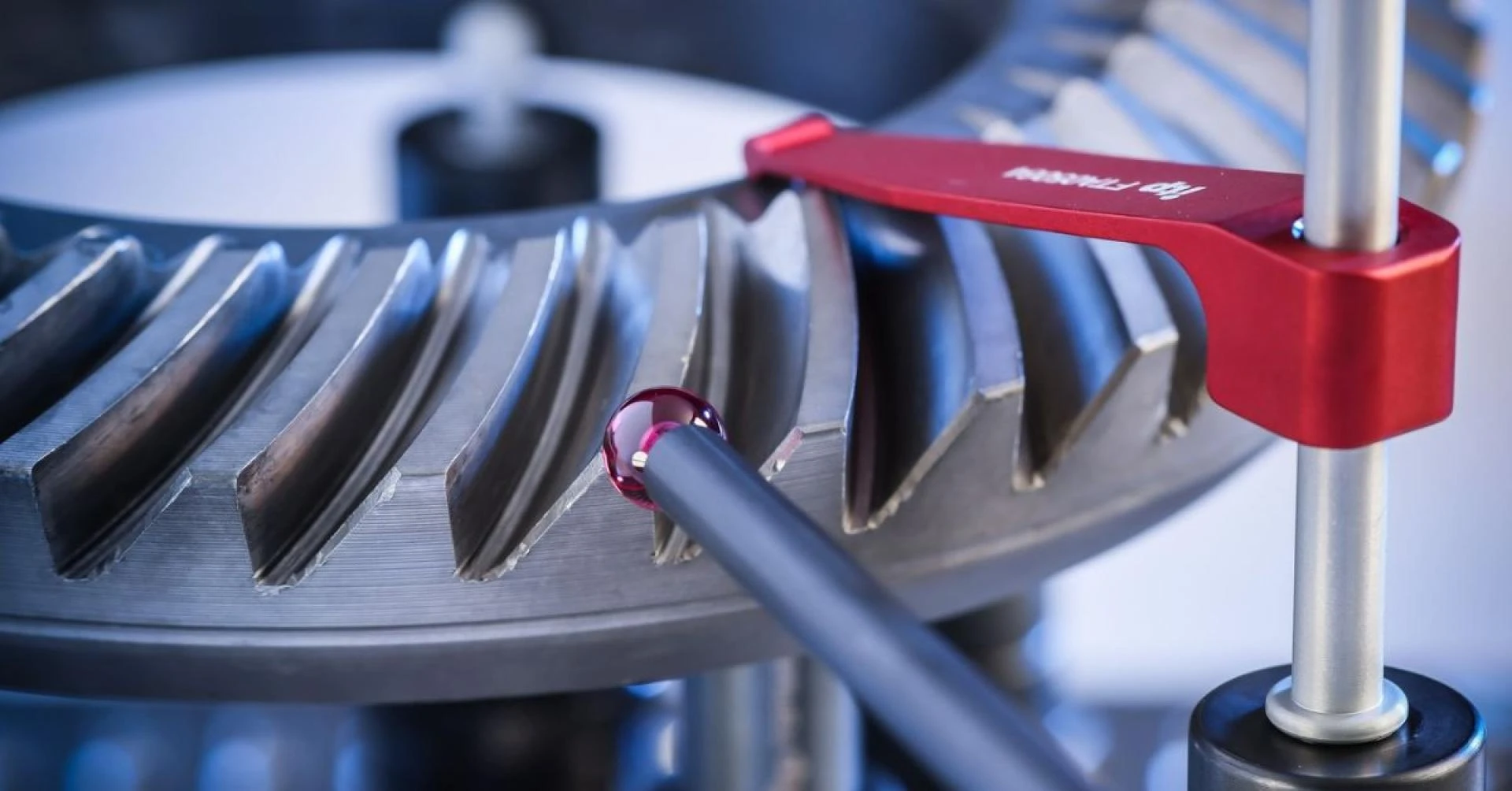
In modern manufacturing, precision and accuracy are critical. Whether in automotive, aerospace, or industrial engineering, manufacturers rely on advanced tools to ensure components meet strict specifications. One such tool is coordinate measuring machines (CMM), and at the heart of their efficiency lies coordinate measuring machine software.
This article explains what coordinate measuring machine software is, how it works, and why it’s essential for quality control in manufacturing.
What Are Coordinate Measuring Machines (CMM)?
Coordinate measuring machines (CMM) are devices used to measure the physical geometrical characteristics of an object. By capturing precise dimensions, they help ensure parts conform to engineering drawings and specifications.
Key components of CMMs include:
- Probes: Measure points on the object’s surface.
- Axes: Usually X, Y, and Z, providing 3D positioning.
- Software: Converts measurement data into usable reports and insights.
Without software, even the most advanced coordinate measuring machines CMM would be unable to process and interpret measurement data efficiently.
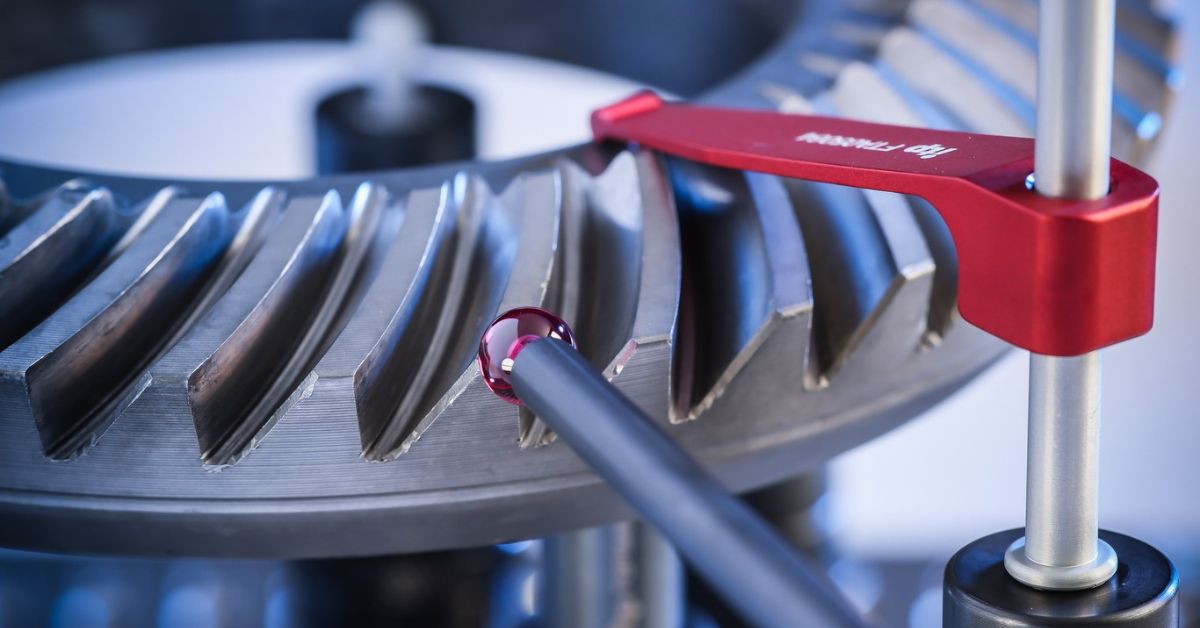
What is Coordinate Measuring Machine Software?
Coordinate measuring machine software is the brain of the CMM. It controls the machine, processes measurements, and generates reports for engineers and quality control teams.
Core Functions of CMM Software:
- Machine Control: Guides the CMM probe along specified paths for accurate measurements.
- Data Collection: Captures 3D coordinates and dimensions from the measured object.
- Data Analysis: Compares measurements against design specifications and tolerances.
- Reporting: Generates detailed reports with deviations, measurements, and pass/fail results.
- Automation: Some advanced software can automate repetitive inspection tasks, improving efficiency.
By integrating software with coordinate measuring machines CMM, manufacturers can ensure consistent accuracy, reduce human error, and speed up the inspection process.
How Does Coordinate Measuring Machine Software Work?
The operation of CMM software can be broken down into several steps:
1. Setting Up the Part
The part to be measured is positioned on the CMM table. The software allows the user to define measurement points, features, and paths for inspection.
2. Probe Movement
Depending on the type of CMM (bridge, gantry, or portable), the probe moves along defined axes, touching or scanning the part. The software controls this movement with high precision.
3. Data Acquisition
As the probe contacts or scans the part, the software records the exact coordinates of each measurement point. These data points form a digital representation of the part.
4. Data Processing & Analysis
The software compares the measured coordinates against CAD models or predefined tolerances. Deviations are highlighted, and engineers can quickly identify issues.
5. Reporting & Documentation
Finally, the software generates inspection reports that include 3D models, measurement tables, and deviation graphs. These reports are essential for quality control, certification, and audit purposes.
Types of Coordinate Measuring Machine Software
There are several types of CMM software, each suited to different manufacturing needs:
- PC-DMIS: Popular for 3D metrology, offering automation and advanced reporting.
- Hexagon Metrology Software: Supports detailed inspection for various CMM types.
- Mitutoyo MCOSMOS: Known for user-friendly interface and integrated measurement analysis.
- Custom Proprietary Software: Some manufacturers develop software tailored to specific machinery or production lines.
Each software type interacts with coordinate measuring machines CMM to streamline measurement, inspection, and reporting.
Benefits of Using Coordinate Measuring Machine Software
Using coordinate measuring machine software offers numerous advantages:
- Accuracy: Reduces human error and ensures precise measurements.
- Efficiency: Speeds up inspection processes, saving time on repetitive tasks.
- Data Management: Organises and stores measurement results digitally.
- Compliance: Helps meet industry standards and quality regulations.
- Automation: Enables automated inspections, reducing manual intervention.
For modern manufacturing, integrating CMM software with coordinate measuring machines CMM is no longer optional—it’s essential for competitive production.
Common Applications
Coordinate measuring machine software is widely used in:
- Automotive Industry: Inspecting engine parts, chassis components, and assemblies.
- Aerospace: Measuring turbine blades, airframe components, and precision instruments.
- Medical Devices: Ensuring implants and surgical tools meet exact specifications.
- Industrial Manufacturing: Checking fabricated components, molds, and tooling.
The software allows for fast, repeatable, and reliable measurements across all these applications.
Conclusion
Coordinate measuring machine software is the backbone of modern coordinate measuring machines CMM. It ensures precise measurement, enhances efficiency, and provides actionable insights that maintain quality and compliance.
By investing in expert CMM software, manufacturers can reduce errors, improve inspection speed, and maintain high-quality standards across their production lines.








Sign in to leave a comment.