

Software automation is the use of technology to automatically perform repetitive or rule-based tasks and processes that would otherwise require human effort, helping improve efficiency, consistency, and speed. It works by using software tools, scripts, or platforms that follow predefined instructions or workflows, where specific triggers (such as a time schedule, user action, or incoming data) initiate automated actions like processing information, sending notifications, updating systems, or running tests. These automated systems can also integrate multiple applications and services, allowing data to flow between them and enabling tasks to be completed accurately and continuously without manual intervention.
Types of Software Automation
There are several types of software automation, each serving a specific purpose:
1. Task Automation
This entails automating the simple and repetitive activities such as data entry, file transfers, or email responses. Task automation is typically performed with the help of tools like Zapier, IFTTT, and Microsoft Power Automate.
2. Process Automation
Process automation is concerned with end-to-end workflow management within a team or system. Business Process Automation (BPA) assists in streamlining complicated operations such as procurement, employee recruitment, and order processing.
3. Robotic Process Automation (RPA)
RPA is a software tool that emulates human behavior in programs. These bots are able to log into systems, relocate files, steal data, and do things that require rule-based actions as a human being would, yet they do it quicker and without exhaustion.
4. Software Testing Automation
Testing automation guarantees quicker and more accurate quality assurance (QA) periods. Selenium, Appium, and JUnit are testing tools that enable developers to run repeated test cases automatically, which will make it possible to do continuous integration and delivery.
5. IT and Infrastructure Automation
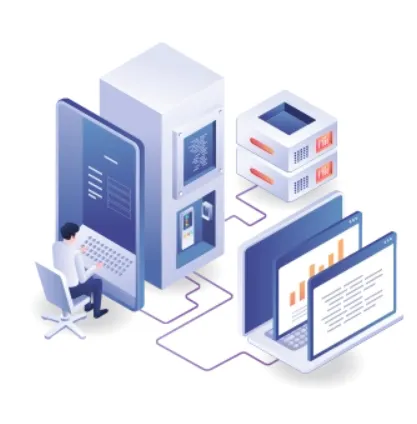
IT environments Automation in IT environments manages tasks such as server provisioning, network configuration, security patching, and scaling of cloud resources. DevOps engineers commonly use tools such as Ansible, Puppet, and Terraform to automate infrastructure.
How Software Automation Works
Understanding how software automation works begins with recognizing the core components that define an automated system:
1. Triggers
A trigger is an event or condition that initiates a workflow that is automated. This may be an action of a user (such as a form submission), a time-based event (such as a daily email report), or a system event (such as a storage limit).
2. Rules or Scripts
Rules specify the actions to be undertaken when a trigger is experienced. They usually entail the use of if-else logic, and they are coded in either programming or scripting languages. Machine learning algorithms and decision models can be applied to find the optimal action in complicated situations.
3. Actions
These are the real actions involved in what the automated system carries out: sending an email, moving a file, updating a database, or executing a deployment of code.
Read more: What is Software Automation and How It Works























Sign in to leave a comment.