
A code plagiarism checker is only as useful as the evidence available to compare.
For programming assignments, that comparison can happen between student submissions, against public code, or through signals associated with AI-generated code. These sources answer different questions. They also produce different types of evidence.
That makes the comparison source an important criterion when evaluating plagiarism check software. A similarity percentage alone does not tell an instructor where the relationship was found, what was compared, or what should happen next.
Start with peer submissions
The most familiar model compares students within the same assignment.
Student A ↔ Student B
MOSS, for example, is designed around comparing submitted programs for similarity. This makes it useful when the question is whether two students have produced substantially similar code.
Code comparison does not have to rely on identical text. Programming-specific methods can normalize code and compare structural elements, allowing detection to remain useful when students rename variables, alter formatting, or make other surface-level changes.
The limitation is the reference set.
If Student A copies from Student B, both submissions are available for comparison. If Student A copies a solution from a public GitHub repository and no classmate uses it, the original source is not present in the course submission set.
The checker can only report what exists in its comparison corpus.
That distinction matters when choosing a source code plagiarism checker.
Public sources create another comparison problem
Programming students have access to code outside the classroom. GitHub repositories, Stack Overflow answers, tutorials, documentation, and other public sources can all contain material that appears in a submitted program.
A system with web-source matching can extend the comparison beyond the current class.
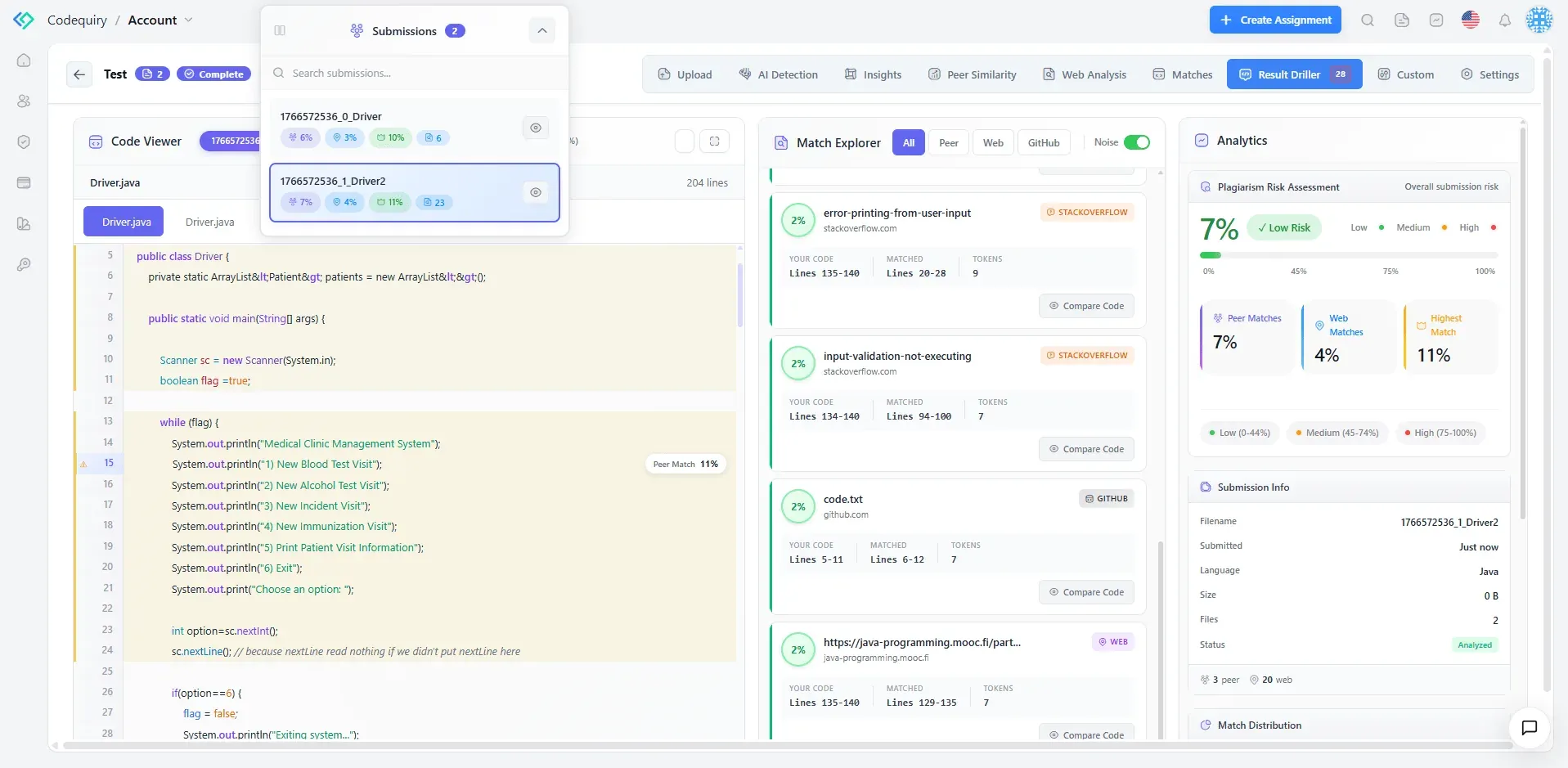
Codequiry's current web detection material describes matching submitted code against public sources and returning the relevant source location and matched region. That gives the reviewer something more useful than a similarity percentage alone.
The distinction is important.
A public-source match does not automatically establish that a student violated an academic-integrity policy. The source may have been permitted, provided by the instructor, or used under the assignment's rules.
The value of the report is therefore in the evidence it surfaces.
An instructor should be able to see which source was matched, which part of the submission overlaps, and how substantial that relationship is.
That turns a flag into something that can be reviewed.
AI detection answers a different question
AI-generated code creates another limitation for conventional similarity checking.
A student can use an AI coding assistant to generate a solution that is structurally different from every other submission in the class. It may also have no identifiable match in a public code index.
An AI code detector therefore provides a different type of signal from peer or web-source similarity.
That distinction should remain clear in any plagiarism check software.
A peer match indicates a relationship between submissions. A web match identifies a relationship with an external source. An AI-detection result indicates signals associated with machine-generated code.
These findings should not be treated as interchangeable.
In particular, an AI-detection result should not be presented as proof of who wrote the code. It is a signal for review, not a verdict about authorship. Codequiry's current guidance also places human review after automated detection when evaluating student submissions.
Look at the evidence, not just the score
The detection method is only one part of the software evaluation.
The report itself determines how useful a result is to an instructor.
For peer similarity, the report should make it possible to examine the corresponding sections of the submissions.
For web matching, it should identify the external source and show the relevant overlap.
For AI detection, it should distinguish the detection signal from conventional source matching.
This matters when a student challenges a result. A percentage gives limited context. A matched region, source location, and comparison view give an instructor something specific to evaluate.
Codequiry's current web-detection documentation, for example, describes source locations and matched regions as part of the evidence returned by the scan.
What should you compare when choosing plagiarism check software?
For programming assignments, five questions provide a practical starting point.
1. What can it compare?
Can it compare submissions with one another and examine external code sources?
2. How does it compare code?
Does it account for structural similarity, rather than depending entirely on identical text?
3. What evidence does it return?
Can instructors inspect matched regions and source information?
4. Does it separate detection signals?
Peer similarity, web matches, and AI-generation signals should remain distinguishable.
5. Does it fit the grading workflow?
LMS integration, APIs, batch processing, and supported programming languages can determine whether the system works at course scale.
Codequiry supports source-code plagiarism detection, AI-generated code detection, peer comparison, web and repository scanning, and LMS integrations including Canvas, Moodle, and Blackboard.
Where MOSS fits
MOSS remains a relevant benchmark when peer-to-peer source-code similarity is the primary requirement. It is widely used for comparing programming submissions, and current Codequiry comparisons continue to position MOSS around that core use case.
The more useful comparison is therefore not simply MOSS vs Codequiry.
It is whether the institution needs peer comparison alone or broader evidence from peer submissions, public sources, and AI-specific detection.
That is the question plagiarism check software should help answer.
A reliable review process starts with knowing what the software can see.
The broader the relevant comparison sources, the more types of relationships an instructor can investigate. But the final decision still belongs to the institution and the person reviewing the evidence.
The software should surface the evidence.
It should not make the judgment.






















Sign in to leave a comment.