
You started your business with passion and purpose. You built a website, listed your company online, maybe even spent on some ads—but when you search your business on Google, it’s nowhere to be found. That sinking feeling? You’re not alone.
Many business owners face the same issue:
“Why is my business not visible to customers on Google?”
This guide will walk you through the most common reasons your business might be invisible online—and more importantly, how you can fix it. Whether it’s about appearing in Google Maps, search results, or standing out locally, this article is your action plan to improve your visibility and attract more customers. Also it will help you out in doing the local SEO for beginners.
Why Your Business Is Not Visible to Customers on Google?
Google is the go-to search engine for customers looking for products and services—especially in their local area. If your business isn’t showing up in results, it’s likely due to a combination of issues related to your Google Business Profile (GBP) or your website’s local SEO.
Here are the top reasons your business may not be visible:
Google Business Profile-Related Issues:
- Your business is not verified on Google
(Learn about verification) - Your business listing is incomplete — missing categories, phone number, or business hours
- Inconsistent NAP (Name, Address, Phone) across directories
- Low or no reviews — or worse, negative reviews with no owner responses
- Duplicate listings or outdated information on Google Maps
- Your business is newly added and still under review
- Business is listed in the wrong category or has keyword stuffing
Website SEO-Related Issues:
- Your site is not indexed due to crawl errors, noindex tags, or blocked by robots.txt
(Check in Google Search Console) - Poor local SEO optimization — no proper location pages or keywords
- Missing structured data markup, especially LocalBusiness schema
- A slow or mobile-unfriendly site, which affects rankings
- No local backlinks or citations to build credibility
(What are local citations? – Moz) - Lack of content focused on your city, services, and customer pain points
Case Study: Mohit’s SEO Training Boosted Visibility by 10X
Mohit’s SEO Training website initially suffered from most of the above issues—an unverified GMB profile, missing schema, poor location-based optimization, and zero local citations. After addressing these factors systematically, the site saw a 10X increase in search impressions and a 300% growth in local queries within 90 days.
By correcting citations, optimizing Google Business Profile categories, implementing LocalBusiness schema, and publishing city-specific content, Mohit was able to dominate his niche locally.
How to Make Your Business Visible on Google (7 Proven Fixes)
Now that you know the causes, here are 7 powerful fixes to improve your visibility:
1. Verify Your Google Business Profile
Go to Google Business, claim your listing, and complete the verification. Until verified, your business will not appear in Maps or local pack.
2. Add Accurate and Complete Business Information
Fill in all sections—business name, address, phone, hours, website, and services. Ensure this data is consistent across your website and business directories.
3. Use the Right Business Categories
Choose a specific primary category that defines your business best. Don’t be generic—accuracy improves relevance in local searches.
More on GMB categories
4. Add High-Quality Photos
Businesses with photos get 42% more requests for directions and 35% more clicks to their websites. Showcase your storefront, team, services, and more.
5. Get Reviews and Respond to Them
Encourage happy customers to leave reviews and always reply—this builds trust and improves your local SEO standing.
Review best practices – Google Help
6. Post Updates Regularly on Google Business Profile
Keep your profile fresh by posting offers, events, blogs, or seasonal announcements. Regular activity improves engagement.
7. Build Citations and Backlinks from Local Sites
Submit to directories like JustDial, IndiaMart, Sulekha, etc.
Also aim to get featured on local blogs or media to increase authority.
Additional Strategies for Website SEO
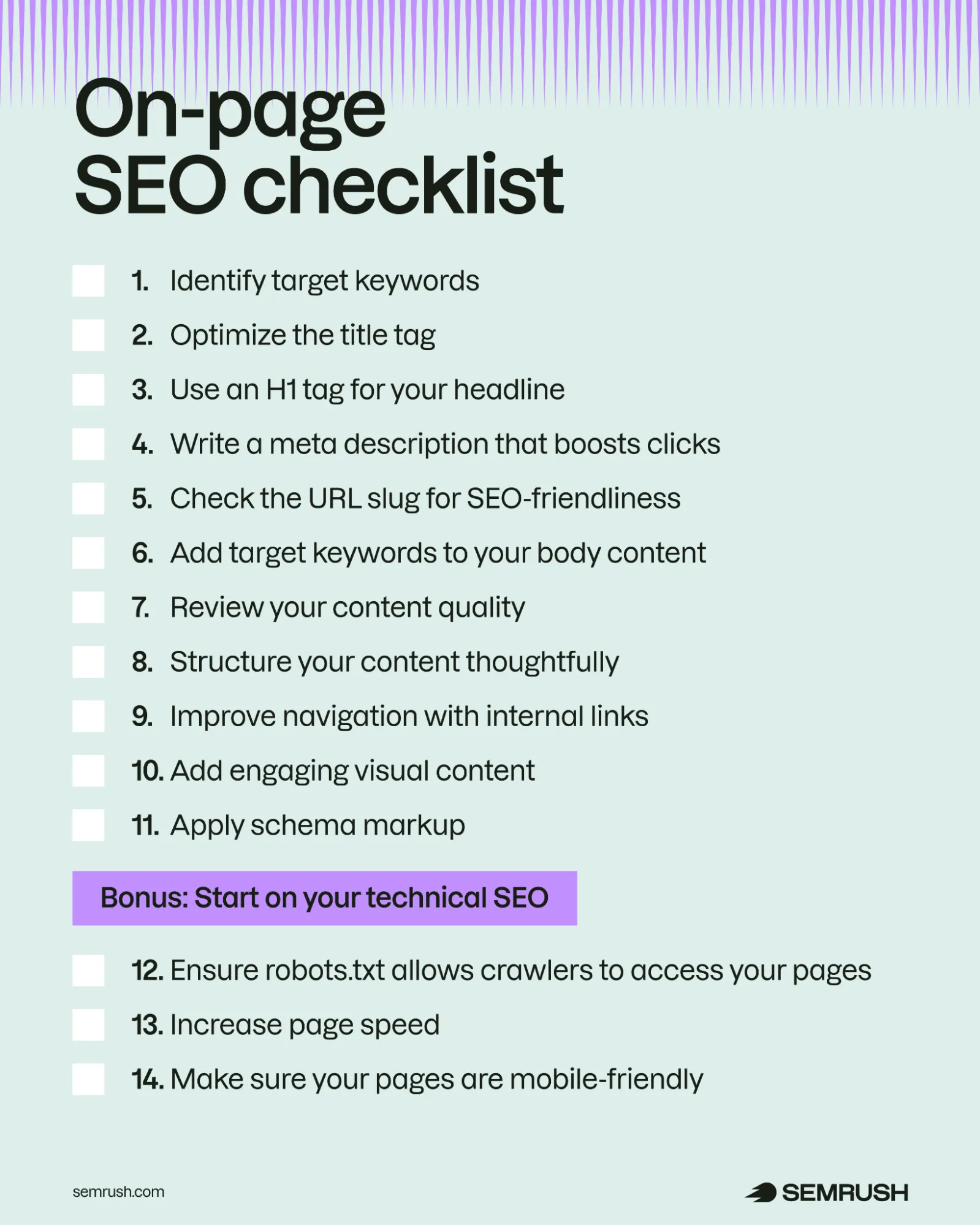
- Implement Local On-Page SEO
Add city names to your titles, meta descriptions, H1s, and image alt tags. - Use Local Structured Markup
Use Schema.org’s LocalBusiness markup to improve Google’s understanding of your business. - Leverage Programmatic SEO
Use pSEO to create scalable location-based landing pages like “Pest control in Lajpat Nagar” or “SEO consultant in Andheri East.”
How Mohit’s SEO Training Gained Visibility Using These Fixes
By following the above fixes—especially implementing programmatic SEO for service areas, posting weekly on Google Business Profile, and earning citations from educational blogs and local SEO forums, Mohit’s training site began ranking for multiple long-tail terms like “SEO training in Delhi NCR” and “best SEO course near me,” gaining hundreds of new organic visitors each month.
Local SEO Tip: Track and Improve Your Visibility
Improvement starts with measurement. Here’s what you should track:
- Google Search Console – To monitor indexing, impressions, and click-through rates
- Google Business Profile Insights – For data on views, calls, and direction requests
- BrightLocal or LocalFalcon – To monitor grid-based local rankings
- Ubersuggest or Ahrefs – For tracking keyword performance and backlinks
- GMB Everywhere – Chrome extension to see competitor GMB insights
Set a monthly routine. Analyze what’s working—and do more of it.
How Road To Top 5 Can Help?
At RoadToTop5.com, we’re experts in making your website shine bright. We offer a range of services to help your business succeed online.
- Our local SEO marketing service helps your business get noticed in your community so neighbors can find you easily.
- With our affordable eCommerce SEO, we boost online stores to attract more shoppers without breaking the bank.
- Our international SEO service makes your website friendly for people all around the world, breaking language barriers.
- Additionally, we specialize in B2B SaaS SEO services in the USA, helping software businesses reach more clients and grow.
Let us guide you on the journey to the top of search results!
Disclaimer
The results of the above strategies may vary based on industry, competition, and location. While these tips are proven to work in many cases, they require consistency, relevance, and patience for long-term success. All the above tips will help you out with how to do the local SEO the right way.
FAQs
Why can’t customers find my business on Google even though it’s verified?
Even if verified, an incomplete profile, low engagement, or incorrect business category can limit your visibility.
How long does it take for my business to appear on Google?
Typically 3–10 days post-verification, but may take longer if there’s limited content or trust signals.
How long does it take for a business to show on Google after verification?
If all information is accurate and consistent, it may take 3 to 7 business days.
Can I make my business visible without a website?
Yes, but having a website greatly improves trust, SEO, and click-through rates from Maps and search.
Could duplicate or incorrect listings be stopping my business from showing?
Yes. Google may penalize conflicting or duplicate listings, reducing your chance to rank.
What if my business address is shared, virtual, or hidden?
You must clarify service areas and ensure your business complies with Google’s guidelines. Virtual addresses are often restricted.

























Sign in to leave a comment.