
TikTok videos disappear from a feed fast. A user watches a clip once, laughs, moves on, and by the time they think about saving it, the app has already served up ten more videos. That gap between "I want this video" and "I actually have this video on my phone" is exactly what pushed a wave of download tools into daily use, and SnapTikk sits near the top of that list for a reason that has little to do with luck.
This piece breaks down the actual mechanics behind SnapTikk's popularity, not just a surface-level "it's fast and free" summary. We'll look at what problem it solves, how the process works, who relies on it, and what separates a tool people keep using from one they try once and abandon.
What Problem Does A TikTok Video Downloader Actually Solve?
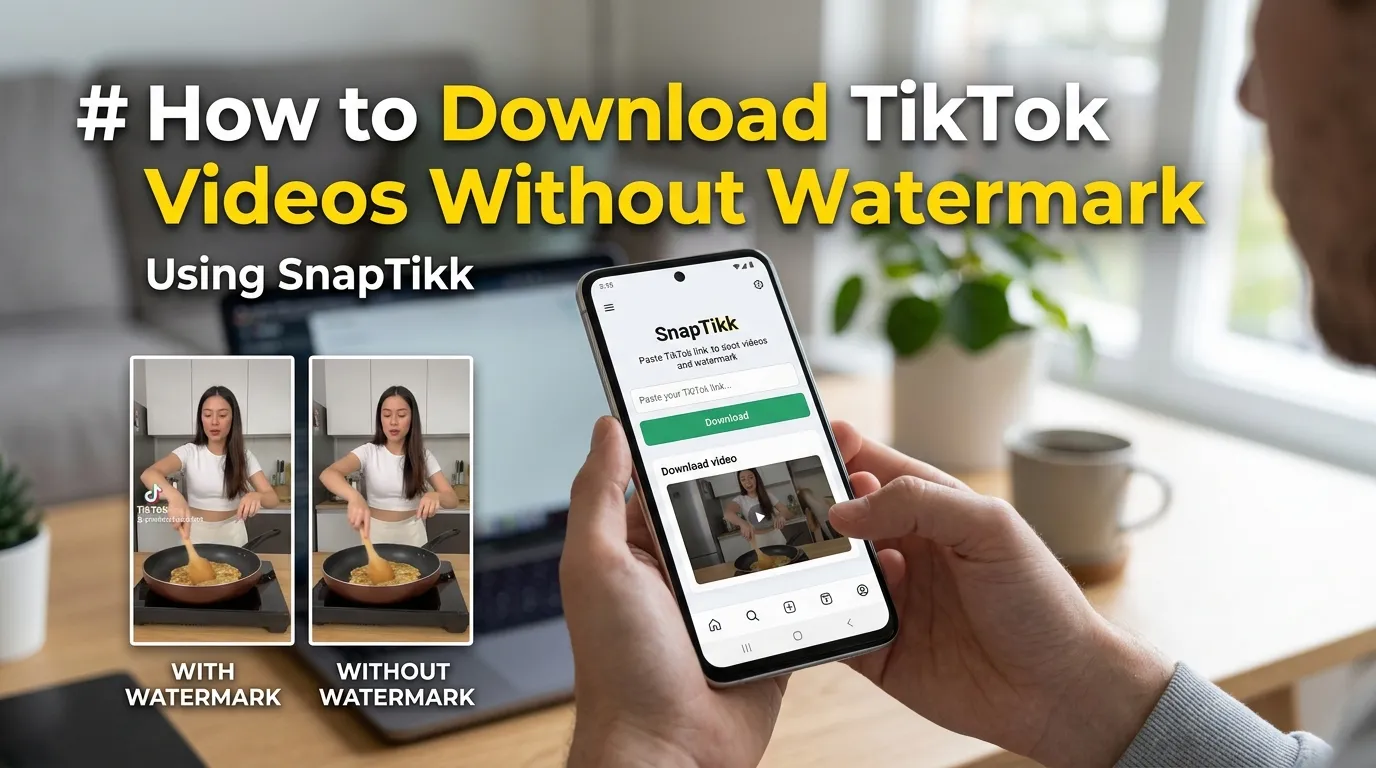
TikTok's own app does not offer a universal save-to-gallery button for every video. Creators can disable downloads entirely, and even when downloads are allowed, the saved file often carries a visible watermark stamped across the corner.
That watermark creates friction for three groups in particular:
- Marketers who want clean footage for ads or client decks
- Creators who repost trending clips for commentary or reaction content
- Regular viewers who just want a personal copy without the logo covering half the screen
A download tool exists to close that gap between what TikTok allows natively and what users actually need. Snap Tikk built its entire positioning around solving that specific friction point rather than trying to be a general-purpose media tool.
How Does SnapTikk Work Behind The Scenes?
The mechanism is simpler than most people assume, and understanding it explains why the tool feels instant compared to older download methods.
A user pastes a TikTok video link into the input field. The server fetches the video's raw source file directly from TikTok's content delivery network, strips the watermark overlay where possible, and converts the output into a standard playable file. No account login, no app store visit, no background software running on the device.
This server-side approach matters because it shifts the processing load away from the user's phone. Older download methods relied on screen recording, which produced lower quality footage and consumed storage for a redundant recording pass. A direct-fetch tool skips that entirely.
Why Speed Became A Ranking Factor For Users?
Response time on a mobile browser tool isn't a minor detail, it's often the deciding factor in whether someone finishes the task or gives up. A process that takes fifteen seconds and returns a clean file keeps a user. A process that stalls, throws a pop-up, or demands an app install loses them on the spot.
What Makes SnapTikk Different From Other Download Tools?
Plenty of TikTok download sites exist, and most of them look nearly identical on the surface: a text box, a paste button, a download link. The difference shows up in three areas that casual users notice even if they can't name them.
Consistent Watermark Removal
Some tools remove the watermark only when TikTok's own API cooperates, which means results vary video to video. Users report that SnapTikk handles this more consistently across different account types and regions, which builds the kind of repeat trust that keeps a tool bookmarked.
No Forced App Installation
A browser-based workflow avoids the permission requests, storage bloat, and update prompts that come with a dedicated app. For someone downloading one or two clips a week, installing an app for that purpose is a poor trade of phone storage for convenience.
Format Flexibility For Different Use Cases
Not every user wants the same output. Someone editing a reaction video wants raw footage. Someone building a highlight reel for a podcast clip channel wants audio separated from video. A well-built TikTok MP4 downloader workflow accounts for both needs instead of forcing one fixed output format on every request.
Who Actually Uses TikTok Downloaders And Why?
The audience splits into a few distinct groups, each with a different motivation:
- Social media managers archiving client content or competitor research before it gets deleted
- Video editors sourcing raw clips for compilation or reaction content
- Everyday viewers saving a recipe, workout routine, or tutorial they want offline
- Researchers and journalists preserving footage as evidence or reference material before a post is taken down
That last group matters more than most guides mention. TikTok content gets removed constantly, whether by the creator, by moderation, or by account bans. A saved copy becomes the only remaining record of that video, which turns a download tool into something closer to an archiving utility than a convenience app.
Comparison: Browser Download Tools vs Screen Recording vs Native Save
| Method | Watermark Present | Quality Loss | Storage Used | App Install Needed |
| Browser-based downloader (SnapTikk style) | Removed or minimal | None | Low | No |
| Screen recording | Absent but replaced with UI artifacts | Noticeable | High | No |
| Native in-app save | Yes, always | None | Low | No, but limited by creator settings |
The table above explains a lot of the migration pattern seen over the past two years. Screen recording was the workaround before dedicated tools matured, but it produced visibly worse footage and ate through phone storage fast.
Is SnapTikk Safe For Regular Use?
Safety concerns around download tools generally fall into three categories: malware risk, data privacy, and account safety. A legitimate tool addresses all three by not requiring TikTok login credentials at any point in the process, since the video fetch works off a public link rather than an authenticated session.
Users evaluating any download site should check for a few concrete signals before trusting it with repeated use:
- No request for a TikTok username or password
- No forced download of an executable file (a red flag on desktop)
- Clear, working links rather than redirect chains through ad networks
- A stable domain history rather than a site that changes names every few months
Tools that pass these checks tend to build the kind of long-term user base that shows up in steady search volume rather than a short-lived spike.
What Should Creators Verify Before Trusting Any Download Tool?
Before relying on any downloader as part of a regular content workflow, a creator should confirm the output file plays correctly across editing software, check that audio and video stay in sync after the fetch, and test the tool with a private or unlisted clip to see how it handles restricted content.
Ahmad Raza, a Lahore-based video editor who works with three e-commerce brands, mentioned in a recent industry forum thread that his team tests every new download source against a fifteen-second sync check before adding it to a client pipeline. That kind of practical verification separates professional workflows from casual one-off downloads.
The Real Reason SnapTikk Keeps Showing Up In Daily Workflows
Tools that solve a narrow, well-defined problem tend to outlast flashier competitors that try to do everything at once. SnapTikk's staying power traces back to a simple formula: fast retrieval, clean output, no forced account creation, and a workflow that respects how little patience a mobile user has for extra steps. That combination is why it keeps appearing in bookmarks, browser history, and recommendation threads long after the trend that first brought someone to it has faded.
FAQ
Is SnapTikk free to use? Yes, the core video-fetching function works without a paid subscription, which matches how most TikTok download tools in this category operate.
Does SnapTikk require a TikTok account to download videos? No. The process runs off a public video link, so no login credentials are needed at any stage.
Can SnapTikk download videos without the watermark? In most cases yes, since the tool strips the overlay during the fetch process rather than relying on a screen capture.
Does using a downloader violate TikTok's terms? Downloading content for personal use generally falls into a gray area, while redistributing someone else's content commercially without permission can raise copyright concerns regardless of which tool is used.
What file format does the download produce? Standard playable video format compatible with most phones and editing software, with some tools also offering an audio-only extraction option.

























Sign in to leave a comment.