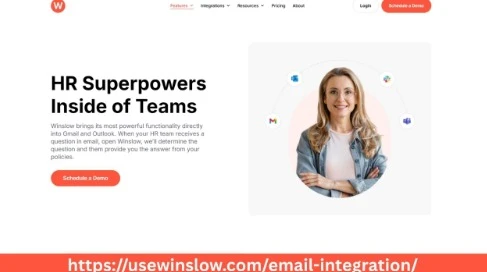

In today’s fast-paced business environment, efficient communication is the backbone of any successful Human Resources (HR) team. Whether you’re part of a small business or a large company, the ability to manage emails, collaborate with teams, and track communication seamlessly can greatly impact productivity. Recognizing this need, Winslow offers powerful Winslow Email Integration solutions designed specifically to empower HR teams working across popular platforms like Outlook, Gmail, Slack, and Microsoft Teams.
Why Email Integration Matters for HR Teams
HR teams handle a wide range of responsibilities that require constant communication with employees, candidates, and management. From onboarding and payroll discussions to interview scheduling and policy announcements, email remains a critical tool for HR professionals.
However, juggling multiple platforms can create inefficiencies:
- Switching between email clients and HR software interrupts workflow.
- Important emails related to employee matters may get lost or overlooked.
- Collaboration across teams is slowed down without integrated communication channels.
This is where Winslow Email Integration comes in — unifying your email communication directly with the tools your HR team already uses.
What is Winslow Email Integration?
Winslow Email Integration is a seamless connection that allows users to sync their emails from platforms like Gmail and Outlook directly with the Winslow platform. This integration enables HR teams to access, track, and manage email communication without leaving their primary workflow apps.
For companies and HR teams that rely heavily on tools such as Slack, Microsoft Teams, Gmail, and Outlook, Winslow bridges the gap by centralizing communications and providing smart automation options. This helps HR professionals reduce manual tasks, avoid email overload, and improve response times.
Benefits of Winslow Email Integration for HR Teams
1. Streamlined Communication in One Place
Winslow’s integration ensures all HR-related email conversations are accessible within a single interface. Whether you receive an application via Gmail or an internal query through Outlook, the email sync feature keeps everything organized.
By avoiding constant switching between email clients and HR tools, teams can:
- Focus on important conversations.
- Quickly locate employee correspondence.
- Respond promptly to urgent matters.
2. Enhanced Collaboration Across Platforms
Many HR teams operate using multiple communication platforms — such as Slack for instant messaging and Outlook for email. Winslow integrates with these tools to ensure emails are visible and actionable within team channels and apps.
This cross-platform accessibility enables:
- Faster decision-making with real-time updates.
- Better visibility of email threads among team members.
- Improved collaboration on hiring, employee relations, and compliance tasks.
3. Automated Tracking and Logging
Manually tracking email interactions can be tedious and error-prone. Winslow Email Integration automates logging of emails into employee or candidate profiles within the HR system.
This results in:
- Accurate communication history for audits and reporting.
- Easy follow-up scheduling based on email activity.
- Time-saving automation that reduces administrative burden.
4. Increased Productivity with Smart Features
Winslow’s integration is more than just syncing emails. It offers features such as email templates, reminders, and analytics tailored to HR workflows.
HR teams can leverage these tools to:
- Send personalized mass emails for announcements or policy updates.
- Set automated reminders for pending tasks or interview schedules.
- Gain insights into communication patterns to improve engagement.
5. Security and Compliance
Handling sensitive employee data requires strict compliance with data protection regulations. Winslow ensures that its email integration maintains security protocols aligned with industry standards.
With Winslow, HR teams can:
- Securely manage email content within the HR platform.
- Control access to sensitive communications.
- Maintain compliance with data privacy laws such as GDPR and HIPAA.
How Winslow Email Integration Works with Outlook and Gmail
Outlook Integration
For HR teams using Outlook, Winslow provides a smooth integration that syncs emails, calendars, and contacts. This integration allows HR professionals to:
- Access Outlook emails directly in the Winslow dashboard.
- Attach emails to employee records automatically.
- Schedule interviews or meetings using Outlook calendar synced with Winslow.
- Use Outlook’s rich email formatting within Winslow’s platform.
The integration supports both Microsoft 365 and Outlook desktop clients, providing flexibility for organizations of all sizes.
Gmail Integration
Gmail remains one of the most popular email platforms among businesses, especially startups and small businesses. Winslow’s Gmail integration supports:
- Direct access to Gmail inboxes within Winslow.
- Automatic email tagging and logging in employee or candidate profiles.
- Gmail calendar synchronization for scheduling HR events.
- Use of Gmail’s powerful search and filtering tools alongside Winslow’s HR functionalities.
The Gmail integration supports Google Workspace accounts, ensuring a smooth experience for companies invested in Google’s productivity ecosystem.
Who Can Benefit Most from Winslow Email Integration?
HR Teams in Small and Medium Businesses
Small HR teams often face the challenge of limited resources but high communication demands. Winslow Email Integration simplifies their workflow by consolidating all communications, reducing the need for multiple tools, and enabling efficient follow-up.
HR Professionals Using Slack and Microsoft Teams
Many companies now use Slack or Teams as primary communication hubs. Winslow’s email integration enhances these platforms by bringing essential HR email conversations into the same place where teams collaborate daily.
Companies Managing Hybrid or Remote Workforces
Remote and hybrid work setups increase reliance on digital communication. Winslow Email Integration helps maintain clear, documented communication regardless of location or device, which is crucial for employee engagement and compliance.
Businesses Focused on Compliance and Data Security
Companies that must adhere to strict compliance standards benefit from Winslow’s secure email handling, helping ensure all communications are properly logged and protected.
Getting Started with Winslow Email Integration
Implementing Winslow Email Integration is straightforward. The process typically involves:
- Connecting your Gmail or Outlook account to Winslow through secure authentication.
- Configuring settings to define which emails should be synced or logged.
- Training your HR team on how to use the integrated platform for daily workflows.
- Utilizing Winslow’s support and resources to optimize email communication management.
Conclusion
In a world where communication is king, HR teams need reliable tools that integrate smoothly with their existing email and collaboration platforms. Winslow Email Integration for Outlook and Gmail users offers a comprehensive solution that saves time, enhances collaboration, and maintains security.
By choosing Winslow, HR professionals and teams can focus on what matters most — building better employee experiences and supporting company growth — without getting bogged down by scattered emails or inefficient communication processes.
If you’re an HR team, small business, or company looking to optimize your email communication workflow across Slack, Teams, Gmail, and Outlook, Winslow provides the integration you need to succeed.

























Sign in to leave a comment.